
Comparing the best TMS for Freight Brokers of 2026 includes 1. Descartes Aljex 2. AscendTMS 3. Alvys 4. Tai TMS 5. Turvo 6. Revenova TMS 7. Rose Rocket.
TL;DR
- Descartes Aljex: Best overall broker TMS for established brokerages wanting a proven load-to-settlement system. 4.6/5 on G2 across 433 reviews, the largest verified base of any broker TMS; from $699/mo.
- AscendTMS: Best free broker TMS for new authorities and small desks, no setup, support, or training fees and no contract. 4.9/5 on Capterra across 364 reviews; free up to 2 users, then from $49/user/mo.
- Alvys: Best for cutting manual document entry, parsing rate confirmations and PODs into structured loads instead of retyping. 4.7/5 on G2 across 18 reviews; custom quote.
- Tai TMS: Best for LTL-heavy brokerages, with direct LTL carrier rates and automatic invoicing on proof of delivery. 4.4/5 on Capterra across 73 reviews; from $995/mo.
- Turvo: Best for 3PLs whose shippers will work inside a shared platform. 4.4/5 on G2 across 20 reviews; custom quote.
- Revenova TMS: Best Salesforce-native option, so brokerage operations and CRM share one data model. 4.3/5 on G2 across 43 reviews; from $2,500/mo, which rules out smaller desks.
- Rose Rocket: Best for brokerages that also run their own trucks and drivers. 4.8/5 on G2 across 15 reviews; from about $2,080/mo.
Seven TMS platforms built for the brokerage desk, from a new authority covering its first ten loads to a 60-desk 3PL running LTL and truckload side by side.
Load entry speed, carrier compliance monitoring, load board integrations, margin visibility, settlement automation, and what each one actually costs when the setup fee is included.
What is a freight broker TMS?
Best TMS for Freight Brokers, Compared on Cost comparison: features, pricing and verdicts
| Tool | Best for | Starting price | Free trial | External rating |
|---|---|---|---|---|
Best freight broker TMS for established brokerages that want a proven load-to-settlement system | From $699/mo | Free demo | G2 4.6/5 (433 reviews) | |
Best free freight broker TMS for new authorities and small desks with no software budget | Free | 30-day free trial of paid tier | Capterra 4.9/5 (364 reviews) | |
Best freight broker TMS for cutting manual document entry out of the back office | Custom quote | Free demo | G2 4.7/5 (18 reviews) | |
Best freight broker TMS for LTL-heavy brokerages that need direct carrier rates and automatic invoicing | From $995/mo | Free demo | Capterra 4.4/5 (73 reviews) | |
Best freight broker TMS for 3PLs whose shippers will work inside a shared platform | Custom quote | Free demo | G2 4.4/5 (20 reviews) | |
Best freight broker TMS for brokerages already running Salesforce as their CRM | From $2,500/mo | Free demo | G2 4.3/5 (43 reviews) | |
Best TMS for brokerages that also run their own trucks and drivers | From approx. $2,080/mo | Free demo | G2 4.8/5 (15 reviews) |
How we chose these tools
This comparison covers TMS platforms built for freight brokers and 3PLs specifically, rather than shipper-side or asset-carrier systems.
It draws on documented product capabilities, recurring themes across G2 and Capterra review samples, vendor pricing pages and published third-party pricing research verified in July 2026, and public product documentation.
G2 and Capterra ratings and review counts were read on July 27, 2026.
Where a vendor does not publish pricing, figures are labelled as estimates and attributed to third-party research rather than presented as list price.
Real-time visibility platforms, freight forwarding software, and warehouse systems are out of scope; a broker TMS here means a system that quotes, covers, tenders, tracks, invoices, and settles a load.
How we weight tms for freight brokers for the Topickz score
Every tool above is scored against the fixed rubric below and combined using these weights into the Topickz score on each card. The weights are set for tms for freight brokers specifically, they are not copied from another category, and we publish them so you can see what moved a ranking and re-weight for your own priorities.
| Criterion | Weight | What we checked |
|---|---|---|
| Load entry and coverage speed | 22% | How fast a broker quotes, covers, and tenders a load when the desk is busy. Every extra click multiplies across a hundred loads a week. |
| Carrier compliance monitoring | 18% | Authority, insurance, and safety checks kept current automatically rather than by a manual spot check. A lapsed carrier on a load is a real liability. |
| Load board integrations | 15% | Connections to the major load boards a desk lives on, like DAT and Truckstop. Posting and covering from inside the TMS beats tab-hopping all day. |
| Margin visibility | 13% | Buy-versus-sell margin on every load, in real time. A broker who cannot see margin per load is flying blind on the one number that matters. |
| Settlement automation | 12% | Customer invoicing and carrier settlement on delivery, ideally triggered by proof of delivery. This is the paperwork that piles up fastest on a growing desk. |
| Total cost including setup | 12% | The real year-one cost once a one-time setup fee is counted, not just the monthly headline. Setup fees often sit well above the advertised price. |
| Verified review base | 8% | Independent G2 and Capterra evidence rather than vendor-cited numbers. Volume that holds a score is hard to fake. |
| Total | 100% |
Read the full TopickZ.com testing methodology for how we run each test, score every criterion, and combine them into a single rating.
Detailed reviews
Descartes Aljex
Best freight broker TMS for established brokerages that want a proven load-to-settlement system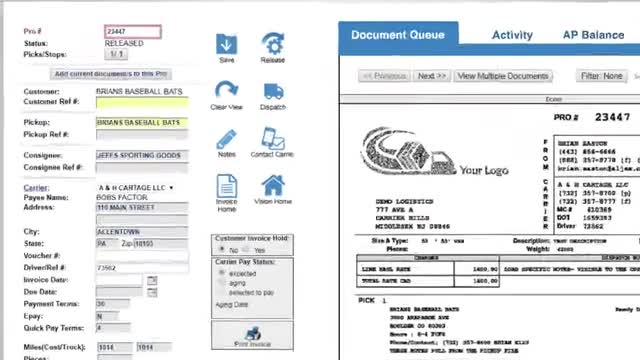
Screenshots of Descartes Aljex 4 images
What's great
- 433 G2 reviews at 4.6/5 is roughly ten times the community evidence behind any other broker-native TMS in this comparison, and the score holds at that volume, which is the hardest thing to fake in software reviews
- Publishes tiered pricing on its own site rather than hiding everything behind a demo request, so a five-desk brokerage can size the spend before booking a call and skip three weeks of quote chasing
- Descartes ownership means MacroPoint carrier tracking, rate data, and carrier compliance tools are available inside the same vendor relationship, so a brokerage adds capability without adding contracts
Watch-outs
- The interface is dated and reviewers say so plainly; Aljex predates the design conventions that Alvys, Rose Rocket, and Turvo were built around, and new hires coming from a modern tool notice within an hour
- The one-time setup fee is not published next to the tier pricing, so the real year-one cost sits meaningfully above the $699/mo headline for anything past a basic configuration
- Built around brokerage workflow, which means the asset side is thin; a broker that buys its first five trucks will find driver settlement and equipment management weaker than a carrier-native platform
If you asked twenty brokerage owners what runs their desks, Aljex comes up more than anything else, and 433 G2 reviews at 4.6/5 backs that up.
The load-to-settlement path is complete and it has been complete for years: quote, cover, run carrier compliance, tender, track, invoice the shipper, pay the carrier, see the margin.
The Aljex pricing page lists an Essential tier from around $699/mo, with third-party comparisons putting the Enterprise band near $2,375/mo as of March 2026, plus setup.
Against Revenova at roughly $2,500/mo to start and Tai at $995/mo under its Growth plan, that is competitive at the low end and reasonable at the top.
What you give up is polish.
Aljex looks like software that has been running brokerages since before responsive design, because it has.
Right for brokerages from about 3 to 50 desks that value reliability over aesthetics; wrong for hybrid operations where owned trucks are becoming the bigger half of the business.
Pricing breakdown
| Plan | Price | Best for |
|---|---|---|
| Essential | $699/mo plus one-time setup | Small brokerages moving off spreadsheets and email |
| Mid tier (est.) | Approx. $1,000-$1,500/mo | Growing desks adding lane pricing and carrier compliance monitoring |
| Enterprise (est.) | Approx. $2,375/mo, per third-party pricing research, March 2026 | Multi-office brokerages using the wider Descartes network |
Security & compliance
| Standard | Availability |
|---|---|
| SOC 2 Type II | Not listed |
| GDPR | Not listed |
| HIPAA | No |
| SSO / SAML | Yes |
| Audit logs | Yes |
Descartes Aljex compliance summary: SOC 2 Type II is not listed, GDPR is not listed, HIPAA is no, SSO/SAML is yes, and audit logs is yes.
Feature availability
| Feature | Status |
|---|---|
| Free tier | ✗ |
| Accounting sync | ✓ QuickBooks |
| Carrier compliance | ✓ |
| Carrier tracking | ✓ via Descartes MacroPoint |
| Load board integrations | ✓ DAT and Truckstop |
| Ltl rating | ✓ |
| Published pricing | ✓ |
Descartes Aljex feature availability summary: Free tier (✗), Accounting sync (✓ QuickBooks), Carrier compliance (✓), Carrier tracking (✓ via Descartes MacroPoint), Load board integrations (✓ DAT and Truckstop), Ltl rating (✓), and Published pricing (✓).
What reviewers say about Descartes Aljex
Recurring themes across ~414 G2 reviews (4.6/5) plus Capterra and Software Advice reviews, 2024-2026.
What reviewers praise
- The load board is the most-cited strength, with customer, pickup and delivery, rate, and carrier all visible on one screen without scrolling.
- Brokers repeatedly describe it as reliable day in and day out, which in freight software is worth more than any feature list.
- The QuickBooks flow gets specific praise, with data mapping across cleanly enough that the accounting desk pays carriers without re-entry.
- Board customization comes up often, with each user arranging their own view rather than accepting a fixed layout.
- Several reviewers say support asks what the underlying business problem is instead of quoting custom programming, and solves it inside the existing platform.
What reviewers fault
- Parts of the interface feel dated, and reviewers note a learning curve for new hires coming from newer cloud platforms.
- Integrations often mean paying both Aljex and the third-party vendor, which buyers do not always price in up front.
- You cannot do everything from inside the load record, so some tasks push a user out to other screens.
- Support experience is inconsistent across accounts; some reviewers report five-minute help desk responses, others report struggling to reach anyone.
- Drayage-specific gaps come up, including no dedicated steamship line or railroad carrier field, and batch building capped at ten.
Loading reviews…
AscendTMS
Best free freight broker TMS for new authorities and small desks with no software budget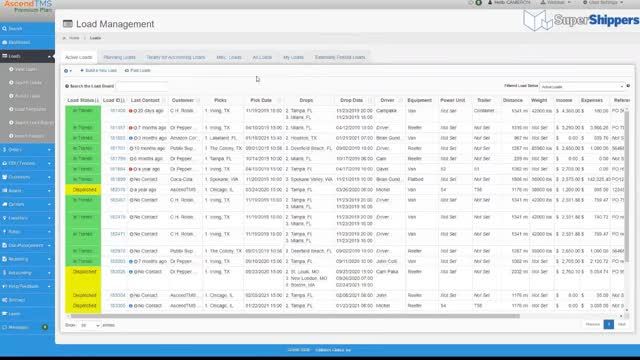
Screenshots of AscendTMS 4 images
What's great
- Free for up to 2 users with zero setup fee, zero support fee, and zero training fee, which is not a trial or a stripped demo but the actual product, and no other broker TMS in this comparison offers anything comparable
- No contract and no license fee, so a brokerage that outgrows it or folds walks away without a termination negotiation; in a business where a third of new authorities do not survive year two, that matters more than a feature checkbox
- Very large installed base for the price point, with AscendTMS citing over 51,000 active users, which means the core brokerage workflows have been hardened by a lot of operations rather than a handful of design partners
Watch-outs
- Third-party sources disagree on the paid tier prices, listing Basic at both $49 and $69 per user per month and Premium at both $99 and $119, so confirm the current numbers with AscendTMS before you build a budget on them
- The free tier stops at 2 users and the paid model is per seat, so cost appears abruptly at the third desk rather than scaling smoothly with revenue
- Carrier compliance monitoring, lane pricing analytics, and settlement automation are thinner than Aljex or Tai, and brokerages above roughly 15 users generally migrate rather than upgrade
Every other platform in this comparison assumes you already have revenue. AscendTMS does not, and that is the whole point. Free for two users, no setup, no support fee, no contract, no license.
A new authority can book its first load today on real brokerage software instead of a spreadsheet, and if the business does not work out the exit costs nothing.
That is a genuinely different risk profile from signing a $699/mo contract with a setup fee against revenue you have not earned yet.
Paid tiers run roughly $49 to $149 per user per month, with sources disagreeing enough on the middle numbers that you should verify directly.
Review volume lives on Capterra rather than G2, where the satisfaction scores are strong.
The ceiling is the honest caveat: past about 15 users, the thinner compliance and settlement tooling starts costing more in manual work than the license saves.
Right for new brokerages and small desks; wrong as a platform you expect to still be on at 40 seats.
Pricing breakdown
| Plan | Price | Best for |
|---|---|---|
| Free | $0 for up to 2 users, no setup or support fees | New authorities booking their first loads |
| Basic | $49/user/mo (some sources list $69) | Small brokerages past the free-tier user cap |
| Premium | $99/user/mo (some sources list $119) | Growing 3PLs needing more automation and reporting |
| Pro | $149/user/mo | Multi-desk brokerages wanting the complete feature set |
Security & compliance
| Standard | Availability |
|---|---|
| SOC 2 Type II | Not listed |
| GDPR | Not listed |
| HIPAA | No |
| SSO / SAML | Pro tier |
| Audit logs | Yes |
AscendTMS compliance summary: SOC 2 Type II is not listed, GDPR is not listed, HIPAA is no, SSO/SAML is pro tier, and audit logs is yes.
Feature availability
| Feature | Status |
|---|---|
| Free tier | ✓ up to 2 users |
| Accounting sync | ✓ QuickBooks |
| Carrier compliance | • basic |
| Contract required | ✗ cancel anytime |
| Load board integrations | ✓ DAT and Truckstop |
| Ltl rating | • limited |
| Published pricing | ✓ |
AscendTMS feature availability summary: Free tier (✓ up to 2 users), Accounting sync (✓ QuickBooks), Carrier compliance (• basic), Contract required (✗ cancel anytime), Load board integrations (✓ DAT and Truckstop), Ltl rating (• limited), and Published pricing (✓).
What reviewers say about AscendTMS
Recurring themes across ~364 Capterra reviews (4.9/5) plus Software Advice reviews, 2024-2026.
What reviewers praise
- Cost effectiveness is the headline theme, and the free tier draws specific praise from brokers who started with no software budget.
- Reviewers describe it as intuitive, fast, and responsive, with a short ramp for new users on the operations side.
- The LTL view that puts daily load information in one place is repeatedly named as the feature people use most.
- Load board connections are cited as working well across the major boards.
- Support is described as quick, patient, and hands-on, with training resources reviewers actually use.
What reviewers fault
- System downtime is the sharpest complaint, and it stops basic freight work when it happens.
- There is a learning curve on the admin side and especially around the accounting features.
- Mobile functionality draws criticism, along with delays when posting loads out to load boards.
- Because the platform serves brokers, carriers, 3PLs, and shippers at once, some workflows carry extra steps for any one of them.
- Reviewers want clearer communication about system changes and more consistent support availability.
Loading reviews…
Alvys
Best freight broker TMS for cutting manual document entry out of the back office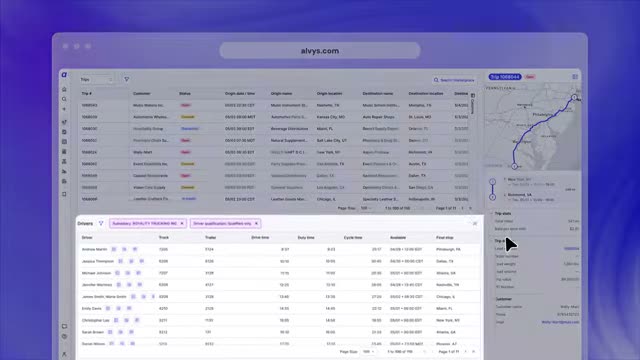
Screenshots of Alvys 3 images
What's great
- Document parsing turns rate confirmations, bills of lading, and proof-of-delivery paperwork into structured load records automatically, which attacks the single largest manual-labor line in a brokerage back office rather than a peripheral one
- 4.7/5 across 18 G2 reviews, and G2's own alternatives data names Alvys the leading alternative to Rose Rocket, which tells you where buyers actually cross-shop when they want a modern system
- Runs brokerage and asset operations in the same platform, so a brokerage that buys trucks or a carrier that brokers overflow freight does not end up reconciling two systems and two versions of the margin
Watch-outs
- 18 G2 reviews is a thin evidence base and Alvys is younger than Aljex by a wide margin, so a multi-year contract is a bet on roadmap execution rather than on a long production track record
- No published pricing whatsoever, which is a real problem for the small and mid-sized brokerages Alvys markets to hardest, since evaluation cannot start without a sales conversation
- Parsing accuracy tracks document quality, and brokerages receiving photographed or faxed paperwork from small carriers see more correction work than a clean demo implies
Alvys is built on a specific observation: the expensive part of running a brokerage back office is people retyping documents that arrived as PDFs.
A rate confirmation lands, Alvys reads it, the load exists with the stops, the rate, and the reference numbers already populated.
At 300 loads a week that is not a convenience, it is a headcount decision.
18 G2 reviews at 4.7/5 is a small sample but the themes are consistent: fewer steps to dispatch, fewer steps to invoice.
The dual brokerage-and-asset model is the other reason to look, because the pure-broker and pure-carrier split that most TMS vendors enforce does not match how mid-market trucking companies actually operate.
The complaint that sticks is pricing opacity.
There is no number anywhere.
Right for brokerages between roughly 10 and 200 loads a day where paperwork is the bottleneck; wrong for buyers who need a price before a call or want a decade of hardening behind the contract.
Pricing breakdown
| Plan | Price | Best for |
|---|---|---|
| Starter (est.) | Custom quote | Small brokerages automating rate con and POD entry |
| Growth (est.) | Custom quote | Hybrid broker and asset operations in one system |
| Enterprise (est.) | Custom quote | Multi-office brokerages needing API access and custom workflow |
Security & compliance
| Standard | Availability |
|---|---|
| SOC 2 Type II | Not listed |
| GDPR | Not listed |
| HIPAA | No |
| SSO / SAML | Yes |
| Audit logs | Yes |
Alvys compliance summary: SOC 2 Type II is not listed, GDPR is not listed, HIPAA is no, SSO/SAML is yes, and audit logs is yes.
Feature availability
| Feature | Status |
|---|---|
| Free tier | ✗ |
| Accounting sync | ✓ |
| Broker and asset | ✓ both in one system |
| Carrier compliance | ✓ |
| Document automation | ✓ core feature |
| Driver settlement | ✓ |
| Published pricing | ✗ |
Alvys feature availability summary: Free tier (✗), Accounting sync (✓), Broker and asset (✓ both in one system), Carrier compliance (✓), Document automation (✓ core feature), Driver settlement (✓), and Published pricing (✗).
What reviewers say about Alvys
Recurring themes across ~18 G2 reviews (4.7/5), 2024-2026. Small sample; weight accordingly.
What reviewers praise
- The interface is consistently described as user-friendly, with dispatching and invoicing taking fewer steps than reviewers' previous systems.
- Document handling is the standout, with reviewers citing less manual re-entry from rate confirmations and delivery paperwork.
- Time saved and errors avoided are the two outcomes reviewers name most often, rather than any single feature.
- Running brokerage and asset operations in one system draws praise from hybrid carrier-broker operations.
What reviewers fault
- The review base is small and the platform is younger than the established broker systems, so long-term production evidence is limited.
- No published pricing means evaluation cannot start without a sales conversation.
- Document parsing quality tracks document quality, so operations receiving photographed or faxed paperwork see more corrections.
Loading reviews…
Tai TMS
Best freight broker TMS for LTL-heavy brokerages that need direct carrier rates and automatic invoicing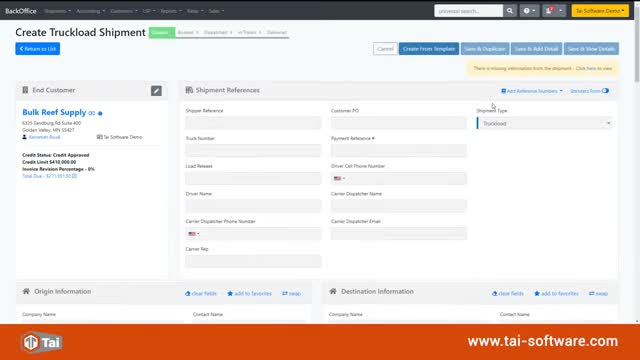
Screenshots of Tai TMS 4 images
What's great
- Direct LTL carrier rate connections pull live rates and return a quote in seconds, which is the specific workflow that makes or breaks an LTL desk and is noticeably weaker in the truckload-first platforms in this comparison
- Automatic invoice generation on confirmed proof of delivery closes the loop without a billing clerk touching each load, and Tai cites materially fewer billing disputes as a result of removing that manual step
- Published entry pricing at $995/mo under the Growth plan puts a real number on the table before a sales call, which only Aljex and AscendTMS otherwise do in this category
Watch-outs
- 4.4/5 across 73 Capterra reviews is solid rather than exceptional, and the negative reviews are pointed; at least one IT manager reports frequent bugs and unannounced changes, which is a stability signal worth probing in reference calls
- The ten-user entry bundle means a three-person brokerage pays for capacity it will not use for a year, making Tai worse value than AscendTMS or Aljex at the smallest end
- Strongest on domestic FTL and LTL in the United States, so brokerages with meaningful cross-border, intermodal, or international freight will find coverage gaps
LTL brokerage is a different business from truckload brokerage and most TMS platforms treat it as an afterthought. Tai does not.
Direct carrier rate connections, quotes in seconds, and automatic invoicing once proof of delivery is confirmed.
If your desk quotes 200 LTL shipments a day, the difference between pulling live rates and re-keying a rate sheet is the whole job.
73 Capterra reviews at 4.4/5 is a reasonable evidence base for a platform this specialized.
Read the negative ones before signing, because the complaints that exist are about bugs and unannounced changes rather than missing features, and that is the kind of thing reference calls surface faster than a demo does.
Pricing starts around $995/mo under Tai’s Growth plan, a restructured tier that replaced the old flat per-ten-users entry point.
Right for LTL-heavy brokerages and 3PLs with at least five or six desks; wrong for a two-person truckload brokerage, where the ten-user bundle is money spent on nothing.
Pricing breakdown
| Plan | Price | Best for |
|---|---|---|
| Growth | From $995/mo | LTL and FTL brokerages with an established desk count |
| Growth (est.) | Custom quote above the ten-user bundle | Scaling brokerages adding automation and carrier connections |
| Enterprise (est.) | Custom quote | Multi-office 3PLs with custom integration requirements |
Security & compliance
| Standard | Availability |
|---|---|
| SOC 2 Type II | Not listed |
| GDPR | Not listed |
| HIPAA | No |
| SSO / SAML | Yes |
| Audit logs | Yes |
Tai TMS compliance summary: SOC 2 Type II is not listed, GDPR is not listed, HIPAA is no, SSO/SAML is yes, and audit logs is yes.
Feature availability
| Feature | Status |
|---|---|
| Free tier | ✗ |
| Accounting sync | ✓ |
| Auto invoicing | ✓ on confirmed POD |
| Carrier compliance | ✓ |
| Load board integrations | ✓ |
| Ltl rating | ✓ direct carrier connections |
| Published pricing | ✓ |
Tai TMS feature availability summary: Free tier (✗), Accounting sync (✓), Auto invoicing (✓ on confirmed POD), Carrier compliance (✓), Load board integrations (✓), Ltl rating (✓ direct carrier connections), and Published pricing (✓).
What reviewers say about Tai TMS
Recurring themes across ~73 Capterra reviews (4.4/5), 2024-2026.
What reviewers praise
- LTL handling is the most-cited strength, with live carrier rates returning quotes in seconds.
- Automation across quoting, booking, and invoicing is what reviewers say separates it from general-purpose broker systems.
- Automatic invoice generation once proof of delivery is confirmed removes a manual billing step reviewers used to staff for.
- The staff and account team get repeat mentions, with reviewers describing the people as a reason they stayed.
What reviewers fault
- Bug reports appear in a meaningful share of negative reviews, and at least one reviewer describes them as frequent.
- Unannounced product changes come up as a specific frustration for teams that build process around the software.
- The entry bundle covers ten users, so very small brokerages pay for capacity they will not use for a while.
- Coverage is strongest on domestic US truckload and LTL, so cross-border and international freight find gaps.
Loading reviews…
Turvo
Best freight broker TMS for 3PLs whose shippers will work inside a shared platform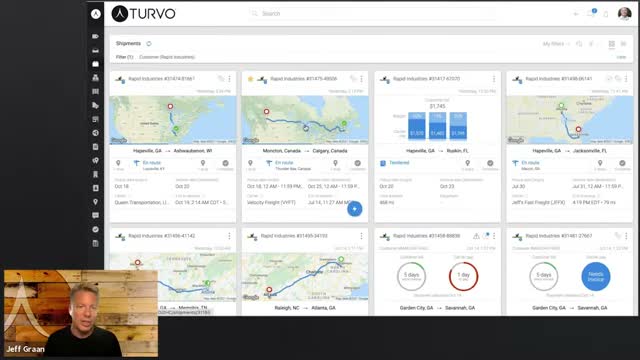
Screenshots of Turvo 4 images
What's great
- Puts shipper, broker, and carrier in one shared thread attached to the load, which removes the email and phone-tag layer that consumes most of a 3PL's exception-handling hours
- 4.4/5 on G2 with reviewers repeatedly citing ease of use and real-time tracking together, a combination that is rare in a category where configurability usually wins over usability
- Carrier-facing mobile experience is good enough that carriers actually use it, which is the load-bearing assumption in any collaboration platform and the place most competitors quietly fail
Watch-outs
- Third-party pricing estimates span from roughly $599/mo to roughly $5,000/mo depending on source and configuration, which is the widest published range in this comparison and makes budgeting from public information impossible
- 20 G2 reviews is a thin base for a platform positioned at larger 3PLs, so buyers signing significant annual contracts have less independent evidence than the spend justifies
- The network features only pay off if your customers participate; a brokerage whose shippers refuse to log into another portal is paying a premium for collaboration it will never see
Turvo bet that the expensive part of brokerage is not the system of record, it is the coordination around it. The load is a shared thread.
The shipper sees status without calling, the carrier updates without an email chain, and your rep stops being a human API between two parties.
20 G2 reviews at 4.4/5 praise ease of use and real-time tracking, which is the right outcome if the model works.
The catch is that it depends on people outside your company. Get your top 20 shippers engaged and exception management stops being inbox archaeology.
Fail to, and you have bought an expensive internal chat tool with a load board attached.
Pricing is the least transparent here, with public estimates spanning nearly an order of magnitude, so treat any number you read as noise and get the quote.
Right for 3PLs with collaborative customer relationships and the account management to drive adoption; wrong for brokerages whose shippers do business by phone and intend to keep doing so.
Pricing breakdown
| Plan | Price | Best for |
|---|---|---|
| Standard (est.) | Third-party sources cite from approx. $599/mo | Smaller 3PLs testing the collaborative model |
| Platform (est.) | Third-party sources cite up to approx. $5,000/mo | Full freight planning |
| Enterprise | Custom quote | Large broker networks with custom integration needs |
Security & compliance
| Standard | Availability |
|---|---|
| SOC 2 Type II | Yes |
| GDPR | Not listed |
| HIPAA | No |
| SSO / SAML | Yes |
| Audit logs | Yes |
Turvo compliance summary: SOC 2 Type II is yes, GDPR is not listed, HIPAA is no, SSO/SAML is yes, and audit logs is yes.
Feature availability
| Feature | Status |
|---|---|
| Free tier | ✗ |
| Accounting sync | ✓ |
| Carrier compliance | ✓ |
| Carrier mobile app | ✓ |
| Carrier tracking | ✓ native |
| Partner collaboration | ✓ core feature |
| Published pricing | ✗ |
Turvo feature availability summary: Free tier (✗), Accounting sync (✓), Carrier compliance (✓), Carrier mobile app (✓), Carrier tracking (✓ native), Partner collaboration (✓ core feature), and Published pricing (✗).
What reviewers say about Turvo
Recurring themes across ~20 G2 reviews (4.4/5), 2024-2026. Small sample; weight accordingly.
What reviewers praise
- Ease of use is the most consistent theme, which is uncommon in a category where configurability usually wins over usability.
- Real-time tracking gets named repeatedly as the thing that streamlines day-to-day logistics work.
- The collaborative model, with shipper, broker, and carrier working in one shared view of the load, is what reviewers say sets it apart.
- Operational efficiency gains come up more than feature checklists, which suggests the workflow itself is the value.
What reviewers fault
- Public pricing estimates vary enormously by source, and reviewers note the quote depends heavily on your profile.
- The review base is thin for a platform positioned at larger 3PLs.
- Network value depends on trading partners participating, and adoption outside your own team is not guaranteed.
Loading reviews…
Revenova TMS
Best freight broker TMS for brokerages already running Salesforce as their CRM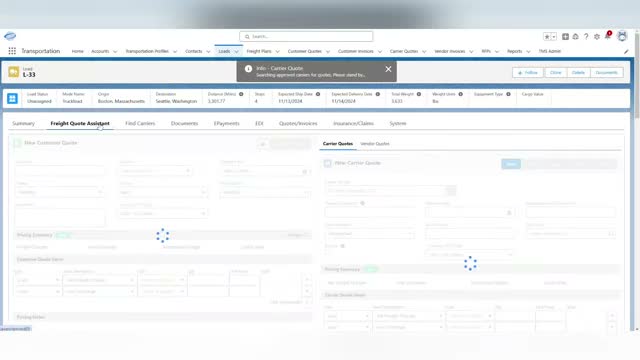
Screenshots of Revenova TMS 4 images
What's great
- Built natively on Salesforce, so the customer record, the opportunity, the load, and the invoice share one data model; a brokerage already on Salesforce stops maintaining an integration between sales and operations entirely
- Inherits the Salesforce platform's customization, reporting, and permissions model, which means a brokerage with a Salesforce admin can reshape workflows without waiting on a TMS vendor roadmap
- 43 G2 reviews at 4.3/5 with buyers consistently citing customization depth and workflow automation, which is what you would expect from a platform whose foundation is the most configurable CRM in the market
Watch-outs
- Roughly $2,500/mo per company as an entry point on an annual subscription, before Salesforce licensing itself, which puts Revenova well out of reach for brokerages under about ten desks
- The Salesforce dependency cuts both ways; reviewers flag cost and complexity as the two most common complaints, and every add-on module compounds both
- Support responsiveness comes up as a recurring criticism in G2 reviews, which is a harder problem in a two-vendor stack where the answer to a broken workflow can live on either side of the line
Revenova only makes sense in one situation, and in that situation it makes a lot of sense. Your brokerage already runs Salesforce, your reps live in it, and you are tired of syncing a TMS against a CRM that disagrees with it.
Revenova puts the load inside Salesforce, so the customer, the opportunity, the shipment, and the invoice are one record chain.
43 G2 reviews at 4.3/5 back the customization story: brokerages with a Salesforce admin reshape it to fit their workflow instead of negotiating with a vendor roadmap.
The price is the gate. Around $2,500/mo per company on an annual subscription, on top of Salesforce licensing, plus modules.
Reviewers name cost and complexity as the top complaints, and support responsiveness after that.
Right for brokerages above about ten desks that are already committed to Salesforce; wrong for anyone who would be adopting Salesforce in order to adopt Revenova.
Pricing breakdown
| Plan | Price | Best for |
|---|---|---|
| Entry | From $2,500/mo per company, annual subscription | Established brokerages already licensed on Salesforce |
| Modules | Priced by application module and user count, volume discounts apply | Adding carrier settlement |
| Enterprise | Custom quote | Multi-entity 3PLs building custom workflow on the Salesforce platform |
Security & compliance
| Standard | Availability |
|---|---|
| SOC 2 Type II | Yes |
| GDPR | Yes |
| HIPAA | No |
| SSO / SAML | ✓ via Salesforce |
| Audit logs | Yes |
Revenova TMS compliance summary: SOC 2 Type II is yes, GDPR is yes, HIPAA is no, SSO/SAML is ✓ via salesforce, and audit logs is yes.
Feature availability
| Feature | Status |
|---|---|
| Free tier | ✗ |
| Accounting sync | ✓ |
| Carrier compliance | ✓ |
| Carrier tracking | ✓ |
| CRM native | ✓ Salesforce |
| Customer portal | ✓ |
| Published pricing | • partial |
Revenova TMS feature availability summary: Free tier (✗), Accounting sync (✓), Carrier compliance (✓), Carrier tracking (✓), CRM native (✓ Salesforce), Customer portal (✓), and Published pricing (• partial).
What reviewers say about Revenova TMS
Recurring themes across ~42 G2 reviews (4.3/5), 2024-2026.
What reviewers praise
- Ease of use comes up often, which reviewers attribute to the familiar Salesforce foundation rather than a new interface to learn.
- Customization is the standout theme, with brokerages reshaping workflows to match how they already work instead of the reverse.
- Process automation across quoting, carrier assignment, and invoicing is cited as the main source of time saved.
- Having CRM, operations, and invoicing on one platform removes the sync between sales and operations that reviewers previously maintained.
What reviewers fault
- Cost is the most common criticism, and the Salesforce dependency means licensing stacks on top of the TMS subscription.
- Complexity rises with every add-on module, and reviewers say the platform can become harder to manage as it grows.
- Support responsiveness is a recurring complaint, which is harder to resolve in a two-vendor stack.
- Some specific workflows are described as functionally limited despite the platform's overall configurability.
Loading reviews…
Rose Rocket
Best TMS for brokerages that also run their own trucks and drivers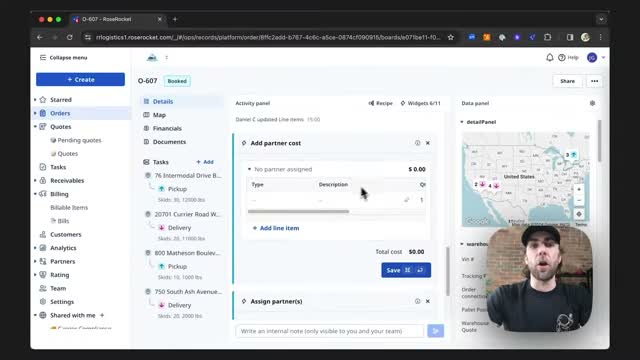
Screenshots of Rose Rocket 4 images
What's great
- Highest satisfaction score in this comparison at 4.8/5, with reviewers describing a modern interface that hides real depth rather than a stripped-down one that hides nothing
- Unlimited-user pricing on the Full Service Platform removes the seat math, which matters in a hybrid operation where dispatchers, billing clerks, and customer service all need access and none of them should be a licensing debate
- Adding a carrier by MC or DOT number pulls the record instead of requiring manual entry, and the QuickBooks and MacroPoint integrations cover the two systems most brokerages bolt on separately
Watch-outs
- 15 G2 reviews is the smallest sample in this comparison; the 4.8 score is excellent but rests on a narrow base, and Aljex's 4.6 across 433 reviews is the more statistically meaningful number
- Rose Rocket is Canadian and reviewers note that date and currency formatting defaults do not always follow US conventions, a small but daily irritation for US-only desks
- Carrier-first design means pure brokerage features like lane pricing analytics and margin management are less developed than in Aljex or Tai, so a brokerage with no trucks is buying strength it will not use
Rose Rocket earns its place on this list for one specific shape of business: the brokerage that bought trucks. 15 G2 reviews at 4.8/5 is the top satisfaction score here, and the praise is about speed.
Order entry, dispatch board, adding carriers by MC number, invoicing.
All fast, all in a modern interface that new dispatchers pick up without a training week.
The unlimited-user model on the Full Service Platform is the right shape for a hybrid operation, because a company running both sides has more people touching the system than a pure brokerage does.
Third-party research puts the Full Service Platform near $2,080/mo with a 90-day go-live target, and implementation costs on top of that.
That is a real commitment, not a trial. Right for hybrid broker-carriers and asset-based operations that also broker; wrong for a pure brokerage with no trucks, where Aljex or Tai fit the daily work better for less money.
Pricing breakdown
| Plan | Price | Best for |
|---|---|---|
| Per-user (est.) | Approx. $50/user/mo at 10 users, falling to approx. $35 at 100 | Smaller hybrid operations with a fixed headcount |
| Full Service Platform (est.) | From approx. $2,080/mo, unlimited users | Broker-carriers wanting orders |
| Enterprise | Custom quote plus implementation | Multi-terminal operations with complex settlement requirements |
Security & compliance
| Standard | Availability |
|---|---|
| SOC 2 Type II | Not listed |
| GDPR | Not listed |
| HIPAA | No |
| SSO / SAML | Yes |
| Audit logs | Yes |
Rose Rocket compliance summary: SOC 2 Type II is not listed, GDPR is not listed, HIPAA is no, SSO/SAML is yes, and audit logs is yes.
Feature availability
| Feature | Status |
|---|---|
| Free tier | ✗ |
| Accounting sync | ✓ QuickBooks |
| Broker and asset | ✓ both in one system |
| Carrier compliance | ✓ |
| Carrier tracking | ✓ via MacroPoint |
| Driver settlement | ✓ core feature |
| Published pricing | ✗ |
Rose Rocket feature availability summary: Free tier (✗), Accounting sync (✓ QuickBooks), Broker and asset (✓ both in one system), Carrier compliance (✓), Carrier tracking (✓ via MacroPoint), Driver settlement (✓ core feature), and Published pricing (✗).
What reviewers say about Rose Rocket
Recurring themes across ~15 G2 reviews (4.8/5) and public carrier community discussion, 2024-2026. Small sample; weight accordingly.
What reviewers praise
- The modern interface gets named repeatedly, with reviewers saying a deep feature set stays approachable rather than intimidating.
- Order entry and the dispatch board are described as fast, which is the part dispatchers touch hundreds of times a day.
- Adding a carrier by MC or DOT number pulls the record instead of forcing manual entry, and reviewers call this a real time saver.
- QuickBooks and MacroPoint integrations cover the two systems carriers most often bolt on separately.
- Cloud access from anywhere comes up as a practical benefit for multi-terminal and remote operations.
What reviewers fault
- Minor bugs surface, though reviewers generally note workarounds exist rather than blockers.
- As a Canadian product, date and currency formatting defaults do not always match US conventions.
- The review base is small, so buyers have less independent evidence than the high score alone suggests.
Loading reviews…
Tools we considered but excluded
We evaluated more tools than the 7 you see above. These did not make the cut. Saying what we rejected, and why, is the editorial muscle most listicles skip.
- McLeod Software PowerBroker: The long-standing default for large brokerages and carriers, but the on-premise deployment model, enterprise sales motion, and very thin public review presence make it impossible to verify against the cloud platforms here; worth a direct conversation if you are above roughly 75 desks
- MercuryGate TMS: 4.0/5 across 16 G2 reviews as of July 2026; a capable multimodal TMS with real enterprise deployments, but the combination of a thin review base and a below-average satisfaction score left too little verified evidence to rank it
- Shipwell: Shipwell is a strong platform but it is designed shipper-first; brokerages get a better daily workflow from a broker-native system, so Shipwell appears in our general freight management comparison instead
- project44 and FourKites: Both are real-time visibility platforms rather than transportation management systems; they track loads but do not quote, tender, invoice, or settle them, so they cannot replace a broker TMS
- CargoWise and Magaya: Freight forwarding platforms built for ocean and air with customs and documentation workflows; domestic truckload and LTL brokerages will not use most of what they pay for
- Dr Dispatch: A long-running low-cost option for very small brokerages and carriers, but the desktop-era architecture and minimal public review evidence in 2026 put it outside the cloud TMS scope of this comparison
Honorable mentions
Solid tools that did not crack the main list but are worth tracking, especially for niche use cases.
- ARK TMS: Publishes flat pricing at $199/user/mo with no setup fee and no contract, aimed at domestic brokerages from 1 to 50 users; the published-price transparency is genuinely unusual, though third-party review evidence is still thin enough that we could not verify it against the ranked platforms
- Cargo Chief C4: Carrier sourcing and rate intelligence rather than a full TMS; useful as a capacity layer alongside an existing broker system when finding trucks, not managing loads, is the bottleneck
- Descartes MacroPoint: The carrier tracking layer that several platforms in this comparison integrate with; worth pricing separately if your TMS works fine and your visibility is what customers complain about
How broker TMS platforms differ from every other kind of freight software
A brokerage does not own the trucks and does not own the freight. It owns the relationship on both sides and the spread in between, and a TMS built for anyone else gets this wrong in ways that cost real money.
Carrier sourcing and compliance is the core loop. A shipper-side TMS assumes you have contracted carriers. A brokerage assumes nothing.
The system has to post to load boards, take inbound carrier calls, verify authority and insurance and safety rating before the load is tendered, and keep that compliance record current.
Aljex, Tai, and Alvys treat this as the primary workflow. Shipper platforms treat it as an afterthought.
Margin is a first-class number. Brokerage software has to show the buy rate, the sell rate, and the spread on every load, in real time, to the person who can still do something about it. Carrier TMS platforms track cost per mile.
Shipper platforms track spend. Neither one shows you a rep quietly booking at a 4% margin all week.
Settlement runs in both directions. The brokerage invoices the shipper and pays the carrier, often on different terms, sometimes with quick-pay factoring in the middle.
Getting this wrong is how brokerages develop cash flow problems that have nothing to do with their sales performance.
Load board integration is not optional. DAT and Truckstop are where capacity gets found. A broker TMS that cannot post and search from inside the system forces a rep to work in three browser tabs, and that is where the copy-paste errors live.
The 2026 broker TMS landscape
Document automation is the one place AI has genuinely delivered. Alvys parses rate confirmations into loads. Tai generates invoices automatically once proof of delivery is confirmed.
Both are attacking the same problem from opposite ends of the load lifecycle, and both are producing measurable savings rather than demo-stage promises.
The AI pitch in freight software that deserves skepticism is the one about optimizing routes. Operations research solved that decades ago and it does not need a language model.
Pricing transparency improved, slightly. Three of the seven platforms here publish an entry price, which is better than the broader freight software market where two out of nine do.
That is still a category where most buyers cannot compare costs without a three-week sales cycle.
If you are evaluating more than one platform, start every quote conversation on the same day, because the last quote to arrive is the one that gets undercut.
Consolidation is quietly reshaping the middle of the market. Descartes has assembled Aljex, MacroPoint, and a broad logistics data portfolio under one roof. Trimble absorbed Kuebix and several other TMS products.
For buyers the practical effect is that adding capability increasingly means expanding an existing vendor relationship rather than running a new evaluation, which is convenient right up until you want negotiating room at renewal.
The free tier is doing more work than it used to. AscendTMS running a real free product for two users has changed the entry economics of starting a brokerage. New authorities no longer choose between a spreadsheet and a $699/mo commitment.
That has pushed the paid entry points of everything else to justify themselves harder.
What to test in every broker TMS demo
One, cover a load end to end and time it. Post to a load board, take a carrier call, run the compliance check on authority, insurance, and safety rating, tender the load, and produce the rate confirmation.
At 200 loads a week, a two-minute difference in this loop is about seven hours of desk time weekly. Sales engineers will do this if you ask.
Two, enter a load from an ugly rate con. Bring a real one from a small carrier, ideally a photographed PDF. Ask them to create the load from it without cleaning it up first. This is where document automation claims either hold or collapse.
Three, check what a carrier failure looks like. A carrier misses a pickup appointment. Who gets alerted, how fast, and does the shipper-facing update fire automatically or wait for a person to remember?
Exception handling is what customers actually judge a brokerage on.
Four, run a full settlement with an accessorial. Delivered load, detention charge, lumper fee. Invoice the shipper, pay the carrier, reconcile the margin, export to QuickBooks. Count the screens.
This workflow runs hundreds of times a month and small friction compounds into a full-time billing role.
Five, pull a margin report by rep by lane for last quarter. How long does it take to generate, and can a non-technical manager build it without a support ticket?
If margin analysis requires the vendor’s help, it will not happen weekly, and margin problems found quarterly are margin problems found late.
Six, get the year-one total in writing. Subscription, setup fee, data migration, training, integration work, and per-user overage. The monthly price is the part vendors volunteer. Everything else arrives later.
Picking the right TMS for your brokerage
1. Desk count decides most of the shortlist
Under 3 desks: AscendTMS free or Basic. From 3 to 15 desks: Descartes Aljex, or Tai if your freight is LTL-heavy. From 15 to 50 desks: Aljex, Alvys, or Turvo depending on whether your bottleneck is paperwork, coordination, or neither.
Above 50 desks: Aljex Enterprise, Revenova if you are already on Salesforce, or a direct conversation with McLeod.
2. Whether you own trucks changes the answer entirely
A pure brokerage should not buy a carrier-first platform, and a hybrid operation should not run two systems. If owned equipment is more than about 20% of your volume, shortlist Alvys and Rose Rocket.
If you have no trucks and no plans to buy any, the carrier-side depth is money spent on features you will never open.
3. LTL versus truckload is a real fork
LTL brokerage lives on rate accuracy and quote speed across many carriers. Tai is built for that specifically. Truckload brokerage lives on capacity sourcing and margin management, which is where Aljex and Alvys are stronger.
Brokerages running both should test the LTL quoting workflow hardest, because that is where general-purpose platforms most often disappoint.
4. Existing systems constrain more than buyers expect
Already on Salesforce with a real admin? Revenova removes an integration you are currently maintaining. Running QuickBooks? Confirm the sync is native and bidirectional rather than a nightly CSV. Already paying for MacroPoint tracking?
Aljex and Rose Rocket both connect to it without a middleware project.
The right broker TMS by brokerage profile
- New authority, first loads, no revenue yet: AscendTMS free tier. Two users, no setup fee, no contract, no risk.
- Small brokerage, 3 to 10 desks, truckload: Descartes Aljex at $699/mo. 433 G2 reviews at 4.6/5 and a published price.
- LTL-heavy brokerage with five or more desks: Tai TMS from $995/mo. Direct carrier rates and automatic invoicing on proof of delivery.
- Brokerage where the back office is the bottleneck: Alvys. The document parsing is the reason, and it is the biggest recoverable cost most brokerages have.
- 3PL with collaborative shipper relationships: Turvo. Get the quote in writing, because public price estimates span nearly an order of magnitude.
- Brokerage already committed to Salesforce, 10-plus desks: Revenova TMS from about $2,500/mo. One data model instead of a permanent integration project.
- Brokerage that has bought its own trucks: Rose Rocket or Alvys, both running brokerage and asset operations without reconciling two systems.
- Large brokerage above 75 desks: Aljex Enterprise, with a parallel conversation with McLeod on the enterprise side.
For the wider category including shipper-side platforms and real-time visibility, see the best freight management software comparison.
Brokerages moving international ocean and air freight should look at the best freight forwarding software comparison, where customs and documentation workflows are the deciding factor.
If you have bought trucks and now need telematics and ELD compliance alongside your TMS, the best fleet management software comparison covers that stack.
For corrections, vendor disputes, or feedback on this comparison, email hello@topickz.com . Pricing, G2, and Capterra data are verified each time this page is updated; next scheduled refresh is October 2026.
Frequently asked questions
What is the best TMS for a new freight brokerage?
How much does a freight broker TMS cost in 2026?
Which freight broker TMS platforms publish their pricing?
Is there a free TMS for freight brokers?
What is the best TMS for an LTL brokerage?
Do broker TMS platforms integrate with DAT and Truckstop?
Which broker TMS has the most reviews?
Should a brokerage that owns trucks use a broker TMS or a carrier TMS?
How long does a broker TMS implementation take?
What should I negotiate before signing a broker TMS contract?
Related helpful reads
Write a review
Posts to the page right away. Keep it real — no links or email addresses.