
Comparing the best Accounting Software for Construction of 2026 includes 1. Finstackk 2. FOUNDATION 3. Sage 100 Contractor 4. Procore Financial Management 5. QuickBooks Enterprise Contractor Edition 6. Vista by Viewpoint (Trimble) 7. Premier Construction Software (Jonas Premier) 8. Sage 300 CRE 9. CMiC 10. Buildertrend 11. JobTread 12. Knowify 13. Contractor Foreman 14. CrewCost 15. Acumatica Construction Edition 16. Sage Intacct Construction 17. Deltek ComputerEase 18. Spectrum by Trimble 19. RedTeam 20. COINS Construction Cloud 21. BuildOps 22. eSUB.
TL;DR
- Finstackk: Outsourced CPA bookkeeping, tax and payroll, not construction accounting (no job costing or AIA). Newer and unproven, no G2 base; from $199 incorporation, rest quoted.
- FOUNDATION: Best overall for mid-market GCs and specialty contractors, the deepest job-cost and certified payroll engine. Priced roughly 40% under Sage 300 CRE at around $500/mo; 3.6/5 on G2 across 23 reviews.
- Sage 100 Contractor: Best all-in-one for small and mid-sized contractors, without a six-figure implementation. 3.9/5 on G2 across 78 reviews; $115/user/mo.
- Procore: Best for GCs running project management and accounting in one system. 4.5/5 on G2 across 3,200 reviews; custom, ACV-based pricing.
- QuickBooks Enterprise Contractor Edition: Best budget entry point for real job costing a bookkeeper already knows. 4.3/5 on G2 across 1,025 reviews; from $1,922/yr.
- Vista by Viewpoint (Trimble): Best enterprise ERP for heavy-civil and self-perform contractors. 4.0/5 on G2 across 186 reviews; around $600/mo.
- Premier Construction Software (Jonas Premier): Best cloud-native ERP for mid-to-large GCs and developers. 4.7/5 on G2 across 1,000 reviews; custom pricing.
- Sage 300 CRE: Best for large-scale contractors needing deep cost detail. 3.5/5 on G2 across 110 reviews; around $500/mo.
- CMiC: Best for multi-entity general contractors at scale. 3.8/5 on G2 across 190 reviews; around $50,000/yr.
- Buildertrend: Best for residential builders and remodelers. 4.3/5 on G2 across 175 reviews; from $399/mo.
- JobTread: Best for small GCs wanting slick client-facing billing. 5.0/5 on G2 across 65 reviews; from $199/mo.
Construction accounting is a different discipline from generic bookkeeping. Job costing, work-in-progress reporting, retainage, AIA progress billing, and certified payroll aren’t add-ons, they’re the job.
Here’s what we found testing 20 platforms against that specific list.
What is construction accounting software?
Best Accounting Software for Construction comparison: features, pricing and verdicts
| Tool | Best for | Starting price | Free trial | External rating |
|---|---|---|---|---|
 Finstackk
 | Real-CPA bookkeeping, tax and payroll for small contractors who would rather outsource the back office | Custom quote | Free demo | No public reviews |
Best overall for mid-market GCs and specialty contractors | $500/mo | Demo, no free trial | G2 3.6/5 (23 reviews) | |
Best all-in-one for small and mid-sized contractors | $115/user/mo | Demo, no free trial | G2 3.9/5 (78 reviews) | |
Best for GCs running project management and accounting in one system | Custom, ACV-based | Demo only | G2 4.5/5 (3,200 reviews) | |
Best budget entry point for real job costing | $1,922/yr | 30-day trial | G2 4.3/5 (1,025 reviews) | |
Best enterprise ERP for heavy civil and self-perform contractors | $600/mo | Demo only | G2 4.0/5 (186 reviews) | |
Best cloud-native ERP for mid-to-large GCs and developers | Custom | Demo only | G2 4.7/5 (1,000 reviews) | |
Best for large-scale contractors needing deep cost detail | $500/mo | Demo only | G2 3.5/5 (110 reviews) | |
Best for multi-entity general contractors at scale | $50,000/yr | Demo only | G2 3.8/5 (190 reviews) | |
Best for residential builders and remodelers | $399/mo | Demo, 30-day money-back | G2 4.3/5 (175 reviews) | |
Best for small GCs wanting slick client-facing billing | $199/mo | Demo only | G2 5.0/5 (65 reviews) | |
For specialty trades doing AIA billing and certified payroll | $186/mo | Demo, 14-day trial | G2 4.5/5 (95 reviews) | |
For budget-conscious GCs bundling PM and accounting | $49/mo | 30-day free trial | G2 4.5/5 (357 reviews) | |
For real-time job costing without a full ERP switch | $599/mo | Demo only | G2 4.6/5 (40 reviews) | |
For ERP buyers wanting cloud flexibility over legacy Sage/Vista | $10,000/yr | Demo only | G2 4.4/5 (210 reviews) | |
For large enterprises and multi-entity firms wanting a cloud-native ERP backbone | Custom | Demo only | G2 4.3/5 (4,453 reviews) | |
For contractors needing deep prevailing-wage certified payroll | Custom | Demo only | G2 4.2/5 (55 reviews) | |
For self-perform heavy civil contractors already on Trimble hardware | $600/mo | Demo only | G2 3.8/5 (45 reviews) | |
For GCs wanting bid-to-close plus financials in one system | $299/mo | Demo only | G2 4.2/5 (106 reviews) | |
For large international EPC and MEP firms | Custom | Demo only | G2 4.0/5 (43 reviews) | |
For commercial MEP and service contractors billing by work order | Custom | Demo only | G2 4.2/5 (54 reviews) | |
For subcontractors needing field docs tied to cost tracking | Custom | Demo only | G2 4.0/5 (66 reviews) |
How we chose these tools
We scored every tool against five construction-specific jobs a generic accounting platform cannot fake, job costing by cost code, WIP reporting that flags over/under billing, AIA-style progress billing, retainage tracking across pay apps, and certified payroll for prevailing-wage work.
We cross-checked G2 review counts and star ratings, pulled current 2026 vendor pricing pages where published, and flagged every platform that hides pricing behind a sales call.
Where a tool also appears on our general best-accounting-software roundup, we reused its verified data and re-scored it against this narrower construction lens instead of re-testing from zero.
How we weight accounting software for construction for the Topickz score
Every tool above is scored against the fixed rubric below and combined using these weights into the Topickz score on each card. The weights are set for accounting software for construction specifically, they are not copied from another category, and we publish them so you can see what moved a ranking and re-weight for your own priorities.
| Criterion | Weight | What we checked |
|---|---|---|
| Job costing by cost code | 20% | This is the line that separates construction accounting from bookkeeping. We checked cost-code structure, committed-cost tracking, and whether labor and materials tie back to a specific job in real time. |
| WIP reporting | 16% | Work-in-progress reports that flag over and under billing before they eat a project. We looked at whether the schedule generates cleanly or gets rebuilt in a spreadsheet every month. |
| AIA progress billing | 13% | G702 and G703 pay applications are non-negotiable on commercial work. We tested whether the tool produces them natively or leaves you formatting by hand. |
| Retainage tracking | 12% | Retainage held across pay apps has to stay accurate for months. We checked how each platform tracks it on both receivables and payables. |
| Certified payroll | 11% | Prevailing-wage jobs need certified payroll and the reports that come with it. We looked at whether that runs inside the tool or forces a separate service. |
| Accounting inside project management | 9% | Some contractors want the ledger living inside Procore or a PM suite. We weighed how well accounting and project management share one set of numbers. |
| Pricing and quote transparency | 8% | Half this category hides pricing behind a sales call. We rewarded published, predictable pricing and flagged the platforms that would not commit to a number. |
| Field and PM integrations | 6% | Committed costs and budgets should sync without double entry. We checked Procore and other field-tool connections that save month-end hours. |
| Onboarding and implementation | 5% | A six-figure implementation is its own risk. We noted go-live time and how much outside help each rollout really needs. |
| Total | 100% |
Read the full TopickZ.com testing methodology for how we run each test, score every criterion, and combine them into a single rating.
Detailed reviews
Finstackk
Real-CPA bookkeeping, tax and payroll for small contractors who would rather outsource the back office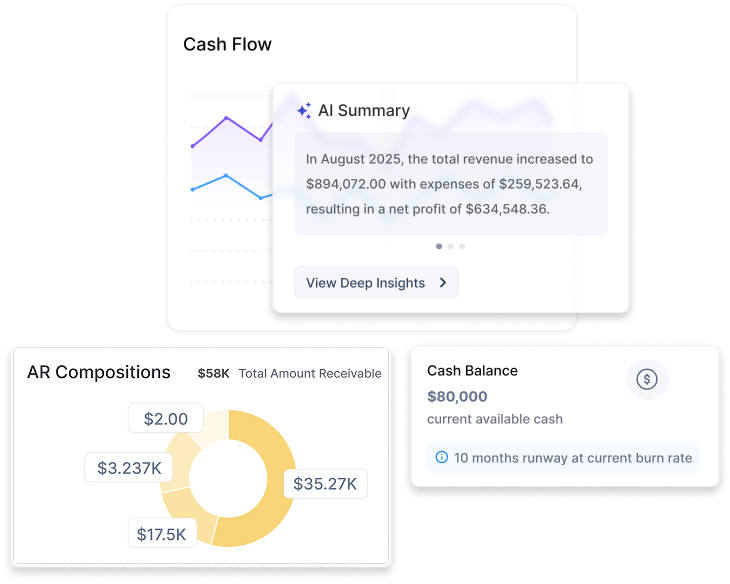
Screenshots of Finstackk 4 images
What's great
- You work with real CPAs on staff, not a chatbot, so bookkeeping, tax, payroll and compliance questions get answered by an actual accountant, which is the heart of what Finstackk sells
- One login spans incorporation, bookkeeping, tax, payroll, cap table and compliance, with a Fin-AI copilot that answers from your own financial data and hands off to a human, so a founder is not juggling five separate vendors
- It is built for US businesses, including foreign founders standing up a US entity, with SOC 2 highlighted and real integrations into QuickBooks Online, Gusto and Tax1099
Watch-outs
- Newer and smaller than the incumbents here, founded 2022, unfunded and around 40 people, with no established G2 or Capterra review base yet, so there is little independent evidence to check
- Everything past incorporation is quote-based behind a demo, with no published monthly rate card, so you cannot compare its ongoing price against the others here without a sales call
- Not construction accounting: no job costing, WIP reporting, AIA billing, retainage or certified payroll, so a contractor who needs those should choose a construction platform like FOUNDATION or Sage 300 CRE
Finstackk leads this list as the done-for-you option for a small contractor who would rather outsource the back office than run construction accounting software.
What it does not do matters here: there is no job costing, WIP reporting, AIA billing, retainage or certified payroll, the workflows this category is built around, so a GC or specialty contractor who needs those should go with FOUNDATION, Sage 300 CRE or another construction platform.
Its value is the real-CPA service plus a Fin-AI copilot handling general books, tax and payroll, not trade-specific features.
It is also newer and unproven, 2022-founded, unfunded, with no G2 track record, and its pricing past $199 incorporation is quote-based.
Best for a small contractor who wants accountants handling the general finances and does not need construction-specific tooling.
Pricing breakdown
| Plan | Price | Best for |
|---|---|---|
| Incorporation (Fin-Start) | From $199 one-time | US company formation, EIN, banking setup, and corporate documents |
| Bookkeeping, tax and payroll | Custom quote | Ongoing books, filings, and payroll handled by real CPAs |
| Registered agent | $149 per year | Required registered-agent service for the entity |
Security & compliance
| Standard | Availability |
|---|---|
| SOC 2 Type II | Yes |
| GDPR | Not listed |
| HIPAA | No |
| SSO / SAML | Not listed |
| Audit logs | Not listed |
Finstackk compliance summary: SOC 2 Type II is yes, GDPR is not listed, HIPAA is no, SSO/SAML is not listed, and audit logs is not listed.
Key integrations
| Integration | Type |
|---|---|
| Gmail | N/A |
| Outlook | N/A |
| Slack | N/A |
| LinkedIn Sales Navigator | N/A |
| Outreach / Salesloft | N/A |
Finstackk integration summary: Gmail is not specified, Outlook is not specified, Slack is not specified, LinkedIn Sales Navigator is not specified, and Outreach or Salesloft is not specified.
Feature availability
| Feature | Status |
|---|---|
| Aia billing | ✗ |
| Certified payroll | ✗ |
| Job costing | ✗ |
| Retainage tracking | ✗ |
| Wip reporting | ✗ |
Finstackk feature availability summary: Aia billing (✗), Certified payroll (✗), Job costing (✗), Retainage tracking (✗), and Wip reporting (✗).
Loading reviews…
FOUNDATION
Best overall for mid-market GCs and specialty contractors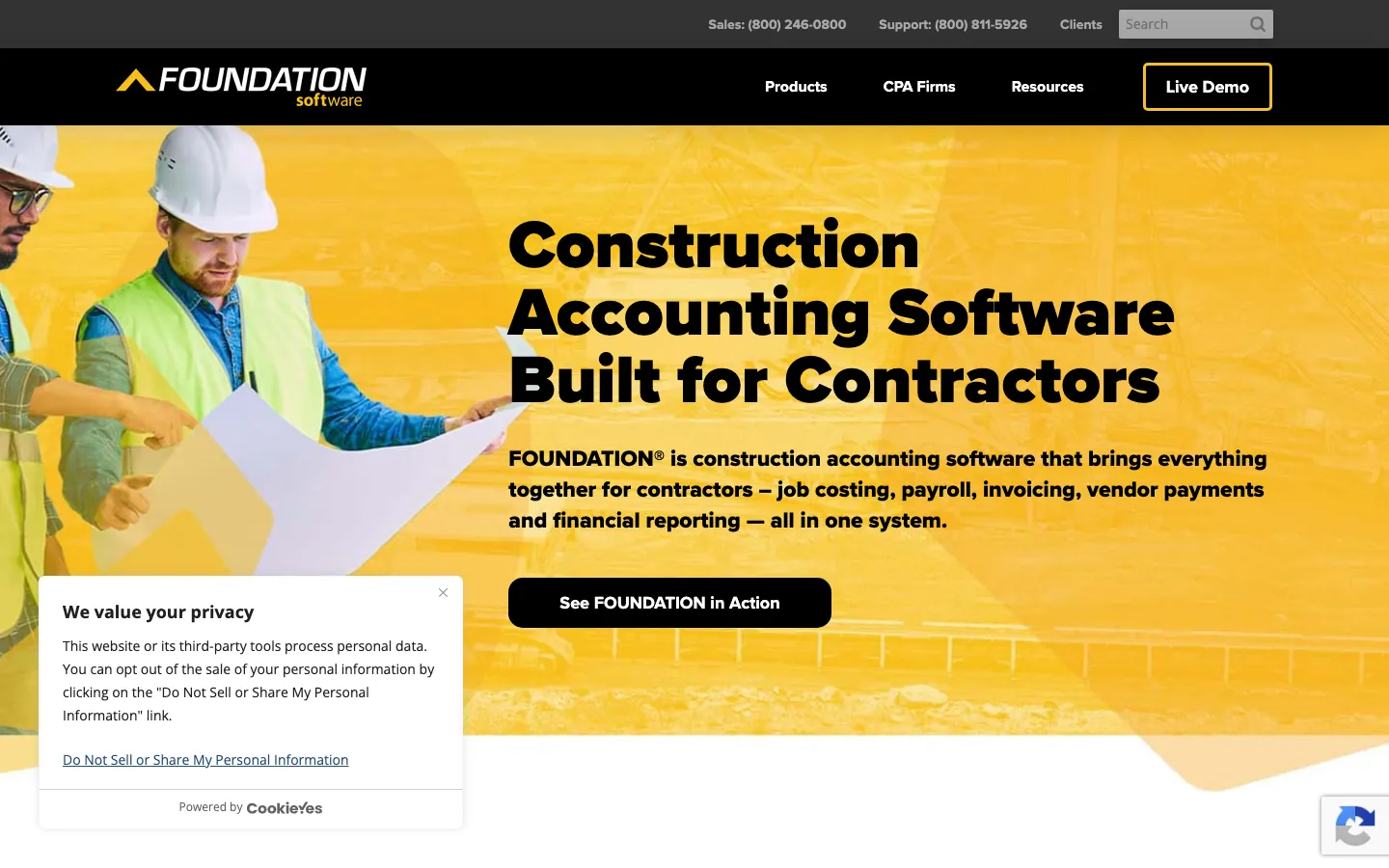
Screenshots of FOUNDATION 4 images
What's great
- Data Genie reporting module builds custom job-cost and WIP reports without a report writer license, the deepest self-service reporting in the sub-enterprise tier
- Certified payroll automates WH-347 forms with multi-state, multi-union handling built in, the strongest prevailing-wage engine under Sage 300 CRE
- Delivers roughly 90% of Sage 300 CRE's construction feature depth at closer to 40% of the licensing cost
Watch-outs
- Implementation runs $3,000-$8,000 on top of the $500+/mo license, and reviewers describe a steep learning curve without formal training
- Interface feels dated next to cloud-native competitors like CrewCost or JobTread, reporting customization has real limits past the templates
- G2 review volume is thin at 23 reviews, so the sample size is small relative to its market share
FOUNDATION is the reference point for a mid-market GC or specialty contractor that has outgrown QuickBooks but doesn’t need a full ERP.
Job costing runs by cost code out of the box, and WIP tracking flags over/under billing before it becomes a cash-flow problem.
23 G2 reviews average 3.6/5, thin volume but the recurring theme is affordability relative to Sage.
Certified payroll is the standout: WH-347 forms auto-populate from timecards, which matters the moment you win a public-works bid.
Budget for the $3,000-$8,000 implementation fee on top of licensing, and plan on formal training, the interface won’t teach itself.
Pricing breakdown
| Plan | Price | Best for |
|---|---|---|
| Essentials | $500/mo | Single-entity GCs under $10M revenue |
| Advantage | $850/mo | Multi-project GCs needing full job costing plus payroll |
| Enterprise | $1 | Multi-entity contractors with certified payroll across states |
Security & compliance
| Standard | Availability |
|---|---|
| SOC 2 Type II | ✗ not published |
| GDPR | No |
| HIPAA | No |
| SSO / SAML | Enterprise |
| Audit logs | Advantage+ |
FOUNDATION compliance summary: SOC 2 Type II is ✗ not published, GDPR is no, HIPAA is no, SSO/SAML is enterprise, and audit logs is advantage+.
Key integrations
| Integration | Type |
|---|---|
| Gmail | N/A |
| Outlook | N/A |
| Slack | N/A |
| LinkedIn Sales Navigator | N/A |
| Outreach / Salesloft | N/A |
FOUNDATION integration summary: Gmail is not specified, Outlook is not specified, Slack is not specified, LinkedIn Sales Navigator is not specified, and Outreach or Salesloft is not specified.
Feature availability
| Feature | Status |
|---|---|
| Aia billing | ✓ |
| Certified payroll | ✓ WH-347 |
| Job costing | ✓ by cost code |
| Retainage tracking | ✓ |
| Wip reporting | ✓ Data Genie |
FOUNDATION feature availability summary: Aia billing (✓), Certified payroll (✓ WH-347), Job costing (✓ by cost code), Retainage tracking (✓), and Wip reporting (✓ Data Genie).
Loading reviews…
Sage 100 Contractor
Best all-in-one for small and mid-sized contractors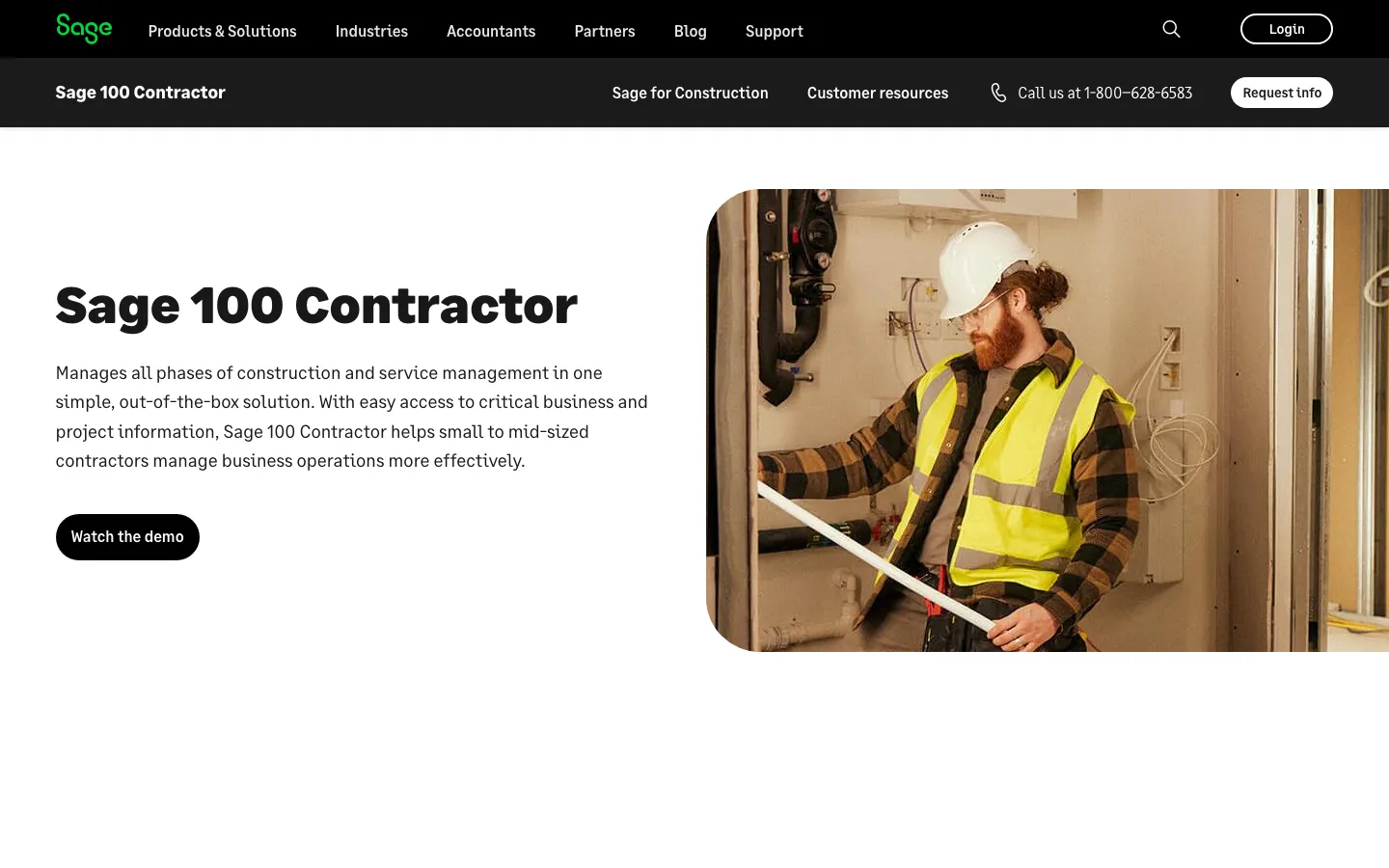
Screenshots of Sage 100 Contractor 4 images
What's great
- Ease-of-use scores higher on G2 than Sage 300 CRE, a real interface advantage for owners without a dedicated controller
- Estimating, scheduling, and accounting live in one license, no separate module purchase to get job costing plus takeoffs
- Lower total cost of ownership than Sage 300 CRE or Vista, the practical ceiling before you need a real ERP
Watch-outs
- Desktop-first architecture, cloud hosting is bolt-on through a third party rather than native
- Project management feature set is thinner than Sage 300 CRE or Procore, mostly built for accounting-first shops
- Per-user pricing climbs fast once you add estimators and PMs as named seats
Sage 100 Contractor is what most small-to-mid GCs land on when QuickBooks stops being enough but a full ERP is overkill.
It bundles job costing, estimating, and payroll in one license, which keeps the stack simple for an owner-operator running two or three crews.
G2 users rate ease of use meaningfully higher than its bigger sibling, Sage 300 CRE , a real signal for shops without a full-time controller.
The tradeoff is a desktop-native architecture; cloud access is possible but bolted on, not built in.
Pricing breakdown
| Plan | Price | Best for |
|---|---|---|
| Single user | $115/user/mo | Owner-operators, 1-2 users |
| Small team | $150/user/mo | 3-8 users with estimating |
| Growth | $200/user/mo | 8+ users, multi-project job costing |
Security & compliance
| Standard | Availability |
|---|---|
| SOC 2 Type II | ✗ not published |
| GDPR | No |
| HIPAA | No |
| SSO / SAML | No |
| Audit logs | Growth tier |
Sage 100 Contractor compliance summary: SOC 2 Type II is ✗ not published, GDPR is no, HIPAA is no, SSO/SAML is no, and audit logs is growth tier.
Key integrations
| Integration | Type |
|---|---|
| Gmail | N/A |
| Outlook | N/A |
| Slack | N/A |
| LinkedIn Sales Navigator | N/A |
| Outreach / Salesloft | N/A |
Sage 100 Contractor integration summary: Gmail is not specified, Outlook is not specified, Slack is not specified, LinkedIn Sales Navigator is not specified, and Outreach or Salesloft is not specified.
Feature availability
| Feature | Status |
|---|---|
| Aia billing | ✓ |
| Certified payroll | ✓ add-on |
| Job costing | ✓ by cost code |
| Retainage tracking | ✓ |
| Wip reporting | ✓ |
Sage 100 Contractor feature availability summary: Aia billing (✓), Certified payroll (✓ add-on), Job costing (✓ by cost code), Retainage tracking (✓), and Wip reporting (✓).
What reviewers say about Sage 100 Contractor
Recurring themes across ~4,211 G2 reviews (4.3/5) and ~559 Capterra reviews (4.3/5), 2024-2026.
What reviewers praise
- Dimensional accounting replaces bloated chart-of-accounts structures; reviewers can slice reporting by entity, department, project, and location without creating duplicate GL accounts.
- Multi-entity consolidation handles intercompany eliminations and currency conversion in ways that comparable mid-market ERPs cannot match.
- Reporting depth and dashboard configurability are consistently praised, with finance teams building the custom views they need without outside help.
- Cloud-native architecture and role-based access controls make it practical for distributed finance teams and external auditors to work from the same data.
- The approval workflow engine and audit trail satisfy compliance requirements for nonprofits and professional services firms facing grant or government reporting.
What reviewers fault
- Implementation cost is the most-cited barrier; annual subscriptions typically run $8,000-$35,000 plus implementation fees of 1.0-1.75x the subscription.
- Almost every worthwhile feature sits behind an add-on module, and reviewers report that renewal quotes expand as Sage adds new billable capabilities.
- The learning curve is steep for non-finance staff; report customization and multi-entity setup require formal training rather than trial-and-error.
- Correcting posted transactions is difficult or impossible in some configurations, forcing workarounds that complicate audit trails.
- The user interface feels dated relative to modern SaaS tools; reviewers note the visual design has not kept pace with competing cloud platforms.
Loading reviews…
Procore Financial Management
Best for GCs running project management and accounting in one system
Screenshots of Procore Financial Management 4 images
What's great
- Budget, change management, and invoice tools tie directly to live project schedules, no re-entry between PM and finance
- Filterable budget views by project, sub-job, or cost code give real-time overbilling visibility that bolted-together stacks can't match
- Broadest integration ecosystem in the category, syncs into most general ledgers rather than forcing a full accounting migration
Watch-outs
- Pricing is based on Annual Construction Volume, not seats, and typical deals run $10K-$60K a year with 10-14% renewal increases
- Procore is not a general ledger on its own, most GCs still run QuickBooks, Sage, or an ERP underneath it for the books
- No published pricing at all, every deal requires a sales call and a volume disclosure
Procore is the right call for a GC that has already standardized project management on the platform and wants job costing tied directly to live budgets instead of a monthly import.
Procore holds a 4.5/5 rating on G2 across roughly 3,200 reviews, among the highest review volume in construction tech.
The catch is that Procore’s financial tools are strongest as a companion to a real general ledger, not a replacement for one; most GCs still run QuickBooks or Sage underneath it.
ACV-based pricing means a $40M-revenue GC should expect a materially different bill than a $10M one, and neither number appears on the website.
Pricing breakdown
| Plan | Price | Best for |
|---|---|---|
| Essentials | Custom, from ~$10K/yr | GCs under $10M ACV |
| Advanced | Custom, $20K-$40K/yr | Mid-market GCs, $10M-$50M ACV |
| Extended | Custom, $40K-$60K+/yr | Enterprise GCs, $50M+ ACV |
Security & compliance
| Standard | Availability |
|---|---|
| SOC 2 Type II | Yes |
| GDPR | Yes |
| HIPAA | No |
| SSO / SAML | Yes |
| Audit logs | Yes |
Procore Financial Management compliance summary: SOC 2 Type II is yes, GDPR is yes, HIPAA is no, SSO/SAML is yes, and audit logs is yes.
Key integrations
| Integration | Type |
|---|---|
| Gmail | N/A |
| Outlook | N/A |
| Slack | N/A |
| LinkedIn Sales Navigator | N/A |
| Outreach / Salesloft | N/A |
Procore Financial Management integration summary: Gmail is not specified, Outlook is not specified, Slack is not specified, LinkedIn Sales Navigator is not specified, and Outreach or Salesloft is not specified.
Feature availability
| Feature | Status |
|---|---|
| Aia billing | ✓ |
| Certified payroll | M add-on |
| Job costing | ✓ live budget ties |
| Retainage tracking | ✓ |
| Wip reporting | ✓ |
Procore Financial Management feature availability summary: Aia billing (✓), Certified payroll (M add-on), Job costing (✓ live budget ties), Retainage tracking (✓), and Wip reporting (✓).
Loading reviews…
QuickBooks Enterprise Contractor Edition
Best budget entry point for real job costing
Screenshots of QuickBooks Enterprise Contractor Edition 3 images
What's great
- Cheapest tool on this list with real job-cost-by-phase reporting, and most bookkeepers already know the QuickBooks interface
- Progress invoicing and change order tracking are native, not a bolt-on module
- Deepest accountant-network moat in the category, easiest to staff and hand off between bookkeepers
Watch-outs
- No native certified payroll or WH-347 automation, contractors bidding public work usually add a third-party payroll tool
- WIP reporting is manual-report-built rather than a dedicated dashboard, nowhere near FOUNDATION or Sage 300 CRE depth
- Desktop-first with cloud hosting as a paid add-on, and per-user licensing gets expensive past 10 seats
QuickBooks Enterprise Contractor Edition is the honest starting point for a small GC that needs real job costing without a five-figure implementation.
Starting around $1,922/year for a single user with the Gold tier , it’s the cheapest tool here that still does phase-based job costing and progress invoicing properly.
Over 1,025 G2 reviews put it at 4.3/5, and the accountant-network moat means you can hand this off to almost any bookkeeper without a training budget.
The gap shows up on certified payroll and WIP depth; teams bidding prevailing-wage public work usually outgrow it within two years.
Pricing breakdown
| Plan | Price | Best for |
|---|---|---|
| Gold | $1,922/user/yr | Single-user shops, basic job costing |
| Platinum | $2,700/user/yr | Small teams needing advanced inventory and reporting |
| Diamond | $4,200+/user/yr | Teams needing payroll and time tracking bundled in |
Security & compliance
| Standard | Availability |
|---|---|
| SOC 2 Type II | ✗ not published |
| GDPR | No |
| HIPAA | No |
| SSO / SAML | No |
| Audit logs | Diamond tier |
QuickBooks Enterprise Contractor Edition compliance summary: SOC 2 Type II is ✗ not published, GDPR is no, HIPAA is no, SSO/SAML is no, and audit logs is diamond tier.
Key integrations
| Integration | Type |
|---|---|
| Gmail | N/A |
| Outlook | N/A |
| Slack | N/A |
| LinkedIn Sales Navigator | N/A |
| Outreach / Salesloft | N/A |
QuickBooks Enterprise Contractor Edition integration summary: Gmail is not specified, Outlook is not specified, Slack is not specified, LinkedIn Sales Navigator is not specified, and Outreach or Salesloft is not specified.
Feature availability
| Feature | Status |
|---|---|
| Aia billing | M add-on |
| Certified payroll | ✗ third-party needed |
| Job costing | ✓ by phase |
| Retainage tracking | ✓ |
| Wip reporting | Manual reports |
QuickBooks Enterprise Contractor Edition feature availability summary: Aia billing (M add-on), Certified payroll (✗ third-party needed), Job costing (✓ by phase), Retainage tracking (✓), and Wip reporting (Manual reports).
What reviewers say about QuickBooks Enterprise Contractor Edition
Recurring themes across ~3,825 G2 reviews (4.0/5) and ~8,471 Capterra reviews (4.3/5), 2024-2026.
What reviewers praise
- Reviewers across company sizes call it the accounting category default, with widespread accountant familiarity reducing onboarding friction.
- Automated bank syncing and transaction import eliminate most manual data entry; reconciliation that once took days runs in minutes.
- Cloud accessibility lets owners and their accountants work from the same live data without file transfers or version conflicts.
- The breadth of integrations with payroll, e-commerce, and POS systems makes it a hub that connects most small business stacks.
- Invoicing and payment collection flows get strong marks for being fast to set up, with direct payment links inside invoices.
What reviewers fault
- Pricing escalates steeply between tiers, with users citing large per-seat cost jumps that arrive without meaningful new features.
- Customer support quality draws the most consistent criticism, with reviewers describing long waits, AI-first routing, and reps who cannot resolve complex billing or technical issues.
- Frequent UI changes and forced updates disrupt learned workflows; users report features moving or disappearing after updates.
- Performance degrades noticeably as transaction volume grows, with bank disconnections and system lag cited by higher-volume businesses.
- Advanced users and accountants find the online version too restrictive compared to Desktop, with limited batch tools and report customization.
Loading reviews…
Vista by Viewpoint (Trimble)
Best enterprise ERP for heavy civil and self-perform contractors
Screenshots of Vista by Viewpoint (Trimble) 3 images
What's great
- Full-suite ERP covering accounting, HR, payroll, and service management under one data model, no separate integration layer needed
- Multi-entity consolidation depth is the strongest in this list outside CMiC, built for firms running several legal entities and job sites at once
- Reviewers consistently cite an easier learning curve than CMiC despite comparable depth
Watch-outs
- Pricing starts around $600/mo but enterprise deployments regularly land $1,500+/mo before implementation costs
- Implementation and consulting fees are substantial and usually require a certified Vista partner, not a self-serve rollout
- Public G2 review volume is modest relative to its enterprise footprint, making sentiment harder to triangulate than for Procore or QuickBooks
Vista by Viewpoint, now under Trimble, is built for the GC that has outgrown mid-market tools like Sage 100 Contractor or FOUNDATION and needs one system covering accounting, payroll, HR, and service management across multiple entities.
186 G2 reviews average 4.0/5, and the consistent theme is that it’s genuinely easier to learn than CMiC while matching most of its multi-entity depth.
Pricing starts around $600/mo but enterprise rollouts commonly hit $1,500/mo before you count implementation, which routinely adds another $50K-$150K depending on data migration scope.
Pricing breakdown
| Plan | Price | Best for |
|---|---|---|
| Core | $600/mo | Single-entity GCs starting the migration off QuickBooks |
| Professional | $1,000/mo | Multi-project GCs needing HR and payroll bundled in |
| Enterprise | $1,500+/mo | Multi-entity, multi-state heavy civil contractors |
Security & compliance
| Standard | Availability |
|---|---|
| SOC 2 Type II | Yes |
| GDPR | Yes |
| HIPAA | No |
| SSO / SAML | Yes |
| Audit logs | Yes |
Vista by Viewpoint (Trimble) compliance summary: SOC 2 Type II is yes, GDPR is yes, HIPAA is no, SSO/SAML is yes, and audit logs is yes.
Key integrations
| Integration | Type |
|---|---|
| Gmail | N/A |
| Outlook | N/A |
| Slack | N/A |
| LinkedIn Sales Navigator | N/A |
| Outreach / Salesloft | N/A |
Vista by Viewpoint (Trimble) integration summary: Gmail is not specified, Outlook is not specified, Slack is not specified, LinkedIn Sales Navigator is not specified, and Outreach or Salesloft is not specified.
Feature availability
| Feature | Status |
|---|---|
| Aia billing | ✓ |
| Certified payroll | ✓ |
| Job costing | ✓ by cost code |
| Retainage tracking | ✓ |
| Wip reporting | ✓ |
Vista by Viewpoint (Trimble) feature availability summary: Aia billing (✓), Certified payroll (✓), Job costing (✓ by cost code), Retainage tracking (✓), and Wip reporting (✓).
Loading reviews…
Premier Construction Software (Jonas Premier)
Best cloud-native ERP for mid-to-large GCs and developers
Screenshots of Premier Construction Software (Jonas Premier) 4 images
What's great
- Highest aggregate rating in this list at 4.7/5 across over 1,000 reviews spanning G2, Capterra, Software Advice, and GetApp
- True cloud-native architecture rather than a hosted desktop product, which shows up in how fast reports load across large job portfolios
- Serves a wide revenue band, from $5M developers up to $500M+ GCs, without switching product lines
Watch-outs
- No published pricing anywhere, every quote requires a sales conversation and revenue disclosure
- Smaller brand recognition than Sage or Viewpoint means it's a harder sell internally to a board that only knows the legacy names
- Land developer and homebuilder modules add complexity that a pure commercial GC doesn't need and still pays for
Premier Construction Software carries the highest star rating in this category, 4.7/5 across more than 1,000 reviews , and it earns that with a cloud-native build that legacy competitors like Sage 300 CRE and Vista are still retrofitting toward.
It’s built to serve a wide band, from $5M land developers to $500M+ general contractors, without forcing a platform switch as the company scales .
The tradeoff is opacity: there is no public pricing, and every evaluation starts with a sales call and a revenue disclosure before you see a number.
Pricing breakdown
| Plan | Price | Best for |
|---|---|---|
| Standard | Custom quote | $5M-$25M revenue contractors and developers |
| Professional | Custom quote | $25M-$100M multi-project GCs |
| Enterprise | Custom quote | $100M+ multi-entity organizations |
Security & compliance
| Standard | Availability |
|---|---|
| SOC 2 Type II | Yes |
| GDPR | Yes |
| HIPAA | No |
| SSO / SAML | Yes |
| Audit logs | Yes |
Premier Construction Software (Jonas Premier) compliance summary: SOC 2 Type II is yes, GDPR is yes, HIPAA is no, SSO/SAML is yes, and audit logs is yes.
Key integrations
| Integration | Type |
|---|---|
| Gmail | N/A |
| Outlook | N/A |
| Slack | N/A |
| LinkedIn Sales Navigator | N/A |
| Outreach / Salesloft | N/A |
Premier Construction Software (Jonas Premier) integration summary: Gmail is not specified, Outlook is not specified, Slack is not specified, LinkedIn Sales Navigator is not specified, and Outreach or Salesloft is not specified.
Feature availability
| Feature | Status |
|---|---|
| Aia billing | ✓ |
| Certified payroll | ✓ |
| Job costing | ✓ |
| Retainage tracking | ✓ |
| Wip reporting | ✓ |
Premier Construction Software (Jonas Premier) feature availability summary: Aia billing (✓), Certified payroll (✓), Job costing (✓), Retainage tracking (✓), and Wip reporting (✓).
Loading reviews…
Sage 300 CRE
Best for large-scale contractors needing deep cost detail
Screenshots of Sage 300 CRE 4 images
What's great
- Industry-deepest job costing and WIP granularity for firms tracking dozens of active jobs at once, the long-standing enterprise benchmark
- Stronger communication and collaboration tooling than Sage 100 Contractor on G2's own head-to-head comparison
- Real estate development module handles both construction cost and post-completion asset tracking in the same system
Watch-outs
- G2 reviewers score its ease of use meaningfully lower than Sage 100 Contractor, a real learning-curve tax for new hires
- Legacy desktop-era interface that Sage has been slow to modernize relative to cloud-native competitors like Premier
- Enterprise pricing starts at roughly $500/mo but scales quickly with modules, users, and required consulting hours
Sage 300 CRE is the deep-end version of Sage’s construction line, built for large-scale contractors and developers who need cost detail down to the sub-job level and a real estate asset-tracking module most competitors skip entirely.
G2’s head-to-head comparison against Sage 100 Contractor shows it losing on ease of use (6.2 vs 7.5) while winning clearly on collaboration tooling (8.3 vs a lower score).
It’s the right call once job complexity outgrows Sage 100 Contractor, but budget real training time; nobody picks this up in an afternoon.
Pricing breakdown
| Plan | Price | Best for |
|---|---|---|
| Essentials | $500/mo | Single-entity contractors starting the Sage 300 migration |
| Advanced | $900/mo | Multi-project GCs and developers |
| Enterprise | $1,500+/mo | Large-scale GCs with real estate development arms |
Security & compliance
| Standard | Availability |
|---|---|
| SOC 2 Type II | ✗ not published |
| GDPR | No |
| HIPAA | No |
| SSO / SAML | Enterprise |
| Audit logs | Advanced+ |
Sage 300 CRE compliance summary: SOC 2 Type II is ✗ not published, GDPR is no, HIPAA is no, SSO/SAML is enterprise, and audit logs is advanced+.
Key integrations
| Integration | Type |
|---|---|
| Gmail | N/A |
| Outlook | N/A |
| Slack | N/A |
| LinkedIn Sales Navigator | N/A |
| Outreach / Salesloft | N/A |
Sage 300 CRE integration summary: Gmail is not specified, Outlook is not specified, Slack is not specified, LinkedIn Sales Navigator is not specified, and Outreach or Salesloft is not specified.
Feature availability
| Feature | Status |
|---|---|
| Aia billing | ✓ |
| Certified payroll | ✓ |
| Job costing | ✓ sub-job level |
| Retainage tracking | ✓ |
| Wip reporting | ✓ |
Sage 300 CRE feature availability summary: Aia billing (✓), Certified payroll (✓), Job costing (✓ sub-job level), Retainage tracking (✓), and Wip reporting (✓).
What reviewers say about Sage 300 CRE
Recurring themes across ~4,211 G2 reviews (4.3/5) and ~559 Capterra reviews (4.3/5), 2024-2026.
What reviewers praise
- Dimensional accounting replaces bloated chart-of-accounts structures; reviewers can slice reporting by entity, department, project, and location without creating duplicate GL accounts.
- Multi-entity consolidation handles intercompany eliminations and currency conversion in ways that comparable mid-market ERPs cannot match.
- Reporting depth and dashboard configurability are consistently praised, with finance teams building the custom views they need without outside help.
- Cloud-native architecture and role-based access controls make it practical for distributed finance teams and external auditors to work from the same data.
- The approval workflow engine and audit trail satisfy compliance requirements for nonprofits and professional services firms facing grant or government reporting.
What reviewers fault
- Implementation cost is the most-cited barrier; annual subscriptions typically run $8,000-$35,000 plus implementation fees of 1.0-1.75x the subscription.
- Almost every worthwhile feature sits behind an add-on module, and reviewers report that renewal quotes expand as Sage adds new billable capabilities.
- The learning curve is steep for non-finance staff; report customization and multi-entity setup require formal training rather than trial-and-error.
- Correcting posted transactions is difficult or impossible in some configurations, forcing workarounds that complicate audit trails.
- The user interface feels dated relative to modern SaaS tools; reviewers note the visual design has not kept pace with competing cloud platforms.
Loading reviews…
CMiC
Best for multi-entity general contractors at scale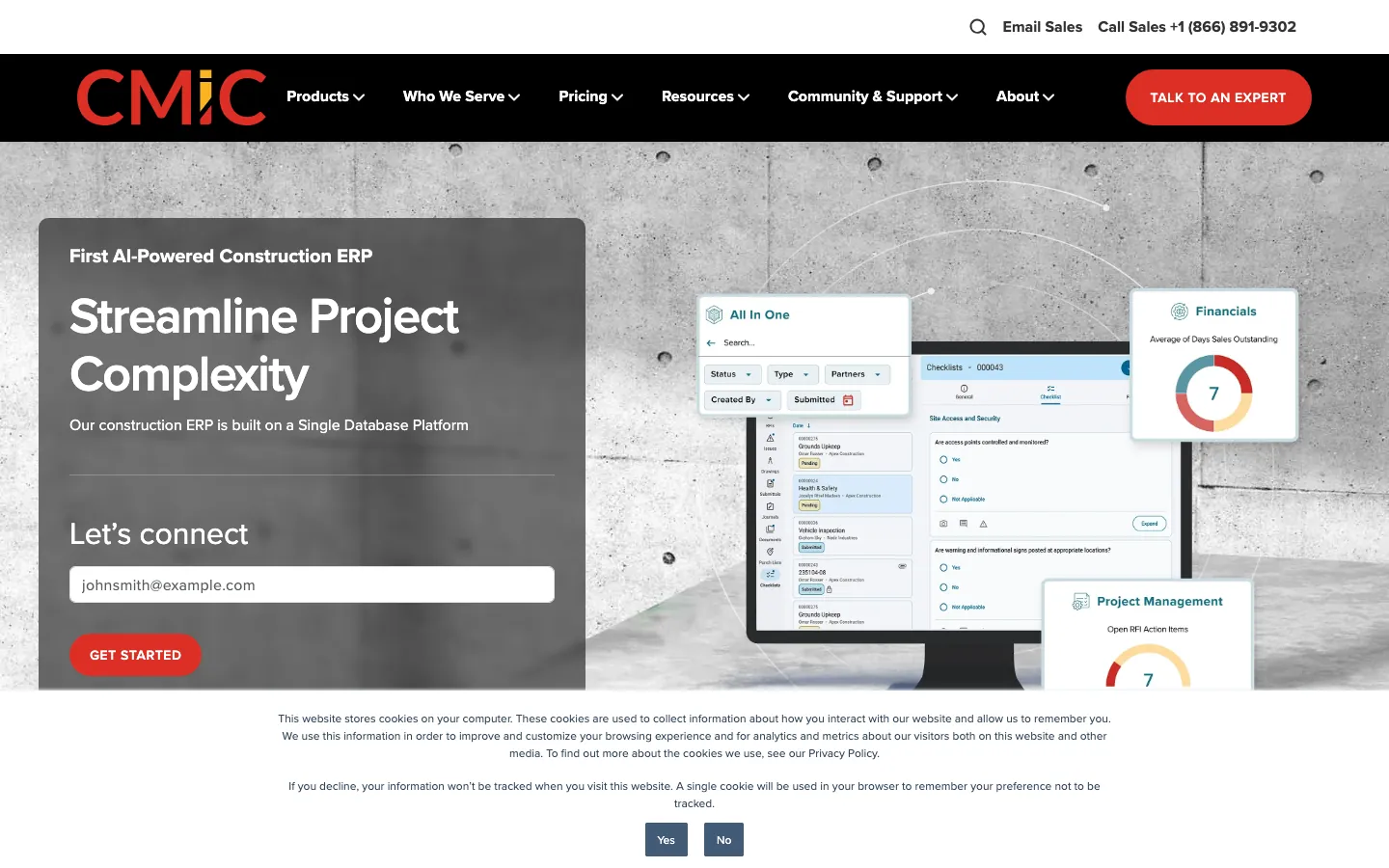
Screenshots of CMiC 4 images
What's great
- Purpose-built AI-powered ERP for general contractors, specialty contractors, and civil/heavy-highway firms with the deepest multi-entity consolidation on this list
- Single-database architecture ties project management, accounting, and HR together without middleware syncing
- Named Forbes Advisor's
Watch-outs
- Total cost commonly runs $50,000-$150,000+ annually depending on modules, with implementation adding another $100K-$500K
- G2's own review base sits at a lower 3.8/5 across roughly 190 reviews, a meaningful gap from the marketing-cited 4.7 figure elsewhere
- Deployment realistically requires a dedicated implementation team and months of configuration before go-live
CMiC is priced and built for GCs running multiple legal entities and complex civil or heavy-highway portfolios, where consolidation across job sites and companies is the whole point.
Real-world total cost lands $50,000-$150,000+ a year before implementation , which itself can run $100K-$500K depending on data migration and configuration scope.
There’s a real gap between marketing claims and reviewer sentiment here: G2’s own review base rates it 3.8/5 across 190 reviews , while other aggregator sites cite 4.7/5, so weigh the G2 number more heavily if you’re the one signing the contract.
Pricing breakdown
| Plan | Price | Best for |
|---|---|---|
| Standard | $50,000/yr | Single-entity GCs, $25M-$75M revenue |
| Professional | $90,000/yr | Multi-entity GCs, $75M-$200M revenue |
| Enterprise | $150,000+/yr | Large multi-entity, multi-region contractors |
Security & compliance
| Standard | Availability |
|---|---|
| SOC 2 Type II | Yes |
| GDPR | Yes |
| HIPAA | No |
| SSO / SAML | Yes |
| Audit logs | Yes |
CMiC compliance summary: SOC 2 Type II is yes, GDPR is yes, HIPAA is no, SSO/SAML is yes, and audit logs is yes.
Key integrations
| Integration | Type |
|---|---|
| Gmail | N/A |
| Outlook | N/A |
| Slack | N/A |
| LinkedIn Sales Navigator | N/A |
| Outreach / Salesloft | N/A |
CMiC integration summary: Gmail is not specified, Outlook is not specified, Slack is not specified, LinkedIn Sales Navigator is not specified, and Outreach or Salesloft is not specified.
Feature availability
| Feature | Status |
|---|---|
| Aia billing | ✓ |
| Certified payroll | ✓ |
| Job costing | ✓ multi-entity |
| Retainage tracking | ✓ |
| Wip reporting | ✓ |
CMiC feature availability summary: Aia billing (✓), Certified payroll (✓), Job costing (✓ multi-entity), Retainage tracking (✓), and Wip reporting (✓).
Loading reviews…
Buildertrend
Best for residential builders and remodelers
Screenshots of Buildertrend 4 images
What's great
- QuickBooks Online sync eliminates the double entry between job-costing spreadsheets and accounting, users report saving roughly 10 hours a week
- Customer-facing selection and change order tools are the strongest in this list, built for residential builders managing homeowner expectations
- Bundles CRM, scheduling, and financials in one system so small builders skip a separate PM tool entirely
Watch-outs
- Not a standalone general ledger, it depends on QuickBooks Online underneath for real accounting, so you're paying for two subscriptions
- 2026 pricing moved off published tiers to a custom quote form based on annual construction volume, which makes budgeting harder upfront
- Job costing depth is thinner than FOUNDATION or Sage once a builder runs more than a handful of concurrent projects
Buildertrend is the residential and remodeling answer, built around the homeowner-facing workflow of selections, change orders, and warranty tracking that commercial GC tools ignore.
Its QuickBooks Online integration is the real financial engine; Buildertrend itself layers job costing and progress billing on top rather than replacing the ledger.
175 G2 reviews average 4.3/5 .
The 2026 pricing shift to a volume-based quote form removed the old published Core/Pro/Premium tiers, so get a number before assuming the old $399/mo entry point still applies.
Pricing breakdown
| Plan | Price | Best for |
|---|---|---|
| Core | $399/mo (legacy) | Solo builders and small remodel crews |
| Pro | $699/mo (legacy) | Growing residential builders, multiple crews |
| Premium | $999/mo (legacy) | Established builders needing full financial suite |
Security & compliance
| Standard | Availability |
|---|---|
| SOC 2 Type II | ✗ not published |
| GDPR | No |
| HIPAA | No |
| SSO / SAML | No |
| Audit logs | No |
Buildertrend compliance summary: SOC 2 Type II is ✗ not published, GDPR is no, HIPAA is no, SSO/SAML is no, and audit logs is no.
Key integrations
| Integration | Type |
|---|---|
| Gmail | N/A |
| Outlook | N/A |
| Slack | N/A |
| LinkedIn Sales Navigator | N/A |
| Outreach / Salesloft | N/A |
Buildertrend integration summary: Gmail is not specified, Outlook is not specified, Slack is not specified, LinkedIn Sales Navigator is not specified, and Outreach or Salesloft is not specified.
Feature availability
| Feature | Status |
|---|---|
| Aia billing | M |
| Certified payroll | ✗ |
| Job costing | M via QBO sync |
| Retainage tracking | M |
| Wip reporting | M |
Buildertrend feature availability summary: Aia billing (M), Certified payroll (✗), Job costing (M via QBO sync), Retainage tracking (M), and Wip reporting (M).
Loading reviews…
JobTread
Best for small GCs wanting slick client-facing billing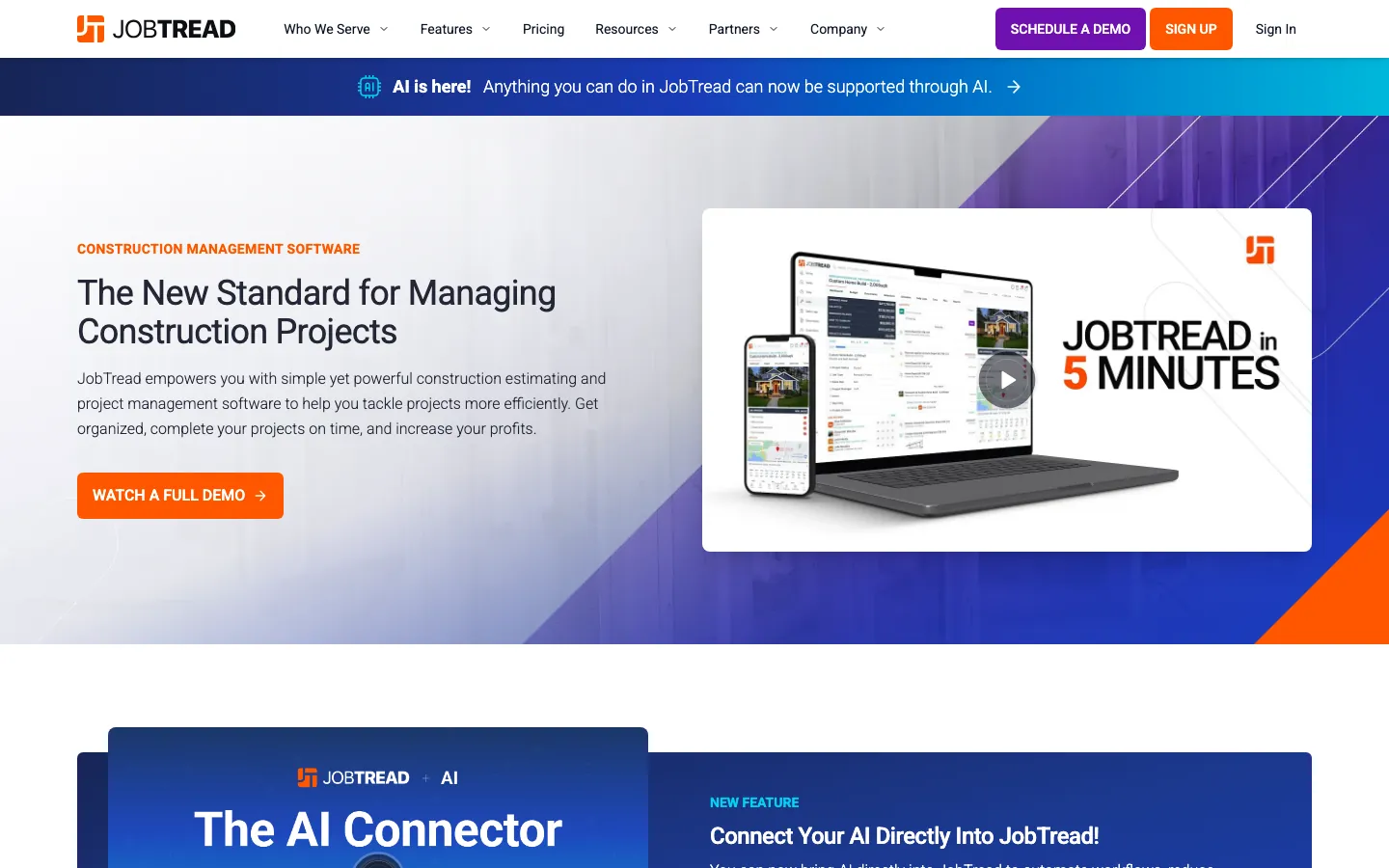
Screenshots of JobTread 4 images
What's great
- Perfect 5.0/5 rating on G2 across 65 reviews, the highest raw score of any tool in this roundup
- Client-facing proposals and milestone tracking are the cleanest in the category, built for GCs who sell as much as they build
- Budgets, purchase orders, and bills tie together in one real-time job-cost view without a separate accounting import step
Watch-outs
- Review volume is still small relative to Buildertrend or Procore, worth weighing the perfect score against that sample size
- No native certified payroll, ruling it out for contractors bidding prevailing-wage public work
- Best fit narrows to smaller GCs and remodelers, larger multi-entity contractors will outgrow it fast
JobTread earns the highest raw G2 score in this entire list, a perfect 5.0/5 across 65 reviews, largely on the strength of its client-facing proposal and milestone workflow.
It’s built for small general contractors who spend as much time selling jobs as running them, and JobTread’s real-time budget-to-bill view keeps job costing current without a monthly reconciliation ritual.
The review sample is smaller than the bigger platforms here, so treat the perfect score as a strong early signal rather than gospel, and note there’s no certified payroll module for public-works bidders.
Pricing breakdown
| Plan | Price | Best for |
|---|---|---|
| Starter | $199/mo | Solo GCs and small remodel crews |
| Growth | $349/mo | Growing GCs running multiple concurrent jobs |
| Pro | $499/mo | Established GCs needing full financial reporting |
Security & compliance
| Standard | Availability |
|---|---|
| SOC 2 Type II | ✗ not published |
| GDPR | No |
| HIPAA | No |
| SSO / SAML | No |
| Audit logs | No |
JobTread compliance summary: SOC 2 Type II is ✗ not published, GDPR is no, HIPAA is no, SSO/SAML is no, and audit logs is no.
Key integrations
| Integration | Type |
|---|---|
| Gmail | N/A |
| Outlook | N/A |
| Slack | N/A |
| LinkedIn Sales Navigator | N/A |
| Outreach / Salesloft | N/A |
JobTread integration summary: Gmail is not specified, Outlook is not specified, Slack is not specified, LinkedIn Sales Navigator is not specified, and Outreach or Salesloft is not specified.
Feature availability
| Feature | Status |
|---|---|
| Aia billing | ✓ |
| Certified payroll | ✗ |
| Job costing | ✓ real-time |
| Retainage tracking | M |
| Wip reporting | M |
JobTread feature availability summary: Aia billing (✓), Certified payroll (✗), Job costing (✓ real-time), Retainage tracking (M), and Wip reporting (M).
Loading reviews…
More top-rated Accounting Software for Construction worth checking out
Highly rated Accounting Software for Construction that didn't crack our top 10 but are still strong contenders, especially for specific use cases and team sizes.
Knowify
For specialty trades doing AIA billing and certified payroll
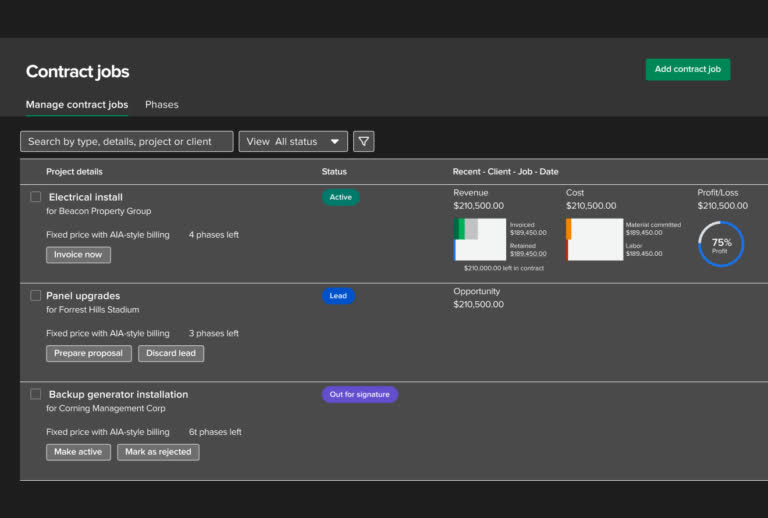
Standout: Best-in-class QuickBooks Online integration with proper AIA-style progress billing and certified payroll for union labor
Contractor Foreman
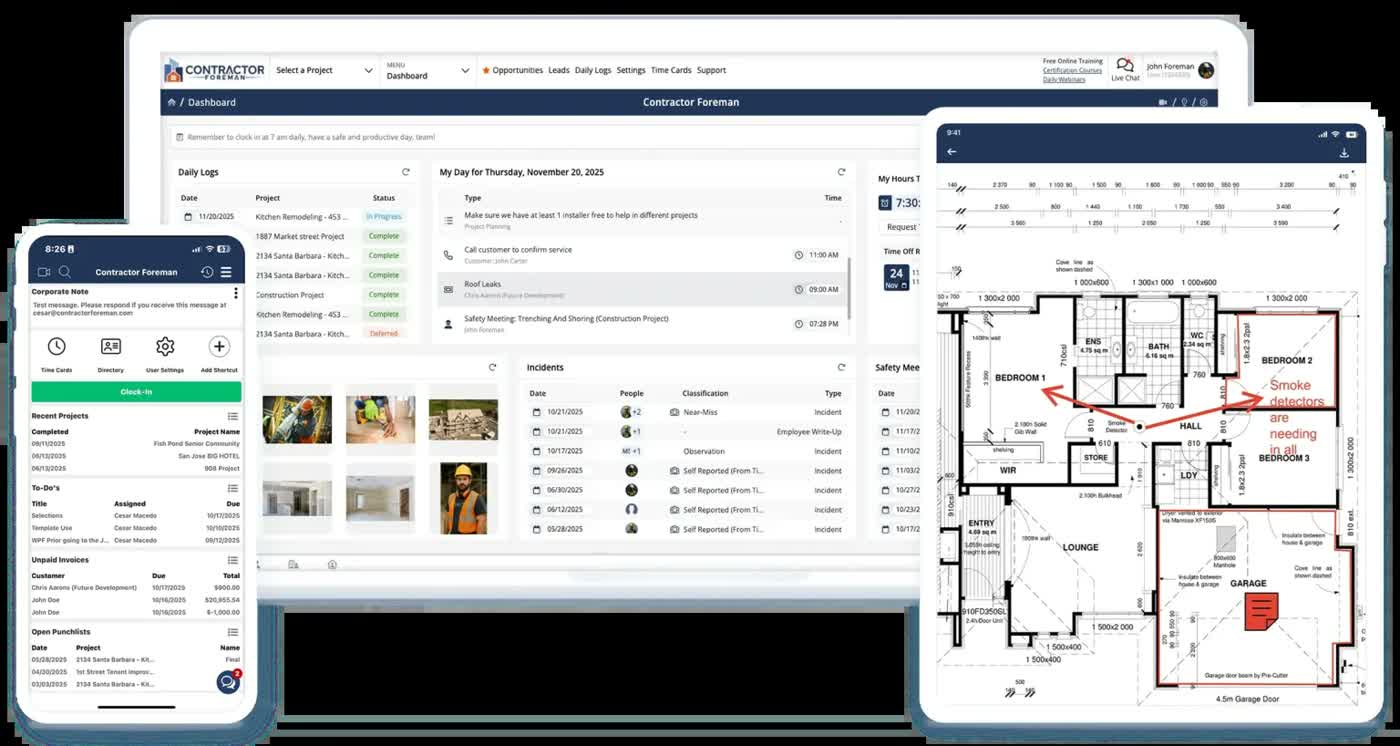
For budget-conscious GCs bundling PM and accounting
Standout: Entry pricing at $49/mo is the cheapest all-in-one construction PM plus accounting sync in this roundup
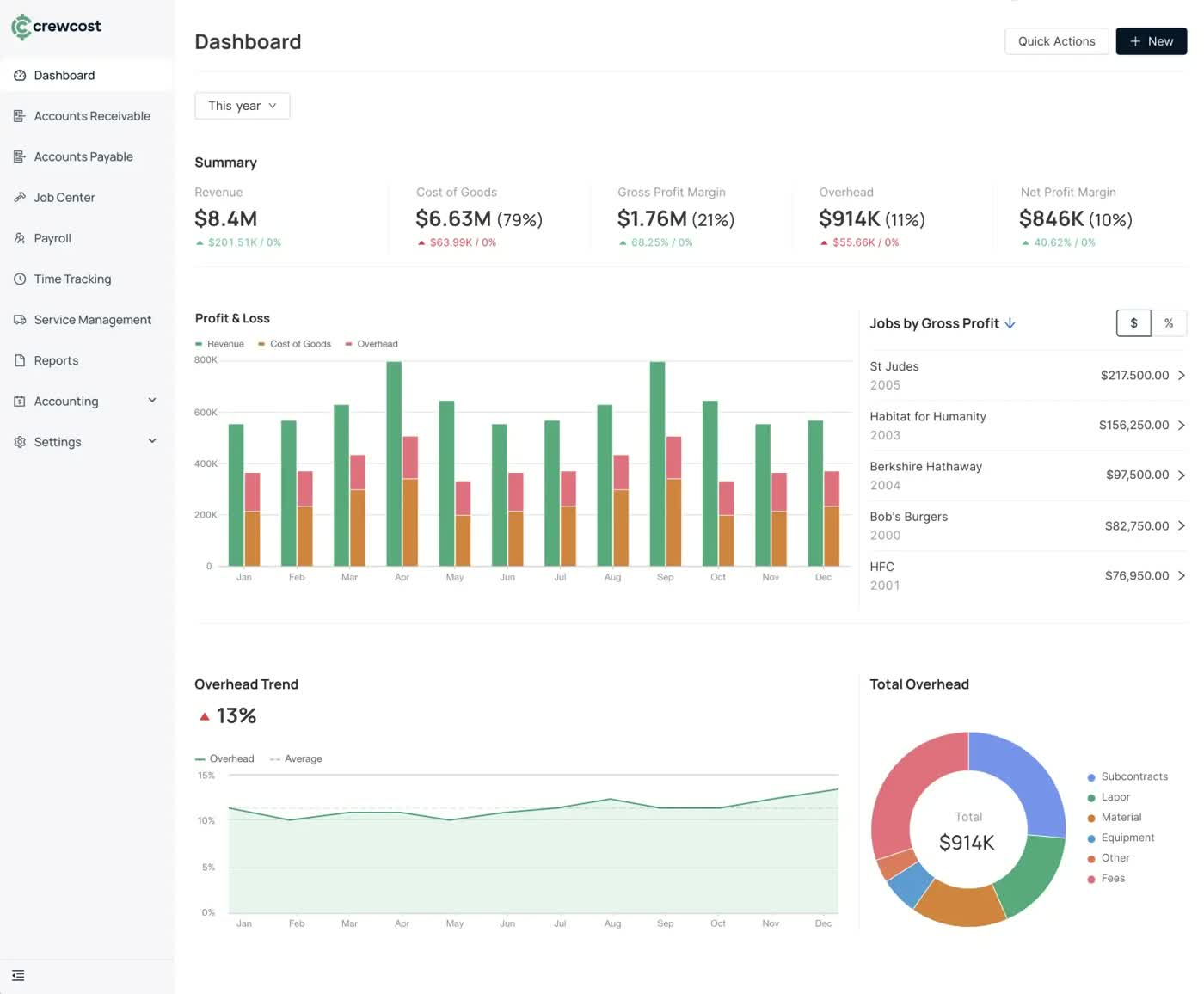
CrewCost
For real-time job costing without a full ERP switch
Standout: Built from the ground up for real-time budget, commitment, and profitability tracking, no legacy desktop baggage
Acumatica Construction Edition
For ERP buyers wanting cloud flexibility over legacy Sage/Vista
Standout: True cloud-native general ERP with a construction-specific module, not a bolted-on add-on
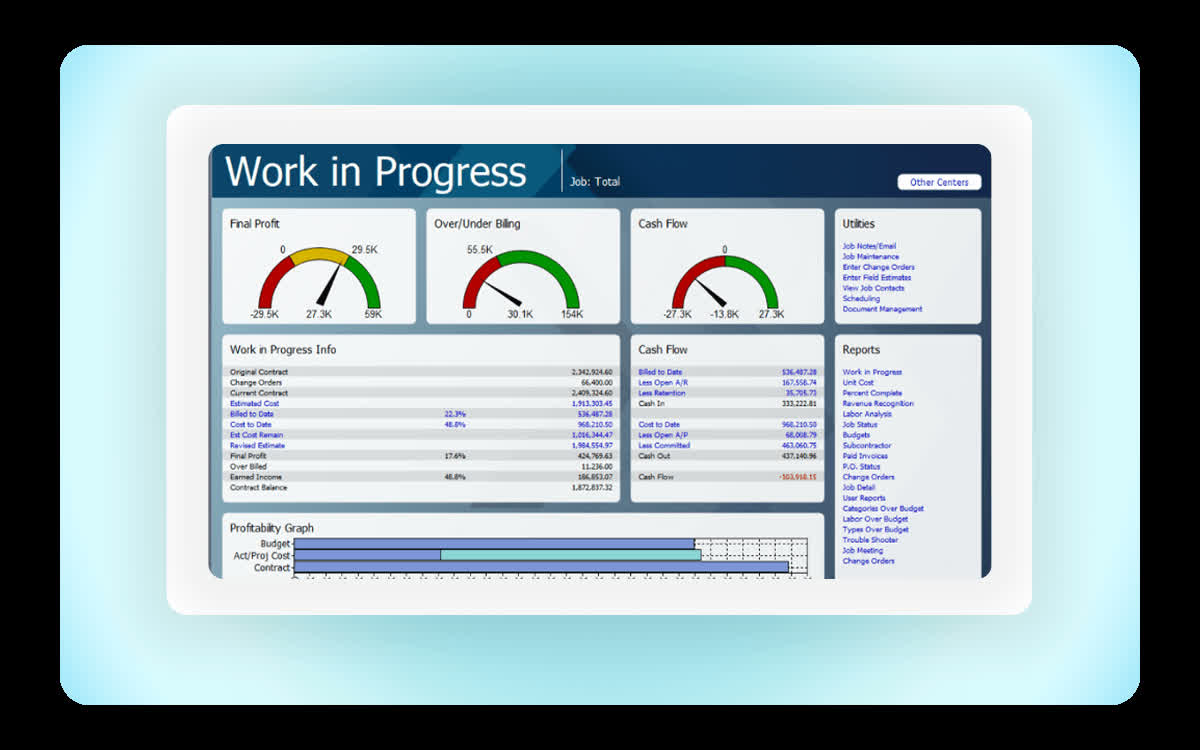
Sage Intacct Construction
For large enterprises and multi-entity firms wanting a cloud-native ERP backbone
Standout: Native cloud multi-entity consolidation and dimensional reporting, built on the same Sage Intacct core used across other regulated industries
What reviewers say ★ 4.3 · 4,211
Praised
- Dimensional accounting replaces bloated chart-of-accounts structures; reviewers can slice reporting by entity, department, project, and location without creating duplicate GL accounts.
- Multi-entity consolidation handles intercompany eliminations and currency conversion in ways that comparable mid-market ERPs cannot match.
- Reporting depth and dashboard configurability are consistently praised, with finance teams building the custom views they need without outside help.
- Cloud-native architecture and role-based access controls make it practical for distributed finance teams and external auditors to work from the same data.
- The approval workflow engine and audit trail satisfy compliance requirements for nonprofits and professional services firms facing grant or government reporting.
Faulted
- Implementation cost is the most-cited barrier; annual subscriptions typically run $8,000-$35,000 plus implementation fees of 1.0-1.75x the subscription.
- Almost every worthwhile feature sits behind an add-on module, and reviewers report that renewal quotes expand as Sage adds new billable capabilities.
- The learning curve is steep for non-finance staff; report customization and multi-entity setup require formal training rather than trial-and-error.
- Correcting posted transactions is difficult or impossible in some configurations, forcing workarounds that complicate audit trails.
- The user interface feels dated relative to modern SaaS tools; reviewers note the visual design has not kept pace with competing cloud platforms.
Deltek ComputerEase
For contractors needing deep prevailing-wage certified payroll
Standout: Deltek's government-contracting DNA makes certified payroll and prevailing-wage compliance one of the strongest in this category
Spectrum by Trimble
For self-perform heavy civil contractors already on Trimble hardware
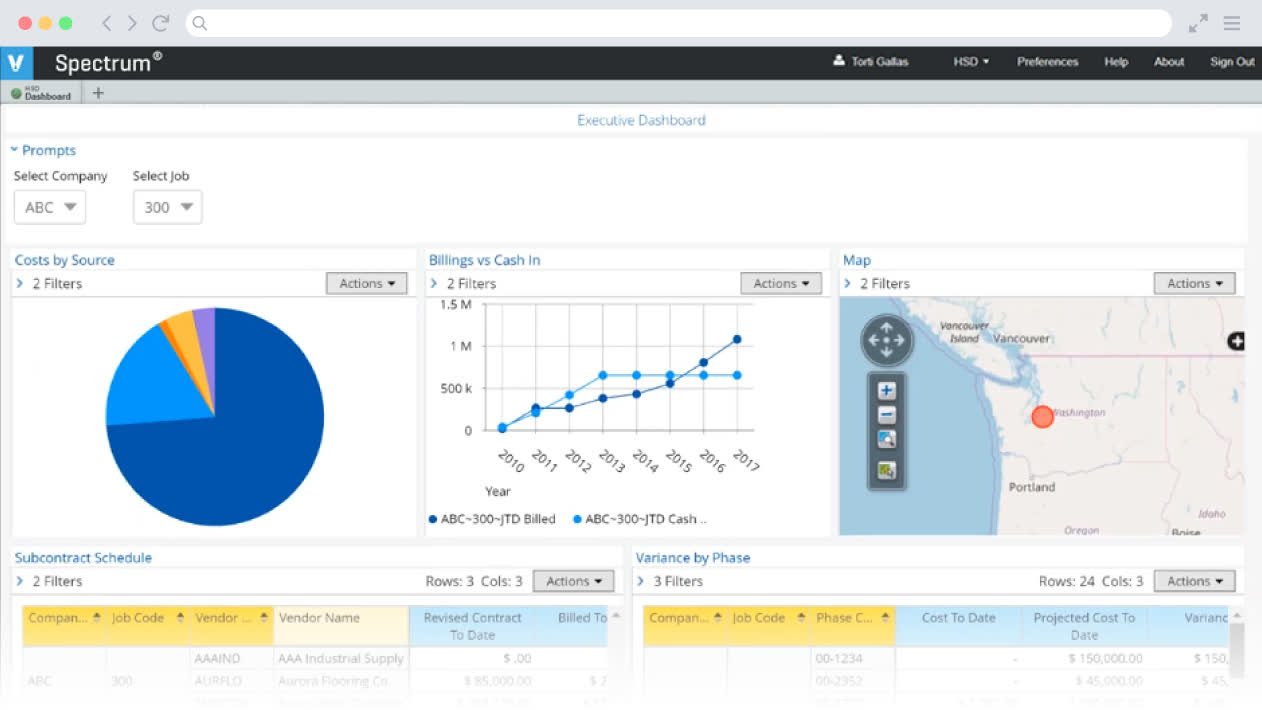
Standout: Web-based construction ERP that ties into Trimble's field hardware and survey data, a real advantage for heavy civil self-perform work

RedTeam
For GCs wanting bid-to-close plus financials in one system
Standout: Covers preconstruction through project closeout in one platform, including cost control and contract management
COINS Construction Cloud
For large international EPC and MEP firms
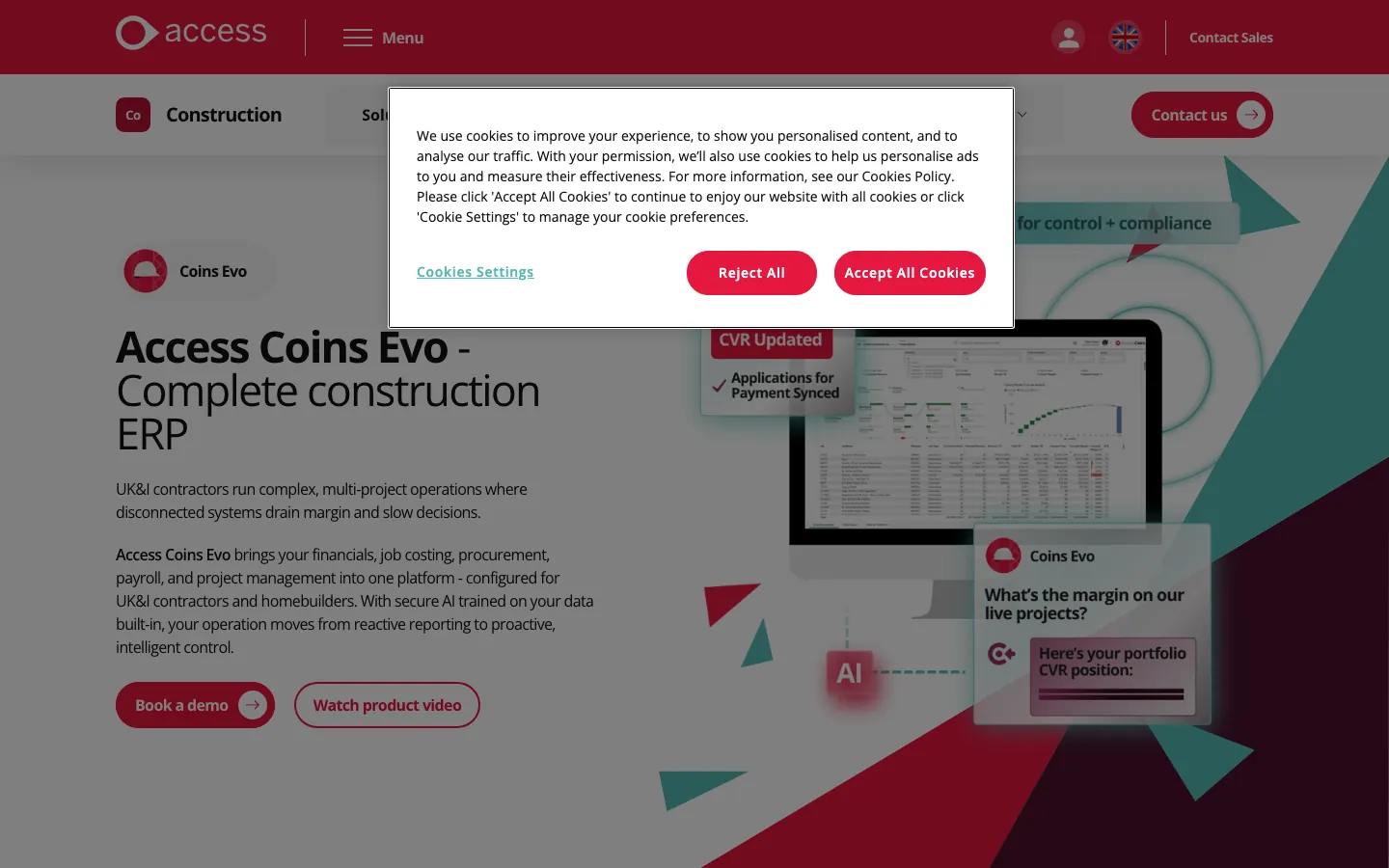
Standout: Deepest international coverage in this list, built for firms operating across the US, UK, Ireland, and Australia
BuildOps
For commercial MEP and service contractors billing by work order
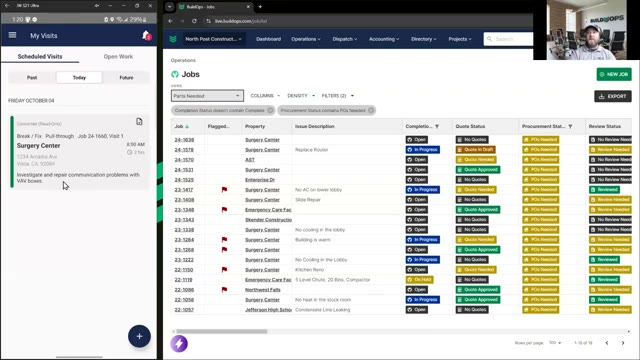
Standout: Strongest dispatch and calendar tooling in this category for commercial MEP and service contractors
eSUB
For subcontractors needing field docs tied to cost tracking
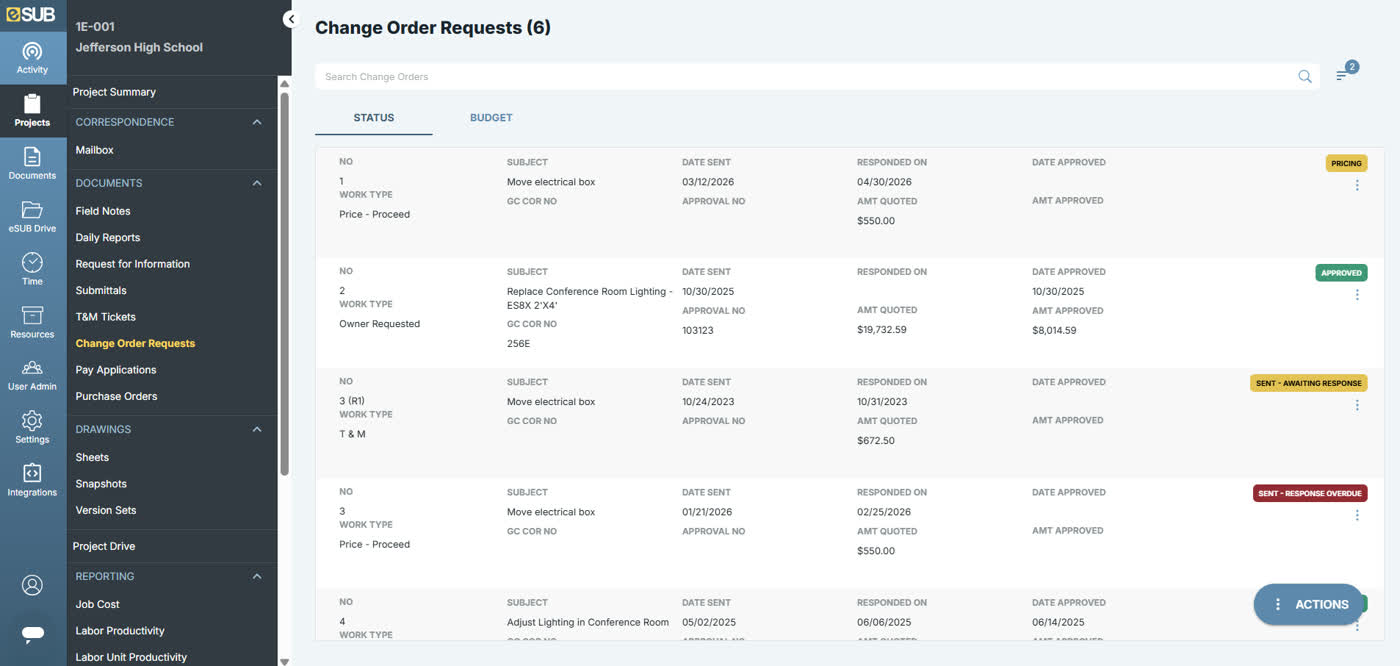
Standout: Purpose-built for subcontractors, not general contractors, the field-to-cost data capture is the differentiator
Tools we considered but excluded
We evaluated more tools than the 22 you see above. These did not make the cut. Saying what we rejected, and why, is the editorial muscle most listicles skip.
- Xero: No native job costing
- NetSuite: General-purpose ERP without a construction-native cost code engine
- Wave Accounting: Free-tier bookkeeping tool with no project cost tracking
- Autodesk Construction Cloud: Strong on document control and BIM coordination but not an accounting or job-costing platform on its own
- FreshBooks: Built for service-based freelancers and small agencies
- Zoho Books: Solid general ledger but no construction-specific WIP
Honorable mentions
Solid tools that did not crack the main list but are worth tracking, especially for niche use cases.
- Buildxact: Strong estimating-to-invoicing flow for small residential builders, worth watching as it adds deeper job costing
- Denali Business (Cougar Mountain): Legacy fund-accounting roots make it a niche fit for construction nonprofits and government-adjacent contractors
- Corecon: Lightweight project and cost management for small GCs that want something between spreadsheets and a full ERP
Where each construction accounting tool actually fits
Construction accounting software splits into rough tiers.
Matching your company’s revenue and job complexity to the right tier matters more than any single feature checkbox on a vendor’s website. Entry-level tools like QuickBooks Enterprise Contractor Edition and Contractor Foreman work for a single GC running a handful of jobs with a bookkeeper who already knows QuickBooks.
Start here if in doubt.
Mid-market all-in-ones like FOUNDATION and Sage 100 Contractor are the sweet spot for a $5M-$50M GC or specialty contractor that needs real job costing, WIP, and certified payroll without a six-figure implementation.
That’s most of the market.
Project-management-first platforms like Procore and Buildertrend tie financials to live budgets and homeowner-facing workflows respectively, but usually run a real general ledger underneath rather than replacing one. Check which ledger before you buy.
Enterprise ERPs like Vista by Viewpoint, CMiC, Sage 300 CRE, and Premier serve large multi-entity GCs and developers where consolidation across job sites and legal entities is the core requirement, not an afterthought.
Sage Intacct Construction fits the same tier for firms that want a modern cloud-native general ledger core with construction functionality layered on through Sage Construction Management.
Specialist tools round out the list. Knowify and Deltek ComputerEase go deep on AIA billing and certified payroll for trades and government contractors.
eSUB and BuildOps serve subcontractors and MEP service firms whose billing model doesn’t match a traditional fixed-price GC job.
Selection criteria, what to test in your construction accounting trial
One, run a real job-cost report by cost code. Import at least one active job with subcontractor commitments and change orders, then pull a cost-code-level report. If it takes more than a few clicks, the tool wasn’t built cost-code-first.
Two, generate a WIP report and check what it flags. A real WIP report should surface over-billed and under-billed jobs automatically, not require you to build a spreadsheet formula on top of an export.
If it can’t, walk away.
Three, run a progress billing cycle end to end. Create a pay application, apply retainage, and generate the invoice. Count how many manual steps it takes versus how many the platform automates.
Four, test certified payroll if you bid public work. Generate a WH-347-style certified payroll report from a real timecard.
Tools without native support here will quietly push you toward a third-party add-on later.
Five, check what breaks past your current job count. Import 20-30 concurrent jobs if your platform allows a sandbox, and watch for slowdowns in reporting or budget rollups; this is where legacy desktop tools start to lag.
Six, price out the real year-one cost, not just the license. Ask for implementation, training, and required add-ons in writing before comparing sticker prices across vendors. Nobody puts the $8,000 onboarding fee on the pricing page.
How to choose the right construction accounting software for your company
1. Annual revenue and job complexity
Size the decision to revenue first.
Under $10M with straightforward jobs, QuickBooks Enterprise Contractor Edition or Contractor Foreman cover the basics. $10M-$50M with real job costing needs points toward FOUNDATION or Sage 100 Contractor.
Past $50M or across multiple entities, look at Vista, CMiC, Sage 300 CRE, or Premier.
2. Prevailing-wage and certified payroll exposure
If you bid public works contracts, certified payroll depth is non-negotiable. FOUNDATION, Sage, Vista, and Deltek ComputerEase all handle WH-347 natively; QuickBooks and Buildertrend do not, and you’ll need a bolt-on.
3. Residential versus commercial workflow
The buyer on the other end of the contract changes everything here. Residential builders and remodelers care about homeowner-facing selections and change orders, where Buildertrend and JobTread lead. Commercial GCs care more about subcontractor commitment tracking and multi-job consolidation.
4. Whether project management already lives elsewhere
If your team already runs Procore or a similar PM platform, look for financial tools built to sync with it rather than duplicating the workflow in a second system. Duplicate entry is where job-cost data quietly drifts from reality.
5. In-house accounting expertise
A tool like Vista or CMiC assumes a trained controller or finance team. A solo GC without dedicated accounting staff should stay closer to QuickBooks or Sage 100 Contractor, where support and trained bookkeepers are easier to find.
What’s changing in construction accounting software in 2026
AI-assisted cost coding is showing up across the mid-market tier. FOUNDATION’s Data Genie and several competitors now offer AI-suggested cost-code assignment on invoices and receipts, cutting manual coding time on high-volume AP. It’s not perfect yet.
Cloud-native ERPs are closing the gap on legacy desktop tools. Premier Construction Software’s cloud-first build and Trimble’s continued Vista investment both signal that the desktop-hosted era for enterprise construction accounting is winding down.
Pricing transparency is getting worse, not better, at the enterprise tier. Procore, CMiC, Premier, and COINS all moved further toward custom-quote-only pricing in 2026, making apples-to-apples comparison harder for buyers without a sales call.
Certified payroll compliance keeps getting more granular. State-level prevailing wage rules are diverging further from the federal Davis-Bacon baseline, and tools that hardcode a single compliance format are starting to show real gaps for multi-state contractors.
One format no longer covers every state.
Subcontractor-specific tools are consolidating around field-to-cost data capture. eSUB and similar platforms are less about replacing the general ledger. They’re built to feed clean, timestamped field data into whatever ledger the sub already runs.
Final pick by company stage
- Owner-operator, 1-3 crews: QuickBooks Enterprise Contractor Edition, the cheapest path to real job costing with staff who already know the interface.
- $5M-$25M specialty contractor bidding public work: FOUNDATION, the strongest certified payroll engine short of a full ERP.
- $10M-$40M GC without a controller: Sage 100 Contractor, easier onboarding than Sage 300 CRE at a comparable feature set.
- GC already standardized on Procore for PM: Procore Financial Management, keeps budgets and job costs in the same data model.
- Residential builder or remodeler: Buildertrend or JobTread, depending on whether QuickBooks sync (Buildertrend) or a standalone real-time budget view (JobTread) matters more.
- $50M+ multi-entity GC or heavy civil contractor: Vista by Viewpoint or Sage 300 CRE, both built for consolidation at that scale.
- $100M+ GC or international EPC firm: CMiC or COINS Construction Cloud, priced and built for that complexity.
- Subcontractor needing field data tied to cost tracking: eSUB, purpose-built for the sub’s side of the job, not the GC’s.
Spot something out of date here? Email corrections@topickz.com and we’ll verify and fix it. This roundup gets a pricing and rating refresh on a monthly cadence.
Frequently asked questions
What's the difference between construction accounting and regular accounting software?
Do I need certified payroll software as a contractor?
How much does construction accounting software cost?
Can I just use QuickBooks for my construction company?
What is WIP reporting and why does it matter?
Is Procore an accounting system?
What's the cheapest tool with real job costing?
Which tool is best for AIA progress billing?
How long does construction ERP implementation take?
Do residential builders need different software than commercial GCs?
Related helpful reads
Write a review
Posts to the page right away. Keep it real — no links or email addresses.