
Comparing the best CI/CD Platforms for Small Teams of 2026 includes 1. GitHub Actions 2. CircleCI 3. Semaphore 4. GitLab CI/CD 5. Buildkite 6. Spacelift 7. Jenkins.
TL;DR
- Best overall for small teams: GitHub Actions, 2,000 free minutes on private repos, native GitHub integration, zero infrastructure to run, no hire required.
- Best for multi-SCM or GitHub-free teams: CircleCI, 30,000 credits free per month, works with GitHub, GitLab, and Bitbucket.
- Best pay-as-you-go value: Semaphore, no seat cost ever, cheapest ARM and x64 rates in the segment, 20 concurrent jobs out of the box.
- Best all-in-one if you are already on GitLab: GitLab CI/CD, the DevSecOps bundling is real, but the 400-min free tier is the tightest ceiling here.
- Best for teams that need build logs on-prem: Buildkite, hybrid SaaS control plane plus self-hosted agents, but you run the runners.
Seven CI/CD platforms re-ranked through the small-team lens, free-tier ceiling, total cost at 2-5K build minutes per month, whether setup requires a platform engineer, and what happens to your pipeline at 2am when nobody is on-call. Three of the nine tools in our full CI/CD guide need a dedicated DevOps function to run well. We excluded them here.
What Is a CI/CD platform for small teams?
A CI/CD platform automates build, test, and deploy on every code push. For a small team, the right one sets up in an afternoon, stays under $200/mo at 5K build minutes, and doesn’t need a full-time admin to stay healthy.
The wrong one, Jenkins, Harness, or Codefresh at this scale, turns into a part-time job for whoever drew the short straw on your team.
Best CI/CD Platforms for Small Teams comparison: features, pricing and verdicts
| Tool | Best for | Starting price | Free trial | External rating |
|---|---|---|---|---|
Best CI/CD for small teams on GitHub, zero infra, zero setup overhead | $0.006/min (Linux 2-core) | Free tier (2,000 min/mo private) | G2 4.7/5 (2,843 reviews) | |
Best for small teams not locked into GitHub, strong free tier, no SCM lock-in | $15/active user/mo | Free tier (30,000 credits/mo) | G2 4.4/5 (509 reviews) | |
Best pay-as-you-go for small teams, no seat cost as headcount fluctuates | $0.0075/min (Linux x64 2-vCPU) | $15 free credits/mo | G2 4.7/5 (192 reviews) | |
Best all-in-one for teams already committed to GitLab as their SCM | $29/user/mo (Premium) | Free tier (400 min/mo) | G2 4.5/5 (893 reviews) | |
Best for small teams that need build logs on-prem, but you run the runners | $30/active user/mo (Pro) | 30-day free trial, all features | G2 4.8/5 (25 reviews) | |
For small teams managing 20+ Terraform workspaces alongside application CI | $399/mo (Starter, up to 10 users) | Free plan (2 users) | G2 4.7/5 (47 reviews) | |
Only if you inherited it, never as a first choice for a small team | $0 (OSS; infrastructure and admin cost vary) | Free (self-hosted) | G2 4.4/5 (1,194 reviews) |
How we chose these tools
This page reuses the verified CI/CD platform data from Topickz’s full guide (G2 pulled May 24, 2026; pricing verified May 2026) and re-scores each tool specifically for small engineering teams of under 15 engineers, typically Series A or earlier, usually without a dedicated DevOps or platform engineer. The re-scoring weights free-tier ceiling, total cost at 2,000-5,000 build minutes per month, time-to-first-pipeline without specialized knowledge, and the ops burden required to keep the tool running. Tools that need a dedicated platform engineering function to unlock their value, Harness, Codefresh, and Jenkins at this team size, were moved to the excluded list with honest reasons. The three tools remaining in the deep list that don’t need a DevOps hire scored higher; tools with lower free tiers or more infra overhead scored lower. See our full methodology at /about/methodology/.
How we weight ci/cd platforms for small teams for the Topickz score
Every tool above is scored against the fixed rubric below and combined using these weights into the Topickz score on each card. The weights are set for ci/cd platforms for small teams specifically, they are not copied from another category, and we publish them so you can see what moved a ranking and re-weight for your own priorities.
| Criterion | Weight | What we checked |
|---|---|---|
| Free-tier ceiling and price | 26% | How far the free minutes stretch and total cost at 2,000 to 5,000 build minutes a month. For a small team this is the first thing that decides the shortlist. |
| Setup without a specialist | 22% | Time to a first green pipeline for a team with no dedicated DevOps hire. We favored tools you can stand up in an afternoon. |
| Ops burden | 18% | How much babysitting it takes to stay healthy, and what happens at 2am when nobody is on-call. |
| Reliability for a lean team | 15% | Whether pipelines stay green without someone owning them full time. A small team cannot absorb a flaky runner. |
| Native SCM fit | 11% | How cleanly it plugs into GitHub, GitLab, or Bitbucket without extra wiring. |
| Room to grow | 8% | Whether it still fits once the team doubles, without forcing a painful migration later. |
| Total | 100% |
Read the full TopickZ.com testing methodology for how we run each test, score every criterion, and combine them into a single rating.
Detailed reviews
GitHub Actions
Best CI/CD for small teams on GitHub, zero infra, zero setup overhead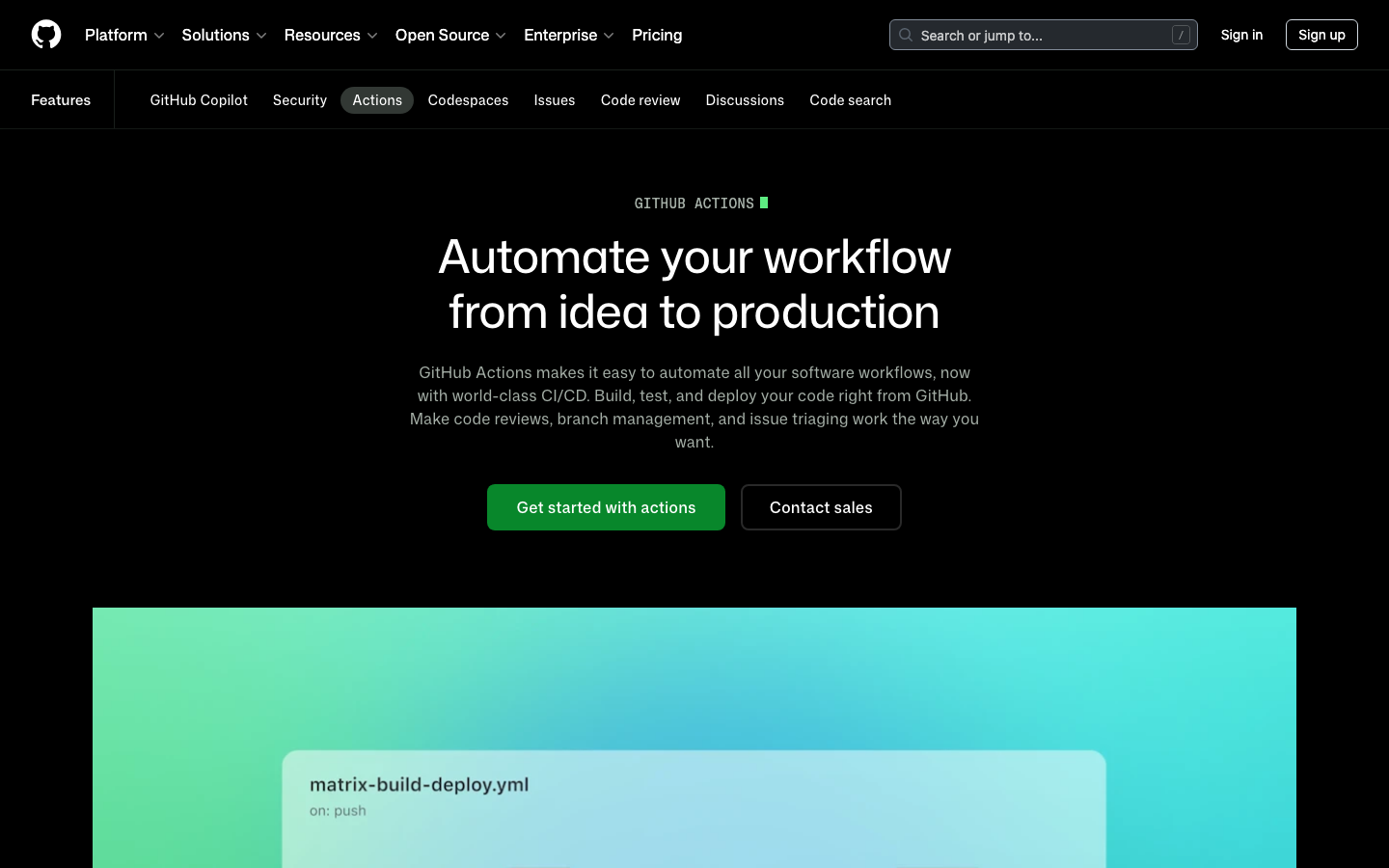
Screenshots of GitHub Actions 4 images
What's great
- Free tier is the most useful in this segment for small teams: 2,000 private-repo minutes per month on GitHub Free, no seat charge, no credit math to learn
- Native GitHub integration means zero connector setup; OIDC tokens, secrets management, and branch protection all live in the same access-control layer the team already uses
- 21,000+ verified marketplace actions covering container scanning, Terraform deployment, and most things a 5-15 engineer team needs, no custom plugin writing required
Watch-outs
- Tightly coupled to GitHub; teams on Bitbucket or a mix of SCMs have to accept a split pipeline story or migrate everything first
- Debugging failed workflows still requires reading raw YAML logs; no visual dependency graph for multi-job workflows
- GitHub announced a $0.002/min cloud platform charge on self-hosted runners in December 2025, then postponed it indefinitely; the direction of travel is worth tracking even though it is not currently billed
Pricing breakdown
| Plan | Price | Best for |
|---|---|---|
| Free (public repos) | $0 | Open source |
| Free (private repos) | $0 | 2 |
| Team | $4/user/mo + compute | Small teams |
| Enterprise | $21/user/mo + compute | 50 |
Security & compliance
| Standard | Availability |
|---|---|
| SOC 2 Type II | Yes |
| GDPR | Yes |
| HIPAA | Enterprise |
| SSO / SAML | Enterprise |
| Audit logs | Enterprise |
GitHub Actions compliance summary: SOC 2 Type II is yes, GDPR is yes, HIPAA is enterprise, SSO/SAML is enterprise, and audit logs is enterprise.
Key integrations
| Integration | Type |
|---|---|
| Gmail | N/A |
| Outlook | N/A |
| Slack | Native integration |
| LinkedIn Sales Navigator | N/A |
| Outreach / Salesloft | N/A |
GitHub Actions integration summary: Gmail is not specified, Outlook is not specified, Slack is native integration, LinkedIn Sales Navigator is not specified, and Outreach or Salesloft is not specified.
Feature availability
| Feature | Status |
|---|---|
| Free tier | ✓ 2K min/mo |
| Parallel jobs | ✓ |
| Pipeline as code | ✓ YAML |
| Secrets management | ✓ native |
| Self hosted | ✓ (fee postponed) |
GitHub Actions feature availability summary: Free tier (✓ 2K min/mo), Parallel jobs (✓), Pipeline as code (✓ YAML), Secrets management (✓ native), and Self hosted (✓ (fee postponed)).
What reviewers say about GitHub Actions
Recurring themes from Hacker News, Reddit, GitHub Community forums, The Register reporting, and developer blog posts, 2025-2026.
What reviewers praise
- Frictionless enterprise deployment in Microsoft-centric organizations; no separate setup required for teams already on GitHub, VS Code, and Azure, making it the default first AI tool at many orgs.
- Multi-model support added in 2025-2026 lets developers switch between Claude, GPT-5, and Gemini within the same interface, increasing flexibility beyond the original single-model experience.
- Inline autocomplete speed remains a consistent strength; fast, low-latency single-line and short block completions are where acceptance rates are highest and friction is lowest.
- Organization-level custom instructions allow teams to encode style guides and conventions so suggestions align with house standards without per-user configuration.
- The CLI agent and Copilot Spaces are praised as meaningful additions that extend the tool beyond editor completions into collaborative and terminal-based workflows.
What reviewers fault
- June 2026 shift to metered billing replaced predictable flat subscriptions; Pro+ users reported consuming 8-16 percent of monthly credits on a single complex query with mediocre output quality.
- Context window for inline completions is approximately 8,000 tokens, causing suggestions that conflict with project conventions the model simply cannot see in large repositories.
- Multi-file task accuracy degrades noticeably on changes spanning 10-plus files; architectural tasks with interconnected dependencies produce more errors than single-file completions.
- March 2026 incident where Copilot injected promotional content into over 1.5 million pull requests damaged developer trust and raised concerns about boundary enforcement.
- Frequent model swaps from Codex through GPT-4 variants to GPT-5 series introduced regressions in different workflows; developers report suggestion quality varying unpredictably after each model transition.
Loading reviews…
CircleCI
Best for small teams not locked into GitHub, strong free tier, no SCM lock-in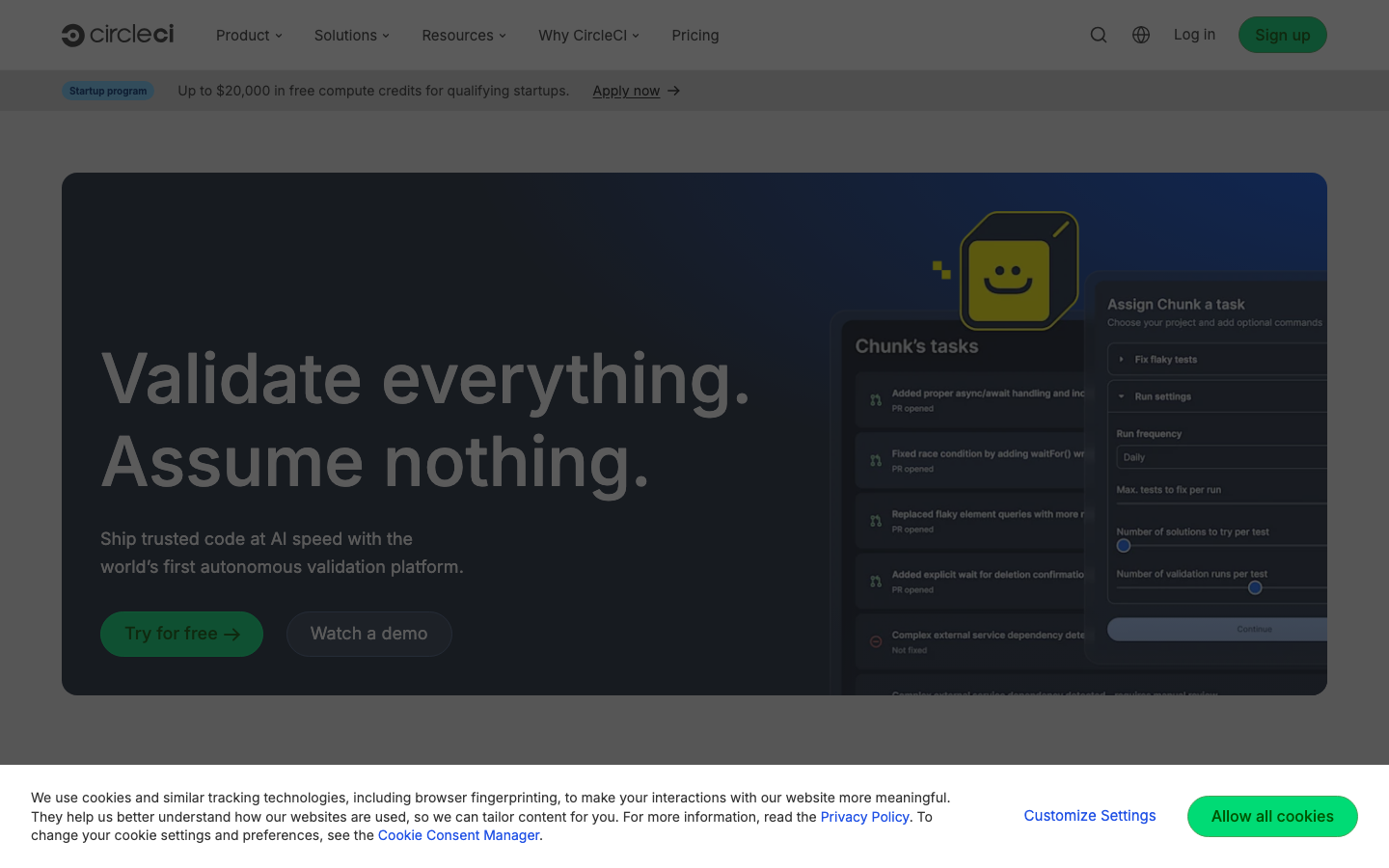
Screenshots of CircleCI 4 images
What's great
- 30,000 free credits per month (Linux medium job burns 10 credits/min, so roughly 50 hours of Linux build time before you spend a dollar)
- Works with GitHub, GitLab, and Bitbucket; no SCM lock-in that forces a migration before you can start
- Parallel test splitting cuts build times by 50-70% for test-heavy Ruby, Python, and JavaScript repos, which matters even at five engineers if the test suite is already slow
Watch-outs
- Credit system is hard to estimate upfront; macOS builds burn 100-300 credits/min ($0.06-0.18/min), and mobile teams hit the free ceiling fast
- Product innovation has slowed since the 2023 security incident; GitHub Actions has closed the feature gap for most standard workloads
- Performance tier at $15/active user/mo adds up quickly as the team grows; a 10-person team spending $150/mo base is paying more than GitHub Actions Team at $40/mo for comparable Linux compute
Pricing breakdown
| Plan | Price | Best for |
|---|---|---|
| Free | $0 | 30K credits/mo |
| Performance | $15/active user/mo | 25K credits included |
| Scale | Custom | Large volume |
| Server (self-hosted) | Custom | On-prem or private cloud deployments |
Security & compliance
| Standard | Availability |
|---|---|
| SOC 2 Type II | Yes |
| GDPR | Yes |
| HIPAA | Scale |
| SSO / SAML | Scale |
| Audit logs | Scale |
CircleCI compliance summary: SOC 2 Type II is yes, GDPR is yes, HIPAA is scale, SSO/SAML is scale, and audit logs is scale.
Key integrations
| Integration | Type |
|---|---|
| Gmail | N/A |
| Outlook | N/A |
| Slack | Native integration |
| LinkedIn Sales Navigator | N/A |
| Outreach / Salesloft | N/A |
CircleCI integration summary: Gmail is not specified, Outlook is not specified, Slack is native integration, LinkedIn Sales Navigator is not specified, and Outreach or Salesloft is not specified.
Feature availability
| Feature | Status |
|---|---|
| Free tier | ✓ 30K credits |
| Parallel jobs | ✓ test splitting |
| Pipeline as code | ✓ YAML |
| Secrets management | ✓ contexts |
| Self hosted | Server plan only |
CircleCI feature availability summary: Free tier (✓ 30K credits), Parallel jobs (✓ test splitting), Pipeline as code (✓ YAML), Secrets management (✓ contexts), and Self hosted (Server plan only).
Loading reviews…
Semaphore
Best pay-as-you-go for small teams, no seat cost as headcount fluctuates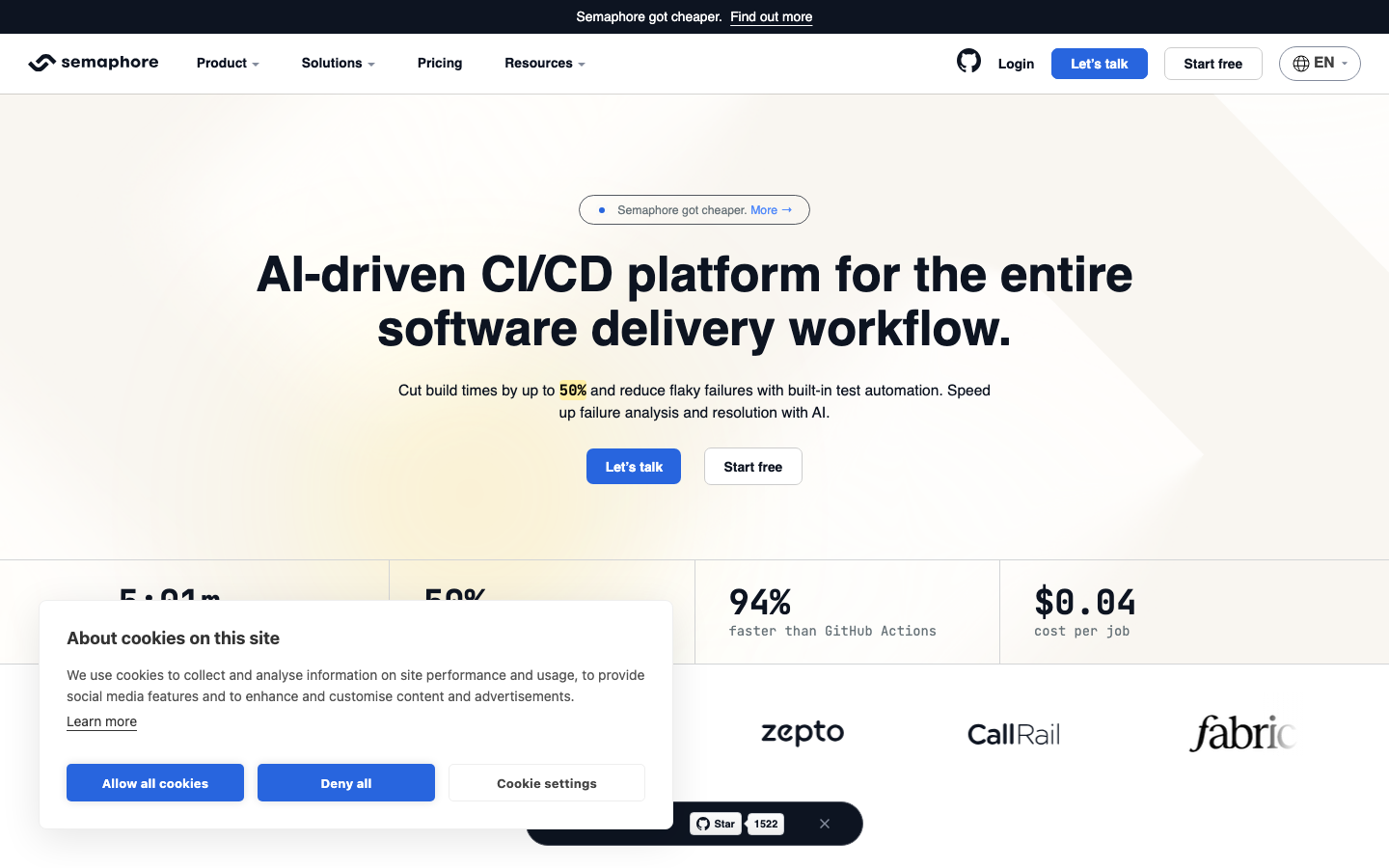
Screenshots of Semaphore 4 images
What's great
- Pure compute-based pricing with no seat cost; a 5-person team pays the same as a 50-person team for identical compute volume, which means headcount changes don't trigger billing surprises
- 20 concurrent jobs by default on all plans, more out-of-the-box parallelism than CircleCI's free tier or GitHub Actions' standard runner slots
- ARM 2-vCPU runners at $0.003/min are the cheapest in this comparison for ARM-native workloads; that matters if you're already building for Apple Silicon or AWS Graviton
Watch-outs
- Smaller ecosystem than GitHub Actions; most integrations require writing custom pipeline steps or Docker-based plugins rather than pulling a marketplace action
- Support is a paid add-on ($50-$750/mo depending on SLA tier); the free plan has community support only, which is a real gap when a pipeline breaks on a Friday night
- Less name recognition in the US enterprise market; security procurement teams sometimes push back during a Series B diligence process
Pricing breakdown
| Plan | Price | Best for |
|---|---|---|
| Pay-as-you-go (ARM Linux) | $0.003/min (2 vCPU) | ARM-native builds |
| Pay-as-you-go (x64 Linux) | $0.0075/min (2 vCPU) | Standard Linux builds |
| Self-hosted runners | $0.0025/min | Bring-your-own compute |
| macOS | $0.09/min (4 vCPU) | iOS/macOS mobile builds |
Security & compliance
| Standard | Availability |
|---|---|
| SOC 2 Type II | Yes |
| GDPR | Yes |
| HIPAA | Limited |
| SSO / SAML | $ add-on |
| Audit logs | • basic |
Semaphore compliance summary: SOC 2 Type II is yes, GDPR is yes, HIPAA is limited, SSO/SAML is $ add-on, and audit logs is • basic.
Key integrations
| Integration | Type |
|---|---|
| Gmail | N/A |
| Outlook | N/A |
| Slack | Native integration |
| LinkedIn Sales Navigator | N/A |
| Outreach / Salesloft | N/A |
Semaphore integration summary: Gmail is not specified, Outlook is not specified, Slack is native integration, LinkedIn Sales Navigator is not specified, and Outreach or Salesloft is not specified.
Feature availability
| Feature | Status |
|---|---|
| Free tier | ✓ $15 credits/mo |
| Parallel jobs | ✓ 20 default |
| Pipeline as code | ✓ YAML |
| Secrets management | ✓ native |
| Self hosted | ✓ $0.0025/min |
Semaphore feature availability summary: Free tier (✓ $15 credits/mo), Parallel jobs (✓ 20 default), Pipeline as code (✓ YAML), Secrets management (✓ native), and Self hosted (✓ $0.0025/min).
Loading reviews…
GitLab CI/CD
Best all-in-one for teams already committed to GitLab as their SCM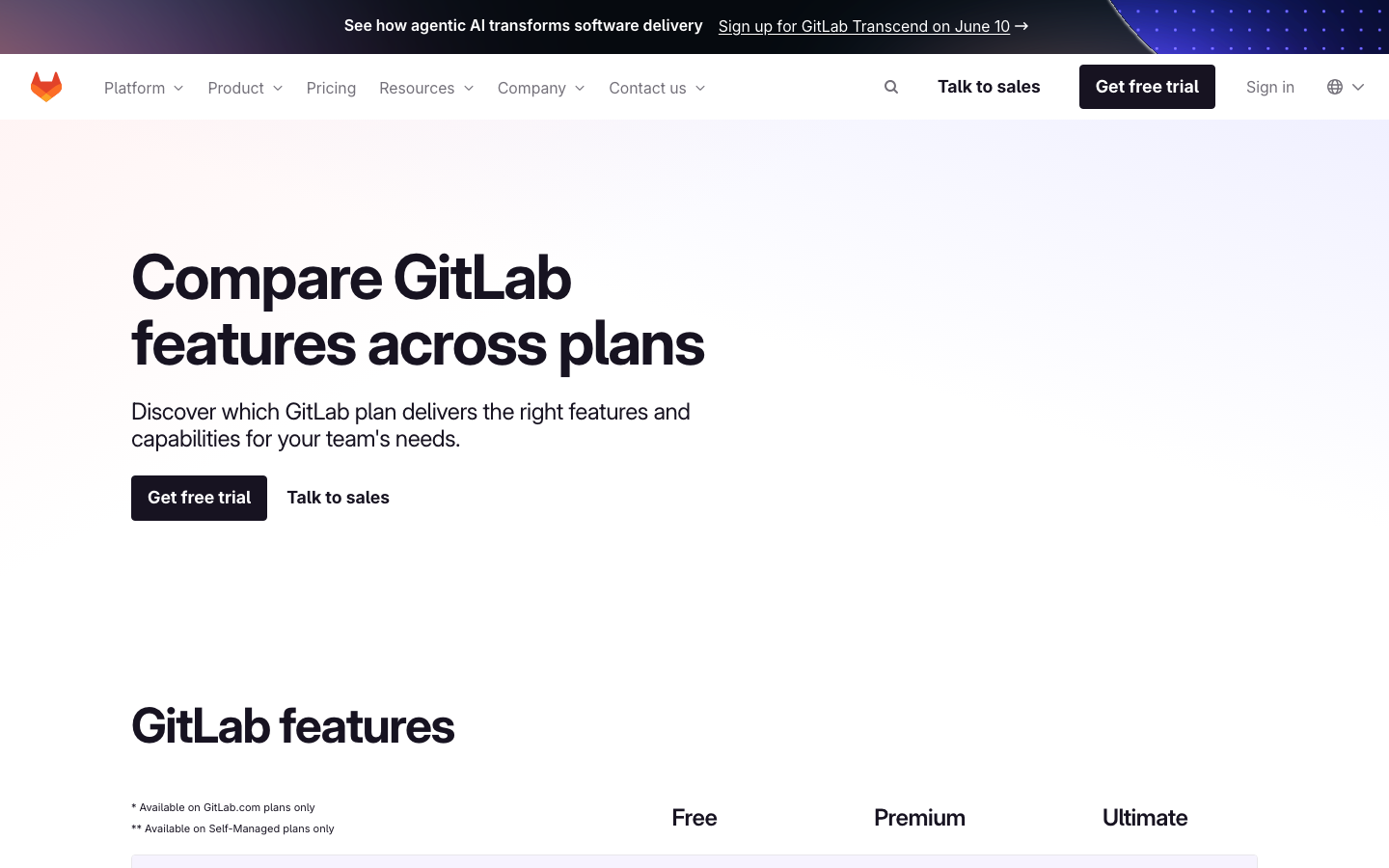
Screenshots of GitLab CI/CD 4 images
What's great
- Full DevSecOps platform: source code, issues, CI/CD, container registry, and security scanning are all native; no stitching six tools together as a small team with no ops headcount
- Self-hosted GitLab Runners is the most mature self-managed story in the segment if your team ever needs builds on-prem for compliance
- Multi-project pipelines and cross-project triggering work natively; useful for small teams managing multiple repos without building orchestration glue
Watch-outs
- Free tier gives only 400 CI minutes per month, the tightest free ceiling in this comparison; a small team on private repos hits the wall within the first week of real use
- Value proposition collapses if you are not fully committed to GitLab as the SCM; the integration advantage disappears in a GitHub or Bitbucket shop, and at $29/user/mo you are paying a significant premium
- UI is slower and denser than GitHub Actions or CircleCI; new team members consistently report needing 2-3 days to orient in 2026 G2 reviews
Pricing breakdown
| Plan | Price | Best for |
|---|---|---|
| Free | $0 | 400 min/mo |
| Premium | $29/user/mo | 10K min/user/mo |
| Ultimate | $99/user/mo | 50K min/user/mo |
| Dedicated | Custom | Single-tenant cloud |
Security & compliance
| Standard | Availability |
|---|---|
| SOC 2 Type II | Yes |
| GDPR | Yes |
| HIPAA | Ultimate |
| SSO / SAML | Premium+ |
| Audit logs | Premium+ |
GitLab CI/CD compliance summary: SOC 2 Type II is yes, GDPR is yes, HIPAA is ultimate, SSO/SAML is premium+, and audit logs is premium+.
Key integrations
| Integration | Type |
|---|---|
| Gmail | N/A |
| Outlook | N/A |
| Slack | Native integration |
| LinkedIn Sales Navigator | N/A |
| Outreach / Salesloft | N/A |
GitLab CI/CD integration summary: Gmail is not specified, Outlook is not specified, Slack is native integration, LinkedIn Sales Navigator is not specified, and Outreach or Salesloft is not specified.
Feature availability
| Feature | Status |
|---|---|
| Free tier | ✓ 400 min/mo |
| Parallel jobs | ✓ |
| Pipeline as code | ✓ .gitlab-ci.yml |
| Secrets management | ✓ native vault |
| Self hosted | ✓ GitLab Runner |
GitLab CI/CD feature availability summary: Free tier (✓ 400 min/mo), Parallel jobs (✓), Pipeline as code (✓ .gitlab-ci.yml), Secrets management (✓ native vault), and Self hosted (✓ GitLab Runner).
Loading reviews…
Buildkite
Best for small teams that need build logs on-prem, but you run the runners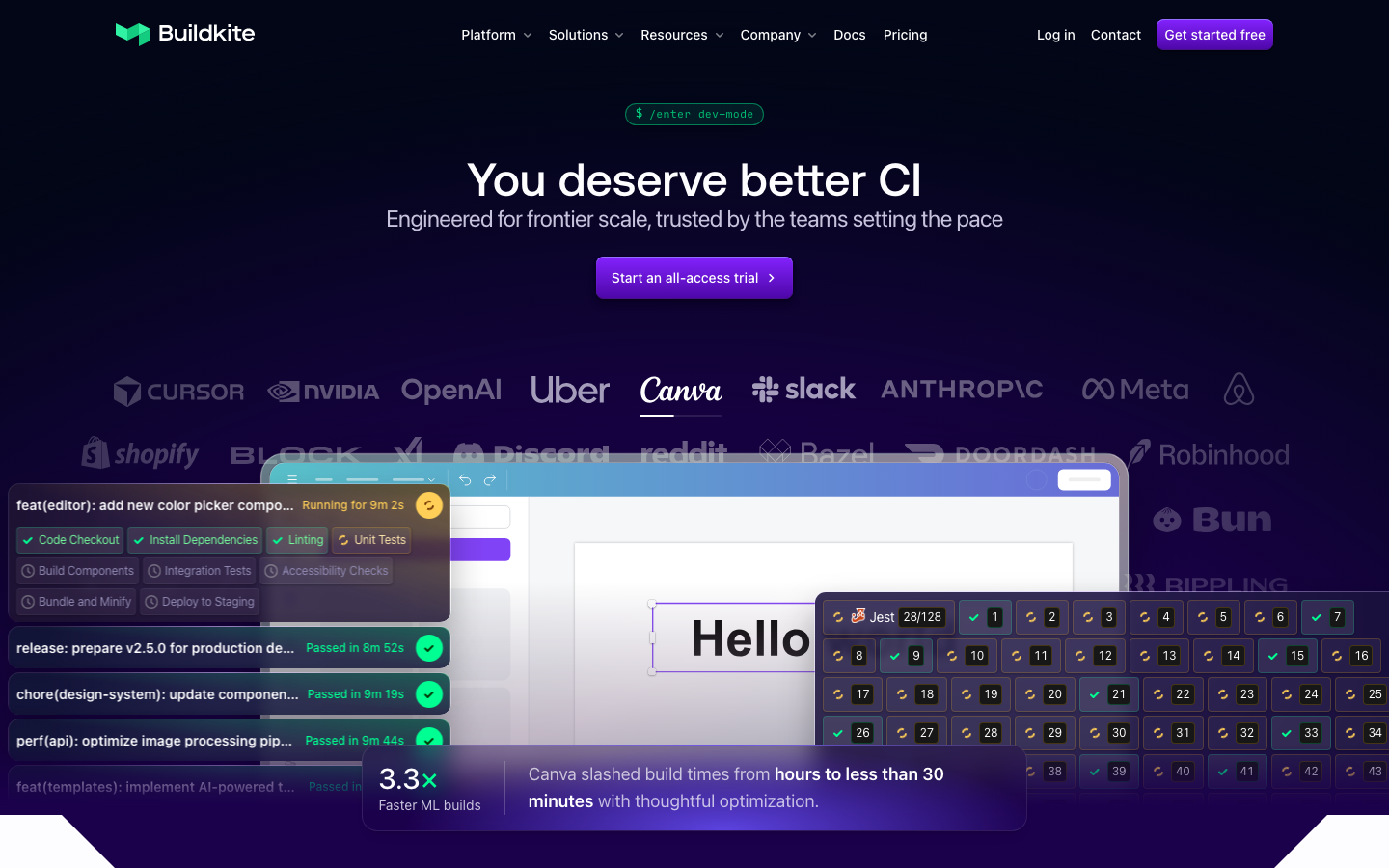
Screenshots of Buildkite 4 images
What's great
- Hybrid model gives SaaS pipeline management without surrendering data residency; build logs and secrets never leave your infrastructure even though the control plane is managed
- Per-user pricing with unlimited self-hosted agent runs means compute-heavy teams pay $30/user/mo flat, no minute metering once agents are on your own EC2 or Hetzner box
- 4.8/5 on G2 across 25 reviews, the highest raw rating in this comparison; [Canva documented](https://buildkite.com/resources/case-studies/) cutting build times from hours to under 30 minutes after migrating to Buildkite agents
Watch-outs
- You own the runners: provisioning, patching, scaling, and monitoring the agent fleet is on your team; at under 10 engineers with no DevOps hire, that is a real ongoing cost
- $30/active user/mo adds up fast; a 10-person team on Buildkite Pro is $300/mo before you account for the EC2 Spot or Hetzner cost to run the agents
- G2 review count is low (25 reviews); smaller community means fewer Stack Overflow answers when you hit an edge case at 2am
Pricing breakdown
| Plan | Price | Best for |
|---|---|---|
| Personal | $0 | 1 user |
| Pro | $30/active user/mo | Unlimited users |
| Hosted compute (Linux) | $0.013/min (2 vCPU) | Managed runners |
| Enterprise | Custom (30-user min) | SCIM |
Security & compliance
| Standard | Availability |
|---|---|
| SOC 2 Type II | Yes |
| GDPR | Yes |
| HIPAA | Enterprise |
| SSO / SAML | Pro+ |
| Audit logs | Enterprise |
Buildkite compliance summary: SOC 2 Type II is yes, GDPR is yes, HIPAA is enterprise, SSO/SAML is pro+, and audit logs is enterprise.
Key integrations
| Integration | Type |
|---|---|
| Gmail | N/A |
| Outlook | N/A |
| Slack | Native integration |
| LinkedIn Sales Navigator | N/A |
| Outreach / Salesloft | N/A |
Buildkite integration summary: Gmail is not specified, Outlook is not specified, Slack is native integration, LinkedIn Sales Navigator is not specified, and Outreach or Salesloft is not specified.
Feature availability
| Feature | Status |
|---|---|
| Free tier | ✓ 1 user |
| Parallel jobs | ✓ |
| Pipeline as code | ✓ YAML |
| Secrets management | ✓ + Vault integration |
| Self hosted | ✓ unlimited agents |
Buildkite feature availability summary: Free tier (✓ 1 user), Parallel jobs (✓), Pipeline as code (✓ YAML), Secrets management (✓ + Vault integration), and Self hosted (✓ unlimited agents).
Loading reviews…
Spacelift
For small teams managing 20+ Terraform workspaces alongside application CI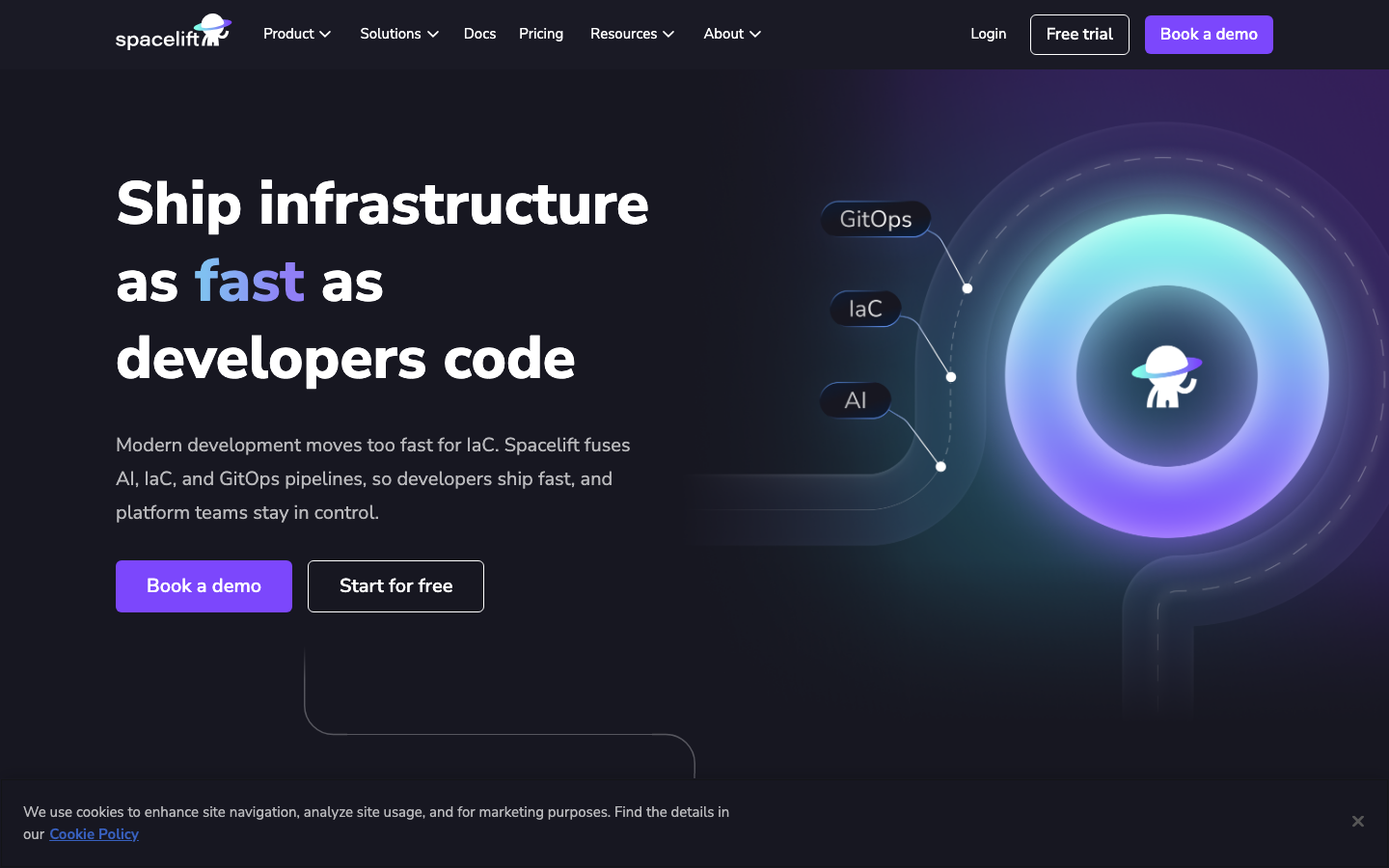
Screenshots of Spacelift 4 images
What's great
- Purpose-built for IaC orchestration; drift detection, stack dependencies, and approval workflows for Terraform, OpenTofu, Pulumi, and Ansible in one place, which no general-purpose CI tool handles cleanly
- Does not charge per resource under management (unlike HCP Terraform), which keeps cost predictable as the infrastructure footprint grows
- Free tier covers 2 users for basic IaC runs, enough to prove the workflow before committing to the $399/mo Starter tier
Watch-outs
- Starter at $399/mo is a hard sell for a 3-5 person team; the price is sized for a team where IaC automation is a genuine productivity driver, not a once-a-week Terraform apply
- Only relevant for teams doing infrastructure automation; not a general-purpose CI tool for application builds, so you still need GitHub Actions or CircleCI alongside it
- Kubernetes-native deployment (Argo CD, Flux) is outside Spacelift's core; teams managing both application and infrastructure pipelines need two CI tools
terraform apply in a GitHub Actions job, Spacelift’s $399/mo Starter tier is almost certainly cheaper than the engineering time to build drift detection and approval gates yourself. 47 G2 reviews
average 4.7/5. The strongest argument vs HCP Terraform for small teams is the no-RUM pricing model
; you don’t pay per Terraform resource under management. Pair it with GitHub Actions or CircleCI for application builds and Spacelift for the infra side. Buying it before you have a real IaC pipeline problem makes no sense.Pricing breakdown
| Plan | Price | Best for |
|---|---|---|
| Free | $0 | 2 users |
| Starter | $399/mo | Up to 10 users |
| Starter+ | Custom (annual) | Unlimited users |
| Business | Custom (annual) | Unlimited users |
| Enterprise | Custom | Unlimited users |
Security & compliance
| Standard | Availability |
|---|---|
| SOC 2 Type II | Yes |
| GDPR | Yes |
| HIPAA | Enterprise |
| SSO / SAML | Starter+ |
| Audit logs | Starter+ |
Spacelift compliance summary: SOC 2 Type II is yes, GDPR is yes, HIPAA is enterprise, SSO/SAML is starter+, and audit logs is starter+.
Key integrations
| Integration | Type |
|---|---|
| Gmail | N/A |
| Outlook | N/A |
| Slack | Native integration |
| LinkedIn Sales Navigator | N/A |
| Outreach / Salesloft | N/A |
Spacelift integration summary: Gmail is not specified, Outlook is not specified, Slack is native integration, LinkedIn Sales Navigator is not specified, and Outreach or Salesloft is not specified.
Feature availability
| Feature | Status |
|---|---|
| Free tier | ✓ 2 users |
| Parallel jobs | ✓ workers |
| Pipeline as code | ✓ stacks |
| Secrets management | ✓ contexts + Vault |
| Self hosted | ✓ workers |
Spacelift feature availability summary: Free tier (✓ 2 users), Parallel jobs (✓ workers), Pipeline as code (✓ stacks), Secrets management (✓ contexts + Vault), and Self hosted (✓ workers).
Loading reviews…
Jenkins
Only if you inherited it, never as a first choice for a small team
Screenshots of Jenkins 4 images
What's great
- Free and open source with 1,800+ plugins; if a CI task exists somewhere, a Jenkins plugin for it exists somewhere too
- Full self-hosted control; build logs, secrets, and artifacts never leave your network; the only tool here with zero mandatory cloud dependency
- 1,194 G2 reviews at 4.4/5 with a community debugging these workflows for 15 years; the answer to any Jenkins problem is three Stack Overflow tabs away
Watch-outs
- No dedicated Jenkins admin means the Jenkins controller becomes a time sink; the 2026 fully-loaded cost of a US DevOps engineer who maintains Jenkins is $90K-$130K/yr, rarely worth it under 50 engineers
- JetBrains survey data shows Jenkins adoption at 28% in 2025, down from estimated 44% in 2023; the talent pool is shrinking, which compounds the maintenance cost as senior Jenkins admins leave the space
- Plugin sprawl is real; a typical setup accumulates 80-120 plugins over 5 years, each with its own update cadence and CVE surface; nobody wants to own that at 2am
Pricing breakdown
| Plan | Price | Best for |
|---|---|---|
| Community | $0 | Self-hosted |
| CloudBees CI (enterprise Jenkins) | Custom | Enterprise support + compliance |
| Managed infrastructure | $200-$2K+/mo | Hosted Jenkins on AWS/GCP/Azure |
| Admin cost | $80K-$130K/yr | Dedicated Jenkins admin (hidden cost) |
Security & compliance
| Standard | Availability |
|---|---|
| SOC 2 Type II | self-managed |
| GDPR | self-managed |
| HIPAA | self-managed |
| SSO / SAML | $ plugin |
| Audit logs | $ plugin |
Jenkins compliance summary: SOC 2 Type II is self-managed, GDPR is self-managed, HIPAA is self-managed, SSO/SAML is $ plugin, and audit logs is $ plugin.
Key integrations
| Integration | Type |
|---|---|
| Gmail | N/A |
| Outlook | N/A |
| Slack | $ plugin |
| LinkedIn Sales Navigator | N/A |
| Outreach / Salesloft | N/A |
Jenkins integration summary: Gmail is not specified, Outlook is not specified, Slack is $ plugin, LinkedIn Sales Navigator is not specified, and Outreach or Salesloft is not specified.
Feature availability
| Feature | Status |
|---|---|
| Free tier | ✓ OSS |
| Parallel jobs | ✓ agents |
| Pipeline as code | ✓ Jenkinsfile |
| Secrets management | $ Credentials plugin |
| Self hosted | ✓ full control |
Jenkins feature availability summary: Free tier (✓ OSS), Parallel jobs (✓ agents), Pipeline as code (✓ Jenkinsfile), Secrets management ($ Credentials plugin), and Self hosted (✓ full control).
Loading reviews…
Tools we considered but excluded
We evaluated more tools than the 7 you see above. These did not make the cut. Saying what we rejected, and why, is the editorial muscle most listicles skip.
- Harness: Overkill for under-40-engineer teams; $57/developer/mo Startup tier plus a 2-3 week onboarding ramp and no value without a dedicated platform engineering function
- Codefresh: Kubernetes-only at the CD layer, pricing requires a sales call post-Octopus acquisition, and the Argo CD expertise requirement is a real barrier for small teams without a DevOps hire
- Travis CI: Market share has declined sharply since the 2020 acquisition and pricing changes; the engineering community has largely moved on
- Drone CI: Now bundled with Harness as a free community edition; standalone Drone is in maintenance mode and the community has forked to Woodpecker CI
- Azure DevOps Pipelines: Strong choice for Microsoft shops but assumes an Azure ecosystem; out of scope for the general US small-team audience this guide targets
- TeamCity: Strong enterprise product but skews toward Java/JVM shops and the complexity overhead is unnecessary for teams under 15 engineers
Honorable mentions
Solid tools that did not crack the main list but are worth tracking, especially for niche use cases.
- Woodpecker CI: Open-source Drone CI fork with active 2025-2026 development; worth watching for self-hosted teams who want simple self-managed CI without the Jenkins maintenance tax
- Dagger: Container-native CI engine that runs the same pipeline locally and in CI; developer experience is excellent and adoption is growing among teams who want to eliminate YAML drift between local and CI environments
- Flux CD: The GitOps alternative to Argo CD for Kubernetes deployment; if your small team is Kubernetes-native and wants the pull-based GitOps model without Argo ecosystem lock-in, Flux is worth evaluating
Small-team CI/CD by ops burden
This is a focused view of the CI/CD market for under-15-engineer teams. Our complete CI/CD platform comparison covers all nine tools including Harness, Codefresh, and the full enterprise picture. This page answers a narrower question: which CI/CD platform can a small team actually run without hiring a DevOps engineer to own it?
The tools that work without a dedicated ops hire. GitHub Actions, CircleCI, and Semaphore all fit here. They are SaaS-hosted, the pipeline definitions live in YAML next to the code, and the debugging path (when a build breaks) is accessible to any engineer on the team. Setup time runs from a few hours to a day, not a week.
The tools that need at least part-time infra ownership. Buildkite requires someone to provision, patch, and scale the runner fleet. That is not a full-time job for a 10-engineer team, but it is a real ongoing time cost. GitLab CI requires a commitment to GitLab as the SCM and the upgrade cliff at $29/user/mo is real at small team sizes.
The tools that are genuinely wrong for small teams starting fresh. Harness and Codefresh both need a dedicated platform engineering function to deliver their value. The onboarding time alone (2-3 weeks for Harness) would derail a 5-person team mid-sprint. Jenkins adds a full admin burden on top of a $0 tool cost; the economics almost never work under 30 engineers.
The IaC niche. Spacelift lands on this list for one specific team profile: a small team managing 20+ Terraform workspaces where the current “CI/CD for infra” is a shell script in a GitHub Actions job. At that point, Spacelift’s $399/mo Starter buys drift detection, approval gates, and policy enforcement that would take weeks to build yourself.
Trial checklist for CI/CD platforms, what to verify before you commit
Five things to run during any CI/CD trial. Small teams skip most of these and then discover the problem three months in.
One, run your slowest build on day one. Not a demo repo. Take whatever build currently takes longest on your team and clone it into the new platform. The number that comes back is the real baseline. A Rails test suite that takes 18 minutes on GitHub Actions may drop to 8 minutes on CircleCI with parallel test splitting, or it may not move at all if the bottleneck is a slow database seed step. You will not know until you actually run it.
Two, break a build deliberately and time the debugging path. Push a commit that fails the test suite. Measure how long it takes from the red status check to understanding which test failed and why. GitHub Actions gives you raw YAML logs. Buildkite ships a visual step graph. The difference across 10 broken builds per week is real engineering hours.
Three, test the free tier ceiling at your actual commit frequency. Most teams dramatically underestimate how fast they will burn through 2,000 minutes or 30,000 credits. Count the commits your team made last week, multiply by average build time, and extrapolate to a month. Do this before signing anything.
Four, verify secret injection across dev, staging, and production. This is where small-team CI migrations stall. Secrets live in a .env file someone made in 2022, a Slack message from a contractor, and three different GitHub repository secrets that nobody has audited. Run trufflehog or gitleaks on the repo history before migrating. Every secret should be in the new platform’s secret store before the cutover.
Five, check the status page for the last 90 days. GitHub Actions publishes status.githubstatus.com . CircleCI publishes status.circleci.com . Your P99 build time is what your on-call engineer experiences during an incident rollback at 2am. Median build time is what the vendor demos. They are different numbers.
How to pick the right CI/CD platform for your team size
Four questions. Work through them in order and the shortlist drops to one or two real options.
1. Whether your team is fully on GitHub
If yes, GitHub Actions is the answer unless something else in this list specifically disqualifies it. The native integration (OIDC, branch protection, pull-request checks, secrets) saves setup hours that every other tool charges in configuration time. The 2,000-minute free tier covers most teams at the early Series A stage.
If you are on a mix of SCMs, or if GitLab is the source of truth, skip to the next question.
2. Data-residency or build-log compliance requirements
If your security or legal team requires that build logs and source code stay on your own infrastructure, Buildkite is the cleanest answer. The hybrid model (SaaS control plane, self-hosted agents) satisfies most financial services and healthcare security reviews without putting you on Jenkins.
The trade-off is runner ops. Someone on your team owns the EC2 instances or bare metal. At under 10 engineers that is a real cost to factor in.
If compliance is driving the whole decision, our DevSecOps CI/CD comparison re-ranks these tools on native scanning, audit-log tiers, and where build execution actually happens.
- Series A fintech with SOC 2 in flight: Buildkite Pro ($30/user/mo) plus EC2 Spot agents. Budget $400-$700/mo total for a 10-engineer team.
- Early-stage startup, no compliance requirement yet: GitHub Actions or CircleCI. Don’t over-engineer the security story before you need to.
3. Build volume at today’s frequency and 2x growth
Run the math now, before you sign. CI build volume roughly doubles every 12-18 months in an actively shipping engineering org. A $0 GitHub Actions bill today on 1,800 min/mo is a $72/mo bill in 18 months before you have added a single new service.
- Under 2,000 min/mo: GitHub Actions Free. Done.
- 2,000-5,000 min/mo: GitHub Actions Team ($4/user/mo + compute) or Semaphore pay-as-you-go. Both land under $100/mo for a 10-person team.
- Past 5,000 min/mo with parallelism needs: CircleCI Performance ($15/active user/mo). The test-splitting ROI is real when the suite takes more than 12 minutes.
4. Managing infrastructure with Terraform or OpenTofu
If your team owns 20+ Terraform workspaces and runs terraform apply through a CI job, consider Spacelift Starter ($399/mo) alongside your application CI tool. The drift detection and approval gates alone are worth the price over the engineering time to build and maintain that logic in GitHub Actions.
Under 10 Terraform workspaces, the DIY path with Atlantis on top of GitHub Actions or GitLab CI is cheaper and less to manage.
The small-team CI/CD pick by stage and profile
- Solo founder or 2-3 engineers on GitHub: GitHub Actions Free. It is genuinely free, there is nothing to configure beyond a
.github/workflowsYAML file, and the 2,000 min/mo covers you until Series A. - 5-15 engineers on GitHub, no compliance requirement: GitHub Actions Team at $4/user/mo plus compute. Budget $40-$150/mo. Do not overthink this.
- 5-15 engineers NOT on GitHub (Bitbucket, GitLab, multi-SCM): CircleCI Free to start, then Performance at $15/active user/mo as you scale. The multi-SCM flexibility is the main reason to pick it over GitHub Actions.
- 5-15 engineers with slow test suites (over 10 min builds): CircleCI Performance or Semaphore for the parallelism model. The test-splitting ROI is worth more than the cost difference between these and GitHub Actions at this volume.
- Any team size, IaC-heavy (20+ Terraform workspaces): GitHub Actions or CircleCI for application builds, plus Spacelift Starter for the infra side. Do not try to build drift detection and approval gates yourself.
- Small team at a regulated company (fintech, healthcare) with build-log data residency needs: Buildkite Pro plus EC2 Spot agents. The runner ops burden is real, plan for it.
- Inherited Jenkins, considering migration: Migrate unless the migration cost exceeds 12 months of the admin time your team currently spends on it. GitHub Actions covers 90% of Jenkins use cases for teams under 30 engineers.
- Planning to grow to 30+ engineers within 18 months: Start on GitHub Actions and revisit Buildkite at 25 engineers when the compute-cost math inverts, or Harness if you hire a dedicated platform engineer. Don’t buy ahead of scale.
For corrections, updated pricing, or tool suggestions, email hello@topickz.com . This page reuses verified CI/CD data from our main CI/CD platform ranking . We re-check pricing and ratings across all CI/CD pages every six months; the next full refresh ships November 2026.
What changed in CI/CD for small teams in 2026
GitHub cut hosted runner prices and walked back the self-hosted fee. In January 2026, GitHub reduced hosted runner prices by up to 39% , making GitHub Actions more cost-competitive for small teams considering a switch to Semaphore or CircleCI purely on price.
The proposed $0.002/min fee on self-hosted runners, announced December 2025 , was postponed indefinitely after community pushback. Self-hosted runners are not currently metered.
For a small team this is net positive. The hosted-runner price cut means the cost at 3,000-5,000 Linux minutes per month dropped by roughly 30-40%, which keeps GitHub Actions Team well under $200/mo for most early-stage teams.
Semaphore dropped seat pricing entirely. The 2026 relaunch of Semaphore as pure pay-per-compute with no seat fee is the most relevant pricing change for small teams this year. A team with fluctuating headcount (interns, contractors, part-time contributors) no longer takes a billing hit for each user added. At 3,000 x64 Linux minutes per month, Semaphore costs $22.50 with zero seat charge.
Jenkins adoption is measurably declining among teams under 50 engineers. The JetBrains 2025 State of CI/CD survey shows GitHub Actions at 41% adoption and Jenkins at 28%, down from estimated 44% in 2023.
The decline is most visible in new teams making their first CI investment. The talent pool is shrinking, which means the hidden admin cost of keeping Jenkins goes up every year.
AI test intelligence is not yet relevant for most small teams. Harness test intelligence (run only tests affected by the diff) is the most validated AI-CI use case, but it requires Harness, which is priced and complexity-tuned for teams with a dedicated platform engineer.
The JetBrains survey found 73% of teams don’t use AI in CI/CD at all. For small teams, the higher-ROI move is getting builds under 5 minutes with better caching and parallelism before spending on AI test selection.
Frequently asked questions
What is the best CI/CD platform for a team of 5 engineers in 2026?
GitHub Actions Free tier. Zero cost, 2,000 private-repo minutes per month, no infra to run. Start there.
How much should CI/CD cost per month for a 10-engineer startup?
Under $100/mo on GitHub Actions Team or Semaphore at typical early-stage build volumes (3-5K min/mo).
When should a small team migrate off the free tier?
When builds queue daily or the test suite takes over 10 minutes. For GitHub Actions Free, that ceiling is 2,000 min/mo on private repos.
Is Jenkins worth it for a small team in 2026?
Only if you already have it. The admin burden at under 15 engineers almost always costs more than a GitHub Actions Team migration.
What CI/CD tool works for a team not fully on GitHub?
CircleCI. It works with GitHub, GitLab, and Bitbucket and has the most generous free tier by credit volume.
How do I keep CI/CD costs under $500/mo as the team grows to 30 engineers?
GitHub Actions Team at $4/user/mo plus compute runs $120-$400/mo for 30 engineers at typical volumes. Model 2x build volume growth per year.
What is the cheapest CI/CD option for ARM builds?
Semaphore at $0.003/min for ARM 2-vCPU. GitHub Actions ARM runners cost $0.016/min (Ubuntu 4-core). Semaphore wins on ARM at low-to-mid volumes.
Which CI/CD platforms work well for a 30-engineer team growing from a small team?
GitHub Actions Team scales to 30 engineers cleanly. Revisit Buildkite at 25+ engineers when flat-rate compute beats per-minute pricing.
Related helpful reads
Write a review
Posts to the page right away. Keep it real — no links or email addresses.