

Comparing the best Business Password Managers of 2026 includes 1. 1Password Business 2. Bitwarden Teams 3. Keeper Security 4. Dashlane Business 5. NordPass Business 6. LastPass Business 7. RoboForm Business 8. Passbolt.
TL;DR
- 1Password Business: Best overall for mid-market and enterprise teams. You get employee vaults, developer secrets, and device trust in one platform at $7.99/user/mo, so there is no separate IAM tool to buy.
- Bitwarden Teams: Best open-source pick with self-host option. At $4/user/mo Teams you can audit the encryption yourself or self-host for GDPR data residency, and a 200-person org saves roughly $9,576/yr versus 1Password Business.
- Keeper Security: Best for regulated industries and government-adjacent orgs. If your procurement team asks about FedRAMP, ITAR, or post-quantum readiness, Keeper answers all three, and its 200+ auditable event types are why compliance-heavy orgs pick it.
- RoboForm Business: Best value for budget-conscious teams needing SSO and SCIM. You pay $3.33/user/mo with SSO and SCIM included, the lowest real cost for a fully-managed deployment in this guide, and IT teams report saving about 3.5 hours a week on reset tickets.
- Passbolt: Best self-hosted open-source for IT teams requiring full data sovereignty. The free Community edition runs unlimited users on your own server at $0, and the OpenPGP encryption means even Passbolt cannot read your vault.
Eight business password managers compared across onboarding, SCIM provisioning, compliance audit readiness, and passkey support. What passes enterprise IT review, what the real per-seat cost looks like after SSO tiers, and the pick for your headcount and security posture.
What Is a business password manager?
A business password manager helps teams store, share, and secure credentials, replacing reused passwords with a vault that enforces strong, unique logins everywhere.
Tools like 1Password, Bitwarden, Keeper, and Dashlane differ on admin controls, SSO, secrets management, and price per user.
Best Business Password Managers, 8 Tools Compared comparison: features, pricing and verdicts
| Tool | Best for | Starting price | Free trial | External rating |
|---|---|---|---|---|
Best overall for mid-market and enterprise teams | $7.99/user/mo | 14-day trial | G2 4.6/5 (1,795 reviews) | |
Best open-source pick with self-host option | $4/user/mo | Free tier (personal) | G2 4.6/5 (1,272 reviews) | |
Best for regulated industries and government-adjacent orgs | $4/user/mo | 14-day trial | G2 4.6/5 (1,197 reviews) | |
Best for zero-knowledge architecture and AI-powered credential risk | $8/user/mo | Free tier (personal) | G2 4.5/5 (625 reviews) | |
Best value for small teams under 50 users | $3.59/user/mo | 14-day free trial | G2 4.5/5 (642 reviews) | |
Best for teams that already use it and haven't switched | $7/user/mo | 30-day trial | G2 4.5/5 (2,047 reviews) | |
Best value for budget-conscious teams needing SSO and SCIM | $3.33/user/mo | 14-day trial (no card) | G2 4.6/5 (752 reviews) | |
Best self-hosted open-source for IT teams requiring full data sovereignty | $0 (community) / ~$5/user/mo (Pro cloud) | Free community tier (unlimited users) | Capterra 4.3/5 (14 reviews) |
How we chose these tools
We compared the eight tools on the dimensions that decide a business password manager purchase, weighted for three org profiles, a 25-person startup, a 150-person mid-market SaaS, and a 400-person regulated-industry company with audit requirements. The criteria were deployment friction, SCIM provisioning support, SAML SSO setup against Okta and Azure AD, passkey support across iOS, Android, and Windows 11, compliance and audit-trail depth, and real per-seat cost once SSO and SCIM tiers are factored in. Feature support was checked against vendor documentation. Pricing verified directly on vendor pricing pages in May 2026. G2 ratings cited were pulled on May 28, 2026, and the praise and complaint themes are drawn from those reviews.
How we weight business password managers for the Topickz score
Every tool above is scored against the fixed rubric below and combined using these weights into the Topickz score on each card. The weights are set for business password managers specifically, they are not copied from another category, and we publish them so you can see what moved a ranking and re-weight for your own priorities.
| Criterion | Weight | What we checked |
|---|---|---|
| Vault security and encryption | 25% | We looked at the encryption model under the vault: zero-knowledge architecture, where keys live, and whether the vendor itself could read your secrets. Open-source code you can audit and end-to-end designs where even the vendor is locked out scored highest. |
| Credential sharing and access controls | 20% | We tested how teams share logins without emailing them around: shared vaults, granular roles, and time-boxed or revocable access. A clean sharing model is the difference between a password manager and a spreadsheet with a password on it. |
| SSO and SCIM provisioning | 18% | We set up SAML SSO against Okta and Azure AD and checked SCIM provisioning for automatic on and off-boarding. We also flagged the tools that gate SSO behind a pricey enterprise tier. |
| Compliance and audit-trail depth | 15% | We assessed audit logs, event types, and the reporting an IT team hands to an auditor, plus attestations like SOC 2 and FedRAMP. Regulated buyers live and die on this section. |
| Passkey and cross-platform support | 12% | We checked passkey storage and autofill across iOS, Android, and Windows 11, and how consistent the browser extensions feel. Passkey support that only half-works on one platform got marked down. |
| Deployment effort and per-seat cost | 10% | We measured how much admin time a rollout eats and modeled real per-seat cost after SSO and SCIM tiers, across a small startup and a few-hundred-seat org. |
| Total | 100% |
Read the full TopickZ.com testing methodology for how we run each test, score every criterion, and combine them into a single rating.
Detailed reviews
1Password Business
Best overall for mid-market and enterprise teams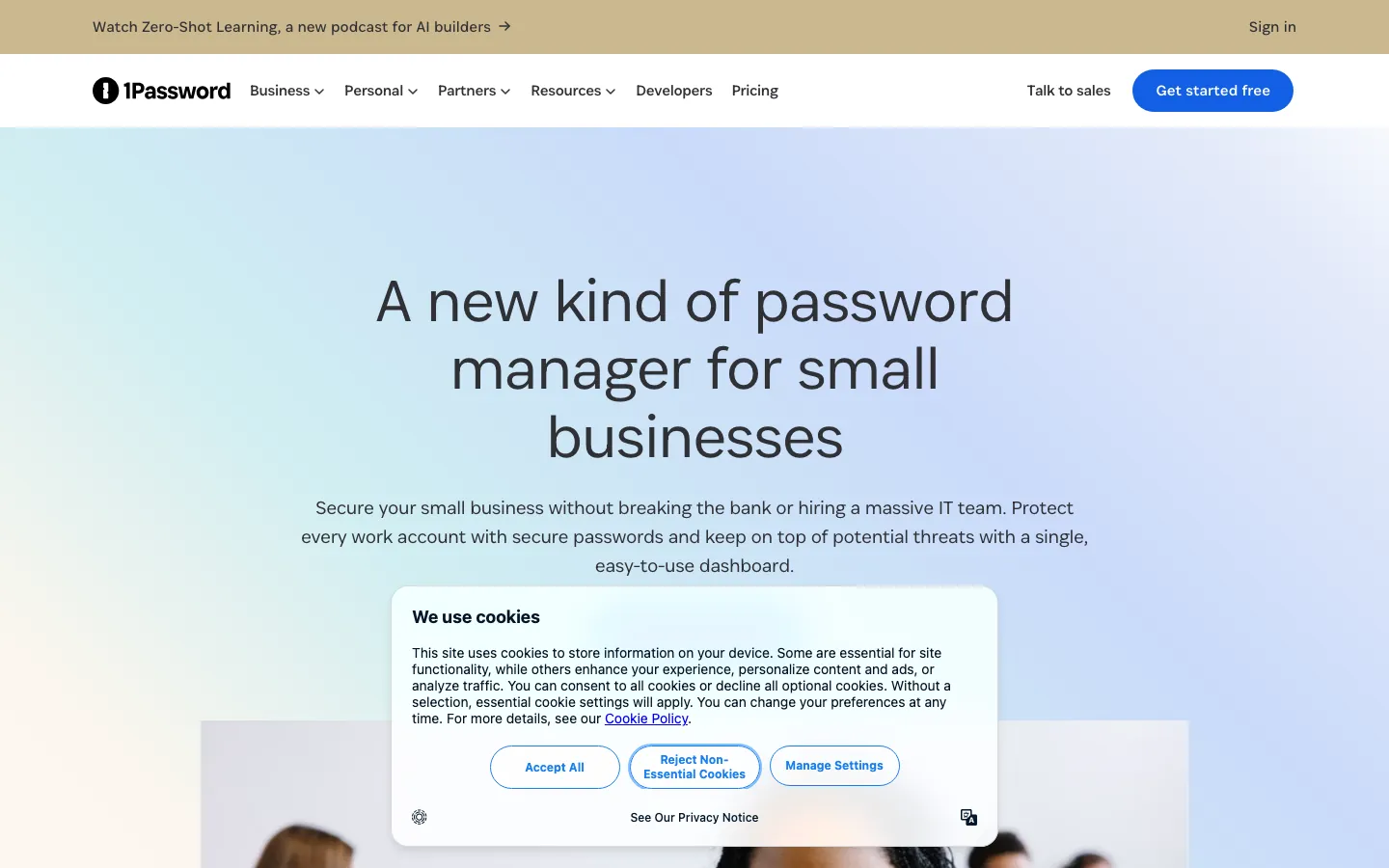
Screenshots of 1Password Business 3 images
What's great
- Extended Access Management ships device trust and SaaS governance alongside credential storage, no separate IAM purchase needed
- Watchtower compromised-credential monitoring fires in real time and surfaces weak, reused, and breached passwords per employee
- Developer secrets management (1Password Secrets Automation) included at Business tier, no add-on; CI/CD pipeline credential handling is native
Watch-outs
- $7.99/user/mo is the most expensive standard tier in this list; a 200-person org pays $19,176/yr before any enterprise negotiation
- Enterprise tier pricing is custom-quote only, no published rate; G2 buyer reports show $12-$16/user/mo all-in for 500+ seats once support and onboarding are factored
- Travel Mode (hiding vaults at border crossings) and some governance features gate behind the Enterprise tier, not Business
1Password Business is the default pick when the org needs one platform that handles employee vaults, developer pipeline secrets, and device trust without stitching together three separate tools.
The 1,795 G2 reviews average 4.6/5; the consistent praise centers on fast end-user adoption and the polished admin UX.
Per Scribe’s 2026 enterprise feature breakdown , the secrets-automation and device-trust features are the practical differentiators versus the rest of this list.
The watch-out: if you’re under 50 seats and your developers don’t need secrets management, you’re paying for features you won’t use, and Bitwarden Teams at $4/user/mo covers the fundamentals at half the cost.
Pricing breakdown
| Plan | Price | Best for |
|---|---|---|
| Teams Starter | $19.95/mo flat | Up to 10 users |
| Business | $7.99/user/mo | 10-500 users with SSO |
| Enterprise | Custom quote | 500+ users |
| Enterprise Plus | Custom quote | Global orgs |
What reviewers say about 1Password Business
Recurring themes across ~2,129 Capterra reviews (4.7/5) and roughly 1,600 G2 reviews (4.6/5), 2024-2026.
What reviewers praise
- Reviewers keep calling the interface polished and easy to teach, which drives high team adoption without much hand-holding.
- Browser extensions and mobile apps autofill both passwords and 2FA codes reliably across devices, a point users mention often.
- SCIM provisioning gets praise for mirroring existing identity/AD groups so joiners and leavers sync automatically.
- Support is described as responsive and patient, with a smooth onboarding for SSO and Device Trust setups.
- Watchtower breach and weak-password alerts are cited as a practical reason teams standardize on it.
What reviewers fault
- Business pricing near $8.99 per user per month is the top gripe, often quoted as more than double Bitwarden Teams.
- IT admins say the console lacks basic bulk actions, deeper reporting, and automation found in most B2B tooling.
- SCIM setup is called fiddly because most integrations need you to run your own SCIM Bridge and configure SSO first.
- The closed-source model comes up as a trust or auditability concern for security-focused buyers.
- Some capabilities land behind paid add-ons (like extended access management), which reviewers find nickel-and-dime.
Loading reviews…
Bitwarden Teams
Best open-source pick with self-host option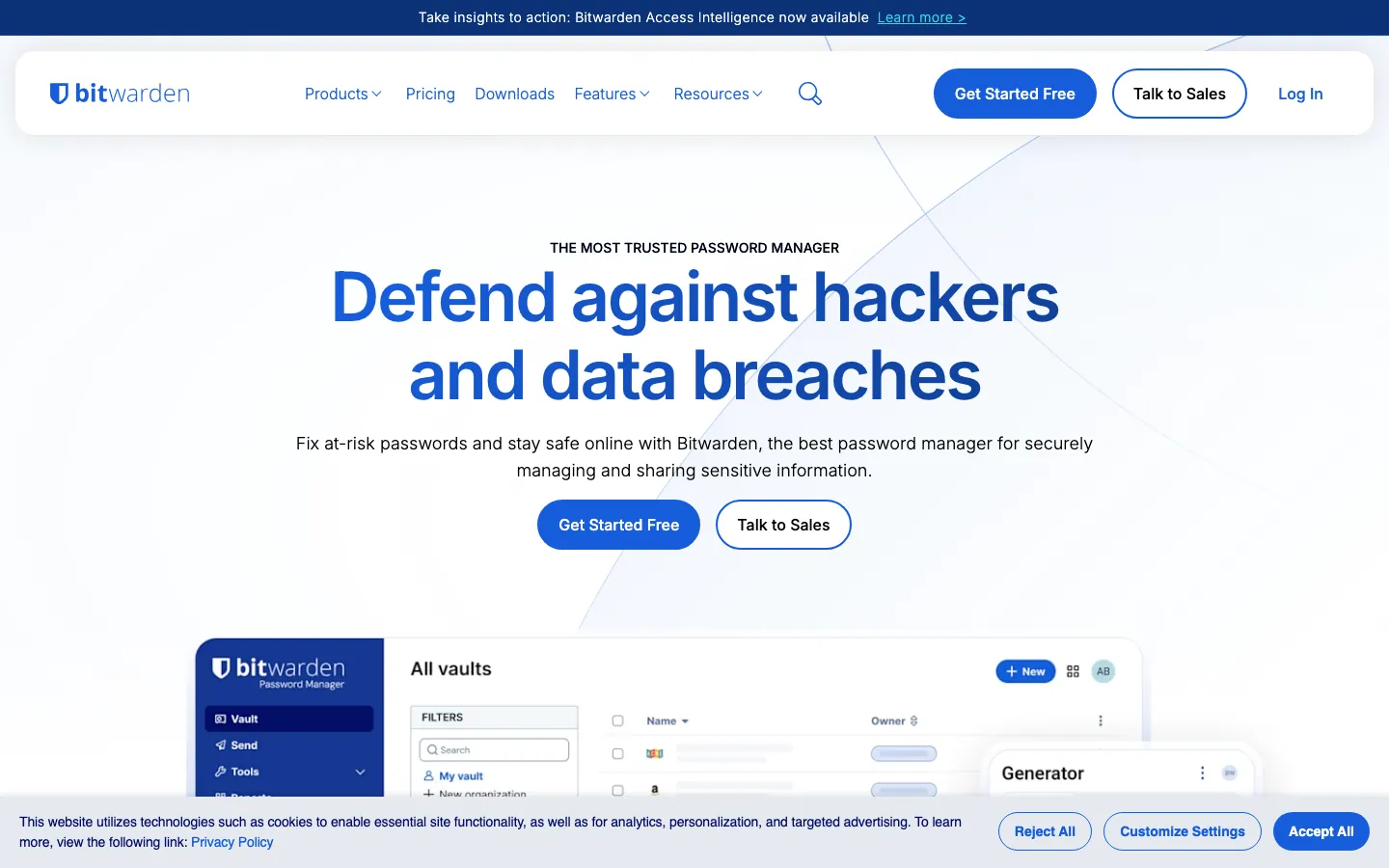
Screenshots of Bitwarden Teams 3 images
What's great
- Eleven consecutive quarters as G2 Enterprise Grid leader in user satisfaction, highest in the segment
- Full open-source codebase with independently audited security; AES-256 plus Argon2id key derivation, FIPS 140-3 certified module
- Self-host option (Bitwarden Server or community Vaultwarden fork) lets regulated teams run zero-cloud with no vendor dependencies
Watch-outs
- Admin UX is noticeably less polished than 1Password; SCIM provisioning setup requires more manual steps
- Secrets Manager (for developer pipeline credentials) is a separate add-on at $6/user/mo Enterprise, not bundled like 1Password
- Support response times on Teams tier run slower than 1Password Business; enterprise tier required for priority support
Bitwarden is the financially and philosophically rational choice for IT teams that want full audit transparency and the option to self-host. At $4/user/mo Teams and $6/user/mo Enterprise, a 200-person org saves roughly $9,576/yr versus 1Password Business, real money that buys a security tool or a hire.
1,272 G2 reviews average 4.6/5, the highest raw score in this guide. As Bitwarden noted in their enterprise positioning , the open-source architecture means every cryptographic decision is auditable by your own team, not just by third-party attestations.
For orgs with GDPR data residency requirements or government contractors with data localization needs, self-hosting eliminates a compliance question that the cloud-only vendors can’t fully answer.
Pricing breakdown
| Plan | Price | Best for |
|---|---|---|
| Free | $0 | Personal use only |
| Teams | $4/user/mo | 5-50 users |
| Enterprise | $6/user/mo | 50+ users with SSO |
| Self-hosted Enterprise | $6/user/mo | Air-gapped or data-residency orgs |
What reviewers say about Bitwarden Teams
Recurring themes across ~1,257 G2 reviews (4.7/5) and Capterra reviews (4.7/5), 2024-2026.
What reviewers praise
- Open-source transparency plus a genuinely usable free tier is the single most-cited reason teams pick it.
- The self-hosting option gets repeated praise from admins who want data sovereignty instead of a vendor cloud.
- Password sharing through collections and organizations is called flexible and easy to scope per team.
- Reviewers highlight strong security controls at a price well under 1Password or Keeper.
- Documentation quality comes up often as making self-host and admin setup manageable.
What reviewers fault
- The web vault UI is frequently called dated and clunky, and collection/folder organization gets messy on large vaults.
- The mobile app is described as slow to open compared with the browser extension.
- Biometric unlock sometimes falls back to asking for the master password with no clear reason.
- Autofill misses on certain sites and the password generator is not always reliable, per multiple reviews.
- A few nice-to-haves are missing, notably guest accounts and a travel mode.
Loading reviews…
Keeper Security
Best for regulated industries and government-adjacent orgs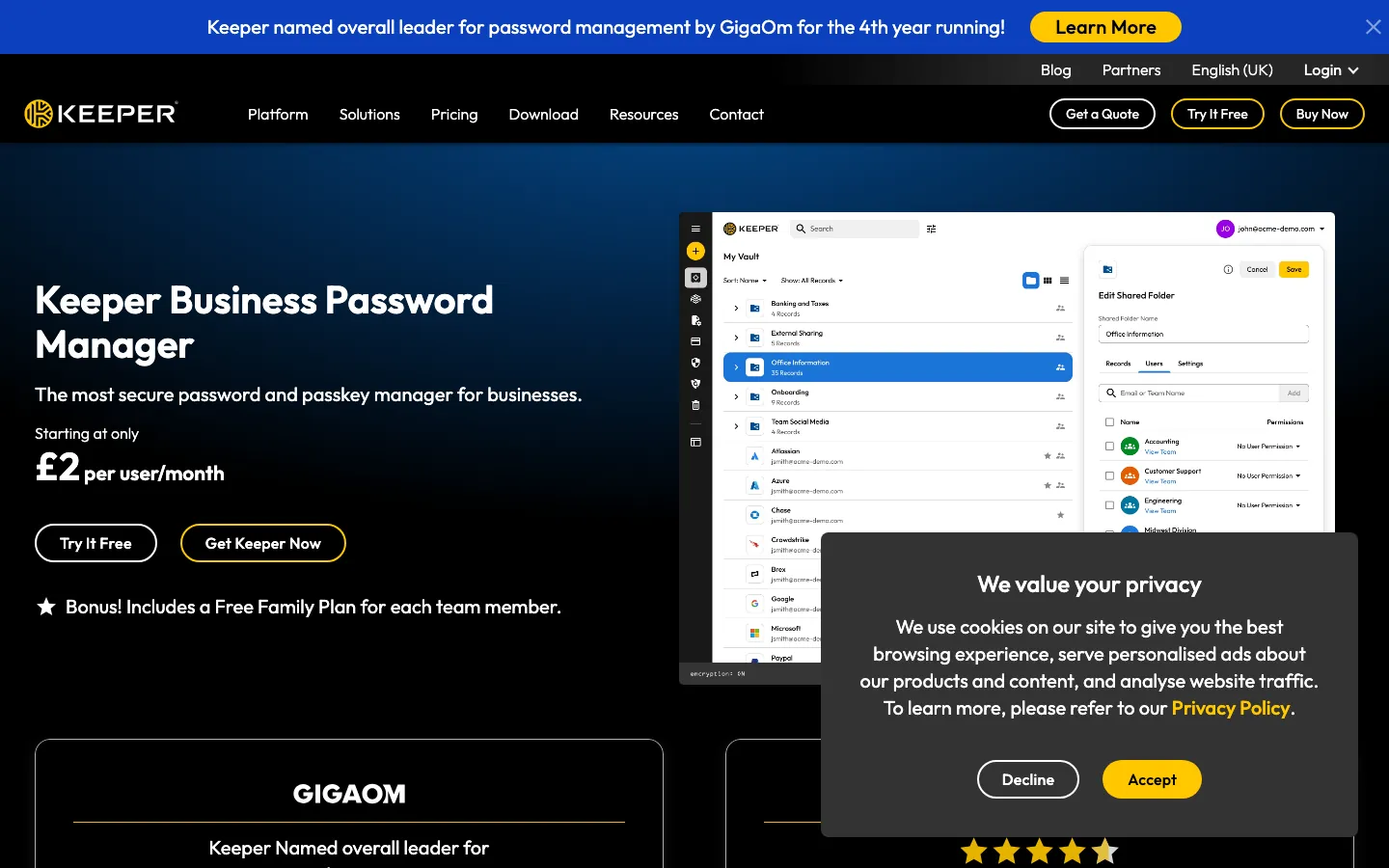
Screenshots of Keeper Security 3 images
What's great
- FedRAMP High authorized and FIPS 140-3 validated, the only tool in this list cleared for US federal and DOD procurement
- 200+ auditable event types exported to SIEM; the most granular audit trail in the segment for SOC 2 and ISO 27001 auditors
- Quantum-resistant cryptography rolling out in 2026 (Q1 announcement), the only business password manager in this list actively addressing post-quantum threat models
Watch-outs
- UX is more utilitarian than 1Password, which tends to slow early end-user adoption in the first 30 days
- BreachWatch (compromised-credential monitoring) is an add-on at roughly $2/user/mo on top of the base Business plan, not bundled
- Enterprise pricing is custom-quote; list prices start at $6/user/mo for Enterprise but real contracts land higher for regulated orgs needing ITAR support
Keeper is the non-negotiable pick when the buyer’s IT or legal team asks about FedRAMP, ITAR, or post-quantum readiness, and those questions come up in a majority of healthcare and government-adjacent procurement cycles. 1,197 G2 reviews average 4.6/5.
Per the ITECS enterprise comparison , Keeper’s 200+ auditable event types are specifically why compliance-heavy organizations land here even when their CISO prefers 1Password’s UX.
For standard commercial SaaS teams without federal or regulated requirements, the compliance depth is more than you’ll ever use, and 1Password or Bitwarden give you better value per seat.
Pricing breakdown
| Plan | Price | Best for |
|---|---|---|
| Business Starter | $2/user/mo | 5-10 users |
| Business | $4/user/mo | 10-100 users |
| Enterprise | $6/user/mo | 100+ users |
| Enterprise (regulated) | Custom | FedRAMP/ITAR/FIPS 140-3 requirements |
What reviewers say about Keeper Security
Recurring themes across ~1,215 G2 reviews (4.6/5) and Capterra reviews, 2024-2026.
What reviewers praise
- Zero-knowledge encryption paired with a wide set of 2FA options is the security point reviewers trust most.
- The admin console with role-based access controls is called genuinely powerful for managing a team's vaults.
- Secure record sharing and remote access get repeated praise from IT teams rolling it out company-wide.
- The interface is described as intuitive enough that non-technical staff onboard quickly.
- BreachWatch dark-web monitoring is cited as a useful add-on for spotting exposed credentials.
What reviewers fault
- Recurring price increases are the loudest complaint, with several admins saying renewals pushed them to compare alternatives.
- Core features like BreachWatch and some support tiers cost extra, which reviewers find adds up quickly.
- Autofill occasionally fills the wrong field, an issue tied to newer AI-assisted behavior.
- Some buyers report support-tier changes and CPI-linked pricing not matching what they were promised.
Loading reviews…
Dashlane Business
Best for zero-knowledge architecture and AI-powered credential risk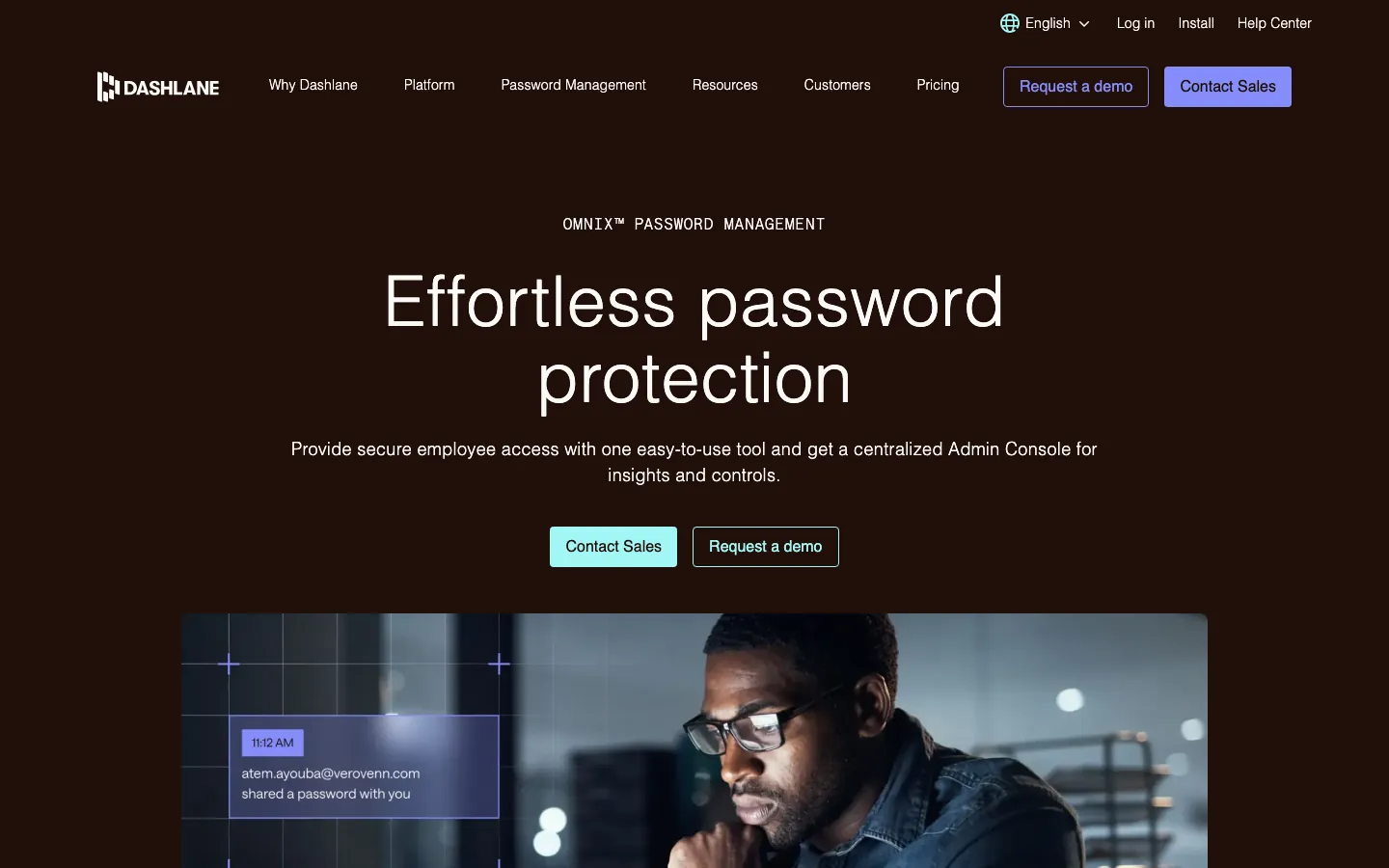
Screenshots of Dashlane Business 3 images
What's great
- Confidential SSO via AWS Nitro Enclaves, encryption key management in hardware-attested environments that Dashlane employees cannot access
- Omnix tier ($11/user/mo) ships AI-powered phishing detection and real-time employee credential breach alerts, not just dark web scanning
- Best cross-platform passkey sync in the segment; passkeys created on iOS work immediately on Windows and Android without extra configuration
Watch-outs
- Pricing is now $8/user/mo for Business (same as 1Password) with less developer tooling; the value equation is harder to justify unless you specifically need the Nitro Enclave architecture
- Admin dashboard is less intuitive than Keeper or 1Password for IT teams managing 200+ seats; more clicks per policy change
- No entry-level tier for small teams; Dashlane stopped selling Starter to new customers, so new buyers go straight to the $8 Business or $11 Omnix tier unless on a grandfathered legacy plan
Dashlane’s differentiator is the cryptographic architecture: Confidential SSO via AWS Nitro Enclaves means their own engineers cannot read your employee master passwords or vault keys, backed by hardware attestation rather than just a policy promise. 625 G2 reviews average 4.5/5.
For orgs evaluating passkey-first rollouts, Dashlane’s cross-platform passkey sync is the most mature in the segment in 2026 per the ITECS comparison report .
The watch-out: at $8-$11/user/mo, you’re paying a premium that only pays back if the Confidential SSO architecture is a genuine security requirement rather than a nice-to-have. Most SaaS teams below 300 employees will find 1Password or Bitwarden a better fit.
Pricing breakdown
| Plan | Price | Best for |
|---|---|---|
| Business | $8/user/mo | New-buyer entry tier |
| Omnix | $11/user/mo | 50+ users |
| Enterprise | Custom | 250+ users |
What reviewers say about Dashlane Business
Recurring themes across ~618 G2 reviews (4.5/5) and Capterra reviews, 2024-2026.
What reviewers praise
- Autofill for logins and payment forms is called consistent and accurate, a strength reviewers return to often.
- Ease of setup and admin scores high, with G2 users praising the intuitive onboarding for a team.
- Dark-web scanning that flags breached credentials is a frequently cited differentiator.
- The interface is described as clean and modern next to older password managers.
- SSO plus the admin console for user and policy management works well for mid-size rollouts.
What reviewers fault
- Cost is a recurring gripe, with Business landing around $8 per user per month billed annually.
- The Dashlane popup sometimes covers form fields and blocks people from filling boxes.
- On Chromium browsers autofill occasionally corrupts input in text fields, and sync or recovery glitches show up.
- Reviewers note the API is thin, which limits deeper integration work.
Loading reviews…
NordPass Business
Best value for small teams under 50 users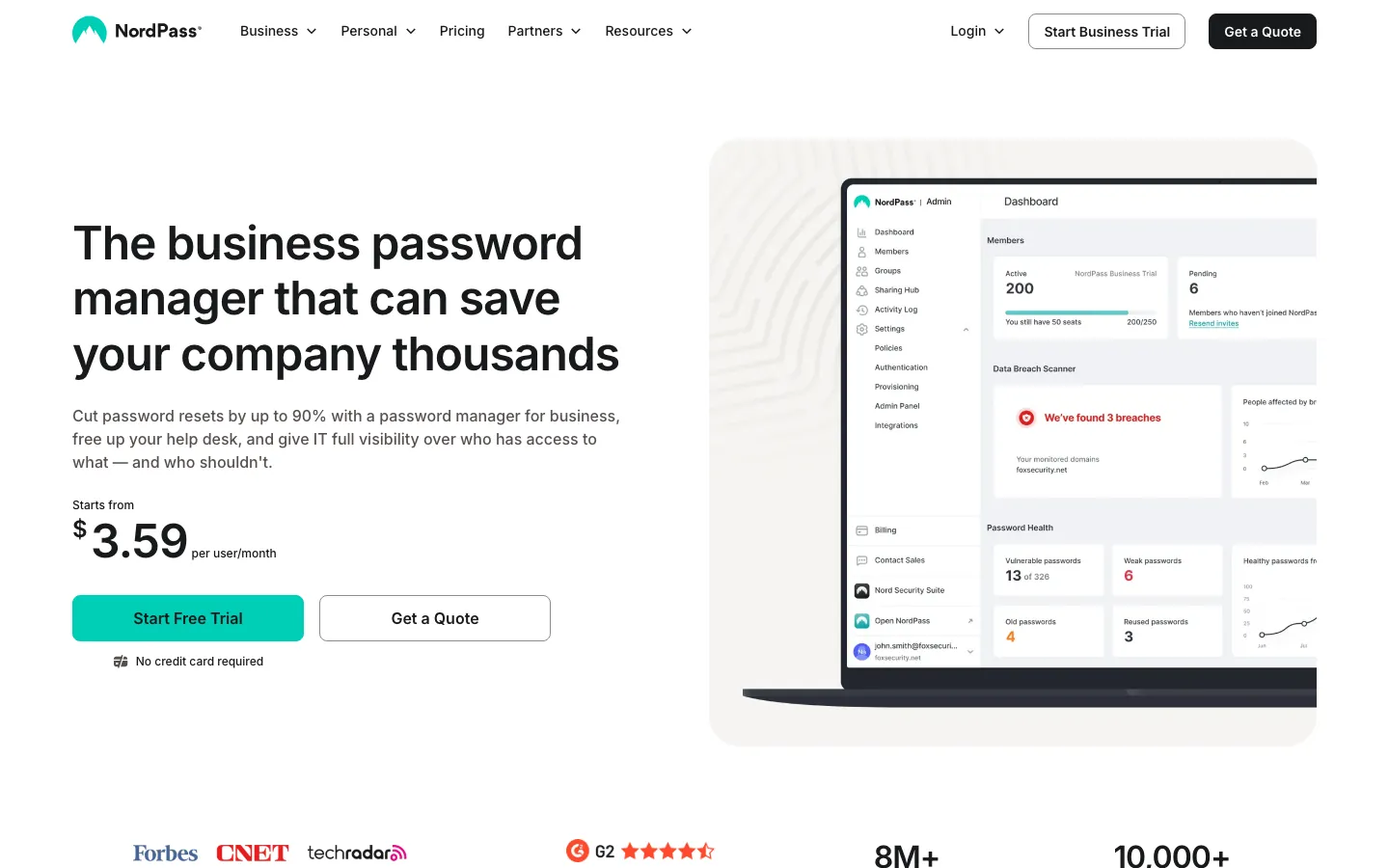
Screenshots of NordPass Business 3 images
What's great
- Cheapest full-featured cloud plan at $3.59/user/mo Business (annual), passkey support, SSO, and admin dashboard all included
- XChaCha20 encryption by default, a more modern cipher than the AES-256 standard used by most competitors
- Data Breach Scanner with 8M+ users and 10,000+ companies already deployed; the product page shows live password health metrics in the admin view
Watch-outs
- SCIM provisioning requires the Enterprise tier; Business tier buyers on Okta or Azure AD need to do manual CSV provisioning or upgrade
- Renewal rates are explicitly flagged by NordPass as potentially higher than introductory pricing; budget for 20-30% uplift at year-two renewal
- Smaller review base (642 G2 reviews) means less community knowledge, fewer Stack Overflow answers, and smaller IT admin communities than 1Password or Keeper
NordPass Business is the right call when the budget ceiling is firm and the team is under 50 people. At $3.59/user/mo with passkey support and a real admin console, it’s the most affordable option in this guide that doesn’t ask you to compromise on core functionality. 642 G2 reviews average 4.5/5.
The XChaCha20 cipher is a genuine differentiator from a cryptographic standpoint, not just marketing, though cybernews notes the practical security gap versus AES-256-based competitors is debated in security circles.
The watch-out for growing teams: once you need SCIM provisioning to automate on/offboarding at scale, you’re on Enterprise pricing, and at that point Bitwarden Enterprise at $6/user/mo may offer more for the incremental cost.
Pricing breakdown
| Plan | Price | Best for |
|---|---|---|
| Teams | Flat $1.79/user/mo | Fixed 10-user pack only |
| Business | $3.59/user/mo | 5-250 users |
| Enterprise | $5.39/user/mo | 250+ users |
| Enterprise Plus | Custom | 1000+ users |
What reviewers say about NordPass Business
Recurring themes across ~639 G2 reviews (4.5/5) and Capterra reviews, 2024-2026.
What reviewers praise
- The interface feels modern and simple, with ease of use the most-repeated strength on G2.
- Importing existing passwords from Chrome and other browsers cuts down manual setup, a point new admins mention.
- Secure password sharing plus per-employee access control is called straightforward to manage.
- Affordable per-seat pricing is a common reason smaller teams choose it over pricier incumbents.
What reviewers fault
- Autofill and the browser extension are inconsistent, with users often copying and pasting passwords manually.
- Advanced admin controls are thin, which frustrates teams that want granular policy management.
- Member-activity insights and password-strength reporting are called shallow and not very actionable.
- Occasional bugs and mobile restrictions come up across reviews.
Loading reviews…
LastPass Business
Best for teams that already use it and haven't switched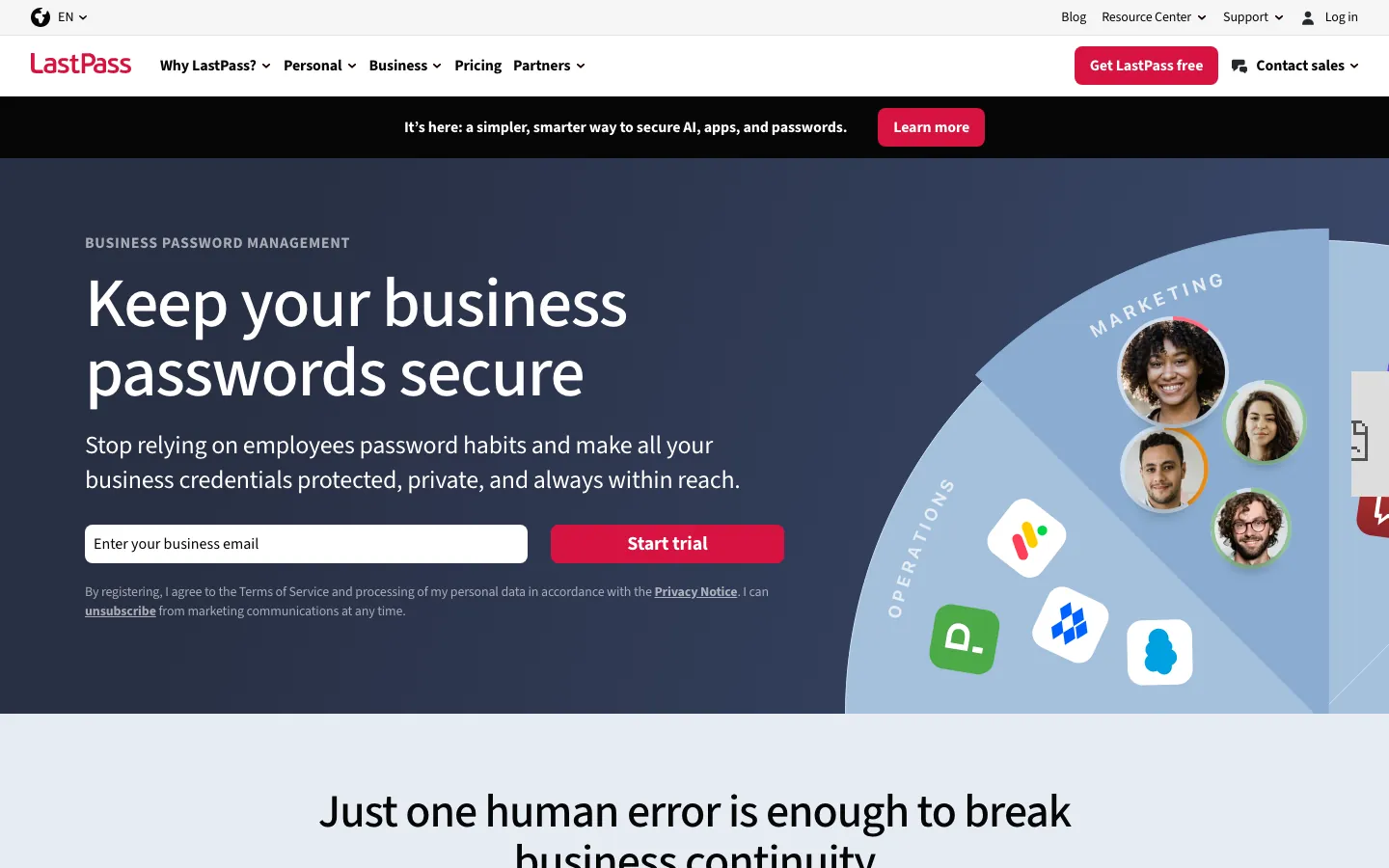
Screenshots of LastPass Business 3 images
What's great
- Largest installed base in the segment by volume; 64% of small businesses on G2 report using it, meaning IT support resources are abundant
- Business Max at $9/user/mo adds SaaS Monitoring and unlimited SSO apps, the broadest SSO bundle in the SMB tier
- 30-day trial is the longest in this list, enough time to run a real deployment pilot before committing
Watch-outs
- The 2022-2023 breach is the elephant in the room. Attackers exfiltrated encrypted vaults; a $24.5M class action settled in 2025. New buyers must weigh this independently
- $7/user/mo Business tier is mid-range priced for a tool carrying the heaviest historical trust burden in the category
- Product innovation has lagged since the breach; no equivalent to 1Password's device trust or Bitwarden's passkey-to-Windows integration
LastPass is not the right answer for a greenfield deployment in 2026. The 2022 breach and subsequent findings exposed encrypted user vaults, and subsequent reporting linked decrypted credentials to over $185 million in cryptocurrency theft.
The $24.5M class action reached preliminary settlement approval; claims are open through July 2, 2026, with cash payouts expected September or October 2026. 2,047 G2 reviews still average 4.5/5, because most of those reviewers are incumbents, teams that deployed before 2022 and haven’t migrated.
For an existing LastPass shop evaluating renewal versus migration: the migration math is a 4-8 week parallel run, the security risk argument for switching is real, and Bitwarden or 1Password are the typical landing spots. For new deployments, pick something else.
Pricing breakdown
| Plan | Price | Best for |
|---|---|---|
| Teams | $4.25/user/mo | Up to 50 users |
| Business | $7/user/mo | 50-500 users |
| Business Max | $9/user/mo | Unlimited SSO apps |
| Enterprise | Custom | 500+ users |
What reviewers say about LastPass Business
Recurring themes across ~1,962 G2 reviews (4.4/5) and Capterra reviews, 2024-2026.
What reviewers praise
- Reviewers still call it easy to use, with a browser extension that saves, updates, and autofills logins smoothly.
- A range of affordable plans scaling from individual up to enterprise gets consistent praise.
- Auto password generation plus secure note and credential storage cover the everyday basics well.
- The feature set is broad enough that established teams find switching costs hard to justify.
What reviewers fault
- The 2022 breach that exposed encrypted vault backups is the dominant theme and still drags trust down.
- Users criticize slow breach notification and vague mitigation guidance after the incident.
- Customer support is described as hard to reach when real problems come up.
- Security-focused reviewers openly advise picking a different manager because of the breach history.
- The free tier is limited to one device type, a restriction that pushes users toward paid plans.
Loading reviews…
RoboForm Business
Best value for budget-conscious teams needing SSO and SCIM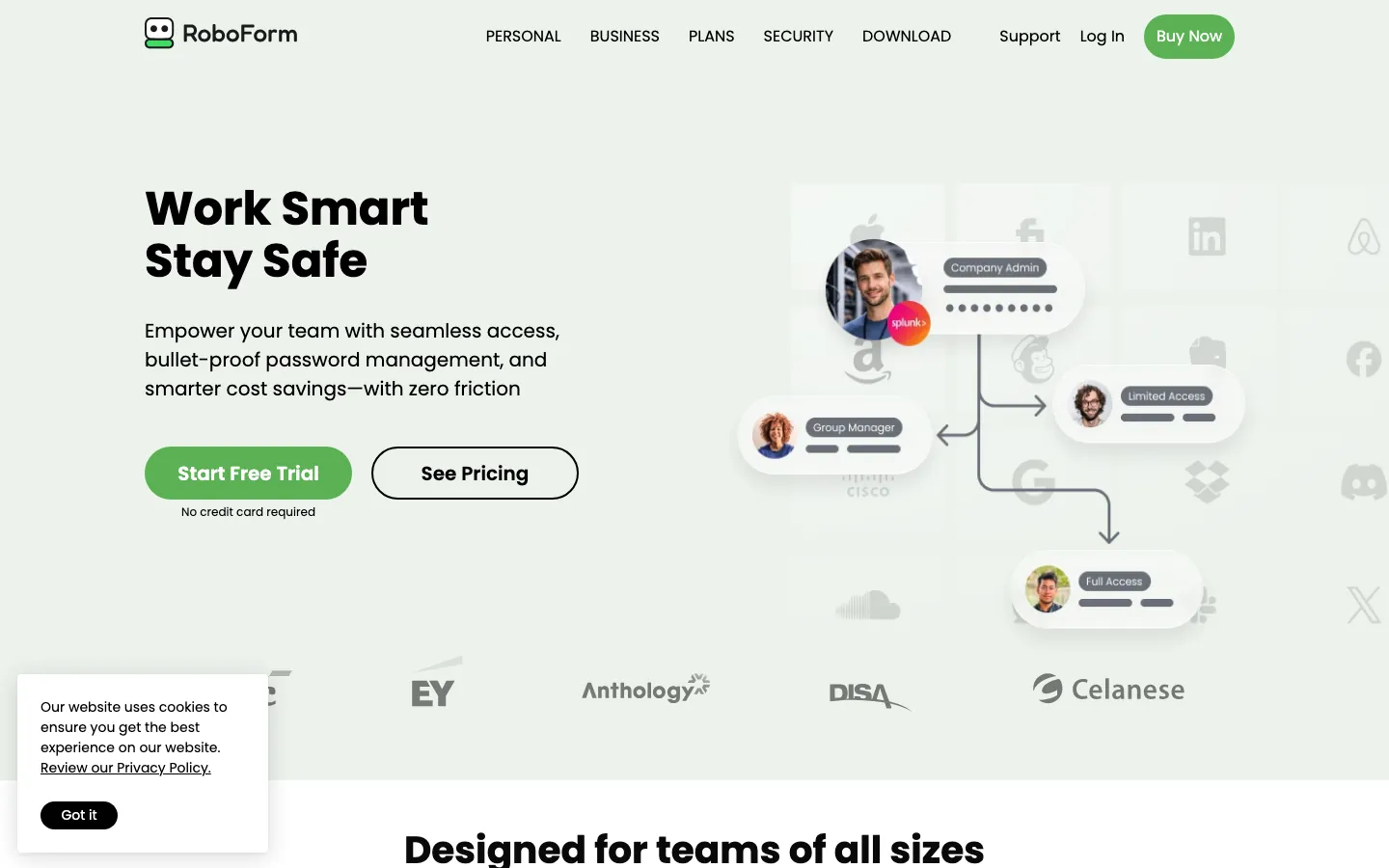
Screenshots of RoboForm Business 3 images
What's great
- Lowest per-seat price in this list at $3.33/user/mo for Business, SSO integration and SCIM provisioning included at no extra tier
- Dark web monitoring included at the base Business tier; most competitors charge an add-on for equivalent coverage
- Form-fill accuracy is the strongest in the segment for legacy web apps and non-standard HTML forms, which matters for orgs with older internal tools
Watch-outs
- Fewer native integrations than 1Password or Keeper; the SIEM connector library is thinner
- Developer secrets management is not available; RoboForm is a credential vault, not a platform that handles CI/CD pipeline secrets
- Smaller engineering investment signal; the product roadmap moves slower compared to 1Password and Bitwarden
RoboForm Business punches above its weight for the price. $3.33/user/mo with SSO and SCIM provisioning included makes it the lowest real cost for a fully-managed business deployment in this guide. 752 G2 reviews average 4.6/5.
Per RoboForm’s own business benefits calculator , the average IT team saves 3.5 hours per week on password-reset tickets after deployment. For 25-100 person orgs that need managed vaults, SSO, and SCIM but don’t need developer secrets or FedRAMP compliance, this is the financially correct answer.
Pricing breakdown
| Plan | Price | Best for |
|---|---|---|
| Business | $3.33/user/mo | 10-1000 users |
| Enterprise | Custom quote | 1000+ users |
| 1-year | $3.33/user/mo | Standard annual commitment |
| 3-year | ~$2.75/user/mo | Cost-optimized multi-year deployment |
What reviewers say about RoboForm Business
Recurring themes across ~752 G2 reviews (4.6/5) and Capterra reviews, 2024-2026.
What reviewers praise
- The form filler is the standout, with reviewers saying it completes full address and credit-card forms accurately.
- Cross-device sync across PC, Mac, Android, and iPhone is called reliable by long-time users.
- Many describe it as software that just works and has kept logins and notes in order for years.
- Pricing is regularly flagged as affordable next to the bigger-name managers.
What reviewers fault
- The interface looks dated and clunky on both desktop and mobile, the most common criticism.
- Sync sometimes needs a manual click on older devices instead of updating on its own.
- The 2FA flow now takes multiple clicks and feels less friendly on Windows PCs.
- Autofill occasionally needs extra steps to complete correctly on certain sites.
Loading reviews…
Passbolt
Best self-hosted open-source for IT teams requiring full data sovereignty
Screenshots of Passbolt 3 images
What's great
- Free community edition runs unlimited users on your own server; no per-seat cost for air-gapped or budget-constrained IT teams
- OpenPGP-based end-to-end encryption with full client-side key management; the server operator (including Passbolt's cloud) cannot decrypt your vault
- API-first design with REST API and CLI; the only password manager in this list designed for infrastructure-as-code deployments
Watch-outs
- Small review base (35 Capterra, limited G2 data) means less community troubleshooting depth than commercial tools
- Self-hosting requires ops bandwidth; Docker deployment plus database management, backups, and upgrades on your team's plate
- Mobile apps (iOS/Android) are less polished than any commercial option; the tool is designed for browser-extension use by technical teams
Passbolt is the right answer for IT and platform teams that treat data sovereignty as a hard requirement, not a preference. The free Community edition means a 50-person engineering org can run zero-cost self-hosted credential management indefinitely.
The OpenPGP architecture makes it one of the few tools where the vendor literally cannot read your data under any circumstances, backed by a published threat model and 5,900+ GitHub stars.
Proprivacy’s 2026 review rates the security model as among the strongest in the open-source category while noting the mobile experience as the main gap.
For technical teams that are comfortable with Docker deployments and want full control, this is the only tool in the list where the exit strategy costs you nothing. For non-technical orgs or teams that need iOS/Android daily drivers, the UX gap versus the commercial tools is material.
Pricing breakdown
| Plan | Price | Best for |
|---|---|---|
| Community (self-hosted) | $0 | Technical orgs with infra capacity |
| Pro (self-hosted) | ~$4.50/user/mo | Self-hosted + priority support |
| Business (cloud) | ~$5/user/mo | Managed cloud with data residency options |
| Enterprise | Custom | Large orgs |
What reviewers say about Passbolt
Recurring themes across ~35 Capterra reviews (4.7/5) plus G2 and TrustRadius reviews, 2024-2026.
What reviewers praise
- The open-source model with a genuinely free self-hosted tier is the top reason technical teams pick it.
- OpenPGP key-based encryption, where the private key never touches Passbolt servers, earns strong trust from security-minded users.
- Flexible deployment across Docker, Linux, and even Raspberry Pi gets praised by teams that want control over hosting.
- Reviewers value full ownership of their password data without leaning on a third-party cloud.
What reviewers fault
- Initial setup is called complex, and self-hosting trips up users without solid technical skills.
- The mobile apps are limited next to the browser extension and are mostly for viewing and copying credentials.
- Running it yourself means owning server security, updates, and maintenance, which some teams underestimate.
- The 10-user minimum and plugin-heavy workflow feel like overkill for individuals and small non-technical shops.
Loading reviews…
Tools we considered but excluded
We evaluated more tools than the 8 you see above. These did not make the cut. Saying what we rejected, and why, is the editorial muscle most listicles skip.
- Psono: German-based, limited US customer success resources, smaller review base than Passbolt with less active development
- Vaultwarden: Community fork of Bitwarden server, not a commercial product; lacks enterprise support and audit trail features needed for procurement
- Passportal (NinjaOne): MSP-focused credential management, not designed for direct business deployment; wrong buyer profile for this guide
- Delinea Secret Server: PAM tool for privileged access, not a business password manager; starts at $10K+/yr minimum and overkill below 200 seats
- CyberArk Workforce Password Management: Enterprise PAM pricing ($15+/user/mo) assumes a security-first buyer with a dedicated IAM team; wrong for most readers of this guide
Honorable mentions
Solid tools that did not crack the main list but are worth tracking, especially for niche use cases.
- Proton Pass for Business: Swiss-based, end-to-end encrypted option from Proton (Proton Mail's parent); 4.7/5 across 121 G2 reviews, and Pass Essentials starts at $1.99/user/mo (3-user minimum), the cheapest per-seat business tier in this category. Fewer third-party integrations than 1Password or Bitwarden, but a legitimate pick for privacy-first teams already on Proton Mail or Proton VPN.
- Passwordstate: Self-hosted Windows-native option used by enterprise IT shops already running Active Directory; worth evaluating if your org is Microsoft-stack-heavy
- IT Glue: MSP-specific credential management with documentation integration; best-in-class for IT service providers, wrong for direct business deployment
- KeePass: Free open-source local vault that many developers use personally; no team sharing or central admin, so it doesn't qualify as a business tool, but worth acknowledging for the open-source camp
The four buckets of business password managers
The business password manager market sits at a messier intersection than most SaaS categories. You’re buying credential security infrastructure, and the threat model, compliance requirements, and user base shape the decision more than the feature list does.
Cloud-managed commercial tools. 1Password Business, Dashlane Business, NordPass Business, LastPass Business, and RoboForm Business. These are the tools your employees will actually adopt without a training program. Single-tenant cloud storage, admin consoles, SCIM provisioning over Okta or Azure AD. This bucket covers 80% of US business buyers.
Open-source with self-host option. Bitwarden and Passbolt. Bitwarden sits at the intersection of commercial polish and open-source transparency; Passbolt is fully infrastructure-first. Both let regulated teams run zero-cloud. Bitwarden’s Teams cloud tier is also a viable product for orgs that want open-source auditability without the ops burden of self-hosting.
Compliance-first enterprise tools. Keeper Security is the standout here. FedRAMP High, FIPS 140-3, ITAR, and quantum-resistant cryptography in active rollout. Healthcare, government-adjacent companies, and financial services typically end up here after the first IT security review.
Budget-first tools. RoboForm Business ($3.33/user/mo) and NordPass Business ($3.59/user/mo). Both include SSO and full admin consoles at less than half the 1Password price point.
The eight tools in this guide cover all four buckets. Below: how to tell which bucket you’re actually in.
Where the eight password managers differ on core features
| Tool | Passkey support | SCIM provisioning | Developer secrets | Self-host | Dark web monitoring |
|---|---|---|---|---|---|
| 1Password Business | ✓ | ✓ | ✓ built-in | ✗ | ✓ |
| Bitwarden Teams | ✓ | Enterprise only | $ add-on | ✓ | ✓ |
| Keeper Security | ✓ | ✓ | ✓ | ✗ | $ add-on |
| Dashlane Business | ✓ cross-platform | ✓ | ✗ | ✗ | ✓ Omnix+ |
| NordPass Business | ✓ | Enterprise only | ✗ | ✗ | ✓ |
| LastPass Business | ✓ | ✓ | ✗ | ✗ | ✓ |
| RoboForm Business | • limited | ✓ | ✗ | Enterprise only | ✓ |
| Passbolt | ✓ | Pro+ | ✗ | ✓ free | ✗ community |
The standouts: 1Password is the only tool that bundles developer secrets management without an add-on. Bitwarden and Passbolt are the only tools with genuine self-hosted options below enterprise pricing. Keeper has the broadest SCIM and audit trail depth.
NordPass and RoboForm both lack SCIM at their cheapest tier, which matters for mid-market onboarding automation.
Password manager compliance and encryption, tool by tool
| Tool | SOC 2 Type II | GDPR | HIPAA | FedRAMP | Passkey (FIDO2) |
|---|---|---|---|---|---|
| 1Password Business | ✓ | ✓ | ✓ | ✗ | ✓ |
| Bitwarden Teams | ✓ | ✓ | ✓ | ✗ | ✓ |
| Keeper Security | ✓ | ✓ | ✓ | ✓ High | ✓ |
| Dashlane Business | ✓ | ✓ | ✓ | ✗ | ✓ |
| NordPass Business | ✓ | ✓ | • Business+ | ✗ | ✓ |
| LastPass Business | ✓ | ✓ | ✓ | ✗ | ✓ |
| RoboForm Business | ✓ | ✓ | ✓ | ✗ | • limited |
| Passbolt | • self-hosted | ✓ | • config required | ✗ | ✓ |
Keeper is the only tool that passes enterprise IT review for US federal and DOD procurement. Everything else in this guide covers the commercial tier: SOC 2 Type II, GDPR, and HIPAA all present. The critical difference for enterprise IT is audit trail depth: Keeper’s 200+ event types vs the 40-60 event types most others log.
If your security questionnaire asks about SIEM integration granularity, that question resolves to Keeper for regulated buyers and to Bitwarden or 1Password for commercial SaaS.
Integration coverage across the stack
| Tool | Okta SSO | Azure AD SSO | Slack alerts | SIEM (Splunk/Datadog) | CI/CD secrets |
|---|---|---|---|---|---|
| 1Password Business | N | N | N | N (Events API) | N (Secrets Automation) |
| Bitwarden Teams | N Enterprise | N Enterprise | M | N Enterprise | $ add-on |
| Keeper Security | N | N | M | N | N (KSM) |
| Dashlane Business | N | N | ✗ | M | ✗ |
| NordPass Business | N Business | N Business | ✗ | ✗ | ✗ |
| LastPass Business | N | N | M | N Business | ✗ |
| RoboForm Business | N | N | ✗ | ✗ | ✗ |
| Passbolt | N Pro | N Pro | ✗ | ✗ | N (CLI/API) |
Legend: N = native first-party, M = marketplace/third-party connector, $ = paid add-on, ✗ = not available.
1Password and Keeper have the strongest native integration story. 1Password’s Events API gives SIEM teams a structured log stream without middleware; Keeper’s 200+ event types feed Splunk and Datadog directly.
For CI/CD pipeline secrets specifically, 1Password Secrets Automation and Keeper Secrets Manager are the only two tools in this guide with first-party developer integrations. Bitwarden’s Secrets Manager is functional but requires a separate license. The others are not in scope for developer use cases.
Selection criteria, what to test in your trial
The same failure modes appear again and again in password manager evaluations. Eight things to test before signing the contract.
One, provision five real employees via SCIM on day one. Not a demo user. Take five real employees from your Okta or Azure AD directory, provision them, assign vault policies, and verify the sync ran cleanly. If this takes more than 90 minutes, the day-to-day offboarding automation will be painful. 1Password and Keeper have the smoothest SCIM setup once the IdP integration is working. NordPass and Bitwarden Teams require an Enterprise upgrade before SCIM is available at all.
Two, offboard a test employee and time the vault lock. When an employee leaves, how fast are their credentials revoked? Create a test account, provision it with five shared credentials, then deprovision it and time the full vault lock. Anything over five minutes in an automated SCIM flow is a gap. Anything over 24 hours without SCIM is a security incident waiting to happen.
Three, run a compliance report export. Pull a full audit trail for the last 30 days (user logins, vault access, admin changes) and export it to CSV. If you need a support ticket or a CSM call to do this, the audit trail is not actually accessible when you need it. Keeper, 1Password, and LastPass all pass this test without friction.
Four, test browser extension reliability across three OS/browser combinations. Chrome on Windows, Firefox on macOS, Safari on macOS. The browser extension is where employees actually use the tool, not the admin console. Form-fill accuracy matters more than feature lists. RoboForm’s form-fill is the strongest for legacy internal apps; 1Password and Bitwarden are strongest for modern web apps.
Five, attempt to import all passwords from your current tool. Import test: take 100 real credentials from your existing vault (LastPass CSV, 1Password export, browser-exported CSV) and import them into the trial account. Verify all fields migrated, including usernames, URLs, notes, and custom fields. Broken imports are the #1 cause of delayed cutover timelines.
Six, test passkey enrollment end-to-end on mobile. Create a passkey on an iOS device, then authenticate to the same site on an Android device and a Windows 11 laptop. Cross-platform passkey sync is the 2026 differentiator. Dashlane passes this cleanest; 1Password is close behind. Bitwarden’s Windows 11 passkey integration is the most technically interesting for developer-heavy teams.
Seven, configure one MFA policy and enforce it for a test group. The admin experience for MFA enforcement is where most tools diverge. Keeper’s policy engine is the most granular; 1Password’s is the easiest to configure. LastPass Business has the largest policy library (100+) but the UI to navigate it is older.
Eight, call two current customers at your headcount. Not the references the vendor offers. Find them through LinkedIn or industry Slack groups. Ask: “What did the breach notification process look like and how fast did your CSM respond?” The answer to that specific question tells you more about operational risk than any SOC 2 report.
How to choose the right password manager for your team
Five questions that collapse the list to two or three real options.
1. FedRAMP or FIPS 140-3 compliance needs
If yes, the answer is Keeper Security. Nothing else in this list qualifies. If you’re a government contractor, healthcare org with federal contracts, or defense-adjacent company, the compliance requirement resolves the decision before you evaluate UX. Under those circumstances, UX is a secondary optimization.
2. Engineering secrets in CI/CD pipelines
If yes, you need developer secrets management alongside the employee vault. 1Password Secrets Automation (included at Business) or Keeper Secrets Manager (included at Enterprise) handle this natively. Bitwarden’s Secrets Manager works but requires a separate license at $6/user/mo Enterprise.
RoboForm, NordPass, Dashlane, and LastPass are not in scope for this use case.
3. Headcount and budget ceiling
- Under 50 users, budget-primary: NordPass Business ($3.59) or RoboForm Business ($3.33). Both include SSO.
- Under 50 users, security-primary: Bitwarden Teams ($4) or 1Password Business ($7.99).
- 50-250 users, no compliance requirements: Bitwarden Enterprise ($6) or 1Password Business ($7.99). The gap is $1.99/user/mo times your headcount annually.
- 250+ users with compliance requirements: Keeper Enterprise or 1Password Enterprise (custom quote). Both include dedicated CSM and SIEM integration.
4. Data sovereignty as a hard requirement
Some regulated industries, GDPR-sensitive EU subsidiaries, and government-adjacent companies cannot store credentials in a shared US cloud. For these, Bitwarden self-hosted, Passbolt Community, or RoboForm Enterprise (self-hosted, 1000+ users) are the options. Everything else in this list is cloud-only with no genuine self-hosted path.
5. The technical depth of your IT team
If your IT team can manage a Docker deployment with a PostgreSQL backend, Passbolt Community at zero cost is worth evaluating seriously. If IT is two generalists managing 150 employees, the ops burden of self-hosting will cost more in admin time than the per-seat savings. Pick a cloud-managed tool and allocate the savings to something else.
What a password manager really costs per seat in year one
The biggest forecast error buyers make is pricing off the lowest published tier and not accounting for SSO and SCIM upgrade jumps.
| Tool | Cheapest paid tier | What a 100-person org pays (year 1) | Year-2 reality |
|---|---|---|---|
| 1Password Business | $7.99/user/mo | $9,588 | $10,200 (7% uplift) |
| Bitwarden Enterprise | $6/user/mo | $7,200 | $7,200 (flat) |
| Keeper Business | $4/user/mo | $4,800 + BreachWatch add-on $2,400 | $7,200+ with renewals |
| Dashlane Business | $8/user/mo | $9,600 | $10,000-$11,000 |
| NordPass Business | $3.59/user/mo | $4,308 | $5,200-$5,800 (intro vs renewal gap) |
| LastPass Business | $7/user/mo | $8,400 | $8,800 (5-10% renewal) |
| RoboForm Business | $3.33/user/mo | $3,996 | $3,996 (stable pricing) |
| Passbolt Cloud Business | ~$5/user/mo | $6,000 | $6,000 |
The NordPass intro-vs-renewal gap is the biggest pricing trap: documented 20-30% jumps between new-customer pricing and renewal rates. The Keeper BreachWatch add-on is the hidden cost that makes the $4/user/mo base tier misleading; most compliance buyers need it, which pushes effective cost to $6/user/mo before Enterprise features.
RoboForm has the most predictable pricing in the set.
Migration playbook
Switching password managers is less painful than a CRM migration but more stressful than teams expect. The credentialing data is sensitive, the import quality varies, and employees notice when vault data is missing immediately.
Phase 1 (weeks 1-2): Audit the current vault. Export a full credential list from the old tool (most support CSV or JSON export). Count shared credentials vs personal credentials. Identify shared service accounts that need immediate re-keying. This audit typically reveals 30-40% of credentials that are stale or duplicated; clean them before importing.
Phase 2 (weeks 3-4): Parallel run with pilot team. Deploy the new tool to IT and one engineering team. Import their personal vaults. Verify form-fill accuracy on the 10 most-used internal apps. Fix any custom-field mapping issues before the broader rollout.
Phase 3 (weeks 5-8): Full org rollout. SCIM provisioning handles new-hire onboarding from this point. Export and import all shared vaults. Keep the old tool live in read-only mode for 60 days so employees can retrieve any credential that didn’t survive the import.
Phase 4 (week 9): Terminate old licenses and enforce policy. Block the old browser extension via MDM if possible. Enforce new tool login via SSO so there’s no fallback. Set a policy deadline; the teams that leave both tools active indefinitely end up with credential drift between the two.
What’s changing in business password management in 2026
Passkeys are crossing from experiment to enforcement. Passkey enrollment is moving from optional to default on modern SaaS apps as the major vendors ship native support.
The missing piece is cross-platform sync, which is why Dashlane and Bitwarden’s Windows 11 integration landed as real differentiators.
Bitwarden’s September 2025 update on passkey portability, covering Apple’s Credential Exchange Protocol on iOS 26, is the clearest signal that the industry is moving toward vendor-agnostic passkey syncing.
Expect 2026 to be the year IT teams start building passkey-first auth policies rather than just enabling passkeys optionally.
Post-quantum cryptography is entering procurement checklists. Keeper’s Q1 2026 announcement of quantum-resistant cryptography rollout is the first in the business password manager segment. It’s not a near-term threat for most orgs, but government and defense buyers have started including post-quantum questions in security questionnaires, and the other vendors will respond with roadmap commitments in H2 2026.
Credential-based breaches hit a statistical peak in 2025. Stolen credentials were the initial access vector in 22% of breaches in 2025, and they showed up in 88% of attacks against basic web apps, according to the Verizon DBIR. This isn’t new, but the breach cost math is: $5M+ average incident cost makes even $10/user/mo look cheap against the alternative.
IT security teams are using this number to justify mandatory deployments versus the previous “strongly recommended” posture.
The SecurityScorecard breach analysis of the LastPass incident specifically quantified how a single weak master password in a corporate vault creates company-wide exposure.
Extended Access Management is the next product category. 1Password’s rebranding of its platform as Extended Access Management (EAM) signals where the market is moving: password manager plus device trust plus SaaS governance in one agent.
Consolidation pressure is building; platform teams that buy separately for PAM, password management, and MDM are starting to evaluate whether one vendor can cover all three. That convergence is why a business password manager increasingly overlaps with the IAM and SSO platforms that own workforce login.
LastPass market share is still eroding. Three years post-breach, G2 data shows LastPass holding share among existing customers but losing almost all new deployments to 1Password and Bitwarden. The $24.5M class action reached preliminary settlement approval, with claims open through July 2, 2026, but the litigation overhang hasn’t restored purchase intent.
The right password manager for each company profile
- Pre-seed and seed, under 15 users: Bitwarden Teams ($4/user/mo). Lowest barrier to proper credential management; upgrade to Enterprise when you hit SCIM needs.
- Seed to Series A, 15-50 users: 1Password Business ($7.99) if developer secrets matter. RoboForm Business ($3.33) if budget is the constraint. Both include SSO at these seat counts.
- Series A to B, 50-150 users: Bitwarden Enterprise ($6) for cost-conscious engineering orgs. 1Password Business ($7.99) for orgs that need UX adoption speed and developer tooling without a separate secrets manager.
- Series B to C, 150-300 users: 1Password Business or Keeper Business. The decision splits on compliance requirements; any regulated-industry question resolves to Keeper.
- Series C+ and enterprise, 300+ users: Custom-quoted 1Password Enterprise or Keeper Enterprise. Both include dedicated CSM, custom SLAs, and SIEM integration at this tier.
- Regulated industries (healthcare, finance, government-adjacent) at any stage: Keeper Security. FedRAMP and FIPS 140-3 are the entry requirements and only Keeper meets them.
- Orgs requiring full data sovereignty or air-gapped deployment: Bitwarden self-hosted Enterprise or Passbolt Community. Both run on your own infrastructure with no cloud dependency.
- Teams migrating from LastPass post-breach: 1Password Business is the most common landing spot for teams leaving LastPass; the import process is clean and end-user adoption is fast. Bitwarden Enterprise is the alternative for cost-sensitive migrations.
- Small teams replacing browser-saved passwords for the first time: NordPass Business ($3.59) or RoboForm Business ($3.33). Both deploy in under a day for under-25-person teams.
1Password vs Bitwarden security trade-off
This is the question that comes up most often in 2026: UX and polish versus open-source transparency and cost. The right answer depends on what your threat model actually is.
1Password’s architecture centers on the Secret Key, a 128-bit key generated on-device that you combine with your master password.
It adds a genuinely meaningful layer of protection against server-side attacks; even if 1Password’s servers were breached, the attacker cannot decrypt vaults without also compromising the user’s device.
1Password is not open source (though SDKs and passkey libraries are), which means the cryptographic implementation is verified by third-party audit rather than public code review.
Bitwarden’s counter is full source code transparency. Every cryptographic decision is in the public repository. The Argon2id key derivation function is cryptographically stronger than the PBKDF2 that 1Password used until recently. The FIPS 140-3 certified cryptographic module closes the gap on regulated-industry requirements.
And the self-host option means you can literally run Bitwarden’s server code in your own data center with zero cloud dependency.
The practical trade-off: 1Password wins on employee UX, developer tooling integration, and admin experience for IT teams that aren’t security-focused. Bitwarden wins on cost, audit transparency, and data sovereignty.
For a 200-person SaaS with a two-person IT team, 1Password’s adoption rate advantage probably pays for the $3.99/user/mo premium in reduced IT support tickets.
For a 200-person engineering org with a dedicated security team, Bitwarden’s open-source model and $9,576/yr savings is the rational call.
For corrections, vendor disputes, or pricing discrepancies, email hello@topickz.com . We re-test this shortlist every six months; the next full refresh ships in November 2026.
Frequently asked questions
What's the real per-user cost including SSO and SCIM?
Budget $6-10/user/mo for mid-market. SSO pushes Bitwarden from $4 to $6. Keeper from $4 to $6. RoboForm includes both at $3.33.
Should every employee get a business password manager?
Yes, mandatorily. Optional rollouts produce 30-40% adoption. Mandatory with SSO and SCIM produces 90-95%.
Is LastPass safe to use after the 2022 breach?
Existing users can stay if vaults are locked with strong master passwords. Greenfield buyers should pick 1Password or Bitwarden.
Bitwarden vs 1Password for a 100-person team in 2026?
Bitwarden saves $9,576/yr. 1Password wins on UX adoption and developer secrets. If cost matters, Bitwarden. If adoption speed matters, 1Password.
Do we need a password manager if we already have SSO?
Yes. SSO covers 60-80% of logins. The remaining shared accounts, vendor logins, and legacy apps still need vault management.
How long does a 100-person password manager rollout take?
3-4 weeks. Week 1 is SCIM/SSO config. Week 2-3 is user onboarding. Week 4 is enforced adoption and IT ticket cleanup.
Which password manager has the best passkey support in 2026?
Dashlane for cross-platform passkey sync. Bitwarden for Windows 11 native passkey login. 1Password for admin enforcement.
Can we self-host a business password manager?
Yes. Bitwarden Enterprise, Passbolt Community, and RoboForm Enterprise (1000+ users) all support self-hosted deployment.
What's the single biggest deployment mistake IT teams make?
Not enforcing adoption. Voluntary rollouts stall at 40%. Tie the launch to a legacy password policy enforcement date.
Does Keeper really have FedRAMP authorization?
Yes. Keeper is FedRAMP High authorized and FIPS 140-3 validated. The only tool in this list cleared for US federal procurement.
Related helpful reads
Write a review
Posts to the page right away. Keep it real — no links or email addresses.