
Comparing the best Employee Onboarding Software of 2026 includes 1. Rippling 2. BambooHR 3. Gusto 4. Trainual 5. WorkBright 6. Connecteam 7. Deel 8. HiBob.
TL;DR
- Best overall: Rippling, one-click onboarding fires HR, IT, and payroll simultaneously.
- Best for SMBs (under 200 employees): BambooHR, fastest deploy and honest pricing.
- Best for payroll-first teams: Gusto, onboarding baked into a $49/mo base plan.
- Best for compliance-heavy I-9 workflows: WorkBright, purpose-built for paperwork accuracy.
- Best for process documentation onboarding: Trainual, turns SOPs into structured training paths.
Eight onboarding platforms tested across three company sizes. What actually gets new hires productive on day one, what drowns HR in manual steps, and the pick for your headcount band and tech stack.
What Is employee onboarding software?
Employee onboarding software helps HR teams get new hires productive faster, automating paperwork, equipment, and training so day one runs smoothly across departments.
Tools like Rippling, BambooHR, Gusto, and Trainual differ on whether onboarding ships inside an HRIS or a dedicated training tool.
Best Employee Onboarding Software for HR Teams comparison: features, pricing and verdicts
| Tool | Best for | Starting price | Free trial | External rating |
|---|---|---|---|---|
Best all-in-one HR + IT + payroll onboarding | $8/employee/mo | Demo only | G2 4.8/5 (11,800 reviews) | |
Best SMB onboarding with the fastest deploy time | $10/employee/mo | 7-day free trial | G2 4.4/5 (3,758 reviews) | |
Best payroll-first onboarding for small teams | $49/mo + $6/person | No free trial (money-back guarantee) | G2 4.6/5 (7,200 reviews) | |
Best for process-documentation-first onboarding | $249/mo | Demo only | G2 4.7/5 (984 reviews) | |
Best for compliance-first I-9 and digital onboarding paperwork | $16.99/employee/mo | 60-day money-back guarantee | G2 4.7/5 (187 reviews) | |
Best for deskless and distributed workforce onboarding | $29/mo | Free plan available | G2 4.6/5 (3,500 reviews) | |
Best for global and cross-border new-hire onboarding | $5/employee/mo | Demo only | Capterra 4.9/5 (4,252 reviews) | |
Best modern HRIS with built-in onboarding for mid-market teams | $8/employee/mo | Demo only | G2 4.5/5 (900 reviews) |
How we chose these tools
We compared these onboarding platforms on published vendor pricing, real G2 and Capterra review themes, and a feature and compliance check covering preboarding, task routing to managers and IT, e-signature collection, I-9 verification, and payroll enrollment. Pricing was verified on each vendor pricing page in May 2026. G2 ratings were pulled May 27, 2026.
How we weight employee onboarding software for the Topickz score
Every tool above is scored against the fixed rubric below and combined using these weights into the Topickz score on each card. The weights are set for employee onboarding software specifically, they are not copied from another category, and we publish them so you can see what moved a ranking and re-weight for your own priorities.
| Criterion | Weight | What we checked |
|---|---|---|
| Day-one workflow automation | 23% | Whether one trigger fires HR, IT, and payroll at once or leaves someone chasing each system by hand. Rippling's one-click onboarding is the bar here. |
| Preboarding and task routing | 16% | Routing tasks to managers and IT before the start date so day one is not a scramble. We checked how much runs on autopilot. |
| E-signature and document collection | 14% | Offer letters, policies, and forms signed and stored without printing anything. The flow has to work on a phone too. |
| I-9 and compliance verification | 13% | Remote I-9 done correctly is where most tools cut corners. WorkBright is purpose-built for this and it shows. |
| Payroll and benefits enrollment | 12% | Whether a new hire lands in payroll and benefits automatically or needs a second manual entry. |
| Pricing and total cost | 12% | Published pricing was verified on vendor pages in May 2026, from bundled HRIS plans starting near $8/employee/mo up to per-seat onboarding tools. |
| Review signal | 10% | G2 ratings were pulled on May 27, 2026, and read for what reviewers say about onboarding specifically. |
| Total | 100% |
Read the full TopickZ.com testing methodology for how we run each test, score every criterion, and combine them into a single rating.
Detailed reviews
Rippling
Best all-in-one HR + IT + payroll onboarding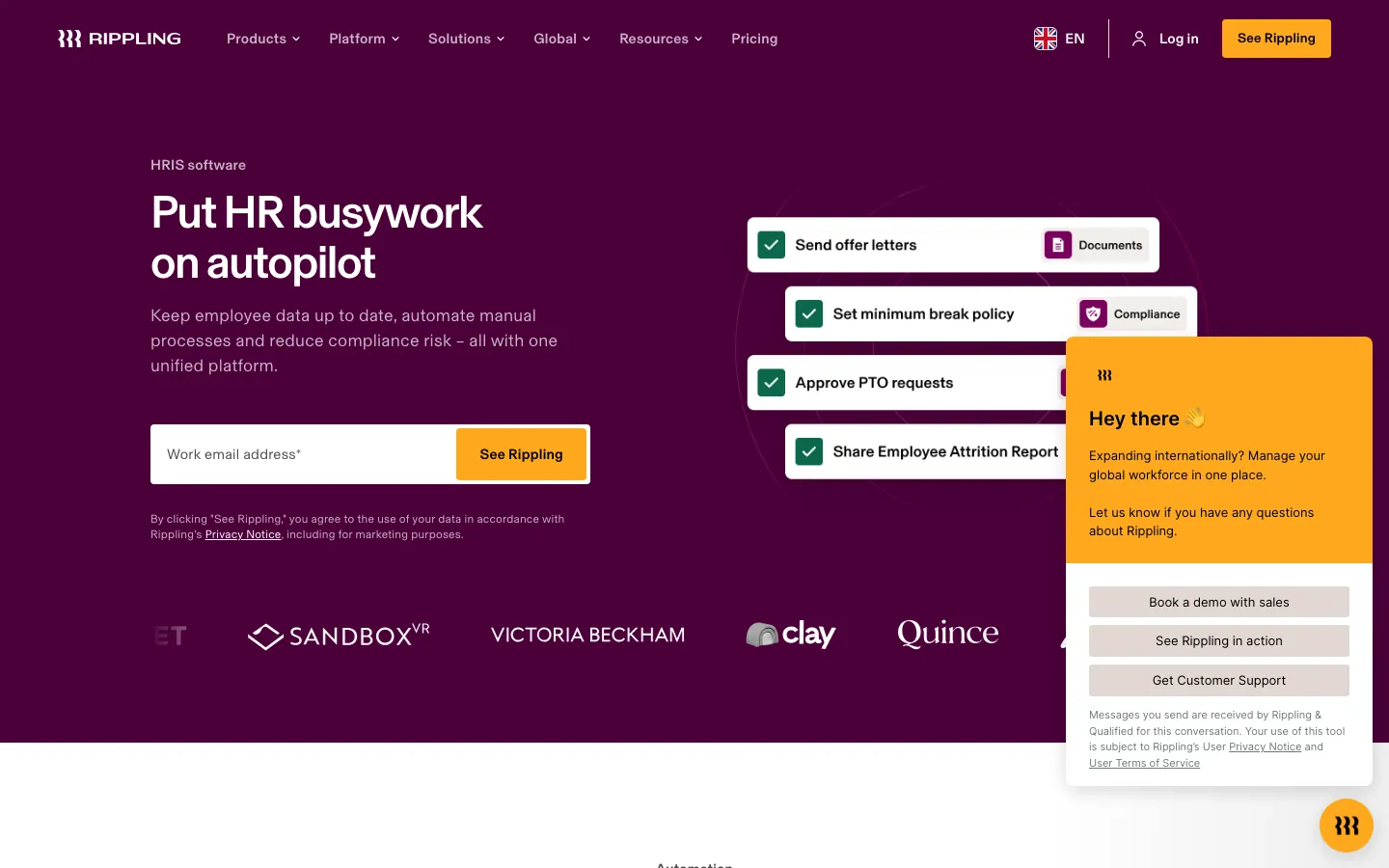
Screenshots of Rippling 4 images
What's great
- One-click onboarding trigger fires payroll enrollment, device provisioning, Slack access, and benefits signup simultaneously without touching each system separately
- Native IT provisioning (MDM, SaaS app assignments) ships in-platform, unlike BambooHR or Gusto which stop at HR paperwork
- G2's most-mentioned positive theme across 11,800+ reviews is the onboarding automation specifically
Watch-outs
- Modular pricing adds up fast; most teams need 3-5 modules beyond the HRIS base, adding $10-$20/employee/mo on top of the $8 floor
- Initial implementation is complex; plan 3-4 weeks for a clean rollout at the 200-employee mark
- No free trial, demo-only entry, which means you can not pressure-test the workflow before signing a contract
Pricing breakdown
| Plan | Price | Best for |
|---|---|---|
| HRIS (base) | $8/employee/mo | Core HR |
| HRIS + Payroll | $20/employee/mo | 50-500 employees |
| HRIS + Payroll + IT | $35/employee/mo | 100+ employees |
| Enterprise | Custom | 500+ employees |
What reviewers say about Rippling
Recurring themes across ~12,729 G2 reviews (4.8/5), cross-checked against Capterra, Trustpilot, and Reddit/BBB threads, 2024-2026.
What reviewers praise
- The unified data model draws the most consistent praise: because HRIS, payroll, benefits, time, and IT all sit on one employee record, a promotion or address change flows automatically into payroll and benefits instead of being re-keyed in five tools.
- Reviewers repeatedly call the setup and day-to-day interface clean and fast, with automation that removes manual steps for teams running payroll across multiple states or entities.
- The integration breadth (650+ app connections) and the ability to bundle IT provisioning, device management, and app access alongside HR is cited as a genuine reason teams consolidate onto Rippling.
- Global and multi-state payroll compliance is praised as reliable, including detailed local tax handling, so finance teams report fewer manual overrides at pay-run time.
What reviewers fault
- Opaque, escalating pricing is the single most common gripe: you buy the base Unity platform per employee first, then stack paid modules on top, and reviewers say true all-in cost is hard to compare against competitors before a sales call.
- Support is ticket and chat only with no general phone line, and reviewers report slow or inconsistent resolution once a ticket is routed to the wrong queue.
- The sheer feature depth creates a real learning curve, and configuring advanced workflows or integrations can feel overly complex during onboarding.
- Botched implementations recur in BBB and Reddit accounts: paid onboarding that left teams to self-configure, difficult historical tax-data migration, and account managers who go quiet after the sale.
- The mobile app is described as buggy and missing features that exist on desktop, and reviewers note occasional sync delays between modules on time-sensitive payroll tasks.
Loading reviews…
BambooHR
Best SMB onboarding with the fastest deploy time
Screenshots of BambooHR 3 images
What's great
- Preboarding portal lets new hires complete paperwork before day one; one HR manager called it 'the first thing that actually worked without me chasing anyone'
- E-signature collection, task routing to managers, and welcome emails all configure in under two hours for a standard hire
- Built-in ATS feeds directly into onboarding so candidate records transfer without re-entry
Watch-outs
- Payroll and time tracking are separate paid add-ons; the sticker price of $10/employee/mo is the HRIS base, not the full stack
- Reporting customization is limited; you can not build cohort analysis or source-of-hire quality reports without exporting to a spreadsheet
- IT provisioning requires a separate tool; unlike Rippling, BambooHR stops at the HR paperwork layer
Pricing breakdown
| Plan | Price | Best for |
|---|---|---|
| Core | $10/employee/mo | 25-200 employees |
| Pro | $17/employee/mo | 100-400 employees |
| Elite | $25/employee/mo | 200-500 employees |
| Payroll add-on | $6-$8/employee/mo | Any tier needing built-in payroll |
What reviewers say about BambooHR
Recurring themes across ~3,429 Capterra reviews (4.6/5) and G2 reviews (4.4/5), 2024-2026.
What reviewers praise
- The interface is the most-praised aspect by a wide margin: reviewers across company sizes call it one of the cleanest HR UIs they have used, with new employees self-serving from day one.
- Onboarding automation earns consistent praise for pre-boarding packet delivery, e-signature workflows, and automated task checklists that reduce HR coordinator workload.
- Time-off management is called out specifically: the system accounts for company holidays automatically, which reviewers say eliminates a common manual error.
- Mobile app performance is praised as reliable and responsive, with employees able to request leave, view pay stubs, and update personal info without calling HR.
- Customer support response times are rated highly, with most reviewers noting fast, knowledgeable help on initial tickets during business hours.
What reviewers fault
- Payroll module limitations are the top complaint: reviewers say it lacks automation depth and often requires manual reconciliation steps, especially for multi-state payroll.
- Pricing opacity frustrates buyers, with per-employee charges, separate add-on fees for payroll and performance modules, and no public rate card on the website.
- Reporting customization is limited: building non-standard reports requires more clicks than expected and export formatting options are narrow.
- The platform shows strain at scale, with reviewers at larger organizations (500+ employees) noting it lacks the workflow complexity their HR operations require.
- Support quality outside US business hours draws complaints, with slower response times flagged by international teams and US offices needing after-hours help.
Loading reviews…
Gusto
Best payroll-first onboarding for small teams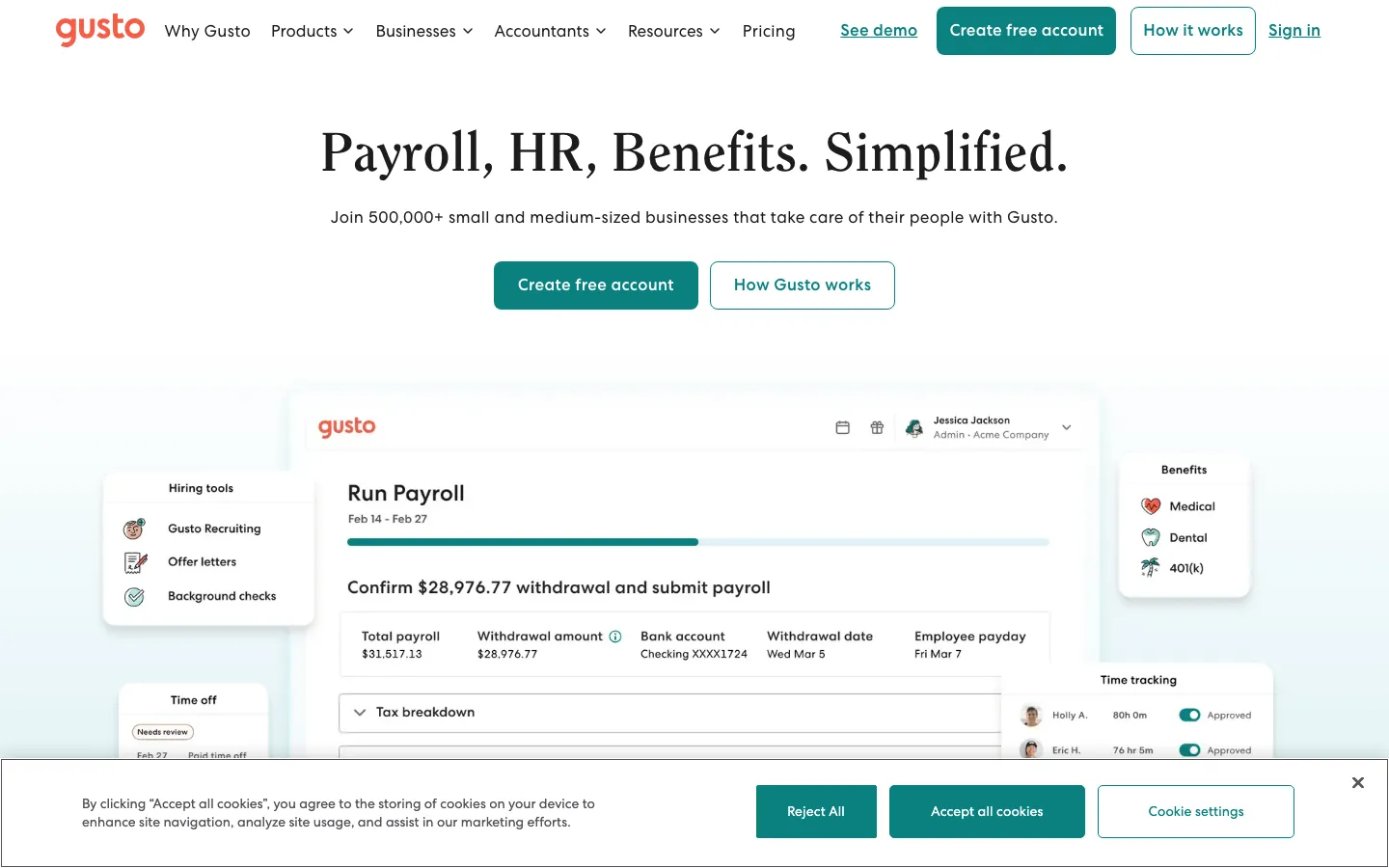
Screenshots of Gusto 3 images
What's great
- Onboarding is baked into the $49/mo Simple plan, not a separate module or paid add-on
- Custom onboarding checklists, digital offer letters, ATS integration, and software provisioning in one flow
- 7,200+ G2 reviews at 4.6/5, one of the highest review counts in this comparison
Watch-outs
- Mobile app experience lags desktop significantly; remote and field teams report friction completing tasks on iOS
- Scales awkwardly past 100 employees; most mid-market HR leaders move off Gusto by around headcount 150
- Multi-state payroll requires the $80/mo Plus plan; the $49 Simple plan is single-state only
Pricing breakdown
| Plan | Price | Best for |
|---|---|---|
| Simple | $49/mo + $6/person | Single-state payroll |
| Plus | $80/mo + $12/person | Multi-state payroll + onboarding tools |
| Premium | $180/mo + $22/person | 50-100 employees + dedicated HR advisor |
| Contractor Only | $35/mo + $6/contractor | Contractor-only orgs |
What reviewers say about Gusto
Recurring themes across ~10,486 G2 reviews (4.6/5), cross-checked against Capterra, Trustpilot, and BBB complaints, 2024-2026.
What reviewers praise
- Ease of use is the standout theme: small-business admins repeatedly say payroll and onboarding are quick to set up and simple to run without a dedicated HR person.
- Automated payroll runs and automatic federal, state, and local tax filing are praised for removing the manual filing burden that trips up first-time employers.
- The all-in-one bundle of payroll, benefits administration, and basic HR at an approachable price is cited as strong value for companies under roughly 100 employees.
- The employee self-service portal, where staff view pay stubs, W-2s, and benefits on their own, is frequently called out for cutting down admin back-and-forth.
What reviewers fault
- Support is the most common complaint by far: no dedicated account manager, inconsistent agent quality, and slow resolution exactly when it hurts, on tax notices, W-2 corrections, and reversed direct deposits (a pattern that pulls the Trustpilot score far below G2).
- Reviewers report payment-processing errors: incorrect tax withholdings, delayed or reversed deposits, and onboarding staff mishandling tax setup despite information being provided in writing.
- Advanced reporting and customization are thin compared with enterprise HR systems, so growing teams outgrow the reporting depth.
- Recent price increases draw complaints, with the base plan and EOR rates both raised inside a single year.
- W-2 handling on mid-year cancellation is a documented pain point, with the option to file buried in the cancellation flow and former employees affected when it is missed.
Loading reviews…
Trainual
Best for process-documentation-first onboarding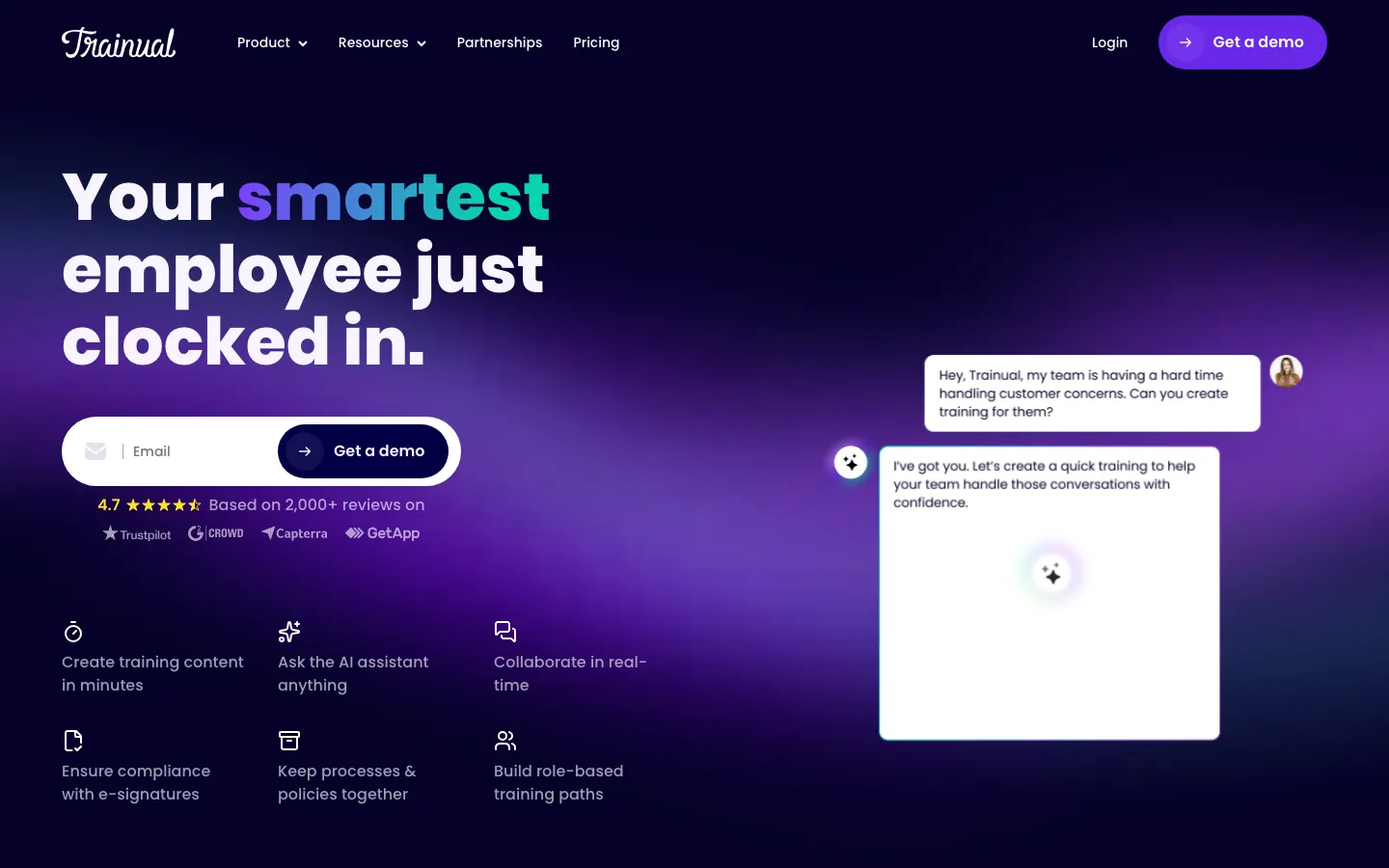
Screenshots of Trainual 4 images
What's great
- Role-based training paths mean each new hire sees only what applies to their function, reducing cognitive overload on week one
- AI Assist generates first-draft SOPs from a short description; cuts documentation time by 60-70% for ops teams without a dedicated L&D person
- 4.7/5 across 984 G2 reviews, with 84% five-star, the highest satisfaction rate in this comparison
Watch-outs
- Not an HRIS; no payroll, no I-9, no compliance documentation. Pairs alongside HR tools, does not replace them
- $249/mo flat for 10 seats makes it expensive on a per-seat basis at small team sizes compared to per-employee HRIS pricing
- No live org chart, benefits enrollment, or ATS integration; the scope is training and SOPs, not the full new-hire lifecycle
Pricing breakdown
| Plan | Price | Best for |
|---|---|---|
| Core | $249/mo (10 seats) | Teams needing centralized SOPs |
| Pro | $319/mo (10 seats) | Individual training paths + accountability |
| Premium | $399/mo (10 seats) | SSO + custom branding + compliance |
| Enterprise | Custom | 200+ employee orgs + dedicated CSM |
Loading reviews…
WorkBright
Best for compliance-first I-9 and digital onboarding paperwork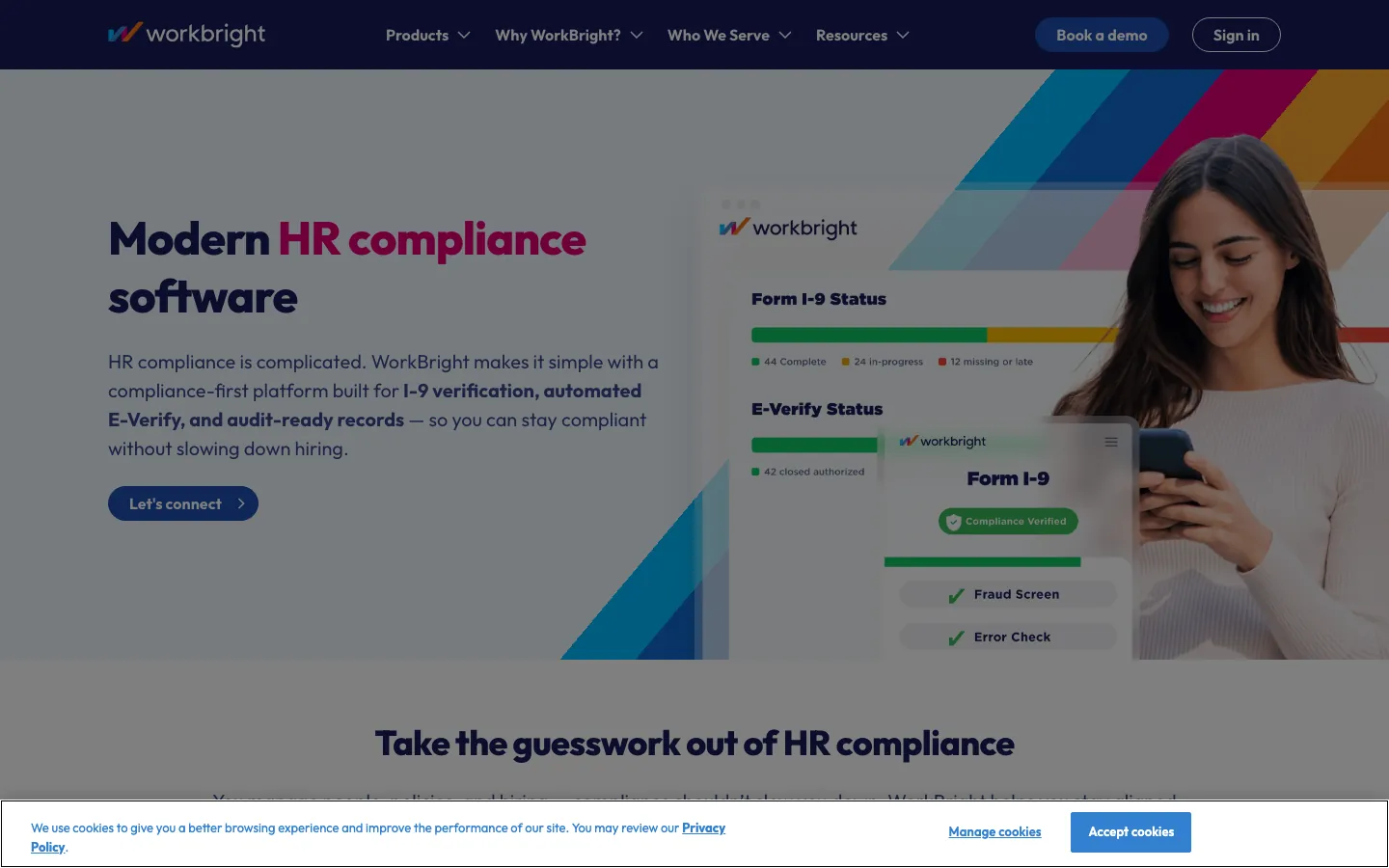
Screenshots of WorkBright 3 images
What's great
- The only platform in this comparison purpose-built around I-9 compliance, with OCR and geo-validated remote verification baked in
- Automated E-Verify integration on the HR Onboarding Growth and Premium plans, removing a manual step most teams botch
- Mobile-first new-hire experience; candidates complete documents from their phone before day one without a desktop login
Watch-outs
- G2 review count (187) is the smallest in this comparison, which limits the confidence interval on the 4.7 rating
- Narrow focus means you will need a separate HRIS for performance management, org charts, and benefits administration
- Pricing is per-employee-per-month on top of a potential seat minimum, which can get expensive for seasonal or high-turnover hiring
Pricing breakdown
| Plan | Price | Best for |
|---|---|---|
| Smart I-9 Starter | $9.50/employee/mo | Basic I-9 + OCR + remote verification |
| Smart I-9 Premium | $19.99/employee/mo | SSO + embedded mode + custom forms |
| HR Onboarding Starter | $16.99/employee/mo | Full onboarding docs + background checks |
| HR Onboarding Premium | $29.99/employee/mo | Auto state forms + E-Verify + SSO |
Loading reviews…
Connecteam
Best for deskless and distributed workforce onboarding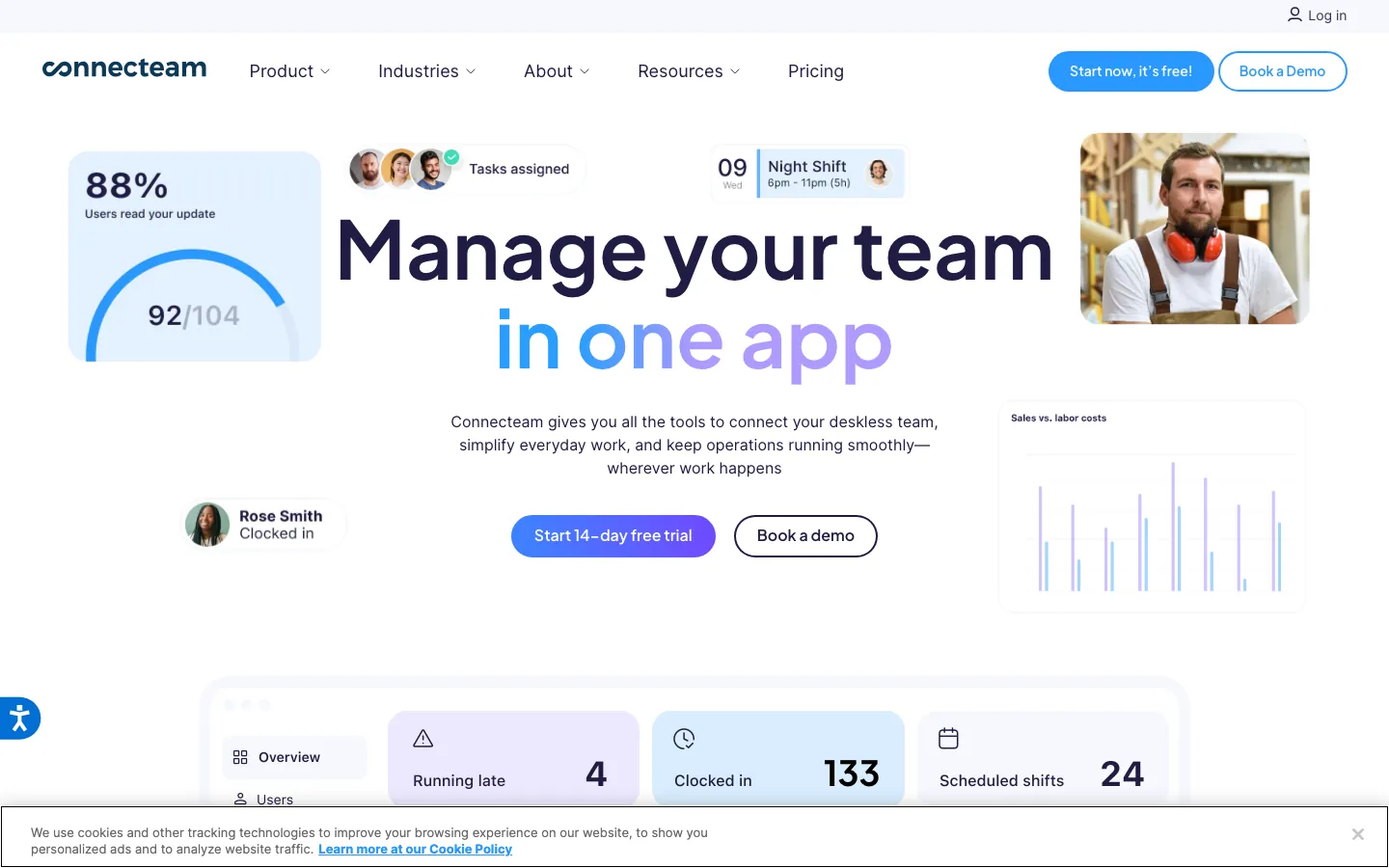
Screenshots of Connecteam 4 images
What's great
- Built for teams where most employees do not sit at desks: construction, retail, healthcare, logistics, food service
- Free plan covers up to 10 users with onboarding checklists, training courses, and quizzes, no credit card required
- Time-to-onboard metrics improve measurably; one user in a G2 review documented a 60% reduction in new employee onboarding time after switching
Watch-outs
- HR features are lighter than Rippling or BambooHR; no built-in payroll, and performance management is shallow
- Per-hub pricing model is confusing; a team that needs HR, Operations, and Communications hubs pays three separate $29/mo minimums
- Not designed for knowledge-worker onboarding; the SOP documentation layer is lighter than Trainual
Pricing breakdown
| Plan | Price | Best for |
|---|---|---|
| Free | $0 (up to 10 users) | Very small teams testing the platform |
| Basic (per hub) | $29/mo (30 users) | Single-function teams under 30 |
| Advanced (per hub) | $49/mo (30 users) | Multi-feature deskless teams |
| Expert (per hub) | $99/mo (30 users) | Full feature set + advanced analytics |
Loading reviews…
Deel
Best for global and cross-border new-hire onboarding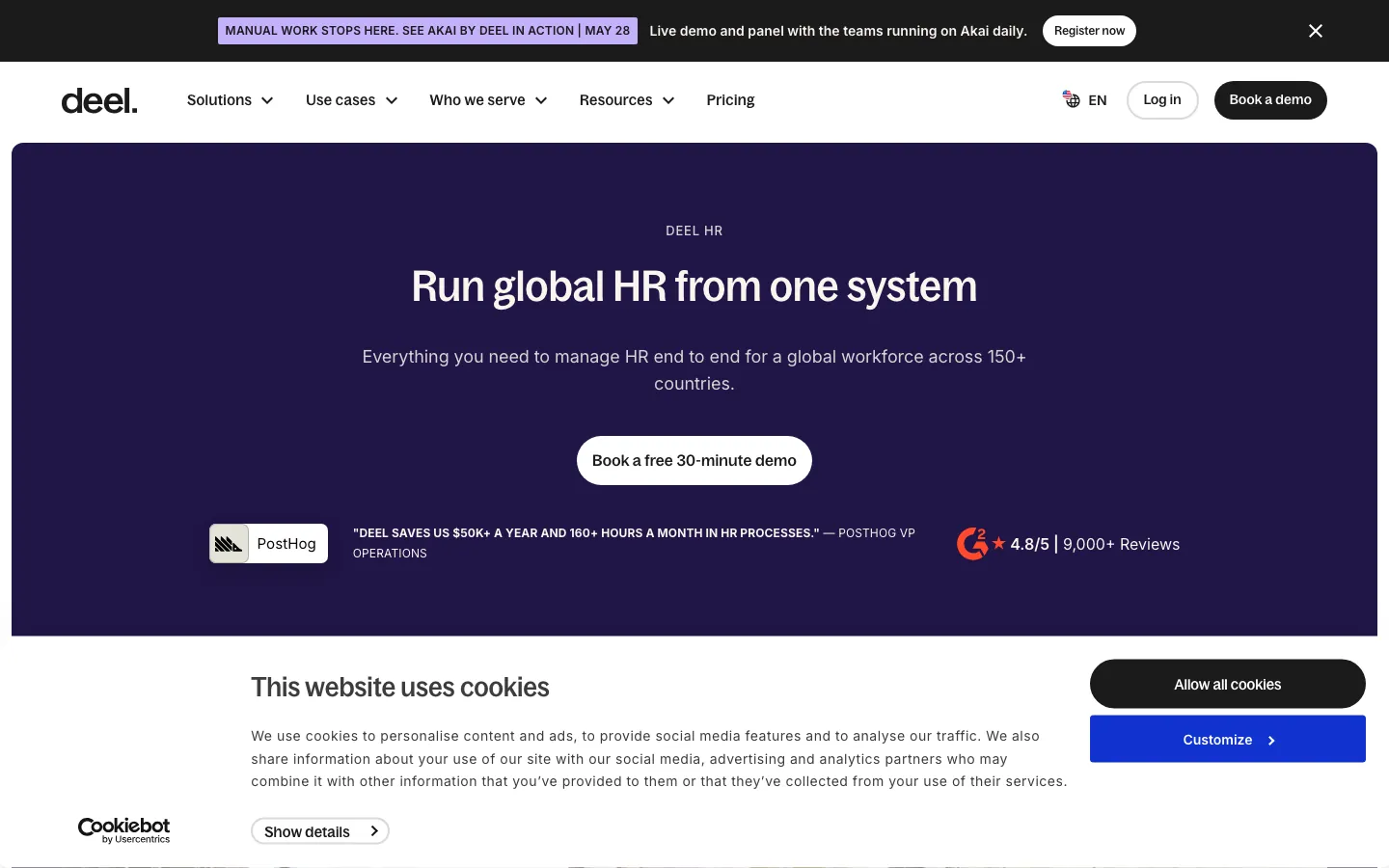
Screenshots of Deel 3 images
What's great
- The highest G2 review volume across Deel's product family in this comparison (4,252 reviews aggregated across all Deel products at 4.8/5), providing a strong satisfaction signal at the company level
- Country-specific compliance and onboarding flows for 150+ countries built in; not cobbled together via Zapier
- PostHog's case study on Deel documents $50K+ saved annually and 160 hours saved monthly on HR tasks (deel.com/case-studies/posthog)
Watch-outs
- EOR pricing ($599/employee/mo) is expensive if you are using Deel purely for onboarding rather than full employer-of-record services
- Core HR module at $5/employee/mo is the base, but useful configurations (Recruit + Develop) land at $22-$30/employee/mo
- Onboarding workflows for US-only domestic teams are good but not differentiated versus BambooHR or Rippling
Pricing breakdown
| Plan | Price | Best for |
|---|---|---|
| Core HR | $5/employee/mo | Worker profiles + time off + document management |
| Recruit | $14/employee/mo | ATS + job postings + candidate tracking |
| Develop | $22/employee/mo | Goals + performance reviews + LMS |
| Full HR Solution | $56/employee/mo | End-to-end HR suite for 150+ employee orgs |
What reviewers say about Deel
Recurring themes across ~4,252 Capterra reviews (4.9/5) and G2 reviews (4.8/5), 2024-2026.
What reviewers praise
- Global payment reliability is the top praised theme: reviewers across 150+ countries consistently describe payments as on-time, accurate, and handled in local currency without manual intervention.
- Contractor and EOR onboarding speed draws consistent praise, with reviewers noting that getting a new hire or contractor fully set up takes hours rather than the weeks typical of legacy payroll providers.
- Contract and compliance document management is cited as genuinely useful: reviewers appreciate centralized storage, e-signature workflows, and country-specific compliance templates in one dashboard.
- The customer support team earns high marks for 24/7 availability and responsiveness, with many reviewers noting chat support resolving issues faster than expected.
- The HR dashboard clarity is praised by operations and finance reviewers who use it to track PTO, payslips, and contractor spend without needing separate spreadsheets.
What reviewers fault
- Withdrawal and transfer fees frustrate contractors: currency conversion charges and per-transfer fees add up, especially for monthly payees in markets with limited withdrawal options.
- Two-factor authentication friction is a recurring complaint: reviewers describe repetitive verification steps on every login as unnecessary given the existing security layer.
- EOR contract rigidity is flagged when company policy is more favorable than local legal minimums: the platform defaults to local law, and adjusting upward requires back-and-forth with the compliance team.
- Feature discoverability is a complaint for new users: advanced functionality like off-cycle payments and compliance document requests is available but requires digging through the settings hierarchy.
- Mobile app feature gaps are called out repeatedly: reviewers say the web platform and the mobile app are not at parity, with several workflows only completable via browser.
Loading reviews…
HiBob
Best modern HRIS with built-in onboarding for mid-market teams
What's great
- Preboarding workflows and org chart tool are among the most visual and modern in the HRIS space
- Unlimited onboarding workflow configuration with multi-channel delivery (email, Slack, Teams) without extra modules
- Strong for remote and hybrid companies; the people analytics layer surfaces completion rates and engagement gaps in onboarding in real time
Watch-outs
- Pricing is custom-quoted and the floor is higher than BambooHR; mid-market buyers should budget $15-$25/employee/mo for a realistic configuration
- The navigation between modules requires more clicks than the marketing suggests; a few G2 reviewers specifically flag the UX friction between onboarding and performance modules
- US payroll requires a third-party integration; not native the way Gusto or Rippling handle it
Pricing breakdown
| Plan | Price | Best for |
|---|---|---|
| Core | ~$8-12/employee/mo | 50-200 employees |
| Standard | ~$15-18/employee/mo | 100-400 employees |
| Enterprise | Custom | 400+ employees |
| Add-ons | Quoted | Payroll integration |
What reviewers say about HiBob
Recurring themes across ~2,334 G2 reviews (4.5/5), cross-checked against Capterra and Trustpilot, 2024-2026.
What reviewers praise
- The modern, visual, engaging interface is the most repeated praise: reviewers say Bob is genuinely pleasant to use and easy for employees to navigate, which lifts adoption over legacy HRIS tools.
- Built-in culture and engagement tools, shoutouts, clubs, pulse surveys, and a social feed running natively on the HR record, are called a real differentiator that other core HRIS products do not match.
- Customization of fields, homepage, and the org view is praised for letting mid-market teams shape the system to their own structure without heavy IT work.
- The support team earns frequent positive mentions for quick responses and for actually acting on product feedback.
What reviewers fault
- Missing native payroll (outside the US and UK) and a weak built-in ATS force third-party integrations and manual workarounds, which reviewers say is the biggest functional gap.
- Pricing is quote-only with nothing published, and reviewers find it frustrating to have to book a sales demo before knowing whether Bob fits their budget.
- Reporting and analytics depth is limited, so teams needing advanced or deeply custom reports hit a ceiling in the built-in tools.
- Workflow and time-off configuration are seen as inflexible in places, with reviewers citing gaps like not being able to reassign an absent employee's tasks.
- Implementation and data import can take significant time or vendor help for larger or more complex organizations.
Loading reviews…
Tools we considered but excluded
We evaluated more tools than the 8 you see above. These did not make the cut. Saying what we rejected, and why, is the editorial muscle most listicles skip.
- Enboarder: Only 62 G2 reviews; not enough signal to validate claims versus the tools in this list
- Sapling (Kallidus): Acquired by Kallidus in 2021 (rebranded as Kallidus in October 2022) and roadmap slowed materially; US support coverage and integration ecosystem lag the comparison set
- Paycor: Strong payroll platform but onboarding module is not differentiated vs Rippling or BambooHR at similar price points
- iSpring Learn: LMS-first tool with onboarding features; better suited to ongoing L&D than new-hire day-one workflows
- ADP Workforce Now: Enterprise payroll platform with onboarding; the UX overhead and enterprise pricing make it inappropriate for the 50-1000 employee target
Honorable mentions
Solid tools that did not crack the main list but are worth tracking, especially for niche use cases.
- Donut: The best Slack-native peer-connection tool for new-hire culture assimilation; pairs well with any HRIS in this list for the social onboarding layer
- Leapsome: Onboarding as part of a broader people-enablement platform; strong for teams that want onboarding, performance, and learning in one mid-market tool
- Talmundo: Purpose-built preboarding and onboarding UX with strong candidate-experience focus; worth evaluating if candidate experience is a hiring differentiator in your market
The five sub-categories of onboarding software
The onboarding software market splits into five sub-categories that often get sold as the same thing. Knowing which you need narrows the list from 30 tools to three.
Full HRIS with onboarding module. Rippling, BambooHR, HiBob, Deel. These handle the full employee lifecycle, where onboarding is one feature among many inside a broader HRIS platform . Right for teams that want one platform. The trade-off is depth: each onboarding workflow is good but rarely exceptional.
Payroll-first with onboarding included. Gusto. The onboarding flow feeds directly into payroll enrollment, making it the right pick for teams where payroll and onboarding are the same person’s problem. Not designed to handle large-org workflow routing.
Compliance-first onboarding. WorkBright. Purpose-built around I-9 accuracy, remote verification, and E-Verify. Nothing else in this list goes as deep on the paperwork compliance layer.
Training and process documentation. Trainual. Not an HRIS at all. Solves the knowledge-transfer problem that HRIS tools ignore. New hire completes the forms in BambooHR, then learns the actual job in Trainual.
Deskless workforce onboarding. Connecteam. Mobile-first, built for retail, construction, logistics, and healthcare teams where most employees never sit at a computer.
This guide tested all five categories. The tools above represent the strongest pick in each.
Trial checklist for employee onboarding software
Hiring teams consistently make the same four mistakes during trials. Eight things to test before you commit.
One, run a complete new-hire flow from offer to day 30. Not a demo walkthrough. Create a test employee, trigger every onboarding step, and measure where it breaks. The gap between “our demo went great” and “our first real hire was a disaster” is almost always in a workflow nobody tested end-to-end.
Two, time how long IT account provisioning takes. Create a test hire and measure how long before Slack, email, and core tools are accessible. With Rippling this is minutes. With most HRIS tools it is still a manual ticket to IT. The answer tells you more about day-one experience than any feature checklist.
Three, complete the paperwork as the new hire. Sign in as the employee, not the HR admin. Time the I-9, tax forms, direct deposit setup, and benefits election. If it takes more than 30 minutes on mobile, new hires will stop and ask HR for help, which defeats the purpose.
Four, test the manager experience. Most onboarding platforms treat the hiring manager as an afterthought. Log in as a manager and try to complete your assigned tasks (equipment order, 1:1 scheduling, role context). If the manager UX is broken, the onboarding is broken.
Five, export your data. Before you sign a contract, export every piece of test data as a CSV. If it requires a support ticket, your data is not really yours. WorkBright, BambooHR, and Rippling all pass this test cleanly.
Six, trigger an integration. Connect your applicant tracking system and send a test candidate record through. The “native integration” claim on most vendor pages means “it exists,” not “it works without three manual steps.” Test end-to-end during the trial.
Seven, check the compliance documentation. For US teams: does the tool support remote I-9 verification? For global teams: does it auto-populate country-specific forms? Ask for the specific compliance documentation for your top three hire locations. Vague answers mean manual work later.
Eight, ask the CSM about year-two pricing. Year-one pricing is the marketing pitch. Ask directly: what did similar-size customers pay on renewal? If they will not give a range, assume 15-25% increases. Negotiate an uplift cap into the initial contract.
Picking the right onboarding platform
Answer these four questions and the list shrinks to two or three real options.
1. IT provisioning alongside HR onboarding
If yes, Rippling is the only tool in this guide that handles device management, SaaS app assignment, and HRIS onboarding in one trigger. Every other tool stops at HR paperwork. The cost premium is real, but the alternative is a manual IT ticket queue that delays day-one productivity by 24-48 hours.
If no, BambooHR or Gusto covers the HR layer cleanly at lower cost.
2. Domestic US versus international hiring mix
For domestic-only teams, BambooHR, Rippling, and Gusto all cover US-specific compliance. For teams hiring in five or more countries, Deel’s country-specific compliance library is the differentiator; the alternative is a lawyer in each country reviewing every new hire.
3. Deskless versus desk-based workforce
Deskless, meaning retail, construction, healthcare, logistics: Connecteam is the category winner by a meaningful margin. The mobile-first interface and free plan for small teams are not matched by any HRIS designed for knowledge workers.
For desk-based knowledge workers, any of the top four tools (Rippling, BambooHR, Gusto, HiBob) work.
4. Onboarding failure in paperwork versus knowledge transfer
If new hires are drowning in forms: WorkBright for compliance, BambooHR for general paperwork.
If new hires are completing forms fine but still confused at week six about how to do the actual job: Trainual. It solves the problem HRIS tools do not address.
The right onboarding tool for each company stage
- Under 10 employees: Gusto Simple at $49/mo plus $6/person. Payroll and onboarding in one place, no extra HRIS spend needed.
- 10-30 employees, payroll-focused: Gusto Plus ($80/mo base) or BambooHR Core ($10/employee/mo), whichever your bookkeeper already uses.
- 30-150 employees, desk-based: BambooHR Pro ($17/employee/mo). Deploys in a week, covers pre-boarding through 90-day check-ins without a dedicated HR ops hire.
- 30-150 employees, deskless workforce: Connecteam Advanced ($49/mo per hub). Mobile-first and priced for hourly teams.
- 50-500 employees, IT provisioning matters: Rippling HRIS plus Payroll ($20/employee/mo). The step-up from BambooHR that pays back in day-one productivity.
- 100-500 employees, modern HRIS + engagement: HiBob Standard (~$15/employee/mo). The choice when you want HR analytics and onboarding in one platform without Salesforce-scale complexity.
- Any size, global hiring across 5+ countries: Deel Core HR ($5/employee/mo base). Country-specific compliance built in, no legal cost per hire location.
- Any size, compliance-critical I-9 audits: WorkBright HR Onboarding ($17-$30/employee/mo). The only tool purpose-built around I-9 accuracy and audit trail.
- Any size, knowledge-transfer problem in weeks 2-8: Trainual Pro ($319/mo for 10 seats). Pairs with any HRIS for the training layer HRIS tools skip.
- Process-documentation-heavy orgs (franchises, multi-location): Trainual Premium ($399/mo). The franchise and ops-team use case where role-based training paths matter as much as the paperwork.
Where the onboarding tools differ on core features
The columns below reflect what ships in the base paid tier unless a tier name or symbol indicates otherwise. $ = paid add-on. • = limited or requires configuration. N = native.
| Tool | Preboarding | E-signature | I-9 / E-Verify | IT provisioning | Mobile new-hire UX |
|---|---|---|---|---|---|
| Rippling | ✓ | ✓ | ✓ | ✓ native | ✓ |
| BambooHR | ✓ | ✓ | ✓ | ✗ | ✓ |
| Gusto | ✓ | ✓ | ✓ | ✗ | • limited |
| Trainual | ✗ | ✗ | ✗ | ✗ | ✓ |
| WorkBright | ✓ | ✓ | ✓ dedicated | ✗ | ✓ mobile-first |
| Connecteam | ✓ | • basic | ✗ | ✗ | ✓ mobile-first |
| Deel | ✓ | ✓ | ✓ global | ✗ | ✓ |
| HiBob | ✓ | ✓ | ✓ | ✗ | ✓ |
IT provisioning is the single biggest differentiator in this table. Rippling is the only tool that handles device MDM, SaaS app assignment, and HR onboarding in one flow. Every other platform stops at HR paperwork and expects IT to pick up separately.
WorkBright’s I-9 column deserves a note. Every HRIS in this list supports I-9 completion. WorkBright is the only tool with geo-validated remote verification, meaning the location of the identity document check is logged for audit purposes. That is the difference that matters in an audit.
Onboarding software security and compliance, tool by tool
| Tool | SOC 2 Type II | GDPR | HIPAA | SSO / SAML | Audit logs |
|---|---|---|---|---|---|
| Rippling | ✓ | ✓ | ✓ | ✓ all tiers | ✓ |
| BambooHR | ✓ | ✓ | • available | Elite tier | Elite tier |
| Gusto | ✓ | ✓ | ✗ | ✗ | • limited |
| Trainual | ✓ | ✓ | ✗ | Premium+ | Premium+ |
| WorkBright | ✓ | ✓ | ✗ | Premium tiers | ✓ |
| Connecteam | ✓ | ✓ | ✗ | Expert tier | Expert tier |
| Deel | ✓ | ✓ | ✓ | ✓ | ✓ |
| HiBob | ✓ | ✓ | • add-on | ✓ all tiers | ✓ |
For regulated industries, Rippling and Deel are the only two tools that pass a full compliance review without a conversation. Both ship SOC 2 Type II, GDPR posture, HIPAA support, SSO at all tiers, and full audit logs.
Gusto has no HIPAA path and no SSO, which rules it out for healthcare employers. BambooHR’s HIPAA and SSO are both gated behind the Elite tier at $25/employee/mo, which surprises buyers who assumed the $10 Core plan covered it.
WorkBright’s audit log coverage is specifically strong around I-9 workflows, which is what USCIS audits look at. For general enterprise IT compliance checks, it is narrower than Rippling or Deel.
Integration coverage across the onboarding stack
The integrations that break in production are the ones nobody tested during the trial. N = native first-party. M = marketplace add-on. $ = paid third-party connector. • = Zapier only.
| Tool | Slack | Greenhouse/ATS | Workday | DocuSign | Okta SSO |
|---|---|---|---|---|---|
| Rippling | N | N (most ATSes) | N | N | N |
| BambooHR | N | N | M | M | M |
| Gusto | N | N (limited) | ✗ | • | ✗ |
| Trainual | N | ✗ | ✗ | ✗ | M |
| WorkBright | • | M | M | N (I-9) | N (Azure/Okta) |
| Connecteam | N | ✗ | ✗ | ✗ | M |
| Deel | N | N (Greenhouse, Ashby) | N | N | N |
| HiBob | N | N | N | N | N |
Rippling and Deel have the strongest native integration story. Rippling’s ATS connectors cover Greenhouse, Ashby, Workable, Lever, and most mid-market ATSes. Deel’s Workday connector is first-party, which matters if you’re trying to sync global headcount data.
Gusto’s ATS integration is “limited” in practice; it supports a handful of ATSes natively and routes others through Zapier. For companies using Greenhouse or Lever, test the exact data fields that transfer before signing.
Connecteam’s integration footprint is intentionally narrow. It does what deskless workforce tools do: Slack notifications, GPS-based clock-in, and task tracking. Not designed for an HRIS integration stack.
The pricing math nobody shows you
Sticker price is the number in the demo. Year-one all-in is what the CFO sees on the invoice.
| Scenario | Listed price | Year-1 all-in | Main variance |
|---|---|---|---|
| Gusto Simple, 25 employees | $2,388/yr | $2,500-$3,000 | Minimal; clean pricing |
| BambooHR Core, 50 employees | $6,000/yr | $7,500-$9,000 | Payroll add-on ($6/ee/mo), implementation fee |
| BambooHR Pro, 100 employees | $20,400/yr | $26,000-$30,000 | Payroll add-on + 10-15% impl. fee |
| Rippling (HRIS+Payroll), 100 employees | $24,000/yr | $28,000-$35,000 | IT module extra; impl. fee; 4-week setup |
| Trainual Pro + BambooHR Core, 75 employees | $11,628/yr | $14,000-$16,000 | Impl. fees on both; $1K Trainual onboarding fee |
| HiBob Standard, 200 employees | ~$36,000/yr | $45,000-$55,000 | 10-15% impl. fee; add-ons for payroll integration |
| Deel Full HR Solution, 150 employees | $100,800/yr | $110,000-$130,000 | Implementation + dedicated CSM |
The single biggest forecasting error: buyers assume implementation fees are optional. At BambooHR they run 5-15% of first-year contract value. At HiBob, the same. At Trainual there is a documented $1,000 one-time fee. The only tools with genuinely transparent implementation costs are Gusto (none at Simple/Plus) and Connecteam (none on self-serve tiers).
Rolling out onboarding software without the first cohort becoming a guinea pig
The onboarding implementations that fail tend to skip the same phase.
Phase 1 (weeks 1-2): Configuration against one real role. Pick your most common hire type. Configure every step: preboarding email, task routing to manager, I-9 trigger, payroll enrollment, Slack invite, 30-day check-in. Run it with a test employee. Do not configure every department’s workflow before the first one works.
Phase 2 (weeks 3-4): Pilot with three to five real hires. Not a demo cohort. Actual new hires coming in the next two weeks. Have an HR team member shadow the experience and document every friction point. This is the phase that catches the integration bugs, the email delivery failures, and the manager tasks nobody knew were assigned.
Phase 3 (weeks 5-8): Roll out to all hiring and full manager adoption. Train every hiring manager in one 30-minute session on their task view. Build a short Loom walkthrough (three videos, five minutes total) of the six most common admin tasks. The teams that skip this and send a wiki link have managers who never log in.
Phase 4 (months 3-4): Lock the workflow and measure. Pull your first completion-rate report: what percentage of new hires completed all onboarding tasks by day 3? By day 14? The benchmark for a healthy onboarding deployment is 85%+ task completion by day 7. Below 70% means something in the workflow is broken.
What is changing in employee onboarding software in 2026
AI-generated preboarding content is moving from feature to expectation. Trainual’s AI Assist, BambooHR’s draft templates, and Rippling’s workflow suggestions all use generative AI to produce first drafts of onboarding content. Teams that adopted these features in 2025 report 50-70% faster SOP documentation cycles. By the end of 2026, a manual documentation process will be a competitive disadvantage in new-hire time-to-productivity.
IT and HR onboarding are converging. The 2024 model was HR sends a welcome email and IT handles access separately. In 2026, buyers increasingly expect one trigger to handle both. Rippling’s growth in the segment is directly tied to this shift. Expect BambooHR, Gusto, and HiBob to deepen their IT provisioning stories through 2026 and 2027.
Remote I-9 verification rules tightened in late 2025. The USCIS authorized alternative remote verification procedures are now more specific about documentation logging requirements. WorkBright updated its geo-validation feature in Q4 2025 to reflect the new rules. Teams relying on informal remote I-9 processes (taking photos over Zoom) are exposed to audit risk that a compliant platform eliminates.
Preboarding is becoming as important as day-one onboarding. The goal is for a new hire to show up on day one with their laptop password, their benefits choice, and their first week’s agenda already in hand. Platforms that support a 5-14 day preboarding window (BambooHR, HiBob, Deel) are winning logos from platforms with a day-one-only model.
Deskless workforce onboarding is getting product investment. Connecteam raised $120M in 2022 and has been investing in mobile onboarding depth since. The gap between enterprise HRIS onboarding (designed for desk workers) and mobile-first platforms (designed for field workers) is widening, not closing. Companies with mixed workforces increasingly run two separate onboarding systems.
For corrections, pricing updates, or tool additions, email hello@topickz.com . We retest the full shortlist every six months; the next refresh ships in November 2026.
Frequently asked questions
What is the difference between onboarding software and an HRIS?
HRIS covers payroll, PTO, and benefits lifecycle-wide. Onboarding focuses on day 1-90. Most HRIS tools include it; WorkBright and Trainual go deeper.
How much does employee onboarding software cost in 2026?
SMB tools run $6-25/employee/mo. Gusto starts at $49/mo base. Enterprise tools quote custom. Year-one all-in is $50-150/employee including implementation.
Which onboarding tool is best for a 50-person company?
BambooHR at $10/employee/mo. Deploys in days, honest pricing, handles preboarding through day-90 check-ins without a dedicated HR ops hire.
Does Rippling replace BambooHR?
Yes if IT provisioning matters. Rippling handles HR, payroll, and device setup in one trigger. BambooHR wins on price for teams that skip device management.
Can onboarding software handle I-9 compliance for remote hires?
WorkBright is the strongest with geo-validated remote I-9 and a full audit trail. Rippling and BambooHR handle I-9 but the audit trail is shallower.
How long does onboarding software implementation take?
BambooHR and Gusto deploy in under a week under 100 employees. Rippling takes 3-4 weeks at 100+. HiBob and Deel run 4-8 weeks with full implementation.
What is the biggest onboarding mistake HR teams make in 2026?
Treating onboarding as a paperwork problem. The real failure is knowledge transfer in weeks 2-8. Trainual addresses this directly; most HRIS tools do not.
Is there free onboarding software worth using?
Connecteam free covers up to 10 users with onboarding checklists and training. It is the only genuinely free option with real functionality for sub-10 teams.
Which onboarding tools work best for global remote teams?
Deel for cross-border compliance in 150+ countries. HiBob for distributed teams in established markets. Rippling for IT provisioning across geographies.
What integrations should I check before buying onboarding software?
Check Slack, your ATS, payroll, and DocuSign or e-signature. These four break most often in production, despite every vendor claiming native integration.
Related helpful reads
Write a review
Posts to the page right away. Keep it real — no links or email addresses.