
Comparing the best AI Meeting Notes Tools of 2026 includes 1. Fathom 2. Fireflies.ai 3. Otter.ai 4. Granola 5. Read AI 6. Krisp 7. Tactiq 8. Zoom AI Companion 9. Microsoft Copilot Recap.
TL;DR
- Fathom: Best overall for individuals and cross-functional teams. You get unlimited recordings on the free tier with no meeting cap, and its 5.0/5 from 6,602 G2 reviews is the highest score in this guide.
- Fireflies.ai: Best for teams that need CRM auto-sync without manual push. It pushes summaries and action items straight to HubSpot, Salesforce, and 10+ more without Zapier, so your reps stop hand-typing call notes into deal records.
- Granola: Best bot-free option for sensitive external calls. No bot ever joins, so your clients never see a recording notification, and the hybrid model turns your rough bullets into full notes after the call.
- Read AI: Best for meeting analytics and team engagement metrics. It scores how balanced each of your calls was with a participation ratio and engagement metrics no other tool here ships.
- Microsoft Copilot Recap: Best for Microsoft 365 enterprise orgs with an EA. Recaps land right inside Teams and Outlook, and EA bundling can drop the effective cost 30-40% if your org already runs Microsoft 365.
Nine AI meeting note-takers compared on pricing, real review themes, and hands-on feature checks. What actually captures action items, what feeds your CRM without hand-holding, and why the bundled-with-Zoom option isn't always the right answer even if you're already paying for it.
What Is AI meeting notes software?
AI meeting notes software helps teams capture calls automatically, recording, transcribing, and summarizing meetings so everyone gets action items without taking notes by hand.
Tools like Fathom, Fireflies.ai, Otter.ai, and Granola differ on transcription accuracy, CRM sync, and how they handle privacy and storage.
Best AI Meeting Notes Tools, Tested Across Real Calls comparison: features, pricing and verdicts
| Tool | Best for | Starting price | Free trial | External rating |
|---|---|---|---|---|
Best overall for individuals and cross-functional teams | $0 (free tier) | Free tier, no card | G2 5.0/5 (6,602 reviews) | |
Best for teams that need CRM auto-sync without manual push | $10/seat/mo | Free tier | G2 4.7/5 (746 reviews) | |
Best for live transcription and conversational search | $8.33/seat/mo | Free tier | G2 4.4/5 (462 reviews) | |
Best bot-free option for sensitive external calls | $14/seat/mo | Free (25 meetings lifetime) | G2 4.8/5 (21 reviews) | |
Best for meeting analytics and team engagement metrics | $15/seat/mo | Free (5 transcripts/mo) | G2 4.0/5 (35 reviews) | |
Best for noisy-environment teams needing notes plus noise cancellation | $8/seat/mo | 7-day trial of premium | G2 4.7/5 (843 reviews) | |
Best Chrome extension for in-browser meetings without a bot | $8/seat/mo | Free (10 transcripts/mo) | G2 4.5/5 (312 reviews) | |
Best for teams already running Zoom Business or higher | $0 (included with Zoom Workplace paid plans) | Included with Zoom paid plans | G2 4.6/5 (276 reviews) | |
Best for Microsoft 365 enterprise orgs with an EA | $30/seat/mo | Teams Premium at $10/seat/mo for lighter tier | G2 4.4/5 (892 reviews) |
How we chose these tools
We compared the tools on pricing, real G2 review themes, and hands-on feature checks, focusing on the trade-offs that matter for SaaS teams: transcription and summary quality, action-item extraction, CRM push depth, bot intrusiveness, and search across past calls. Pricing was verified directly on vendor pages on May 25, 2026. G2 ratings were pulled the same week. Tools that required a dedicated admin to function were scored down.
How we weight ai meeting notes tools for the Topickz score
Every tool above is scored against the fixed rubric below and combined using these weights into the Topickz score on each card. The weights are set for ai meeting notes tools specifically, they are not copied from another category, and we publish them so you can see what moved a ranking and re-weight for your own priorities.
| Criterion | Weight | What we checked |
|---|---|---|
| Transcription and summary accuracy | 24% | How faithfully each tool captured real standups, customer calls, and exec syncs, and whether the summary was usable without edits. Accuracy across accents and crosstalk is the whole point. |
| Action-item extraction | 18% | Whether the tool pulls clear action items with owners rather than a wall of transcript. We checked assignee tagging on each. |
| CRM push depth | 16% | Field-level sync into the CRM, not just a note dumped on the record. Reps should stop hand-typing call notes into deal records entirely. |
| Search across past calls | 15% | Finding a decision or a quote across months of recordings in seconds. Weak search turns a call archive into dead weight. |
| Bot intrusiveness and privacy | 15% | Whether a visible bot joins the call and how each tool handles storage and consent. External client calls make this a real trust issue. |
| Pricing and free-tier value | 12% | What the free tier covers and where CRM sync or analytics push you to pay. We tested how far a team gets before hitting the paywall. |
| Total | 100% |
Read the full TopickZ.com testing methodology for how we run each test, score every criterion, and combine them into a single rating.
Detailed reviews
Fathom
Best overall for individuals and cross-functional teams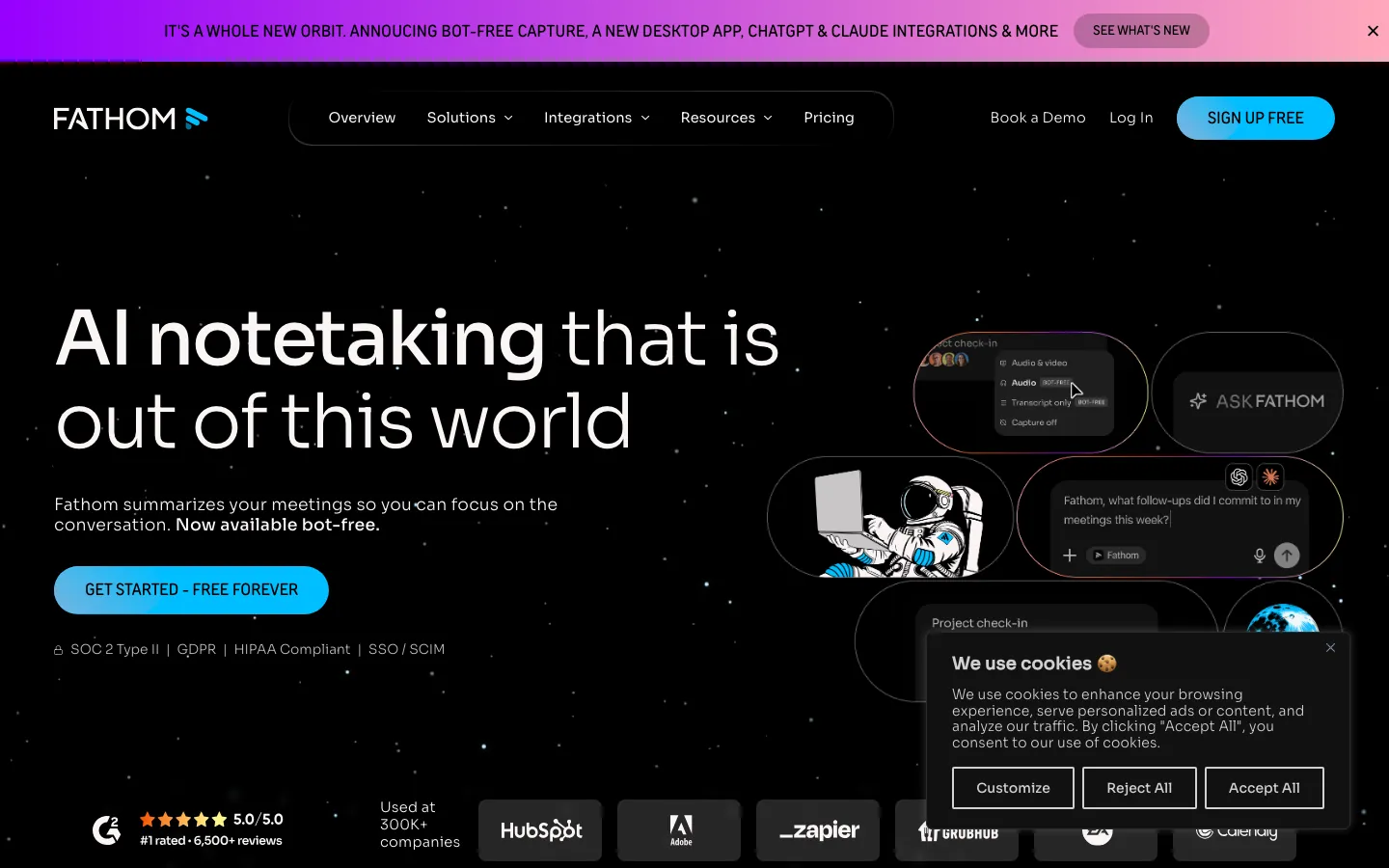
Screenshots of Fathom 3 images
What's great
- Unlimited recordings and transcriptions on the free tier with no meeting-count cap
- 5.0/5 G2 rating from 6,602 reviews, the highest score in this category by a clear margin
- Post-call AI summary ready in under 30 seconds, action items broken out separately with assignee tagging
Watch-outs
- Bot joins the call visibly; external participants on client calls occasionally notice and push back
- Business tier ($34/mo/user billed monthly, $25 annually) required for CRM field-level sync, not just note push
- No native team analytics or coaching scorecards below the Business tier
Fathom is the default answer for any team that wants meeting AI and doesn’t want to think hard about it. The free tier ships unlimited recordings, transcriptions, and summaries with no meeting cap, which is genuinely unusual in this market.
6,602 G2 reviews at a perfect 5.0/5 make it the highest-rated tool in this guide by a wide margin. The consistent G2 praise centers on summary quality and the fact that notes are ready before you’ve finished the post-call Slack message.
The bot-visibility complaint is real and shows up across reviews: the visible Fathom Notetaker participant gets flagged, usually on first-call introductions with new prospects.
tl;dv’s 2026 Fathom pricing breakdown notes the five-call-per-month cap on premium AI features in the free tier, which is the actual limitation most users hit. Teams that live inside Zoom or Google Meet and don’t need deep CRM push will max out everything they need without paying a dollar.
Pricing breakdown
| Plan | Price | Best for |
|---|---|---|
| Free | $0 | Individuals and small teams up to 5 free premium calls/mo |
| Premium | $20/mo ($16 annually) | Individuals needing unlimited AI summaries |
| Team | $19/seat/mo ($15 annually) | Teams needing shared call library and coaching |
| Business | $34/seat/mo ($25 annually) | Revenue teams with CRM field sync and deal view |
Loading reviews…
Fireflies.ai
Best for teams that need CRM auto-sync without manual push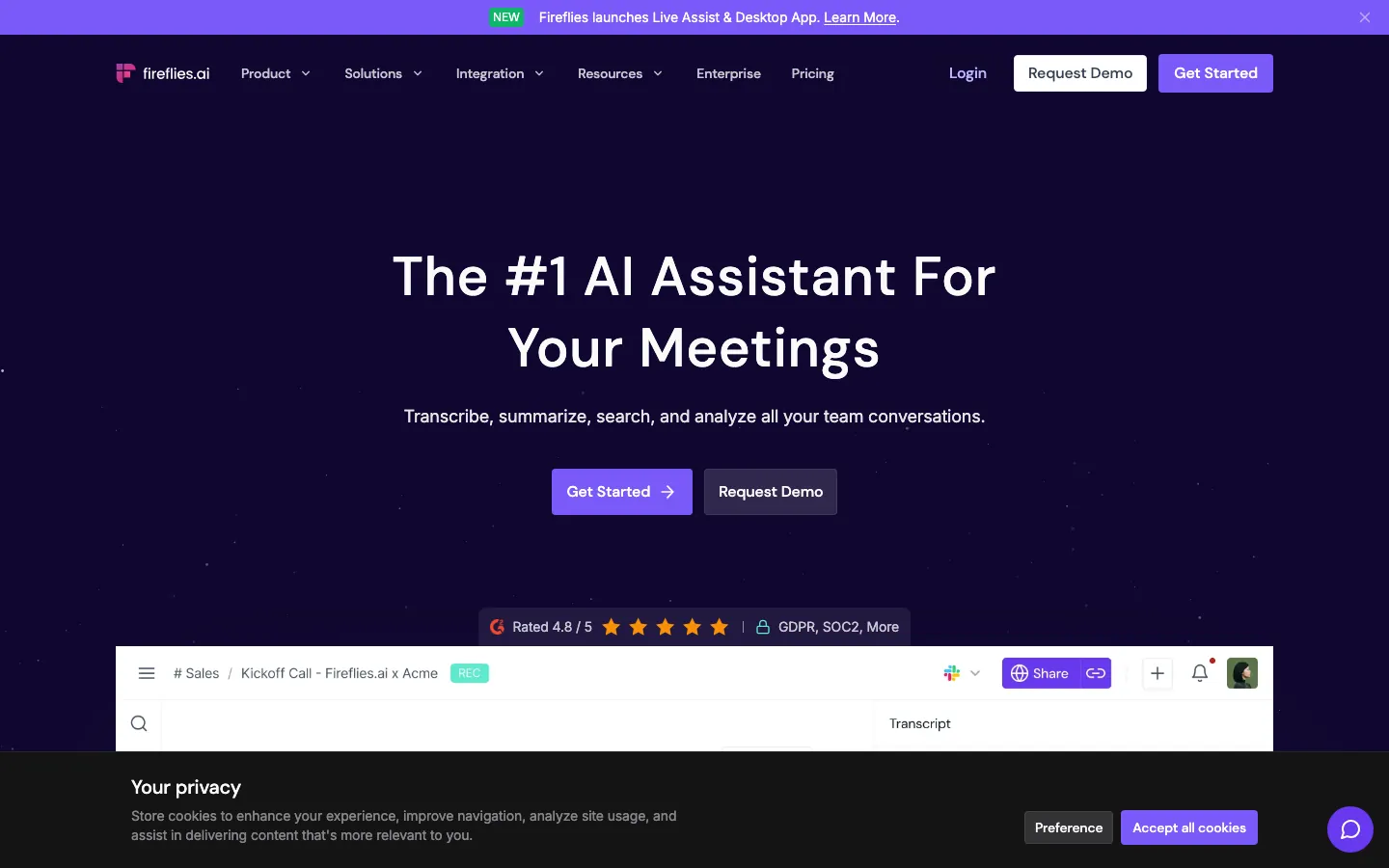
Screenshots of Fireflies.ai 3 images
What's great
- Native CRM push to HubSpot, Salesforce, Dynamics 365, Monday, Attio, and 10+ more without Zapier
- Perplexity-powered meeting search lets you query all past calls in natural language, rolled out in early 2026
- Business tier at $19/seat/mo includes unlimited storage and video recording, no per-meeting limits
Watch-outs
- UX is noticeably less polished than Fathom; the transcript search UI has a real learning curve that G2 reviewers flag
- Free tier caps storage at 800 minutes per seat, which runs out in two to three active weeks
- Speaker identification struggles when two people have similar vocal patterns on the same call
Fireflies earns its place when the meeting notes are only valuable if they land automatically in the CRM. The HubSpot integration pushes summaries, action items, and transcripts directly to contact, company, and deal records without a manual export.
The Salesforce integration works the same way, which spares reps from hand-typing call notes into deal records. 746 G2 reviews at 4.7/5; the consistent criticism is around the UX learning curve and the 800-minute free storage cap, which is surprisingly tight.
Fireflies added Perplexity-powered meeting search in early 2026; asking ‘what did the customer say about pricing in March?’ across your full call library is genuinely useful once the habit forms.
Pricing breakdown
| Plan | Price | Best for |
|---|---|---|
| Free | $0 | Teams evaluating; 800 min storage per seat |
| Pro | $10/seat/mo | Individuals; unlimited transcription |
| Business | $19/seat/mo | Teams; video recording |
| Enterprise | $39/seat/mo | Org-wide; SSO |
Loading reviews…
Otter.ai
Best for live transcription and conversational search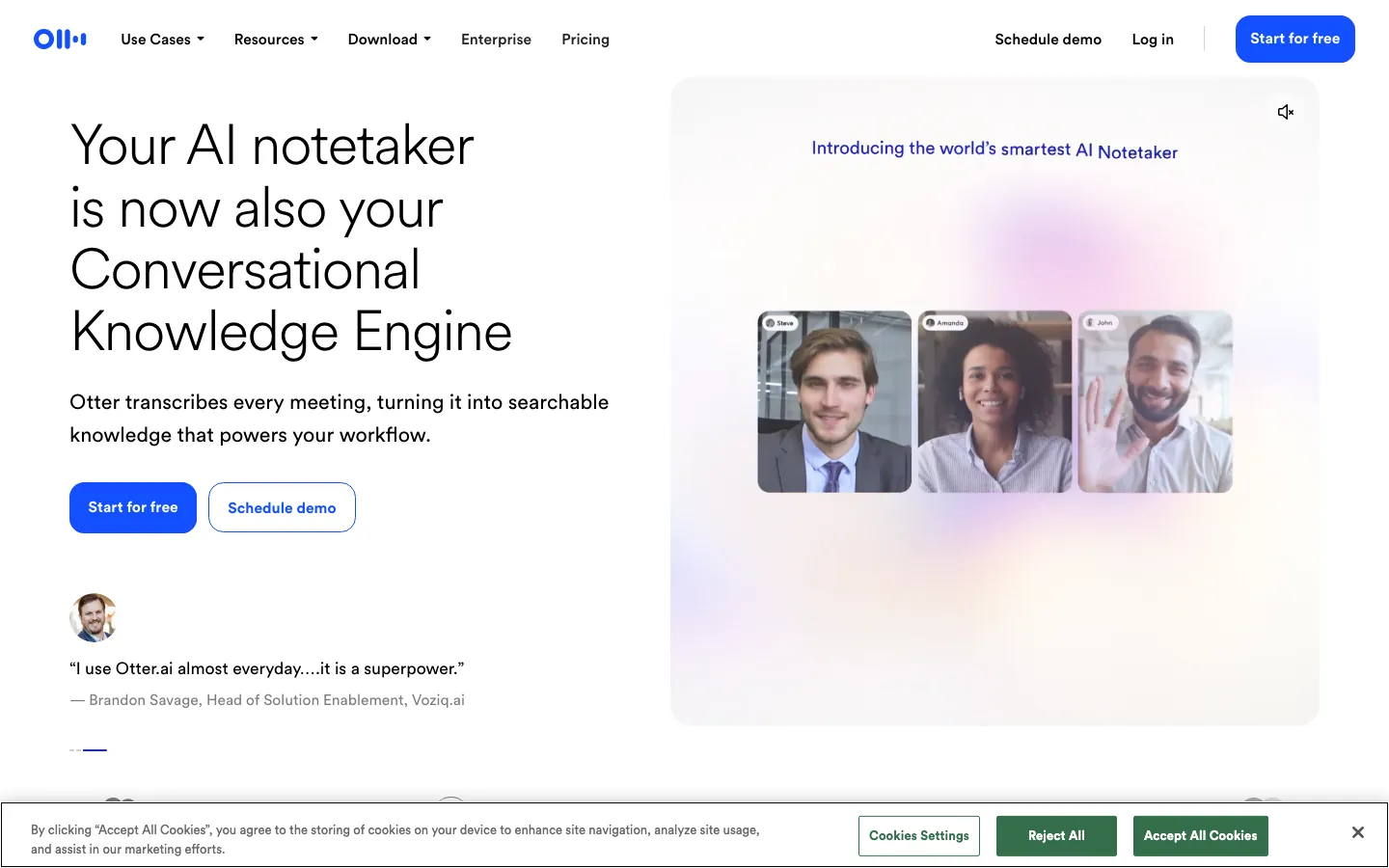
Screenshots of Otter.ai 3 images
What's great
- Strongest conversational search across past meetings; ask natural-language questions about call history
- Live transcription appears in real time during the meeting, shareable with remote participants without access to the recording
- Established platform with a documented compliance posture; SOC 2 Type II and GDPR on Business tier, HIPAA on Enterprise (BAA required)
Watch-outs
- Summary quality scores noticeably lower than Fathom in side-by-side tests; action items are occasionally missed
- Upsell prompts in the free tier are aggressive and interrupt workflow more than any other tool here
- Business tier at $19.99/seat/mo (monthly) is the same price as Fireflies Business but with weaker CRM integration
Otter is one of the original meeting AI tools and still wins on live transcription speed. The real-time transcript that participants can follow during the call (not just after) is the differentiator that Fathom and Fireflies don’t quite match.
462 G2 reviews at 4.4/5; the most-cited negative is that Otter feels like it’s stalled while competitors have shipped quickly.
tl;dv’s 2026 Otter review credits Otter with pioneering the AI meeting assistant niche but questions whether it stays relevant given how fast the alternatives have moved. For research-heavy teams running user interviews where you need a live feed of the transcript, it’s still the pick.
For general work meetings, Fathom’s free tier covers more ground.
Pricing breakdown
| Plan | Price | Best for |
|---|---|---|
| Basic | $0 | Individuals trying the tool; 300 min/month |
| Pro | $8.33/seat/mo (annual) | Individuals; 1 |
| Business | $19.99/seat/mo (annual) | Teams; unlimited |
| Enterprise | Custom | Large orgs needing custom data retention |
Loading reviews…
Granola
Best bot-free option for sensitive external calls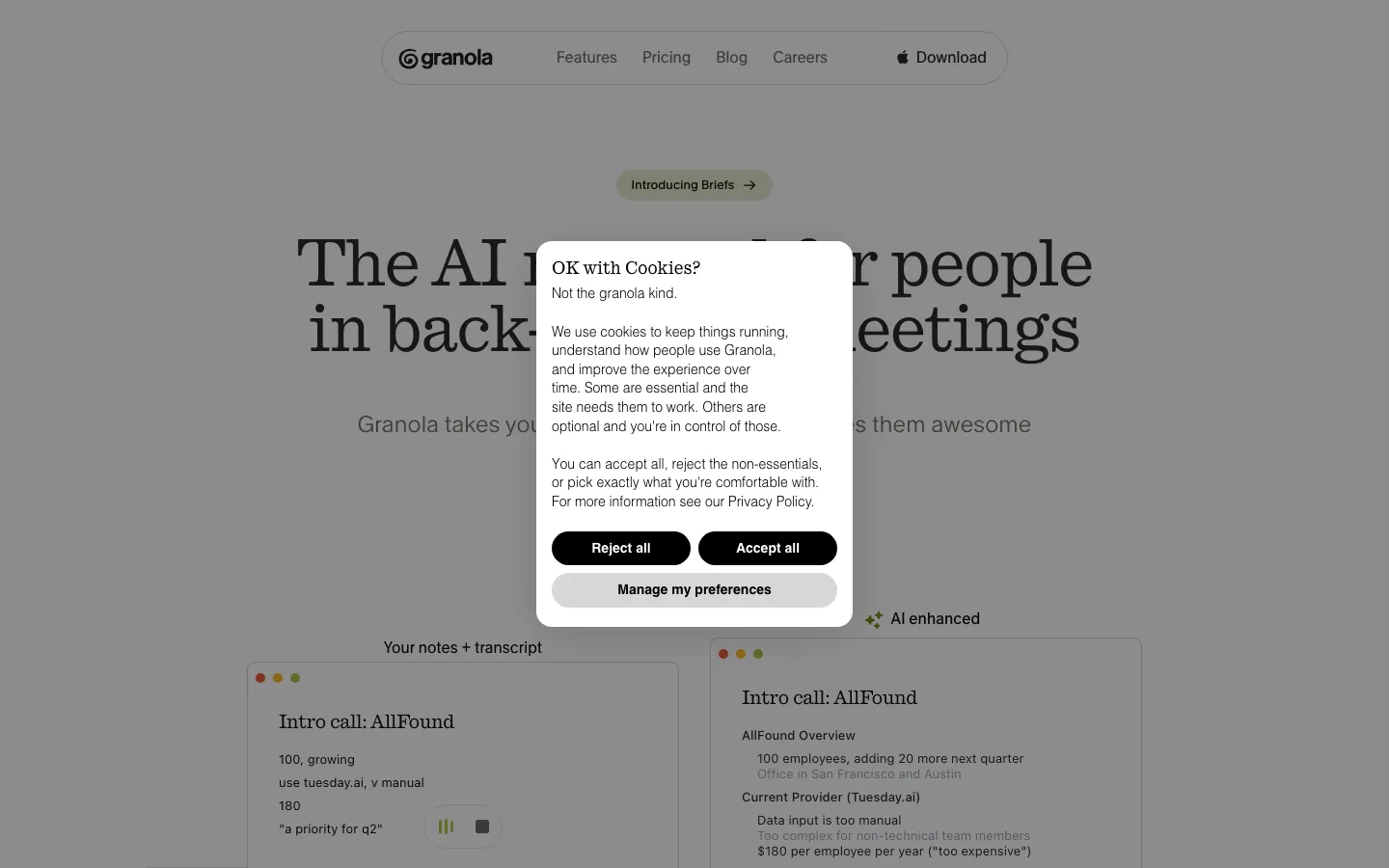
Screenshots of Granola 3 images
What's great
- No bot joins the call; captures audio directly from your device so participants never see a recording notification
- Hybrid note model lets you type rough bullets during the meeting and AI expands them into full notes afterward
- Transcription accuracy of 90-95% on clean audio, competitive with bot-based tools despite the different architecture
Watch-outs
- Mac and Windows desktop only; no browser-based option, no mobile app, no Android support
- Free tier caps at 25 total meetings lifetime, not per month, making it expensive to evaluate seriously
- Speaker identification degrades in calls with more than four participants, a real limitation for large team syncs
Granola solves the specific problem of ‘I need good meeting notes but my clients hate seeing a recording bot join the call.’ It sits on your machine, captures audio from the system output, and generates notes without joining the conference room.
Granola is a common pick for account executives running first calls with enterprise prospects where a visible bot is a trust issue. The hybrid model (you jot rough notes, AI fills them in) produces notes that actually sound like the person who was in the meeting, not a generic AI summary.
21 G2 reviews at 4.8/5 is a thin sample but the tl;dv independent review matches our read: no bot participant is visible to others, since Granola transcribes audio from your device in real time rather than joining the call.
The $14/seat/mo Business price is premium for what is still a relatively simple tool, and the Windows support is recent; Mac reliability is noticeably stronger.
Pricing breakdown
| Plan | Price | Best for |
|---|---|---|
| Basic | $0 | Evaluating; 25 meetings total |
| Business | $14/seat/mo | Individuals and small teams |
| Enterprise | $35/seat/mo | Large orgs with SSO and priority support |
Loading reviews…
Read AI
Best for meeting analytics and team engagement metrics
Screenshots of Read AI 3 images
What's great
- Meeting Score and Participation Ratio metrics quantify how balanced and effective each call was
- Sentiment analysis across the call timeline flags where engagement dropped, useful for coaching and retrospectives
- Enterprise+ at $29.75/mo includes HIPAA compliance, SSO, and custom data retention in one tier
Watch-outs
- 4.0/5 G2 from only 35 reviews; the thin review count means the rating is less trustworthy than Fathom or Fireflies
- AI summaries rated "too general" in multiple G2 complaints; the analytics are stronger than the summaries
- Free tier caps at 5 transcripts per month, which is genuinely too low for a meaningful trial
Read AI is the tool I keep recommending to People teams and managers who want data on meeting culture, not just notes from individual calls. The participation ratio (how much each person talked vs listened) and meeting engagement score surface patterns that are invisible in a transcript.
35 G2 reviews at 4.0/5 is a smaller sample than most tools here; the Read.ai vs Otter comparison at Sybill agrees that summaries lag but analytics lead. If your team just needs transcription, the analytics layer is overhead you don’t need.
If meeting effectiveness is actually a metric you track, this is the only tool in the segment with real data behind it.
Pricing breakdown
| Plan | Price | Best for |
|---|---|---|
| Free | $0 | Evaluating; 5 transcripts/mo |
| Pro | $15/seat/mo (annual) | Individuals; unlimited transcripts |
| Enterprise | $22.50/seat/mo (annual) | Teams; video highlights |
| Enterprise+ | $29.75/seat/mo (annual) | Regulated orgs; HIPAA |
Loading reviews…
Krisp
Best for noisy-environment teams needing notes plus noise cancellation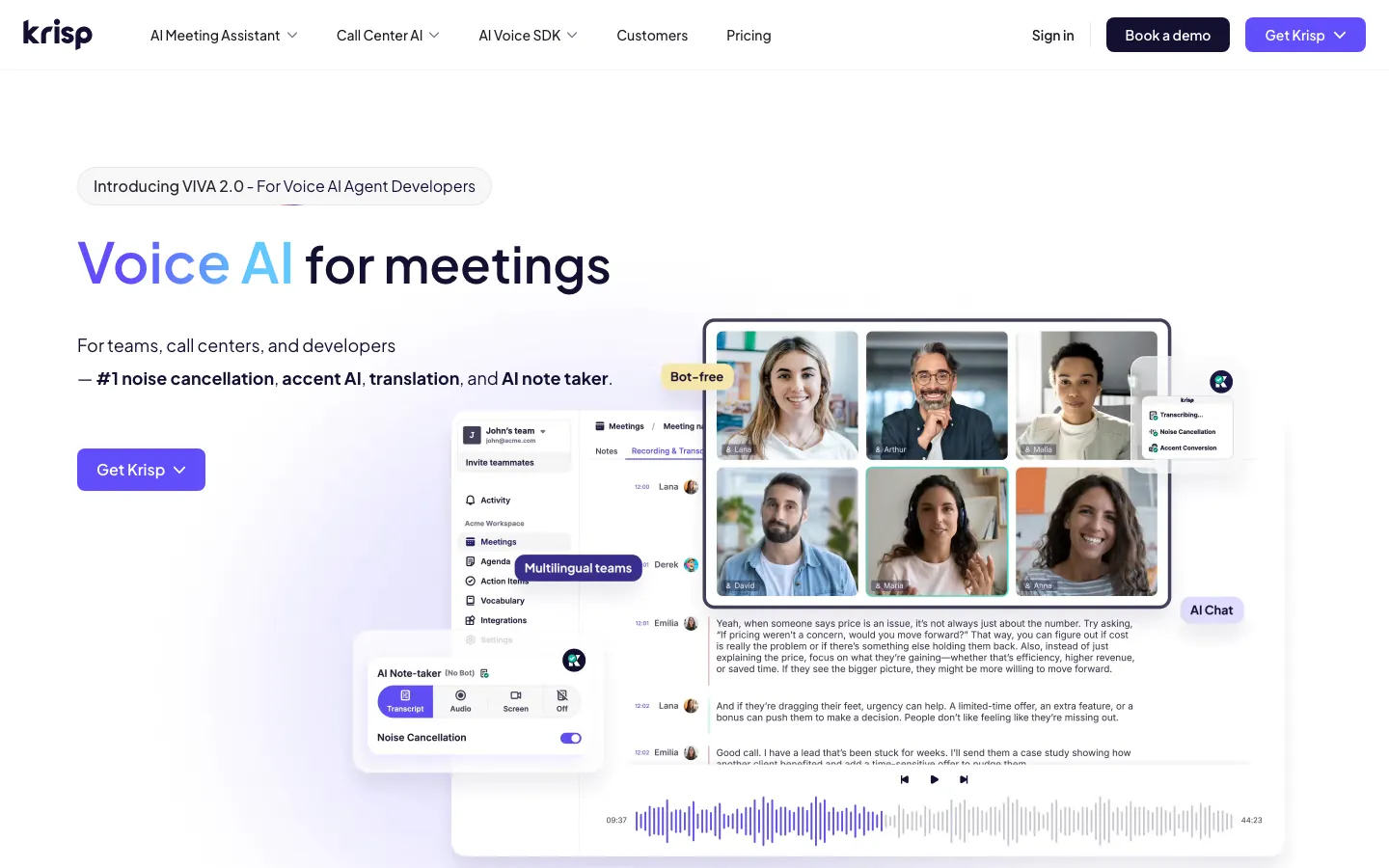
Screenshots of Krisp 3 images
What's great
- Industry-leading noise cancellation baked into the same tool as AI notes; one subscription covers both needs
- Core tier at $8/seat/mo (annual) includes GDPR and SOC 2 Type II; HIPAA (BAA) is gated to the Enterprise tier
- Free tier includes two AI meeting note sessions per day with no storage cap, genuinely usable
Watch-outs
- Note quality on complex multi-topic calls is average; Krisp wins on audio quality, not summary sophistication
- No shared team call library below the Advanced tier ($15/seat/mo annual); notes are per-user, not shared
- CRM integration at the Core tier requires Zapier; native push comes only on Advanced
Krisp started as a noise cancellation tool and built meeting AI on top, and that heritage shows in a good way. If half the reason your meeting notes are poor is that the audio quality is poor (open offices, home setups, road warriors), Krisp solves both problems in one subscription.
843 G2 reviews at 4.7/5; the consistent praise is around audio quality and ease of setup. The Core plan at $8/seat/mo carries GDPR and SOC 2 Type II, though a signed BAA for HIPAA sits on the Enterprise tier per Krisp’s own security page .
tl;dv’s 2026 Krisp roundup covers where it fits. The limitation is depth: sales teams often outgrow Krisp notes and want the CRM push that Fireflies ships natively. For non-sales teams that just need clean audio and clean notes, Krisp’s price-to-value ratio is hard to beat.
Pricing breakdown
| Plan | Price | Best for |
|---|---|---|
| Free | $0 | Individuals; 2 AI note sessions/day |
| Core | $8/seat/mo (annual) | Individuals; unlimited noise cancellation |
| Advanced | $15/seat/mo (annual) | Teams; shared notes |
| Enterprise | Custom | Org-wide rollout with custom security requirements |
Loading reviews…
Tactiq
Best Chrome extension for in-browser meetings without a bot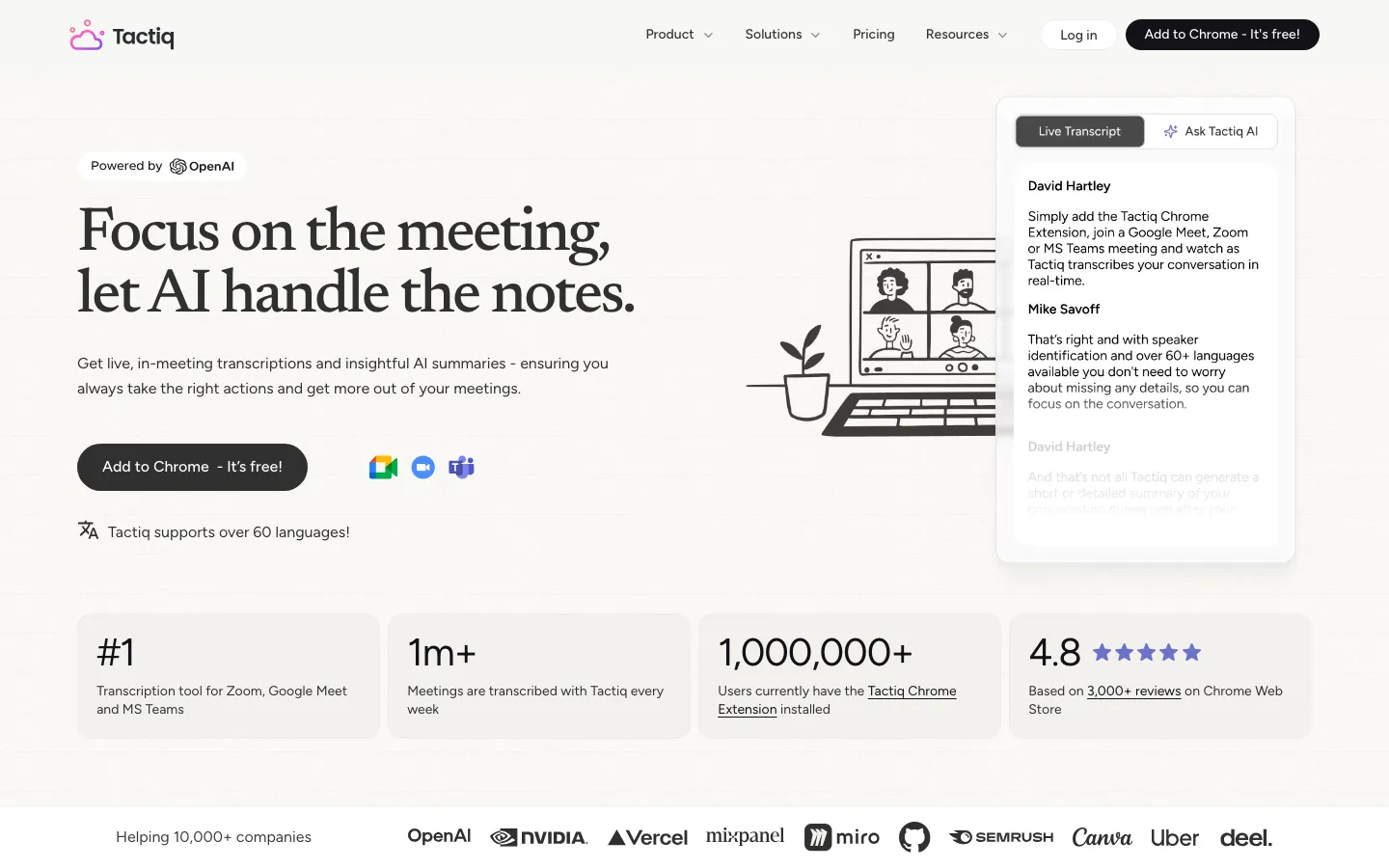
Screenshots of Tactiq 3 images
What's great
- Chrome extension architecture means no bot joins; transcript appears inline in Google Meet, Zoom, and Teams
- Unlimited AI credits on the Team tier ($16.67/seat/mo annual) removes the per-summary cost friction
- Works directly inside the browser window the meeting is happening in; no separate app to manage
Watch-outs
- Chrome-only; Firefox and Safari users are out entirely, iOS and Android have no support
- Pro plan at $8/seat/mo only includes 10 AI credits per month, which runs out quickly for heavy users
- Integrations outside Google Workspace are functional but not as deep as Fireflies or Fathom Business
Tactiq is the right call when your team runs on Google Workspace and you want transcription that shows up without anyone ever seeing a bot notification. The Chrome extension model means the transcript just appears, inline, while the meeting runs.
The Granola vs Tactiq comparison at zackproser.com puts Tactiq as the better fit for Google-native teams while Granola wins for cross-platform users. G2 reviews for Tactiq at 4.5/5; the most common positive is that setup takes under three minutes.
The hard limitation is the Chrome wall: if any of your team runs Safari or Firefox, Tactiq falls down. For orgs where Chrome is standard and Google Meet is the conferencing default, this is a clean low-friction pick.
Pricing breakdown
| Plan | Price | Best for |
|---|---|---|
| Free | $0 | Light users; 10 transcripts/mo |
| Pro | $8/seat/mo (annual) | Individuals; unlimited transcripts |
| Team | $16.67/seat/mo (annual) | Teams; unlimited AI credits |
| Business | $29.16/seat/mo (annual) | Larger teams; SSO |
Loading reviews…
Zoom AI Companion
Best for teams already running Zoom Business or higher
Screenshots of Zoom AI Companion 3 images
What's great
- Included at no extra cost with Zoom Workplace Pro ($14.16/seat/mo and up); zero additional budget line
- AI Companion 3.0 extends context to Google Drive, OneDrive, Gmail, and Outlook for pre-meeting briefings
- Standalone option at $10/seat/mo for teams without a Zoom Workplace license
Watch-outs
- Transcription accuracy in non-English meetings is meaningfully lower; [276 G2 reviews](https://www.g2.com/products/zoom-ai-companion/reviews) cite this as the top complaint
- No native CRM push; meeting notes stay inside the Zoom ecosystem unless you build a Zapier bridge
- Summary quality benchmarks noticeably below Fathom in side-by-side tests on the same call recordings
Zoom AI Companion wins exactly one argument: you’re already paying for Zoom Workplace and you don’t want to add another line item. The inclusion in Zoom Pro and above means the effective cost is zero if Zoom is already your conferencing standard.
4.6/5 across 276 G2 reviews ; users consistently rate ease of use highly but flag summary quality and the lack of CRM integration as real gaps. AI Companion 3.0 (launched early 2026) adds cross-platform context from Google Drive and Outlook, which is a meaningful step forward.
The honest comparison: Fathom’s free tier beats Zoom AI Companion on summary quality by a clear margin. If your team is Zoom-native and non-technical (no one is going to set up a Zapier bridge to push notes to HubSpot), Zoom AI Companion is adequate and free. If you need CRM sync or better summaries, Fathom or Fireflies are worth the extra conversation.
Pricing breakdown
| Plan | Price | Best for |
|---|---|---|
| With Zoom Workplace | Included | Teams already on Zoom Pro/Business/Enterprise |
| Standalone | $10/seat/mo | Teams without a Zoom Workplace license |
| Custom AI Companion add-on | $12/seat/mo | Enhanced features on top of Zoom Workplace |
| Enterprise | Custom | Large orgs needing custom data governance |
Loading reviews…
Microsoft Copilot Recap
Best for Microsoft 365 enterprise orgs with an EA
Screenshots of Microsoft Copilot Recap 3 images
What's great
- Deeply embedded in Teams and Outlook; meeting recaps available inside the apps your team already lives in
- Enterprise Agreement bundling can drop effective cost 30-40% for Microsoft-heavy orgs
- AI-generated video recaps with chapter markers launched in April 2026 for M365 Copilot licensees
Watch-outs
- $30/seat/mo M365 Copilot is expensive as a standalone meeting-notes investment; Teams Premium at $10 is the right entry point but misses custom templates
- No free tier; even trialing requires a paid subscription or a demo request
- Intelligent Recap requires recording to be enabled first; orgs with recording-off policies get no benefit
Microsoft Copilot Recap is the right answer when your organization is already deep in Microsoft 365 with an Enterprise Agreement and someone in IT asks ‘can’t Copilot just do this?’ The short answer is yes, if you have the Copilot license.
The meeting summary appears directly inside Teams alongside the recording; chapter markers and action items are generated automatically.
The University of Iowa’s 2026 IT guidance distinguishes Teams Premium ($10/seat/mo) for basic recaps from M365 Copilot ($30/seat/mo) for full natural-language meeting interaction. For a 500-person M365 org with an EA, that distinction matters a lot.
For teams not already on Microsoft 365, this is a very expensive way to buy meeting notes. The across-the-board G2 rating for Microsoft Copilot sits at 4.4/5 across 892 reviews ; the meeting-specific subset is positive but the overall tool has a broader scope than just meeting notes.
Pricing breakdown
| Plan | Price | Best for |
|---|---|---|
| Teams Premium add-on | $10/seat/mo | Basic AI recaps for M365 users |
| M365 Copilot Business | $18-$21/seat/mo | SMBs under 300 users (promo pricing) |
| M365 Copilot Enterprise | $30/seat/mo | Enterprise orgs with EA bundling |
| EA Bundle | Custom | 1000+ seat Microsoft shops with negotiated discounts |
Loading reviews…
Tools we considered but excluded
We evaluated more tools than the 9 you see above. These did not make the cut. Saying what we rejected, and why, is the editorial muscle most listicles skip.
- Gong: Conversation intelligence and call coaching platform, not a general meeting notes tool; starts at $80+/seat/mo and is purpose-built for revenue teams
- Avoma: Sales-and-CS-focused tool that competes with Gong more than with general meeting AI; priced at $24/user/mo for the level where Fireflies delivers equivalent CRM sync
- tl;dv: Strong free tier for async video clips but summary quality consistently ranked below Fathom in 2026 SERP comparisons
- Loom AI: Async video tool with AI summaries, different use case from synchronous meeting notes
- Otter Business (Teams+): The team collaboration layer on Otter is outgunned by Fireflies and Fathom at the same price point
- Fellow: Meeting agenda and one-on-one tool that adds AI summaries; best for structured 1:1s, weak for sales calls and external meetings
Honorable mentions
Solid tools that did not crack the main list but are worth tracking, especially for niche use cases.
- Google Meet AI Takeaways: Built into Google Workspace Business Plus and Enterprise; zero setup for Google orgs, though quality lags Tactiq and Fathom
- Grain: Best clip-and-share workflow for customer research teams; underrated for product discovery but too narrow for general meeting coverage
- Notta: Strong multilingual support (58 languages), the pick for globally distributed teams where non-English call quality is the real problem
- HappyScribe: 99+ languages for live meeting transcription plus EU data residency (GDPR and SOC 2 Type II on EU-based data centers); the pick for European teams whose compliance lead cares where call data is stored. A transcription-first platform though so CRM push and meeting-specific features trail the dedicated tools above
The four buckets of AI meeting notes tools
The AI meeting notes market looks homogeneous from the outside: bots that join your call and produce a summary. Run the same calls through several of them and the actual differences are large. This guide breaks the segment into four practical buckets.
Bot-based general meeting AI. Fathom, Fireflies, Otter, Read AI. These tools join the call as a visible participant, transcribe everything, and generate summaries afterward. The quality gap between the best and the worst in this group is large. Fathom’s 5.0/5 G2 score versus Otter’s 4.4/5 reflects real transcription and summary quality differences that show up in reviews.
Bot-free capture tools. Granola, Tactiq. No participant ever sees a bot join the call. Granola captures system audio from your machine; Tactiq works as a Chrome extension inside the browser tab running the meeting. The trade-off is depth: these tools produce good notes but can’t push to your CRM without a manual step or Zapier.
Bundled-with-conferencing AI. Zoom AI Companion, Microsoft Copilot Recap, Google Meet AI Takeaways. The argument for these is that you’re already paying for the conferencing platform. The argument against is that all three trail the standalone tools on summary quality by a measurable margin.
Audio-plus-notes hybrids. Krisp. Noise cancellation first, meeting AI second. The right pick when poor audio is the reason your notes are poor in the first place.
The nine tools in this guide cover all four buckets. Below: where each one fits and where it falls down.
Some of the meetings these tools transcribe never needed to be live at all. For the ones you can replace with a recorded update instead of a call, the async video tools guide covers that sibling category.
What’s changing in AI meeting notes software in 2026
The bot-free category is growing faster than the bot-based category. Granola’s momentum in early 2026 tracks with a broader pattern: enterprise procurement teams are starting to care whether customer calls get recorded by a visible third-party bot. GDPR enforcement in EU subsidiaries is part of it; customer trust is part of it.
Granola and Tactiq built their product architecture around this. Bot-based tools are quietly adding consent workflows (Fireflies shipped a custom consent banner in Q1 2026) in response.
Zoom AI Companion 3.0 landed in early 2026 and it’s a real step forward. The cross-platform context (pulling from Google Drive, Gmail, OneDrive before a meeting) is new and useful. Whether it closes the summary quality gap with Fathom is still debatable, but it’s no longer just “the thing that came with your Zoom plan.”
CRM auto-sync became the enterprise gating question. In 2024, “does it connect to HubSpot?” was a nice-to-have. In 2026 it’s often the question that determines whether a VP of Sales approves a company-wide rollout. Fireflies wins this question; Fathom Business is catching up.
Microsoft launched video recaps with chapter markers in April 2026 for M365 Copilot licensees. This is meaningful for Teams-heavy organizations; video recaps with chapter navigation save real time for anyone who joins a meeting late or needs to catch up on a long strategic call.
Pricing tiers are converging around two price points. Free (with meaningful caps) and $10-$20/seat/mo for the first paid tier. The $30+ tier is either sales-specific tooling (Gong, Avoma) or bundled-enterprise (M365 Copilot). Anything between $20 and $30 is a hard sell in 2026 without a compelling differentiator.
The eight things to test in your meeting AI trial
One, record the same meeting with two tools in parallel. Run your standard weekly team sync with Fathom and Fireflies both active for one week. Compare the summaries against what you actually decided. This is the only way to see transcription and summary quality differences that matter for your specific call patterns.
Two, test CRM push end-to-end before buying. Don’t just confirm the integration exists. Run a real call, let the tool generate a summary, push it to a test contact in HubSpot or Salesforce, and verify every field landed where you expected. Field-mapping problems are common on first setup and are far cheaper to catch now than after a quarter of dirty CRM data.
Three, run the tool on a sensitive external call and watch participant reaction. On your next discovery call or client kickoff, use the tool you’re evaluating. Note whether the customer asks about recording, whether the bot join announcement creates friction, whether anyone asks the bot to leave. This data is not available in any G2 review.
Four, try the search function on calls from 60 days ago. Ask ‘what did we say about pricing in February?’ in natural language. If the search is useful, the tool compounds value over time. If it returns a list of transcripts you have to manually scan, the long-term value proposition is weak.
Five, export the full transcript to CSV or PDF. If this requires a support ticket, the data isn’t really yours. Every paid tier of every tool in this guide should pass this test; confirm before committing.
Six, measure your own note quality before and after. Two weeks before the tool, take manual notes after every meeting and record how long it takes. Two weeks after, compare. The ROI case needs real numbers from your own workflow, not generic case studies.
Seven, ask about data retention and deletion policy. Some tools retain transcripts on their servers indefinitely unless you explicitly delete them. For calls that include customer PII, this is a compliance question. A BAA for HIPAA sits at the Enterprise tier for both Krisp and Otter; Read AI ships it at Enterprise+. Fathom’s data handling is strong but HIPAA is not documented at the free tier.
Eight, check calendar permission depth. Every tool in this guide reads your calendar to know which meetings to join. Several also read attendee email addresses from calendar invites to pre-populate speaker identification. If your org has a DLP policy around calendar access, confirm the tool’s permission scope before rolling out.
Where the nine meeting AI tools differ on core features
| Tool | Free tier | CRM auto-sync | Bot-free option | Live transcript | Team search |
|---|---|---|---|---|---|
| Fathom | ✓ unlimited | $ Business only | ✗ bot joins | • post-call | ✓ Team+ |
| Fireflies | ✓ 800 min | ✓ Pro+ | ✗ bot joins | ✗ | ✓ Business+ |
| Otter.ai | ✓ 300 min/mo | $ via Zapier | ✗ bot joins | ✓ live | ✓ Business+ |
| Granola | ✓ 25 meetings | ✗ manual only | ✓ no bot | ✗ | ✗ |
| Read AI | ✓ 5/mo | ✓ Enterprise+ | ✗ bot joins | ✗ | ✓ Pro+ |
| Krisp | ✓ 2 notes/day | $ Zapier (Core) | ✗ bot joins | ✗ | ✗ |
| Tactiq | ✓ 10/mo | • Workspace only | ✓ Chrome ext | ✓ live | • limited |
| Zoom AI Companion | ✓ with Zoom | ✗ | ✗ bot joins | ✓ in Zoom | • Zoom only |
| MS Copilot Recap | ✗ no free | ✓ via Sales Copilot | ✗ | ✓ in Teams | ✓ Teams only |
The standout pattern: Fathom and Fireflies are the only tools that combine a real free tier with native CRM sync at any paid tier. Granola and Tactiq have the bot-free architecture but sacrifice CRM depth. The bundled tools (Zoom, Microsoft) have the integration depth but only within their own ecosystems.
Meeting AI security and compliance, tier by tier
| Tool | SOC 2 Type II | GDPR | HIPAA | SSO/SAML | Audit logs |
|---|---|---|---|---|---|
| Fathom | ✓ | ✓ | • (on request) | Team+ | • limited |
| Fireflies | ✓ | ✓ | ✓ Enterprise | Enterprise | Enterprise |
| Otter.ai | ✓ | ✓ | ✓ Enterprise | Business+ | Business+ |
| Granola | ✓ | ✓ | ✗ | Enterprise | ✗ |
| Read AI | ✓ | ✓ | ✓ Enterprise+ | Enterprise+ | Enterprise+ |
| Krisp | ✓ | ✓ | ✓ Enterprise | Advanced+ | Advanced+ |
| Tactiq | ✓ | ✓ | ✗ | Business | • limited |
| Zoom AI Companion | ✓ | ✓ | ✓ Enterprise | ✓ all paid | ✓ |
| MS Copilot Recap | ✓ | ✓ | ✓ | ✓ all tiers | ✓ |
One correction worth flagging: Krisp’s SOC 2 Type II and GDPR coverage reaches down to the $8/seat/mo Core plan, but a signed BAA for HIPAA is gated to the Enterprise tier (vendor confirmed on Krisp’s security page). For healthcare-adjacent teams (telehealth, health-tech sales, insurance) that need a BAA, budget for Krisp Enterprise, not Core.
The bundled tools (Zoom, Microsoft) have the strongest enterprise compliance posture overall because they’re already running enterprise infrastructure.
Integration depth across the meeting notes stack
| Tool | Slack | HubSpot | Salesforce | Notion | Google Calendar |
|---|---|---|---|---|---|
| Fathom | N | N (Business) | N (Business) | N | N |
| Fireflies | N | N (Pro+) | N (Pro+) | N | N |
| Otter.ai | • Zapier | • Zapier | • Zapier | N | N |
| Granola | N | ✗ | ✗ | • limited | N |
| Read AI | N | N (Enterprise) | N (Enterprise) | N | N |
| Krisp | N | $ (Zapier, Core) | $ (Zapier, Core) | ✗ | N |
| Tactiq | N | • Workspace | • Workspace | N | N |
| Zoom AI Companion | N | ✗ | ✗ | ✗ | N |
| MS Copilot Recap | ✗ | ✗ | ✗ | ✗ | ✓ |
Fireflies has the strongest native integration story: HubSpot, Salesforce, Dynamics 365, Monday, Attio, Zendesk Sell all ship without Zapier. Fathom Business matches for the two dominant CRMs but the broader integration ecosystem is narrower. Every tool here also posts summaries straight into Slack or Teams, so your choice of team chat platform decides where the notes actually land for the rest of the team.
Zoom and Microsoft are effectively silos for integration purposes: their meeting data stays in their own ecosystems unless you build a bridge.
Standalone tool vs bundled-with-conferencing
This is the question I get most often from the SaaS operators I work with: “We already pay for Zoom Business, doesn’t that cover it?” Here’s the honest answer.
Zoom AI Companion is free with Zoom Business. Fathom’s individual free tier is also free. Side-by-side on the same call recording, Fathom’s summaries are better. The action-item extraction is more accurate. The post-call latency (time from call end to notes appearing) is similar: both are under two minutes.
The reason sales teams still choose Fathom over Zoom AI Companion is the Business tier’s CRM integration. Zoom Companion has no native HubSpot or Salesforce push; Fathom Business ($25/seat/mo annually) pushes deal fields directly.
If your reps are on HubSpot and they have to copy-paste call notes from Zoom into deal records, they won’t do it consistently. The 30-minute-a-week data entry that falls through the cracks compounds into pipeline visibility gaps.
The honest verdict: if nobody in your organization cares about CRM sync (operations, product, engineering, finance teams), Zoom AI Companion plus Fathom Free side-by-side is the zero-cost setup. If your sales team needs notes in the CRM automatically, Fathom Business or Fireflies Pro is worth the per-seat cost even if you’re already paying for Zoom.
Microsoft Copilot Recap occupies a narrower version of the same argument. At $30/seat/mo for M365 Copilot, the meeting recap feature is one component of a much larger product. Buying M365 Copilot just for meeting notes is a $360/seat/year decision when Fathom Premium covers most of that need for $192/seat/year.
The math only works if you’re already buying M365 Copilot for other reasons (Word drafting, Excel formula generation, Teams chat summarization).
CRM auto-sync depth
This is the silent differentiator for sales teams, and most buyers don’t ask the right questions during the trial.
The surface question is: “Does it integrate with HubSpot?” Every tool says yes. The real questions are:
Does it auto-push without a manual trigger? Fireflies pushes to HubSpot automatically when a call ends. Fathom Free requires you to click “Send to HubSpot” from the notes page. Fathom Business can be configured to auto-push. The manual step sounds small; across 20 calls a week per rep, it adds up.
Which fields does it populate? A “summary push” that dumps a text block into the Notes field on the contact record is technically a CRM integration. Fathom Business populates deal fields (stage, next step, close date signals); Fireflies does the same. Otter pushes to a Notes field via Zapier. These are materially different.
Does it create new records? Fireflies creates new contact records in HubSpot when a meeting participant doesn’t match an existing contact. Fathom matches on email but doesn’t auto-create. For SDR teams running 40-50 discovery calls a month, auto-record creation in the CRM is the difference between a clean pipeline and a 15-minute weekly cleanup.
What happens on a call with multiple contacts from the same company? The cleaner tools associate the call to the deal and all attending contacts in one push. Weaker integrations create a duplicate note entry per email address on the call, a known failure pattern with Zapier-bridged setups like Otter’s.
The 2026 answer for sales teams: Fireflies Pro ($10/seat/mo) for broadest CRM coverage, or Fathom Business ($25/seat/mo) for better summary quality with comparable CRM depth.
Picking the right meeting AI for your team
1. Weekly volume of external, customer-facing calls
- Under 5 per rep. Fathom Free covers everything. The five-call-per-month premium AI cap is not a constraint at this volume.
- 5-15 per rep. Fathom Premium ($16/mo) or Fireflies Pro ($10/seat/mo). Pick based on whether you need CRM push.
- 15+ per rep. This is a sales team. CRM sync is required. Fireflies Pro or Fathom Business. Compare the two CRM integrations against your specific CRM and decide.
2. Whether bot presence on customer calls is acceptable
If no: Granola (desktop app, high summary quality) or Tactiq (Chrome extension, live transcript). If yes: Fathom, Fireflies, or Otter. If you’re not sure: run Granola in parallel with a bot-based tool for two weeks and see whether any customer mentions the bot.
3. Your company’s standard conferencing platform
- Zoom (Business or above). Start with Zoom AI Companion (free) and assess whether you need better summaries or CRM push. If yes, add Fathom or Fireflies.
- Microsoft Teams. Start with Teams Premium ($10/seat/mo) for basic recaps. Upgrade to M365 Copilot if your EA makes the math work.
- Google Meet. Tactiq is the cleanest Google-native option. Fathom and Fireflies also work well on Meet.
- Multiple platforms. Fathom and Fireflies work across Zoom, Teams, and Meet. Zoom AI Companion and MS Copilot are single-platform.
4. Your team’s specific compliance requirements
- HIPAA required. Fireflies Enterprise ($39/seat/mo), Read AI Enterprise+ ($29.75/seat/mo), Otter Enterprise, or Krisp Enterprise. For a BAA, all four sit at the Enterprise tier; Read AI Enterprise+ is the cheapest published HIPAA option here.
- SOC 2 required. Every tool in this guide is covered at a paid tier. Granola earned SOC 2 Type II in 2025 and publishes its report through a trust center at trust.granola.ai.
- No specific requirements. Pick on quality and integrations. Compliance is a non-factor until it isn’t.
5. Need for meeting analytics beyond transcription
If yes (manager effectiveness scores, participation ratios, sentiment trend): Read AI. Nothing else in this guide ships meeting analytics at this depth. If you only need good notes and action items, the analytics layer is overhead.
What AI meeting notes software really costs in year one
| Team type | Sticker price | Real all-in year 1 |
|---|---|---|
| 5-person team, Fathom Free | $0/mo | $0 (free tier, basic caps) |
| 10-person sales team, Fireflies Pro | $100/mo | $1,200/yr (minimal onboarding) |
| 10-person sales team, Fathom Business | $250/mo | $3,000/yr ($25/seat/mo annual) |
| 50-person org, Zoom AI Companion | $0 (included in Zoom) | $0 added cost |
| 50-person M365 org, Copilot Recap | $1,500/mo (M365 Copilot) | $18,000-$36,000/yr depending on tier |
| 100-person org, Krisp Advanced | $1,500/mo | $18,000/yr (shared team notes, CRM push) |
The forecast error most buyers make: treating Zoom AI Companion as “free” and not accounting for the 20-30 minutes per rep per week of manual CRM entry that still happens without auto-sync. At a 50-person sales org with average loaded rep cost of $80K/year, that’s roughly $30K/year in labor cost not eliminated.
Fireflies Pro at $100/mo for 10 reps is not an expensive tool when measured against that gap.
Rolling out meeting AI without the compliance incident
Most meeting AI rollouts don’t go sideways on the technology. They go sideways because someone recorded a call with a board member, a candidate, or an enterprise customer without confirming consent, and it became a problem.
Phase 1 (weeks 1-2): Policy before tools. Write a one-page recording policy: which call types are automatically recorded, which require individual consent, which are off-limits. Get legal sign-off. Then pick the tool.
Phase 2 (weeks 3-4): Pilot with one team, internal calls only. Sales team standups, product reviews, engineering syncs. Get the workflow comfortable before any bot joins a customer call.
Phase 3 (weeks 5-8): Expand to external calls with explicit consent flow. Fireflies and Krisp Enterprise both have consent banner features that notify participants at call start. Enable these before rolling out to customer-facing roles.
Phase 4 (weeks 9-12): CRM sync validation. Pull a sample of 20 call records from the CRM and verify that notes, action items, and next-step fields are populated correctly. Fix field-mapping issues now. One bad CRM data pattern, if left uncorrected, creates garbage forecast data six months later.
The right meeting AI tool for each company stage
- Pre-seed and seed, under 10 people: Fathom Free. Zero cost, unlimited recordings, good enough summaries. Graduate to Premium if the 5-call AI cap becomes a real constraint.
- Series A, 10-30 people, mixed team: Fathom Premium ($16/seat/mo) for most of the team. Fireflies Pro ($10/seat/mo) for the sales team specifically.
- Series B, 30-100 people, active sales motion: Fireflies Pro or Fathom Business. Decide based on which CRM your team runs and test both integrations during the trial.
- Series B+, customer-facing calls with enterprise buyers: Add Granola for AEs running first-call-and-second-call where bot presence is a risk. Fireflies or Fathom Business for everything else.
- Mid-market, 100-500 people, compliance-aware: Fireflies Enterprise ($39/seat/mo) for sales, Krisp Advanced ($15/seat/mo) for teams in noisy or HIPAA-relevant environments.
- Enterprise, M365-heavy with EA: Microsoft Copilot Recap is already in your license. Use it. Supplement with Fireflies Enterprise for the sales team if CRM sync depth is insufficient.
- Enterprise, Zoom-heavy with heavy CRM reliance: Zoom AI Companion for internal meetings. Fathom Business for sales calls. The dual-tool setup is common and not wasteful.
- Globally distributed teams with non-English meeting volume: Notta (honorable mention) or Krisp, both of which handle multilingual audio better than Fathom or Fireflies.
- Research and product teams running user interviews: Otter for live transcript access during the interview, or Grain (honorable mention) for clip extraction afterward.
If the shortlist is still three tools after this guide, run the eight-step trial checklist above for two weeks. Decide on actual summary quality against your call recordings, not on feature tables. The tool that produces the notes you’d write yourself wins.
For corrections or vendor disputes on this guide, email hello@topickz.com . We re-test this shortlist every six months; the next refresh ships in November 2026.
Frequently asked questions
Does Fathom really work for free indefinitely?
Yes, with one catch. The free tier unlocks unlimited recordings but caps advanced AI summary features at 5 calls/month. Basic summaries are unlimited.
Which meeting AI tool works best with HubSpot?
Both push to HubSpot natively. Fireflies auto-creates contacts at $10/seat; Fathom Business syncs deal fields at $25/seat.
Can I use meeting AI without a bot joining the call?
Yes. Granola and Tactiq capture audio from your device without a bot. Granola is Mac/Windows desktop; Tactiq is Chrome extension for Google Meet and Zoom.
How much does meeting AI actually cost per seat per year?
Free tiers handle basics. First paid tier runs $96-$240/seat/year. Zoom Companion is included with Zoom paid plans.
Will meeting AI notes be accurate enough to share with clients?
Not without a review pass. Accuracy is 90-95% on clear audio but names, technical terms, and decisions need a quick human check before client distribution.
Which tool handles non-English meetings best?
Notta (58 languages) is the top multilingual pick. Krisp handles accented English well. Zoom Companion G2 reviews flag non-English gaps.
Does meeting AI work on phone calls, or only video conferencing?
Fathom, Fireflies, and Krisp all capture system audio, so phone calls through a dialer app work. Tactiq is browser-only and misses phone calls entirely.
Is it legal to record meetings with AI tools?
In the US, one-party consent covers most states. For EU calls, notify all participants. Fireflies and Krisp Enterprise ship consent banners.
How do I know which tier I actually need?
Start on Fathom Free for 30 days. Hit the 5-call AI cap? Upgrade to Premium at $16/mo. Need CRM push? Fireflies Pro at $10/seat.
What is the difference between transcription and meeting notes?
Transcription is verbatim; notes are AI-extracted action items and decisions. Good tools ship both. Notes are what most people actually use.
Related helpful reads
Write a review
Posts to the page right away. Keep it real — no links or email addresses.