
Comparing the best 9 Best CI/CD Platforms in 2026, Ranked of 2026 includes 1. GitHub Actions 2. GitLab CI/CD 3. CircleCI 4. Buildkite 5. Harness 6. Semaphore 7. Spacelift 8. Jenkins 9. Codefresh.
TL;DR
- GitHub Actions: Best for teams already on GitHub. The default here and the one to beat, with the largest action marketplace and the biggest proof base, 4.7/5 across 2,399 G2 reviews; Free covers 2,000 build minutes, then $0.006 per minute, so watch spend at scale.
- GitLab CI/CD: Best all-in-one DevSecOps platform. Source, CI, and security in one place collapse the toolchain to a single vendor once your team standardizes on GitLab, 4.5/5 across 901 reviews.
- Buildkite: Best hybrid SaaS plus self-hosted for security-conscious teams. A SaaS control plane drives your own self-hosted runners, so build logs never leave your infrastructure; flat $30 per active user per month, 4.8/5.
- Harness: Best for platform-engineering teams. Modular CI, CD, and feature flags built for a dedicated DevOps function standardizing pipelines across many teams, 4.6/5 across 315 reviews.
- Spacelift: Best for IaC pipelines. Purpose-built for Terraform, OpenTofu, and Pulumi orchestration, and the highest-rated tool in this guide at 4.9/5 (on a small review base).
Nine CI/CD platforms compared on build times, pipeline reliability, debugging friction when things break, total cost at real minute volumes, and the self-hosted vs SaaS call for teams with security teams who have opinions about where build logs live.
What Is a CI/CD platform?
A CI/CD platform helps development teams automate building, testing, and deploying code, running pipelines on every change so software ships faster and more reliably.
Tools like GitHub Actions, GitLab CI/CD, CircleCI, and Buildkite differ on hosting, speed, pricing, and how they scale with build volume.
9 Best CI/CD Platforms, Ranked comparison: features, pricing and verdicts
| Tool | Best for | Starting price | Free trial | External rating |
|---|---|---|---|---|
Best for teams already on GitHub | $0.006/min (Linux 2-core) | Free tier (2,000 min/mo private) | G2 4.7/5 (2,399 reviews) | |
Best all-in-one DevSecOps platform | $29/user/mo (Premium) | Free tier (400 min/mo) | G2 4.5/5 (901 reviews) | |
Best for parallelized test-heavy workloads | $15/active user/mo | Free tier (30,000 credits/mo) | G2 4.4/5 (511 reviews) | |
Best hybrid SaaS-plus-self-hosted for security-conscious teams | $30/active user/mo (Pro) | 30-day free trial, all features | G2 4.8/5 (27 reviews) | |
Best for platform-engineering teams with dedicated DevOps function | $57/developer/mo (Startup/Team) | Free plan (open source starter) | G2 4.6/5 (315 reviews) | |
Best pay-as-you-go for performance-sensitive teams | $0.0075/min (Linux x64 2-vCPU) | $15 free credits/mo | G2 4.7/5 (198 reviews) | |
Best infrastructure CI/CD (Terraform, OpenTofu, Pulumi, Ansible) | $399/mo (Starter, up to 10 users) | Free plan (2 users) | G2 4.9/5 (12 reviews) | |
Best for legacy orgs with deep existing investment | $0 (OSS; infrastructure and admin cost vary) | Free (self-hosted) | G2 4.4/5 (573 reviews) | |
Best GitOps-native CD for Kubernetes deployments | Contact sales (via Octopus Deploy) | Free plan (1,200 min/mo) | G2 4.6/5 (70 reviews) |
How we chose these tools
We compared each tool against three common engineering profiles, a small Series A fintech on a Python monolith, a Series B SaaS with microservices on Kubernetes, and a mid-market enterprise with a mixed stack (Java, Go, Terraform). We weighed published build-time and cost benchmarks, the recurring themes across G2 reviews on reliability and debugging, integration coverage for the common downstream tools (Slack, PagerDuty, AWS ECR, and a secrets manager), and total compute cost modeled at each profile’s likely minute volumes. Pricing was verified directly on vendor sites, and G2 ratings were pulled from the G2 CI/CD Tools category. We re-check both on our review cadence rather than letting them go stale.
How we weight 9 best ci/cd platforms in 2026, ranked for the Topickz score
Every tool above is scored against the fixed rubric below and combined using these weights into the Topickz score on each card. The weights are set for 9 best ci/cd platforms in 2026, ranked specifically, they are not copied from another category, and we publish them so you can see what moved a ranking and re-weight for your own priorities.
| Criterion | Weight | What we checked |
|---|---|---|
| Pipeline speed and config | 23% | Build times on real workloads plus caching and parallelism. We also weighed how much YAML it takes to get from zero to a green pipeline. |
| Total compute cost at volume | 18% | Cost modeled at real monthly minute volumes, not the headline rate. Per-minute and per-seat pricing bite at very different points. |
| Reliability and debugging | 17% | Flaky-run rate and how fast you find why a build broke. Clear logs and reproducible failures save hours every week. |
| Self-hosted vs SaaS runners | 13% | Whether you can run your own runners and keep build logs inside your infrastructure, or you are tied to vendor compute. |
| Integration coverage | 12% | The downstream tools a pipeline leans on (Slack, PagerDuty, container registries, secrets managers) wired in without hand-rolled glue. |
| Scalability across team profiles | 10% | How it holds from a small monolith team to microservices on Kubernetes to a mixed enterprise stack. |
| Support and docs | 7% | Documentation depth and how quickly support answers when a pipeline is down in production. |
| Total | 100% |
Read the full TopickZ.com testing methodology for how we run each test, score every criterion, and combine them into a single rating.
Detailed reviews
GitHub Actions
Best for teams already on GitHub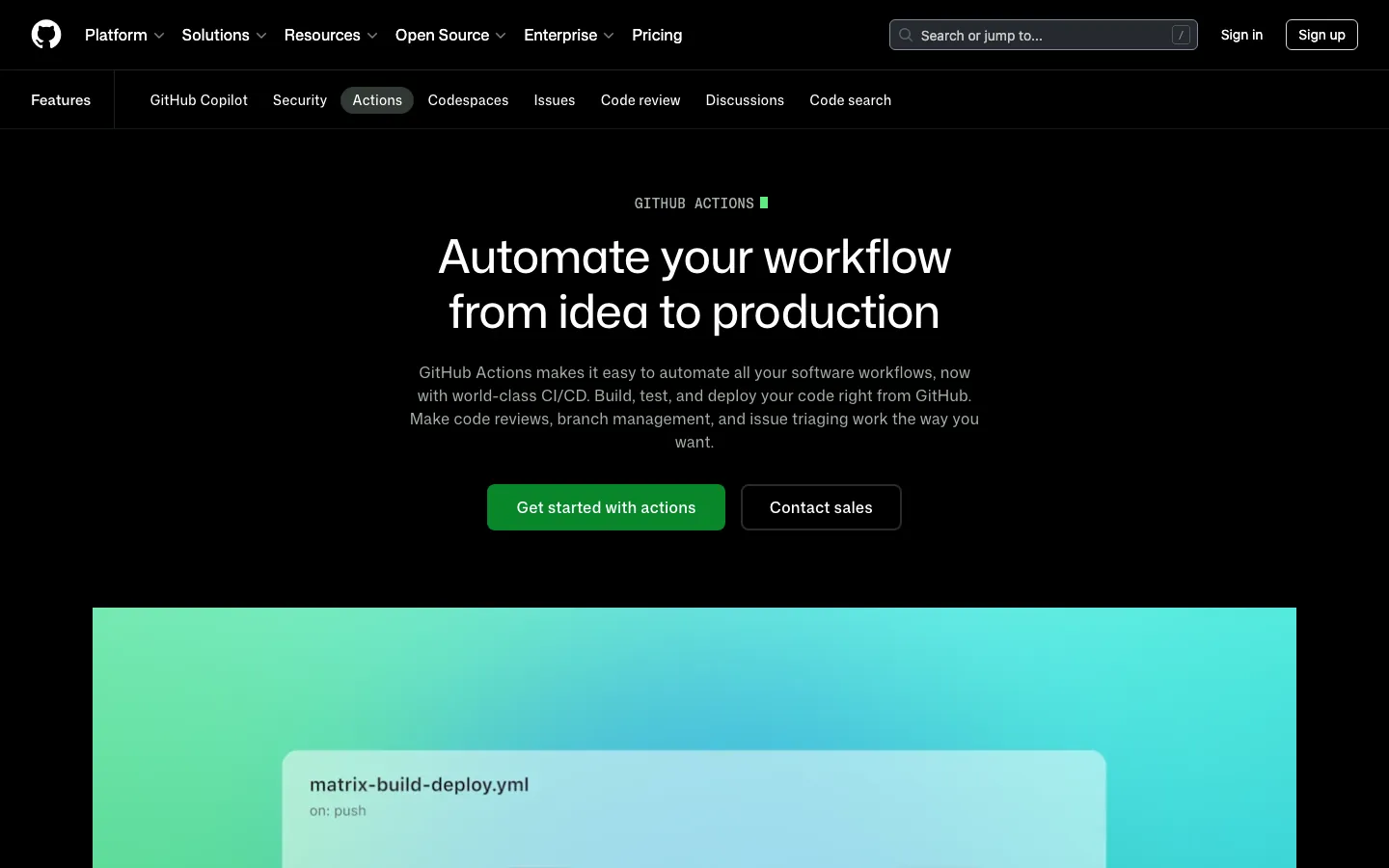
Screenshots of GitHub Actions 4 images
What's great
- Native GitHub integration means zero connector setup; pull request checks, OIDC tokens, and secrets management all live in the same access-control layer the team already uses
- 21,000+ verified marketplace actions covering everything from container scanning to Terraform deployment, the broadest action ecosystem in the segment
- In January 2026, GitHub reduced hosted Linux runner prices by up to 39%; a Linux 2-core job now runs at $0.006/min, making it cost-competitive with self-hosted on moderate volumes
Watch-outs
- Tightly coupled to GitHub; teams with multi-VCS environments (Bitbucket for some repos, GitHub for others) have to accept a split pipeline story or migrate everything
- GitHub announced a $0.002/min cloud platform charge on self-hosted runners in December 2025, then postponed it indefinitely after community pushback; it is not currently billed, but the proposal signals the direction GitHub wants to take pricing
- Debugging failed workflows still requires reading raw YAML logs; no visual dependency graph for multi-job workflows the way Buildkite ships natively
Pricing breakdown
| Plan | Price | Best for |
|---|---|---|
| Free (public repos) | $0 | Open source |
| Free (private repos) | $0 | 2 |
| Team | $4/user/mo + compute | Small teams |
| Enterprise | $21/user/mo + compute | 50 |
Security & compliance
| Standard | Availability |
|---|---|
| SOC 2 Type II | Yes |
| GDPR | Yes |
| HIPAA | Enterprise |
| SSO / SAML | Enterprise |
| Audit logs | Enterprise |
GitHub Actions compliance summary: SOC 2 Type II is yes, GDPR is yes, HIPAA is enterprise, SSO/SAML is enterprise, and audit logs is enterprise.
Key integrations
| Integration | Type |
|---|---|
| Gmail | N/A |
| Outlook | N/A |
| Slack | Native integration |
| LinkedIn Sales Navigator | N/A |
| Outreach / Salesloft | N/A |
GitHub Actions integration summary: Gmail is not specified, Outlook is not specified, Slack is native integration, LinkedIn Sales Navigator is not specified, and Outreach or Salesloft is not specified.
Feature availability
| Feature | Status |
|---|---|
| Free tier | ✓ 2K min/mo |
| Parallel jobs | ✓ |
| Pipeline as code | ✓ YAML |
| Secrets management | ✓ native |
| Self hosted | ✓ (fee postponed) |
GitHub Actions feature availability summary: Free tier (✓ 2K min/mo), Parallel jobs (✓), Pipeline as code (✓ YAML), Secrets management (✓ native), and Self hosted (✓ (fee postponed)).
What reviewers say about GitHub Actions
Recurring themes from Hacker News, Reddit, GitHub Community forums, The Register reporting, and developer blog posts, 2025-2026.
What reviewers praise
- Frictionless enterprise deployment in Microsoft-centric organizations; no separate setup required for teams already on GitHub, VS Code, and Azure, making it the default first AI tool at many orgs.
- Multi-model support added in 2025-2026 lets developers switch between Claude, GPT-5, and Gemini within the same interface, increasing flexibility beyond the original single-model experience.
- Inline autocomplete speed remains a consistent strength; fast, low-latency single-line and short block completions are where acceptance rates are highest and friction is lowest.
- Organization-level custom instructions allow teams to encode style guides and conventions so suggestions align with house standards without per-user configuration.
- The CLI agent and Copilot Spaces are praised as meaningful additions that extend the tool beyond editor completions into collaborative and terminal-based workflows.
What reviewers fault
- June 2026 shift to metered billing replaced predictable flat subscriptions; Pro+ users reported consuming 8-16 percent of monthly credits on a single complex query with mediocre output quality.
- Context window for inline completions is approximately 8,000 tokens, causing suggestions that conflict with project conventions the model simply cannot see in large repositories.
- Multi-file task accuracy degrades noticeably on changes spanning 10-plus files; architectural tasks with interconnected dependencies produce more errors than single-file completions.
- March 2026 incident where Copilot injected promotional content into over 1.5 million pull requests damaged developer trust and raised concerns about boundary enforcement.
- Frequent model swaps from Codex through GPT-4 variants to GPT-5 series introduced regressions in different workflows; developers report suggestion quality varying unpredictably after each model transition.
Loading reviews…
GitLab CI/CD
Best all-in-one DevSecOps platform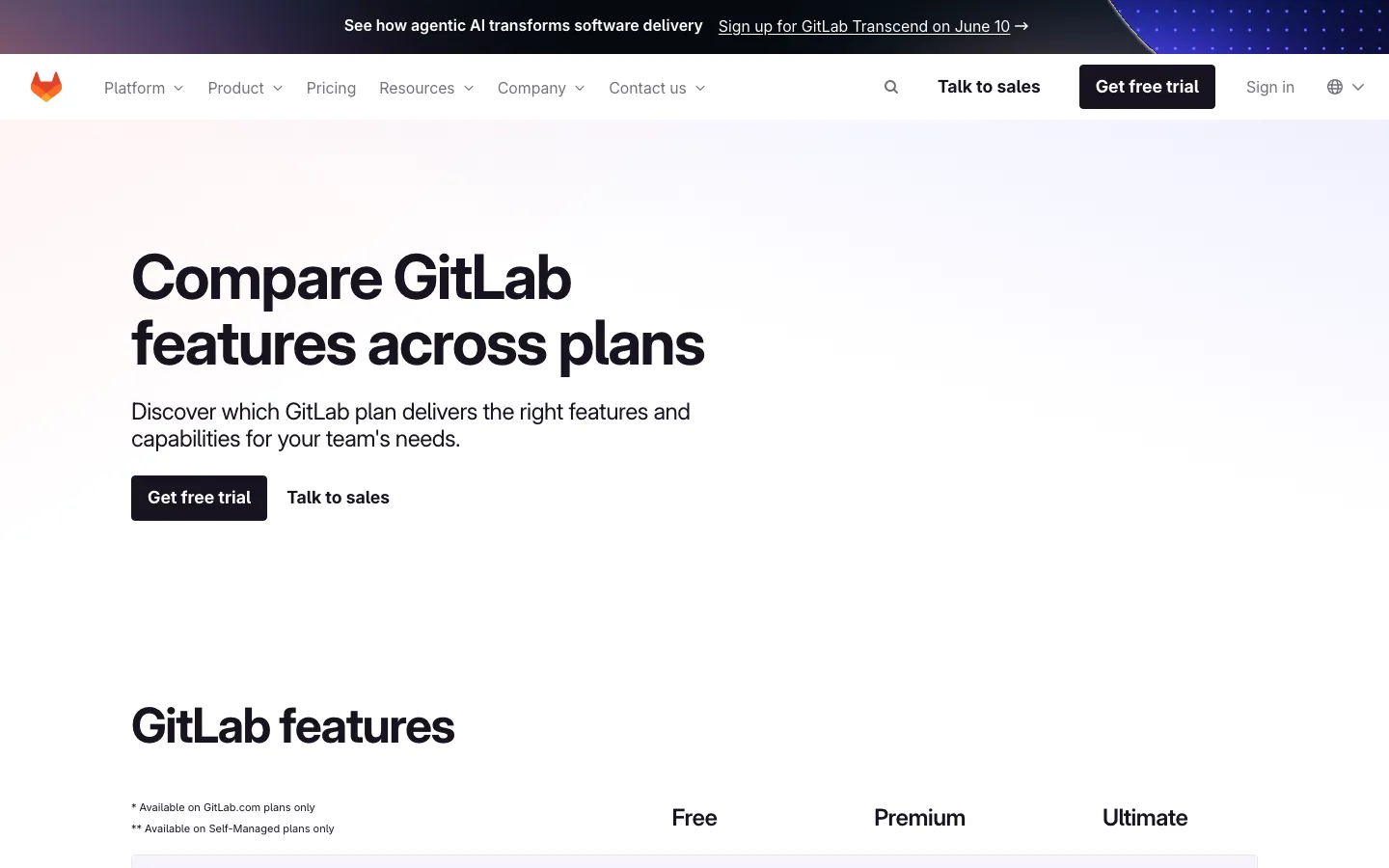
Screenshots of GitLab CI/CD 4 images
What's great
- Full DevSecOps platform: source code, issues, CI/CD, container registry, security scanning, and DAST are all native; no stitching six tools together
- Self-hosted (GitLab Runners on your own infrastructure) is the most mature self-managed story in the segment; regulated industries use this path heavily
- Multi-project pipelines and cross-project triggering work natively; large monorepo or multi-service architectures don't require workarounds
Watch-outs
- Value proposition collapses if you're not fully committed to GitLab as your SCM; the integration advantage disappears in a GitHub or Bitbucket shop
- Free tier gives only 400 CI minutes per month, the tightest free ceiling in this comparison; small teams on private repos hit the wall fast
- UI is slower and denser than GitHub or Buildkite; new team members need 2-3 days to orient, consistently mentioned in 2026 G2 reviews
Pricing breakdown
| Plan | Price | Best for |
|---|---|---|
| Free | $0 | 400 min/mo |
| Premium | $29/user/mo | 10K min/user/mo |
| Ultimate | $99/user/mo | 50K min/user/mo |
| Dedicated | Custom | Single-tenant cloud |
Security & compliance
| Standard | Availability |
|---|---|
| SOC 2 Type II | Yes |
| GDPR | Yes |
| HIPAA | Ultimate |
| SSO / SAML | Premium+ |
| Audit logs | Premium+ |
GitLab CI/CD compliance summary: SOC 2 Type II is yes, GDPR is yes, HIPAA is ultimate, SSO/SAML is premium+, and audit logs is premium+.
Key integrations
| Integration | Type |
|---|---|
| Gmail | N/A |
| Outlook | N/A |
| Slack | Native integration |
| LinkedIn Sales Navigator | N/A |
| Outreach / Salesloft | N/A |
GitLab CI/CD integration summary: Gmail is not specified, Outlook is not specified, Slack is native integration, LinkedIn Sales Navigator is not specified, and Outreach or Salesloft is not specified.
Feature availability
| Feature | Status |
|---|---|
| Free tier | ✓ 400 min/mo |
| Parallel jobs | ✓ |
| Pipeline as code | ✓ .gitlab-ci.yml |
| Secrets management | ✓ native vault |
| Self hosted | ✓ GitLab Runner |
GitLab CI/CD feature availability summary: Free tier (✓ 400 min/mo), Parallel jobs (✓), Pipeline as code (✓ .gitlab-ci.yml), Secrets management (✓ native vault), and Self hosted (✓ GitLab Runner).
Loading reviews…
CircleCI
Best for parallelized test-heavy workloads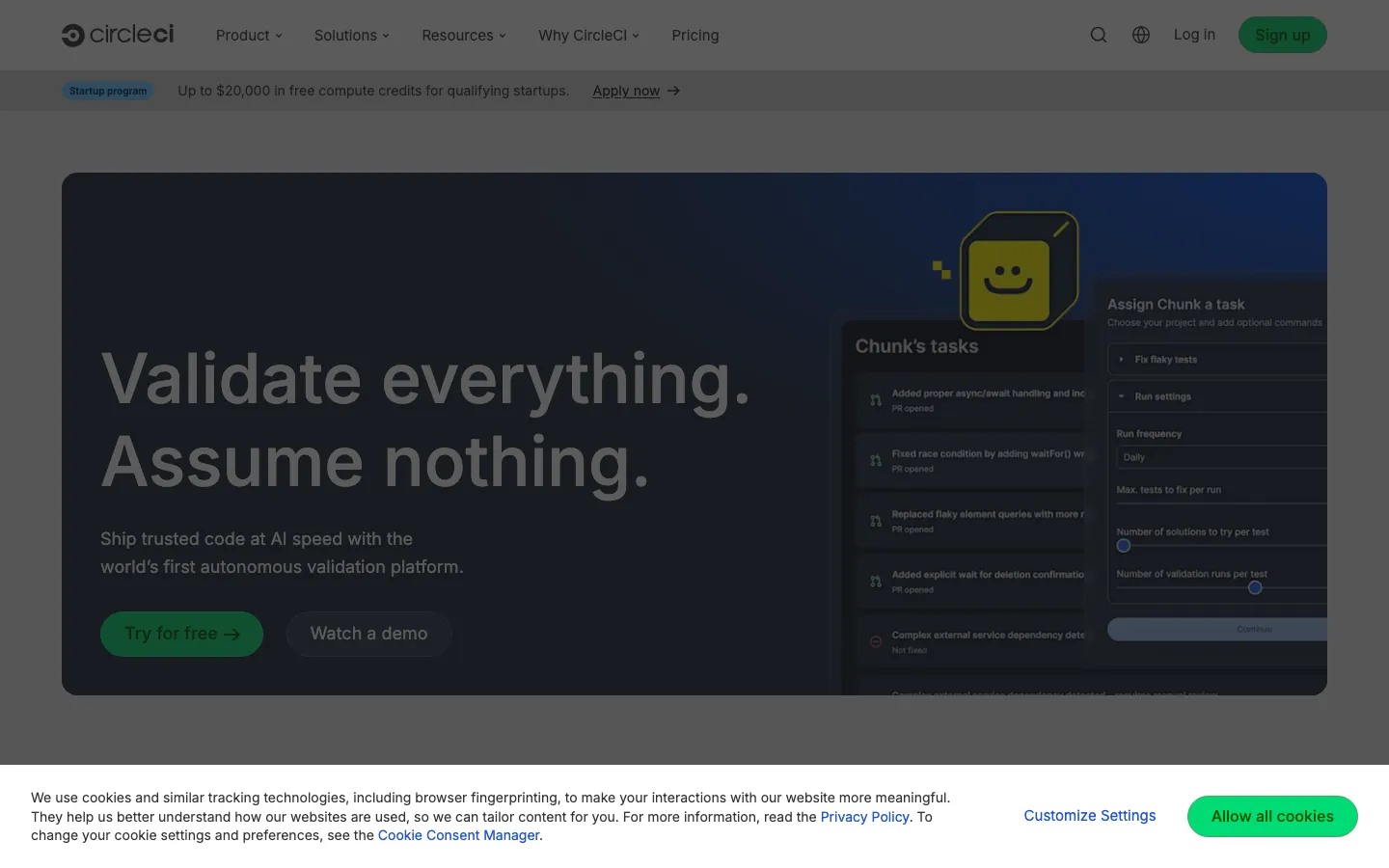
Screenshots of CircleCI 4 images
What's great
- Parallel test splitting cuts build times by 50-70% for test-heavy Ruby, Python, and JavaScript repos; the resource-class system gives teams real control over compute trade-offs
- Credit-based pricing makes it possible to optimize aggressively: move heavy steps to cheaper resource classes, cache aggressively, and watch the per-run cost drop
- Works with GitHub, GitLab, and Bitbucket; no SCM lock-in the way GitHub Actions or GitLab CI creates
Watch-outs
- Credit system is hard to estimate upfront; medium Linux job burns 10 credits/min ($0.006/min), macOS burns 100-300 credits/min ($0.06-0.18/min); teams routinely underestimate month-2 bills
- Product innovation has slowed visibly since the 2023 security incident; GitHub Actions has closed the feature gap for most use cases
- The free tier's 30,000 credits per month sounds generous but a 5-minute macOS build burns 500-1,500 credits; mobile teams hit the wall fast
Pricing breakdown
| Plan | Price | Best for |
|---|---|---|
| Free | $0 | 30K credits/mo |
| Performance | $15/active user/mo | 25K credits included |
| Scale | Custom | Large volume |
| Server (self-hosted) | Custom | On-prem or private cloud deployments |
Security & compliance
| Standard | Availability |
|---|---|
| SOC 2 Type II | Yes |
| GDPR | Yes |
| HIPAA | Scale |
| SSO / SAML | Scale |
| Audit logs | Scale |
CircleCI compliance summary: SOC 2 Type II is yes, GDPR is yes, HIPAA is scale, SSO/SAML is scale, and audit logs is scale.
Key integrations
| Integration | Type |
|---|---|
| Gmail | N/A |
| Outlook | N/A |
| Slack | Native integration |
| LinkedIn Sales Navigator | N/A |
| Outreach / Salesloft | N/A |
CircleCI integration summary: Gmail is not specified, Outlook is not specified, Slack is native integration, LinkedIn Sales Navigator is not specified, and Outreach or Salesloft is not specified.
Feature availability
| Feature | Status |
|---|---|
| Free tier | ✓ 30K credits |
| Parallel jobs | ✓ test splitting |
| Pipeline as code | ✓ YAML |
| Secrets management | ✓ contexts |
| Self hosted | Server plan only |
CircleCI feature availability summary: Free tier (✓ 30K credits), Parallel jobs (✓ test splitting), Pipeline as code (✓ YAML), Secrets management (✓ contexts), and Self hosted (Server plan only).
Loading reviews…
Buildkite
Best hybrid SaaS-plus-self-hosted for security-conscious teams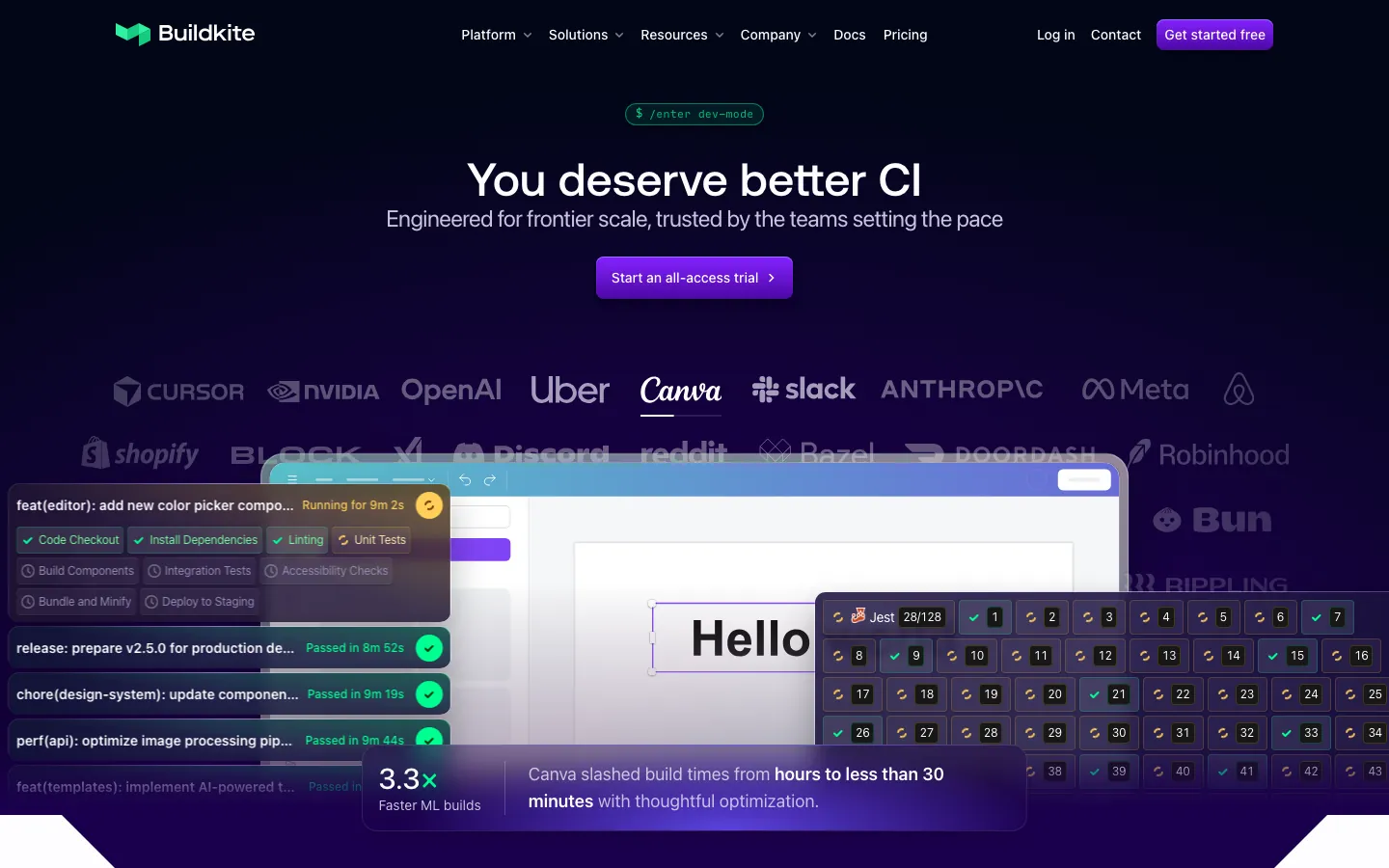
Screenshots of Buildkite 4 images
What's great
- Hybrid execution model: SaaS control plane (pipeline definitions, scheduling, reporting) plus self-hosted agents on your own compute; build logs and secrets never leave your infrastructure
- Per-user pricing with unlimited self-hosted agent runs means compute-heavy teams pay $30/user/mo flat, no minute metering once agents are on-prem
- 4.8/5 on G2 across 27 reviews; Canva publicly credited Buildkite with cutting their build times from hours to under 30 minutes on some workloads, a real-world proof point
Watch-outs
- G2 review count is low (27 reviews vs 511 for CircleCI); smaller community means fewer Stack Overflow answers and third-party tutorials when you hit edge cases
- $30/active user/mo is more expensive than GitHub Actions on moderate compute volumes; the per-user model only wins past the point where minute-metered costs would exceed the flat rate
- Pipeline configuration is YAML-based but less readable than GitHub Actions for engineers new to Buildkite; initial setup has a steeper ramp
Pricing breakdown
| Plan | Price | Best for |
|---|---|---|
| Personal | $0 | 1 user |
| Pro | $30/active user/mo | Unlimited users |
| Hosted compute (Linux) | $0.013/min (2 vCPU) | Managed runners |
| Enterprise | Custom (30-user min) | SCIM |
Security & compliance
| Standard | Availability |
|---|---|
| SOC 2 Type II | Yes |
| GDPR | Yes |
| HIPAA | Enterprise |
| SSO / SAML | Pro+ |
| Audit logs | Enterprise |
Buildkite compliance summary: SOC 2 Type II is yes, GDPR is yes, HIPAA is enterprise, SSO/SAML is pro+, and audit logs is enterprise.
Key integrations
| Integration | Type |
|---|---|
| Gmail | N/A |
| Outlook | N/A |
| Slack | Native integration |
| LinkedIn Sales Navigator | N/A |
| Outreach / Salesloft | N/A |
Buildkite integration summary: Gmail is not specified, Outlook is not specified, Slack is native integration, LinkedIn Sales Navigator is not specified, and Outreach or Salesloft is not specified.
Feature availability
| Feature | Status |
|---|---|
| Free tier | ✓ 1 user |
| Parallel jobs | ✓ |
| Pipeline as code | ✓ YAML |
| Secrets management | ✓ + Vault integration |
| Self hosted | ✓ unlimited agents |
Buildkite feature availability summary: Free tier (✓ 1 user), Parallel jobs (✓), Pipeline as code (✓ YAML), Secrets management (✓ + Vault integration), and Self hosted (✓ unlimited agents).
Loading reviews…
Harness
Best for platform-engineering teams with dedicated DevOps function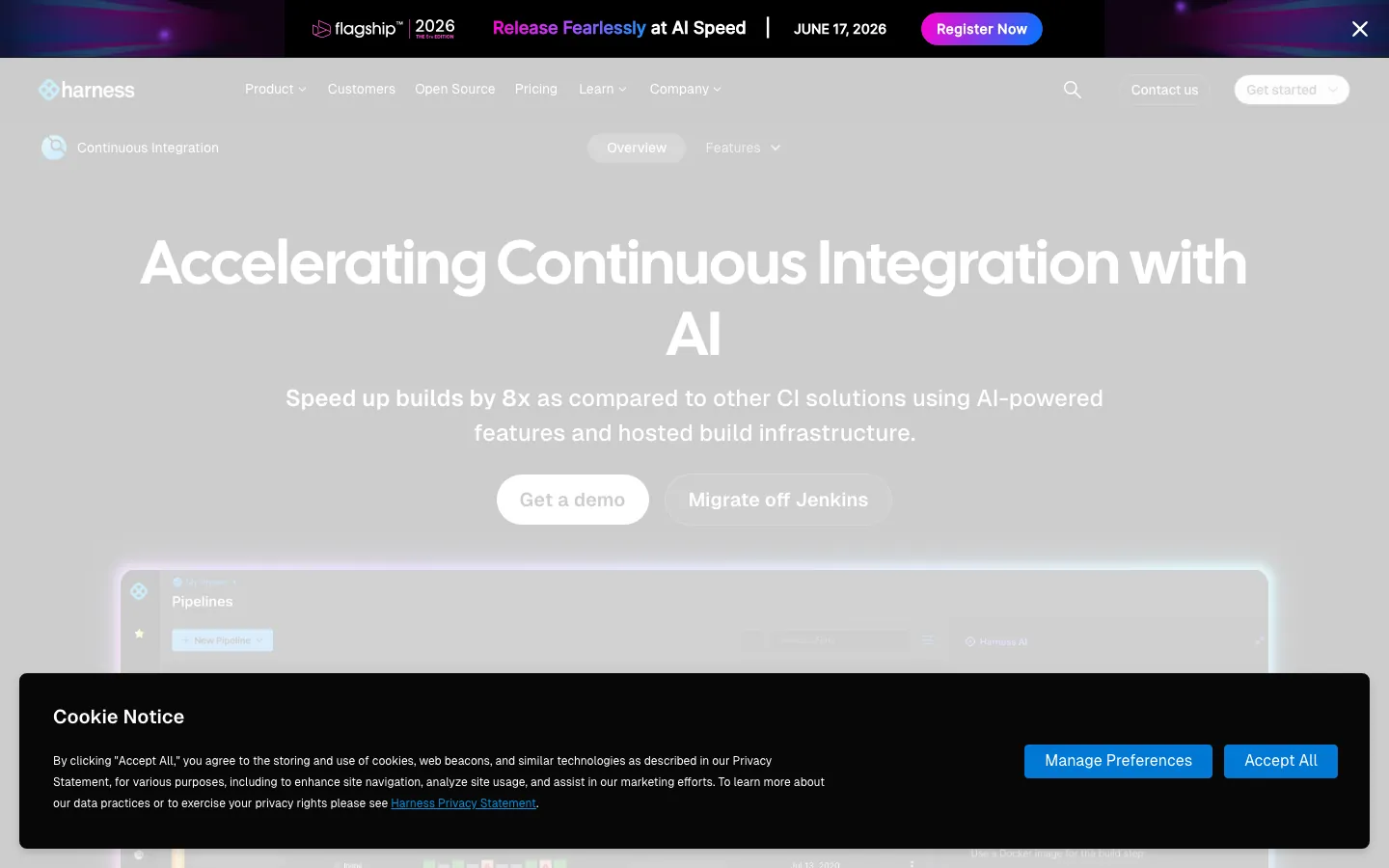
Screenshots of Harness 4 images
What's great
- Modular platform: buy CI, CD, Feature Flags, Cloud Cost Management, Security Testing separately or as a bundle; no forced all-in commitment like GitLab Ultimate
- Policy-as-code (OPA-based) governance lets platform teams enforce build standards, cost guardrails, and compliance rules without PR review on every pipeline change
- Harness claims 8x build speedup vs legacy tools via AI-powered test intelligence (selectively run only tests affected by a code change), strongest on large Java and TypeScript monorepos
Watch-outs
- Pricing is opaque; published Startup tier is $57/developer/mo, but enterprise deals typically require a sales conversation and contracts run $23K-$41K/yr for a 200-person org
- Steeper learning curve than any other tool here; domain-specific YAML, the step library, and the governance layer all need orientation time; plan 2-3 weeks for a first production pipeline
- Overkill for teams under 40 engineers or without a dedicated platform engineering function; the complexity overhead eats the productivity gains at small scale
Pricing breakdown
| Plan | Price | Best for |
|---|---|---|
| Free | $0 | Open source starter |
| Startup/Team | $57/developer/mo | Growing teams |
| Essentials | Custom | Mid-market |
| Enterprise | Custom | Unlimited concurrency |
Security & compliance
| Standard | Availability |
|---|---|
| SOC 2 Type II | Yes |
| GDPR | Yes |
| HIPAA | Enterprise |
| SSO / SAML | ✓ all tiers |
| Audit logs | ✓ all tiers |
Harness compliance summary: SOC 2 Type II is yes, GDPR is yes, HIPAA is enterprise, SSO/SAML is ✓ all tiers, and audit logs is ✓ all tiers.
Key integrations
| Integration | Type |
|---|---|
| Gmail | N/A |
| Outlook | N/A |
| Slack | Native integration |
| LinkedIn Sales Navigator | N/A |
| Outreach / Salesloft | N/A |
Harness integration summary: Gmail is not specified, Outlook is not specified, Slack is native integration, LinkedIn Sales Navigator is not specified, and Outreach or Salesloft is not specified.
Feature availability
| Feature | Status |
|---|---|
| Free tier | ✓ OSS starter |
| Parallel jobs | ✓ |
| Pipeline as code | ✓ YAML |
| Secrets management | ✓ + Vault/AWS SM |
| Self hosted | ✓ unlimited runners |
Harness feature availability summary: Free tier (✓ OSS starter), Parallel jobs (✓), Pipeline as code (✓ YAML), Secrets management (✓ + Vault/AWS SM), and Self hosted (✓ unlimited runners).
Loading reviews…
Semaphore
Best pay-as-you-go for performance-sensitive teams
Screenshots of Semaphore 4 images
What's great
- Pure compute-based pricing with no seat cost; a 5-person team pays the same as a 50-person team for the same compute volume, which inverts the economics on small-team growth
- 20 concurrent jobs by default on all plans, more concurrency out of the box than CircleCI's free tier or GitHub Actions' standard parallelism
- ARM 2-vCPU runners at $0.003/min are the cheapest in this comparison for ARM-native workloads; M-series macOS equivalents cost 30x less than Buildkite hosted Mac M4
Watch-outs
- Smaller ecosystem than GitHub Actions (no 21,000-action marketplace); most integrations require writing custom pipeline steps or using Docker-based plugins
- Support is a paid add-on ($50-$750/mo depending on SLA tier); the free plan has community support only, which is a real gap for production-critical pipelines
- Less name recognition in the US enterprise market; security procurement teams sometimes push back on less-known vendors even when the technical story is strong
Pricing breakdown
| Plan | Price | Best for |
|---|---|---|
| Pay-as-you-go (ARM Linux) | $0.003/min (2 vCPU) | ARM-native builds |
| Pay-as-you-go (x64 Linux) | $0.0075/min (2 vCPU) | Standard Linux builds |
| Self-hosted runners | $0.0025/min | Bring-your-own compute |
| macOS | $0.09/min (4 vCPU) | iOS/macOS mobile builds |
Security & compliance
| Standard | Availability |
|---|---|
| SOC 2 Type II | Yes |
| GDPR | Yes |
| HIPAA | Limited |
| SSO / SAML | $ add-on |
| Audit logs | • basic |
Semaphore compliance summary: SOC 2 Type II is yes, GDPR is yes, HIPAA is limited, SSO/SAML is $ add-on, and audit logs is • basic.
Key integrations
| Integration | Type |
|---|---|
| Gmail | N/A |
| Outlook | N/A |
| Slack | Native integration |
| LinkedIn Sales Navigator | N/A |
| Outreach / Salesloft | N/A |
Semaphore integration summary: Gmail is not specified, Outlook is not specified, Slack is native integration, LinkedIn Sales Navigator is not specified, and Outreach or Salesloft is not specified.
Feature availability
| Feature | Status |
|---|---|
| Free tier | ✓ $15 credits/mo |
| Parallel jobs | ✓ 20 default |
| Pipeline as code | ✓ YAML |
| Secrets management | ✓ native |
| Self hosted | ✓ $0.0025/min |
Semaphore feature availability summary: Free tier (✓ $15 credits/mo), Parallel jobs (✓ 20 default), Pipeline as code (✓ YAML), Secrets management (✓ native), and Self hosted (✓ $0.0025/min).
Loading reviews…
Spacelift
Best infrastructure CI/CD (Terraform, OpenTofu, Pulumi, Ansible)
Screenshots of Spacelift 4 images
What's great
- Purpose-built for IaC orchestration; drift detection, stack dependencies, approval workflows, and policy gates for Terraform/OpenTofu/Pulumi/Ansible in one place
- Does not charge per resource under management (unlike Terraform Cloud/HCP Terraform), which makes cost predictable for orgs managing hundreds of Terraform workspaces
- Policy-as-code via Open Policy Agent (OPA) lets platform teams enforce infrastructure standards at the pipeline level, not post-apply
Watch-outs
- Only relevant for teams doing infrastructure automation; not a general-purpose CI tool for application builds
- Starter at $399/mo is a hard sell for small teams; the free tier (2 users) is limited enough that most orgs need the paid tier quickly
- Kubernetes-native deployment (Argo CD, Flux) is outside Spacelift's core; teams managing both application and infrastructure pipelines still need a second CI tool
Pricing breakdown
| Plan | Price | Best for |
|---|---|---|
| Free | $0 | 2 users |
| Starter | $399/mo | Up to 10 users |
| Starter+ | Custom (annual) | Unlimited users |
| Business | Custom (annual) | Unlimited users |
| Enterprise | Custom | Unlimited users |
Security & compliance
| Standard | Availability |
|---|---|
| SOC 2 Type II | Yes |
| GDPR | Yes |
| HIPAA | Enterprise |
| SSO / SAML | Starter+ |
| Audit logs | Starter+ |
Spacelift compliance summary: SOC 2 Type II is yes, GDPR is yes, HIPAA is enterprise, SSO/SAML is starter+, and audit logs is starter+.
Key integrations
| Integration | Type |
|---|---|
| Gmail | N/A |
| Outlook | N/A |
| Slack | Native integration |
| LinkedIn Sales Navigator | N/A |
| Outreach / Salesloft | N/A |
Spacelift integration summary: Gmail is not specified, Outlook is not specified, Slack is native integration, LinkedIn Sales Navigator is not specified, and Outreach or Salesloft is not specified.
Feature availability
| Feature | Status |
|---|---|
| Free tier | ✓ 2 users |
| Parallel jobs | ✓ workers |
| Pipeline as code | ✓ stacks |
| Secrets management | ✓ contexts + Vault |
| Self hosted | ✓ workers |
Spacelift feature availability summary: Free tier (✓ 2 users), Parallel jobs (✓ workers), Pipeline as code (✓ stacks), Secrets management (✓ contexts + Vault), and Self hosted (✓ workers).
Loading reviews…
Jenkins
Best for legacy orgs with deep existing investment
Screenshots of Jenkins 4 images
What's great
- Free and open source with 1,800+ plugins; if a CI task exists, there is likely a Jenkins plugin for it
- Full self-hosted control: build logs, secrets, and artifacts never leave your network; the only tool here with zero mandatory cloud dependency
- 573 G2 reviews at 4.4/5 and a community that has been debugging these workflows for 15 years; the answer to any Jenkins problem is three Stack Overflow tabs away
Watch-outs
- JetBrains survey data shows Jenkins adoption at 28% in 2025, down from estimated 44% market share in 2023; teams are actively migrating, which creates a knowledge-drain problem as senior Jenkins admins leave
- Plugin sprawl is real: a typical enterprise Jenkins setup accumulates 80-120 plugins over 5 years, each with its own update cadence and security surface
- Pipeline-as-code (Jenkinsfiles) works but is significantly less readable than GitHub Actions YAML or GitLab CI config; onboarding new engineers onto complex Jenkinsfiles takes 3-5 days
Pricing breakdown
| Plan | Price | Best for |
|---|---|---|
| Community | $0 | Self-hosted |
| CloudBees CI (enterprise Jenkins) | Custom | Enterprise support + compliance |
| Managed infrastructure | $200-$2K+/mo | Hosted Jenkins on AWS/GCP/Azure |
| Admin cost | $80K-$130K/yr | Dedicated Jenkins admin (hidden cost) |
Security & compliance
| Standard | Availability |
|---|---|
| SOC 2 Type II | self-managed |
| GDPR | self-managed |
| HIPAA | self-managed |
| SSO / SAML | $ plugin |
| Audit logs | $ plugin |
Jenkins compliance summary: SOC 2 Type II is self-managed, GDPR is self-managed, HIPAA is self-managed, SSO/SAML is $ plugin, and audit logs is $ plugin.
Key integrations
| Integration | Type |
|---|---|
| Gmail | N/A |
| Outlook | N/A |
| Slack | $ plugin |
| LinkedIn Sales Navigator | N/A |
| Outreach / Salesloft | N/A |
Jenkins integration summary: Gmail is not specified, Outlook is not specified, Slack is $ plugin, LinkedIn Sales Navigator is not specified, and Outreach or Salesloft is not specified.
Feature availability
| Feature | Status |
|---|---|
| Free tier | ✓ OSS |
| Parallel jobs | ✓ agents |
| Pipeline as code | ✓ Jenkinsfile |
| Secrets management | $ Credentials plugin |
| Self hosted | ✓ full control |
Jenkins feature availability summary: Free tier (✓ OSS), Parallel jobs (✓ agents), Pipeline as code (✓ Jenkinsfile), Secrets management ($ Credentials plugin), and Self hosted (✓ full control).
Loading reviews…
Codefresh
Best GitOps-native CD for Kubernetes deployments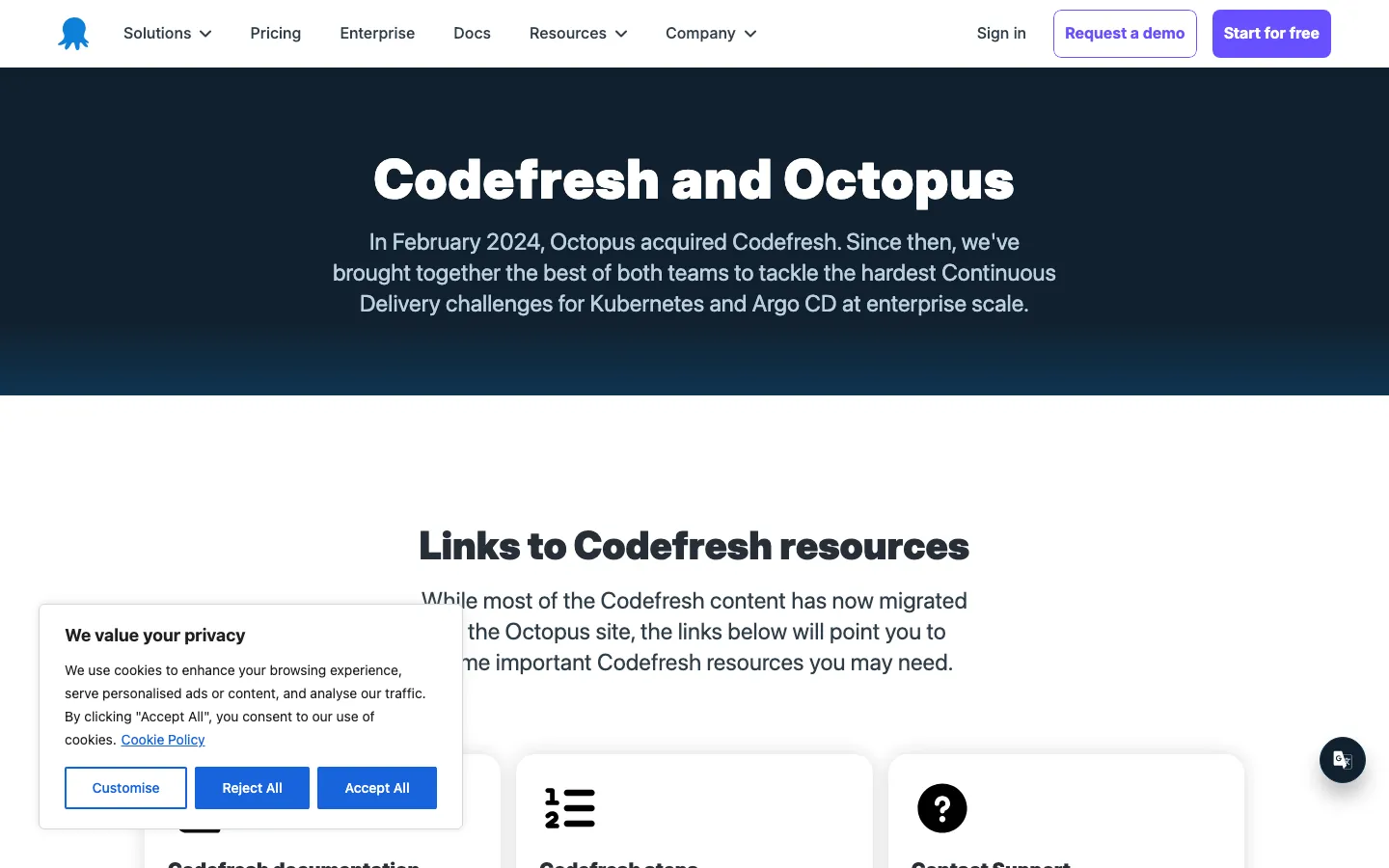
Screenshots of Codefresh 4 images
What's great
- Argo CD-native architecture; Codefresh wraps the full Argo suite (Argo CD, Argo Rollouts, Argo Events) with a managed control plane and enterprise UI
- DORA metrics, environment dashboards, and GitOps timeline are built in; no separate Datadog dashboard or custom scripting needed for deployment frequency and change failure rate
- Acquired by Octopus Deploy in 2024, which added enterprise-grade CD depth; teams doing blue-green, canary, and feature-flag-gated deploys on Kubernetes get the most from this stack
Watch-outs
- Kubernetes-only at the CD layer; teams with VMs, Lambda functions, or non-K8s deployment targets need a second tool
- Pricing history is opaque post-acquisition; the Octopus redirect from codefresh.io/pricing means getting a real number requires a sales call
- Tightly coupled to the Argo ecosystem; teams not on Argo CD face a significant migration to get the value
Pricing breakdown
| Plan | Price | Best for |
|---|---|---|
| Free | $0 | 1 |
| Paid (post-acquisition) | Contact sales | codefresh.io/pricing now redirects to Octopus Deploy |
| Pro | Custom | Multiple Argo runtimes |
| Enterprise | Custom | Octopus + Codefresh bundle |
Security & compliance
| Standard | Availability |
|---|---|
| SOC 2 Type II | Yes |
| GDPR | Yes |
| HIPAA | Enterprise |
| SSO / SAML | Pro+ |
| Audit logs | Pro+ |
Codefresh compliance summary: SOC 2 Type II is yes, GDPR is yes, HIPAA is enterprise, SSO/SAML is pro+, and audit logs is pro+.
Key integrations
| Integration | Type |
|---|---|
| Gmail | N/A |
| Outlook | N/A |
| Slack | Native integration |
| LinkedIn Sales Navigator | N/A |
| Outreach / Salesloft | N/A |
Codefresh integration summary: Gmail is not specified, Outlook is not specified, Slack is native integration, LinkedIn Sales Navigator is not specified, and Outreach or Salesloft is not specified.
Feature availability
| Feature | Status |
|---|---|
| Free tier | ✓ 1,200 min/mo |
| Parallel jobs | ✓ |
| Pipeline as code | ✓ .codefresh/ |
| Secrets management | ✓ + external SM |
| Self hosted | ✓ Argo runners |
Codefresh feature availability summary: Free tier (✓ 1,200 min/mo), Parallel jobs (✓), Pipeline as code (✓ .codefresh/), Secrets management (✓ + external SM), and Self hosted (✓ Argo runners).
Loading reviews…
Tools we considered but excluded
We evaluated more tools than the 9 you see above. These did not make the cut. Saying what we rejected, and why, is the editorial muscle most listicles skip.
- Travis CI: Market share has declined sharply since the 2020 acquisition and pricing changes; the engineering community has largely moved on
- Drone CI: Now bundled with Harness as a free community edition; standalone Drone is in maintenance mode and the community has forked to Woodpecker CI
- Azure DevOps Pipelines: Strong choice for Microsoft shops but the tooling assumes an Azure ecosystem; out of scope for the general US B2B SaaS audience this guide targets
- TeamCity: Strong enterprise product but JetBrains positioning skews toward Java/JVM shops; GitHub Actions covers most TeamCity use cases at lower total cost for non-JVM teams
- AWS CodeBuild: Tightly coupled to AWS; reasonable for orgs already on the full AWS developer toolchain but not a standalone CI recommendation for mixed cloud teams
- Argo CD (standalone): Excellent open-source GitOps engine but it is a CD reconciler, not a CI platform; it belongs in the CD half of the stack alongside any CI tool here
Honorable mentions
Solid tools that did not crack the main list but are worth tracking, especially for niche use cases.
- Woodpecker CI: Open-source fork of Drone CI with active 2025-2026 development; worth watching for self-hosted teams who want the Drone workflow model without the Harness ownership
- Dagger: Container-native CI engine that runs the same pipeline locally and in CI; developer experience is excellent and adoption is growing fast among teams who hate YAML drift between local and CI
- Flux CD: The GitOps alternative to Argo CD for K8s deployment; if your team prefers the pull-based GitOps model but doesn't want the Argo ecosystem lock-in, Flux is worth evaluating
The five sub-categories of CI/CD platforms
The CI/CD market splits across five practical sub-categories that get confused with each other in SERP comparisons. Knowing which bucket you’re in cuts the shortlist from 30 tools to three.
Source-code-native CI. GitHub Actions and GitLab CI live here. The integration advantage is the product; you get pipeline definitions, secrets, OIDC identity, and branch protection from the same system that hosts the code. Onboarding is fast; flexibility is medium; cost at high compute volume can surprise.
Hosted cloud CI. CircleCI and Semaphore sit in this bucket. SCM-agnostic, feature-rich parallelism models, and credit-based pricing that rewards teams who optimize aggressively. The value proposition weakens when GitHub Actions closes the feature gap on a given use case, which it has done for most standard workloads.
Hybrid SaaS-plus-self-hosted CI. Buildkite occupies this niche almost alone. SaaS control plane (pipeline scheduling, reporting, secret routing) paired with agents that run on your infrastructure. The security model satisfies regulated industries without the Jenkins maintenance tax. Per-user pricing instead of per-minute means compute-heavy teams pay a predictable flat rate.
Platform-engineering CI/CD. Harness lives here. Modular pricing, governance-layer features (policy as code, approval gates, cost visibility), and AI-powered test intelligence. Built for teams with a dedicated DevOps or platform engineering function.
Infrastructure CI/CD. Spacelift stands alone. Not for application builds. For teams running Terraform, OpenTofu, Pulumi, or Ansible at scale and needing drift detection, stack dependencies, and approval workflows that no general-purpose CI tool ships correctly.
The nine tools above cover all five buckets. Jenkins gets a slot because so many established engineering orgs still run it; you need to understand it to migrate off it.
Build pipeline checklist, what to verify in your trial
The CI/CD trials that produce good decisions follow the same eight steps. The ones that produce regret skip most of them.
One, run your actual worst-case build on day one. Not a Hello World project. Not the vendor’s demo repo. Take the build that takes longest today, clone it into the new platform, and time it. The number that comes back on day one is the real baseline. A 24-minute Rails test suite on GitHub Actions may drop to 9 minutes on CircleCI with parallel test splitting, or it may not move at all if the bottleneck is I/O-bound setup steps. You won’t know until you run it.
Two, break a build deliberately and time your debugging path. Push a commit that fails the test suite. Measure how long it takes from the red status to understanding which test failed and why. GitHub Actions requires reading raw YAML logs by default. Buildkite ships a visual step graph. Harness ships an AI failure analysis feature. The difference at 10 broken builds per week is real engineering hours.
Three, test secrets injection across three environments. Dev, staging, and production secrets should come from different sources (a local .env, a staging secret manager entry, a production Vault path) and the CI tool should handle all three without manual per-environment pipeline edits.
Tools that handle this cleanly: GitHub Actions via environment secrets, GitLab CI via protected variables, Harness via scoped secrets. Tools that require workarounds: vanilla Jenkins without the Credentials Binding plugin configured correctly.
Four, measure P99 build-time variability, not just median. Ask the vendor’s sales team for their SLA on hosted runner availability. GitHub Actions publishes status.githubstatus.com ; CircleCI publishes status.circleci.com . Your P99 build time (the slowest 1% of runs) is what your on-call engineer experiences at 2am during an incident rollback. Median build time is what the vendor demos.
Five, integrate with your alerting stack before signing. The CI tool is worthless if failure notifications don’t reach your on-call rotation. Test the Slack, PagerDuty, and email integrations against a real failing build. Confirm the notification contains enough context to act on (which step failed, which commit, which PR author) without clicking through to the platform.
Six, export your pipeline definitions and run them locally. Every tool here except Jenkins has a local-execution story of some kind (GitHub Actions with act, GitLab CI Runner local mode, Buildkite agent locally). Run the actual export and local replay before signing. This tells you two things: how portable your pipeline definitions are if you switch tools in two years, and how much of the tool’s magic happens inside a proprietary runtime that you can’t replicate.
Seven, verify the audit log before procurement signs. Security and compliance teams need to know who changed what pipeline, when, and from where. GitHub Actions has audit logs at the enterprise tier. Buildkite has audit logs on Enterprise. GitLab has them on Premium and above. Jenkins has them via a paid plugin. Run the test before your security team runs it for you during vendor review.
Eight, get two current customers at your team size on the phone. Not vendor-provided references. Search LinkedIn for “[Tool] engineer” titles at companies your size. Ask the unfiltered question: what would you change if you were picking again today? The answer is worth more than any G2 review because the person lived the migration.
How to choose the right CI/CD platform for your team
Five questions in order. Work through them and the shortlist drops to two or three real options.
1. Where your code lives
If your entire engineering org is on GitHub with no plans to change, GitHub Actions wins on integration depth alone. The native OIDC, pull-request checks, and branch protection integration saves setup hours that every other tool charges in configuration time. Past that, if you’re on GitLab, pick GitLab CI.
If you’re on a mix, CircleCI or Buildkite are the right SCM-agnostic picks.
2. Your security and compliance posture
If your security team has opinions about where build logs live, self-hosted runners are non-negotiable. Buildkite’s hybrid model (SaaS control plane, self-hosted agents) is the cleanest answer: you get modern pipeline management without surrendering data residency. GitLab self-managed works too but puts more operational burden on your team.
Jenkins gives maximum control at maximum maintenance cost.
When security is the whole decision rather than one factor among many, we rank these same platforms on native scanning, build-log data residency, and audit trails in the DevSecOps CI/CD breakdown .
- SOC 2 or HIPAA audit preparation: Buildkite Enterprise, GitLab Premium/Ultimate, or Harness Enterprise. All three produce clean audit logs.
- FedRAMP or government work: None of the SaaS tools qualify; you’re on self-hosted Jenkins or a dedicated government cloud.
- General B2B SaaS without compliance certification requirements: Any tool works; optimize for developer experience and cost.
3. Team size and growth rate
The honest answer shifts more with headcount than with any feature checklist. If you are under 15 engineers without a dedicated DevOps hire, our pick of CI/CD platforms sized for small teams re-scores this same field on free-tier ceiling and setup burden.
- Under 15 engineers: GitHub Actions Free or Team tier. $0 to $60/mo. Don’t overthink it.
- 15-50 engineers: GitHub Actions Team, CircleCI Performance, or Buildkite Pro depending on security posture. Budget $200-$900/mo.
- 50-150 engineers with a platform team: Harness or Buildkite Enterprise. This is where platform tooling pays back. Budget $3K-$8K/mo.
- 150+ engineers: Harness Enterprise, GitLab Ultimate, or Buildkite Enterprise. Custom pricing, plan for a 6-month procurement cycle.
4. Infrastructure automation in the pipeline
If your engineering team owns Terraform or OpenTofu and runs it through CI, you have two options: build a wrapper around a general-purpose CI tool (GitHub Actions with Atlantis, for example) or buy Spacelift.
The Spacelift path gives you drift detection, stack dependency graphs, approval gates, and OPA policies that the Atlantis path requires you to build yourself.
For teams managing more than 20 Terraform workspaces, Spacelift’s $399/mo starter is cheaper than the engineering time to maintain the DIY path.
5. Current build cost and where the compute goes
Run this calculation before picking: take your current build volume in minutes per month, split by platform (Linux x86, Linux ARM, macOS), and multiply by each vendor’s per-minute rate. Include the free tier offset. Factor in the self-hosted runner cost (EC2 Spot or equivalent) if you’re going hybrid.
A simple spreadsheet that models this is the cheapest way to avoid signing the wrong contract. The biggest mistake is optimizing for the monthly cost at current volume without modeling 2x growth; CI minute volumes roughly double every 12-18 months in a healthy engineering org.
What changes in CI/CD software in 2026
GitHub floated a self-hosted runner fee, then walked it back. In December 2025 GitHub announced a $0.002/min cloud platform fee that would have applied to self-hosted runner usage, with the charge slated to begin March 2026.
The community pushback was immediate. GitHub postponed the change indefinitely, stating it wanted to “re-evaluate our approach,” so the fee is not currently billed. Teams that build cost models on “self-hosted is free beyond infra” are safe for now, but the proposal is worth tracking.
The offset that did ship is the price cut: GitHub reduced hosted runner prices by up to 39% in January 2026 , so for teams on hosted runners the net is positive.
Jenkins adoption is declining measurably, not catastrophically. The JetBrains 2025 CI/CD survey shows GitHub Actions at 41% organizational adoption and Jenkins at 28%, down from historical highs.
The decline is concentrated in teams under 100 engineers making their first serious CI investment; large enterprises with existing Jenkins footprints are staying put. The practical implication: the Jenkins talent pool is shrinking, which raises the maintenance cost argument for migration faster than the tool’s capabilities justify.
AI-powered test intelligence is the first CI feature that actually ships ROI. Harness test intelligence (run only tests affected by the diff) and CircleCI’s smart test splitting are the two validated use cases.
The JetBrains survey found 73% of teams don’t use AI in CI workflows at all, citing unclear value and security concerns. The gap between the 27% doing AI-assisted CI and the 73% not is closing; expect AI test selection to be a standard feature across all major platforms by late 2026.
Infrastructure CI/CD is splitting from application CI. Spacelift, Atlantis, and Digger are growing precisely because Terraform and OpenTofu workflows have requirements (drift detection, approval gates, workspace dependency graphs) that general-purpose CI tools handle awkwardly. The market is not consolidating here; it’s bifurcating.
Orgs that try to run IaC pipelines through GitHub Actions with scripts end up maintaining brittle glue code. Purpose-built IaC CI tooling is worth the separate purchase.
Codefresh’s acquisition by Octopus Deploy is reshaping the GitOps CD market. The February 2024 acquisition merged Codefresh’s Argo-native GitOps platform with Octopus Deploy’s enterprise release management. For teams that bought either product independently, the roadmap is now a combined platform. For new buyers, the choice between Argo CD (self-managed), Codefresh/Octopus (managed), and Harness CD (modular) maps cleanly to build-vs-buy vs platform consolidation preference.
API depth and developer experience
This is the section that matters for platform engineering teams who want to treat the CI/CD tool as infrastructure, not a SaaS subscription.
Every tool here has a REST API and webhook support. The gaps are in depth, reliability, and SDK quality. GitHub Actions has the most-documented API surface because GitHub’s entire product is API-first; the Actions REST API covers workflow triggers, run inspection, artifact download, and runner management.
Buildkite ships a GraphQL API and a REST API; the GraphQL surface is the more useful one for real-time pipeline state queries, and the Buildkite team has historically been responsive on API design issues.
Harness has the deepest programmatic governance surface (OPA policy evaluation, approval gate APIs, cost APIs), which is why platform teams pick it over simpler tools.
Jenkins is the outlier here in both directions. The plugin ecosystem means there is an API for almost everything. The quality and versioning of those APIs varies by plugin and by year; it is common to find three different ways to trigger a build via API, two of which are deprecated, one of which requires a CSRF token that varies by Jenkins version.
Webhook reliability matters for event-driven pipeline triggers. Source-native tools like GitHub Actions and GitLab CI tend to start pipelines within a few seconds of a push because the trigger and the runner share the same platform. CircleCI publishes its incident history on its status page , worth checking if webhook latency is critical to your workflow.
Buildkite, running self-hosted agents, is consistently fast because the polling interval is operator-controlled.
For teams building internal developer platforms (IDPs) or golden-path templates on top of CI/CD, the choice of tool often comes down to which API surface the platform team is most comfortable maintaining. GitHub Actions wins on documentation breadth and community tooling.
Buildkite wins on operational predictability for teams who want the SaaS orchestration layer with self-hosted execution. Harness wins for governance automation scenarios.
Self-hosted vs SaaS trade-offs
Security teams in regulated industries ask about this in every procurement conversation. The actual answer is more nuanced than “self-hosted = secure, SaaS = risky.”
What SaaS CI tools do with your code. SaaS-hosted runners execute your build in an ephemeral container on the vendor’s infrastructure. The container is destroyed after the run. Your source code, test secrets, and build artifacts are transiently present on vendor hardware.
GitHub (SOC 2 Type II, ISO 27001), GitLab.com, CircleCI (SOC 2 Type II post-2023-incident recertification), Buildkite (SOC 2 for the control plane), and Semaphore all publish security certifications. The risk model is: ephemeral execution on certified infrastructure, not persistent storage.
What self-hosted runners actually solve. Self-hosted runners mean your build code runs on hardware you control.
This matters for: (1) workloads that access internal network resources (database migrations, internal API calls during integration tests), (2) regulated data that can’t transiently appear on third-party compute per compliance rules, and (3) compute cost optimization via Spot instances or dedicated hardware.
Self-hosted runners do not mean your pipeline metadata (run history, logs, secret names) stays off-vendor-infrastructure unless you also self-host the control plane (GitLab self-managed, Jenkins, or Buildkite Enterprise with a self-managed stack).
The hybrid model most regulated teams land on. Buildkite’s model is the cleanest: the control plane (pipeline scheduling, notification routing, run history) runs on Buildkite’s SaaS, but agent execution (where code runs) happens on your own compute.
A common regulated-industry setup runs Buildkite agents on AWS EC2 inside a VPC with no outbound internet access; the only data leaving the network is the run status posted to the Buildkite API, not the build logs or source. That model passes most financial services security reviews.
Jenkins full self-host cost reality. Full self-hosted (Jenkins controller plus agents on your own infrastructure) gives maximum control. It also means you own: the controller’s availability (Jenkins controllers go down), plugin security updates (announced CVEs require manual patching), the secrets management layer, and the disaster recovery story.
The 2026 blended cost of a dedicated Jenkins admin in the US is $90K-$130K/yr in salary plus tooling. For teams under 50 engineers, this math rarely works out.
Where the CI/CD platforms differ on core features
| Tool | Free tier | Self-hosted runners | Pipeline-as-code | Parallel jobs | AI-assisted testing |
|---|---|---|---|---|---|
| GitHub Actions | 2K min/mo (private) | ✓ (fee postponed) | ✓ YAML | ✓ matrix | • (Copilot) |
| GitLab CI | 400 min/mo | ✓ GitLab Runner | ✓ .gitlab-ci.yml | ✓ | • (AI code review) |
| CircleCI | 30K credits/mo | Server plan only | ✓ YAML | ✓ test splitting | • |
| Buildkite | 1 user Personal | ✓ unlimited agents | ✓ YAML | ✓ | ✗ |
| Harness | OSS starter | ✓ unlimited | ✓ YAML | ✓ | ✓ test intelligence |
| Semaphore | $15 credits/mo | ✓ $0.0025/min | ✓ YAML | ✓ 20 concurrent | ✗ |
| Spacelift | 2 users | ✓ workers | ✓ stacks | ✓ workers | ✗ |
| Jenkins | ✓ full OSS | ✓ unlimited | ✓ Jenkinsfile | ✓ agents | ✗ |
| Codefresh | 1,200 min/mo | ✓ Argo runners | ✓ YAML | ✓ | ✗ |
Harness is the only tool in this list shipping production-validated AI test intelligence (run only tests affected by the diff) as a default feature. GitHub Actions Copilot integration helps with YAML generation but doesn’t reduce test run time.
Spacelift’s strength is entirely in the IaC workflow row (not shown above because no other tool competes meaningfully in that row).
CI/CD security and compliance, tier by tier
| Tool | SOC 2 Type II | GDPR | HIPAA | SSO/SAML | Audit logs |
|---|---|---|---|---|---|
| GitHub Actions | ✓ | ✓ | Enterprise | Enterprise | Enterprise |
| GitLab CI | ✓ | ✓ | Ultimate | Premium+ | Premium+ |
| CircleCI | ✓ (recertified 2023) | ✓ | Scale | Scale | Scale |
| Buildkite | ✓ (control plane) | ✓ | Enterprise | Pro+ | Enterprise |
| Harness | ✓ | ✓ | Enterprise | ✓ all tiers | ✓ all tiers |
| Semaphore | ✓ | ✓ | • | $ add-on | • basic |
| Spacelift | ✓ | ✓ | Enterprise | Starter+ | Starter+ |
| Jenkins | self-managed | self-managed | self-managed | $ plugin | $ plugin |
| Codefresh | ✓ | ✓ | Enterprise | Pro+ | Pro+ |
Harness is the only tool in this list where SSO and audit logs are available on all paid tiers, not gated behind an enterprise plan. For regulated industries, Buildkite Enterprise (data stays on your infrastructure) and GitLab Ultimate self-managed (full on-prem) are the two options that satisfy the strictest security reviews.
Semaphore is the weakest on the enterprise compliance checklist; fine for startups, worth noting before a Series C security audit.
Integration depth across the CI/CD stack
| Tool | Slack | AWS (OIDC) | Datadog | Jira | Terraform |
|---|---|---|---|---|---|
| GitHub Actions | N | N | N | N | N |
| GitLab CI | N | N | N | N | N |
| CircleCI | N | N (OIDC) | N | N | N |
| Buildkite | N | N | N | N | N |
| Harness | N | N | N | N | N |
| Semaphore | N | N | • | • | N |
| Spacelift | N | N | N | N | N (native engine) |
| Jenkins | $ plugin | $ plugin | $ plugin | $ plugin | $ plugin |
| Codefresh | N | N | N | N | • limited |
All major SaaS tools ship native Slack and AWS OIDC integration; Jenkins requires plugins for both. Spacelift is the only tool with a native Terraform execution engine (not just a shell script that runs terraform apply).
For Datadog integration specifically, Harness’s pipeline metrics-to-Datadog flow is the most actionable for platform teams tracking DORA metrics; the others require custom metric forwarding scripts. If pipeline observability is the next problem on your list, our app monitoring and APM roundup ranks Datadog against its alternatives on tracing depth and ingest cost.
What CI/CD really costs in year one
Sticker prices vs what your team will actually pay in year one, once compute, self-hosted infrastructure, and admin time are factored in:
| Team profile | Sticker price | Real all-in (year 1) |
|---|---|---|
| 10-eng GitHub Actions Team | $40/mo platform + compute | $200-$600/mo |
| 10-eng CircleCI Performance | $150/mo | $300-$800/mo |
| 20-eng Buildkite Pro + self-hosted | $600/mo + AWS Spot | $700-$1,200/mo |
| 50-eng Harness Team | $2,850/mo | $3,500-$5,000/mo |
| 50-eng GitLab Ultimate | $4,950/mo | $5,500-$7,000/mo |
| 50-eng Jenkins (TCO) | $0 tool cost | $8,000-$12,000/mo (admin + infra) |
| Spacelift Starter | $399/mo | $400-$800/mo |
The Jenkins row is the one that surprises finance teams most. The tool is free; the engineer who owns it is not. At a fully-loaded cost of $130K/yr for a senior DevOps engineer, Jenkins becomes the most expensive option in the comparison for teams where CI/CD isn’t a full-time job.
The biggest forecasting error buyers make: modeling CI compute cost at current build volume without growth. CI minute consumption tends to roughly double every 12-18 months in actively shipping engineering orgs. A $300/mo GitHub Actions bill today is a $600/mo bill in 18 months before you’ve added a single new service.
Model 2x when presenting the business case.
How to implement CI/CD without breaking your shipping cadence
Migrations go wrong when teams try to cut over everything at once. Four-phase rollout that works.
Phase 1 (weeks 1-2): Run the new platform in parallel on one service. Pick the lowest-risk service in your stack (not the main monolith, not the payment service). Mirror the existing pipeline onto the new platform. Run both in parallel for two weeks. Compare build times, failure rates, and debugging experience. Don’t cut over anything; just observe.
Phase 2 (weeks 3-4): Migrate secrets and environment configs. This is where migrations stall. Secrets live in multiple places: .env files that developers never documented, Slack channel messages from 2021, someone’s LastPass. Audit before you migrate. Tools like trufflehog or gitleaks on the old pipeline’s history will surface secrets that never made it to a secrets manager. Every secret should be in the new platform’s secret store before the cutover date.
Phase 3 (weeks 5-8): Migrate service by service with a feature-flag-style cutover. The pattern that works is: new pipeline runs on every PR but the old pipeline still gates merge. Once the new pipeline has a clean two-week track record (zero regressions, build time parity or better), swap the gate. Don’t require unanimous team sign-off; require sign-off from the tech lead and the on-call rotation.
Phase 4 (weeks 9-12): Decommission old tooling and document the new standard. Archive the old pipeline definitions as read-only. Document the new pipeline standard in your internal dev portal (Backstage, Confluence, Notion; wherever engineers actually look).
Write the three Loom videos that explain: (1) how to add a new step, (2) how to debug a failing build, (3) how to request a new secret. Teams that don’t produce this documentation have engineers reverting to the old tool “just this once” through month six.
The CI/CD pick by company stage
- Pre-seed, under 5 engineers: GitHub Actions Free. $0. Ship code, don’t configure CI/CD.
- Seed to Series A, 5-20 engineers on GitHub: GitHub Actions Team ($4/user/mo + compute). Lowest friction from the tools you’re already using.
- Seed to Series A, 5-20 engineers on GitLab: GitLab CI Premium ($29/user/mo). Same logic.
- Series A to B, 20-60 engineers, test-suite bottleneck: CircleCI Performance ($15/active user/mo + credits). The test parallelism ROI is real if your suite takes more than 15 minutes.
- Series A to B, 20-60 engineers, security-conscious or regulated: Buildkite Pro ($30/user/mo + self-hosted compute). The hybrid model is the right architecture.
- Series B to C, 60-150 engineers with a platform team: Harness Essentials (custom pricing, budget $5K-$10K/mo). The governance layer starts paying back at this scale.
- Series C+, 150+ engineers: Harness Enterprise or GitLab Ultimate, depending on whether your DevOps team wants a single-vendor story or a specialized stack.
- Any team with 20+ Terraform workspaces: Spacelift Starter ($399/mo) alongside whatever application CI you pick.
- Legacy Jenkins shops: Audit the migration cost. If it’s under 18 months of admin salary, migrate. If not, upgrade to CloudBees CI for support and stay put.
- Kubernetes-native deployments, GitOps model: Codefresh/Octopus for managed. Argo CD self-managed for teams with a platform engineering function who want to own the stack.
For corrections, updated pricing, or feedback on this methodology, email hello@topickz.com . We re-check the full CI/CD shortlist on our review cadence and update the ratings and pricing when they move.
Frequently asked questions
GitHub Actions vs GitLab CI in 2026, which one wins?
On GitHub, Actions wins on integration depth. On GitLab, GitLab CI wins cleanly. Multi-VCS shops should look at CircleCI or Buildkite.
Should we self-host CI runners in 2026?
Under 20 engineers, usually no. Above that, hybrid (SaaS orchestration plus self-hosted compute) saves 60-80% vs hosted runners at scale.
How much should CI/CD cost per month for a 30-engineer team?
$200-$800/mo on GitHub Actions or CircleCI. Buildkite runs $900/mo flat with self-hosted compute saving 60% on top. Jenkins costs $0 plus $80K/yr for an admin.
Is Jenkins worth it in 2026 or should we migrate?
Migrate unless you have a dedicated Jenkins admin and migration cost exceeds 2 years of maintenance. Downward adoption trend is real per JetBrains data.
What CI/CD tool is best for Kubernetes deployments?
Codefresh for GitOps-native Argo CD deployments. Harness for progressive delivery with policy gates. GitHub Actions + Argo CD for most teams already on GitHub.
What is the real cost of GitHub Actions for a 50-engineer team in 2026?
Roughly $400-$1,200/mo depending on build frequency and language. macOS builds cost 10x Linux. GitHub announced a $0.002/min self-hosted runner fee in December 2025 but postponed it indefinitely, so self-hosted runners are not currently metered.
How do we choose between per-seat and per-minute CI/CD pricing?
Per-minute wins for bursty teams. Per-seat wins for high, consistent volume. Buildkite per-user beats per-minute past 25 engineers on heavy compute workloads.
What CI/CD tool do regulated industries (fintech, healthcare) use?
Buildkite hybrid model and GitLab self-managed are the most common in regulated environments. Both keep build logs and secrets on-prem.
How long does CI/CD migration take from Jenkins?
Six to twelve weeks for parallel running. Expect orphaned pipelines and broken caches. Migrating secrets and environment configs is the hardest part.
Does AI in CI/CD pipelines actually work in 2026?
Per JetBrains survey, 73% of teams don't use AI in CI/CD at all. Harness test intelligence is the most validated use case; cuts test time 40-70% on suites.
Related helpful reads
Write a review
Posts to the page right away. Keep it real — no links or email addresses.