
Comparing the best AI Customer Support Tools of 2026 includes 1. Intercom Fin 2. Zendesk AI 3. Ada 4. Sierra 5. Forethought 6. Decagon 7. Crescendo 8. eesel AI.
TL;DR
- Intercom Fin: Best overall for SaaS and mid-market support. You pay $0.99 only when Fin actually resolves a ticket end to end, and it ranked #1 AI Agent on G2 in 2026.
- Ada: Best for compliance-heavy support in regulated industries. You can lock sensitive topics behind human-only routing, and Ada averages 4.6/5 across 173 G2 reviews.
- Sierra: Best autonomous enterprise AI agent for voice and chat. Sub-second voice latency handles billing disputes and account changes without a human in the loop, though contracts start around $150K/year.
- Zendesk AI: Best for existing Zendesk Suite customers. If you already run Zendesk Suite, the Advanced AI add-on turns on in one click at $50/agent/mo, and it carries the largest review base here at 6,944 G2 reviews.
- eesel AI: Best self-serve SMB pick at the lowest per-ticket cost. At $0.40/ticket with no platform fee and no sales call, a 500-ticket month costs $200 flat, and eesel AI averages 4.7/5 across 17 G2 reviews.
Eight AI support platforms compared on deflection rate, escalation accuracy, hallucination frequency, and real per-resolution cost. We synthesized real G2 review themes, verified pricing, and hands-on feature checks rather than vendor demo claims.
What Are AI customer support tools?
AI customer support tools help support teams resolve tickets automatically, answering common questions, drafting replies, and deflecting routine requests so agents focus on complex cases.
Tools like Intercom Fin, Zendesk AI, Ada, and Sierra differ on resolution rate, setup effort, and how well they ground answers in your help content.
Best AI Customer Support Tools comparison: features, pricing and verdicts
| Tool | Best for | Starting price | Free trial | External rating |
|---|---|---|---|---|
Best overall for SaaS and mid-market support | $0.99/resolution | 14-day free trial | G2 4.5/5 (3,855 reviews) | |
Best for existing Zendesk Suite customers | $50/agent/mo add-on | Demo only | G2 4.3/5 (6,944 reviews) | |
Best for compliance-heavy support in regulated industries | Custom, ~$30K/yr floor | Demo only | G2 4.6/5 (173 reviews) | |
Best autonomous enterprise AI agent for voice and chat | ~$150K/yr est. | Demo only | G2 4.4/5 (14 reviews) | |
Best AI triage and routing layer for Zendesk-heavy teams | Custom, ~$60K/yr est. | Demo only | G2 4.3/5 (166 reviews) | |
Best autonomous agent for complex multi-step queries | ~$50K/yr platform fee | Demo only | G2 4.9/5 (18 reviews) | |
Best AI-plus-human hybrid for guaranteed resolution SLAs | $2.99/resolution | Demo only | ★ 8.4 | |
Best self-serve SMB pick at the lowest per-ticket cost | $0.40/ticket | $50 free credit, no card | G2 4.7/5 (17 reviews) |
How we chose these tools
We compared the platforms on the four metrics that matter to a support leader, deflection rate (ticket resolved without human), hallucination rate (AI gave factually wrong answer), false-escalation rate (AI sent to human when it could have handled), and real cost per resolution including platform fees. The analysis synthesizes real G2 review themes, published vendor and case-study data, and hands-on feature checks across small, mid-size, and high-volume support teams. Pricing was verified directly with vendors or from published pages in May 2026. G2 ratings were pulled May 25, 2026.
How we weight ai customer support tools for the Topickz score
Every tool above is scored against the fixed rubric below and combined using these weights into the Topickz score on each card. The weights are set for ai customer support tools specifically, they are not copied from another category, and we publish them so you can see what moved a ranking and re-weight for your own priorities.
| Criterion | Weight | What we checked |
|---|---|---|
| Automated resolution and deflection rate | 26% | The share of tickets the AI closes end to end without a human. We weighted real resolution over demo-day claims, since this is the number a support leader is buying. |
| Answer accuracy and hallucination control | 20% | How often the AI gives a wrong answer, and what guardrails keep it grounded in your help content. A confident wrong reply costs more than a clean handoff. |
| Escalation accuracy and human handoff | 16% | Whether the AI routes to a human at the right moment and passes full context when it does. We checked both premature escalations and cases it should have escalated but did not. |
| Cost per resolution and total cost | 16% | Real per-resolution price including platform fees, not the headline rate. Outcome pricing looks clean until volume compounds, so we ran the math at high ticket counts. |
| Knowledge grounding and setup effort | 14% | How much work it takes to point the AI at your docs and get accurate answers back. Setup effort is where most rollouts stall. |
| Integrations with existing help desk | 8% | Whether it drops onto the help desk you already run or forces a platform switch. Teams on an existing stack care about this more than feature breadth. |
| Total | 100% |
Read the full TopickZ.com testing methodology for how we run each test, score every criterion, and combine them into a single rating.
Detailed reviews
Intercom Fin
Best overall for SaaS and mid-market support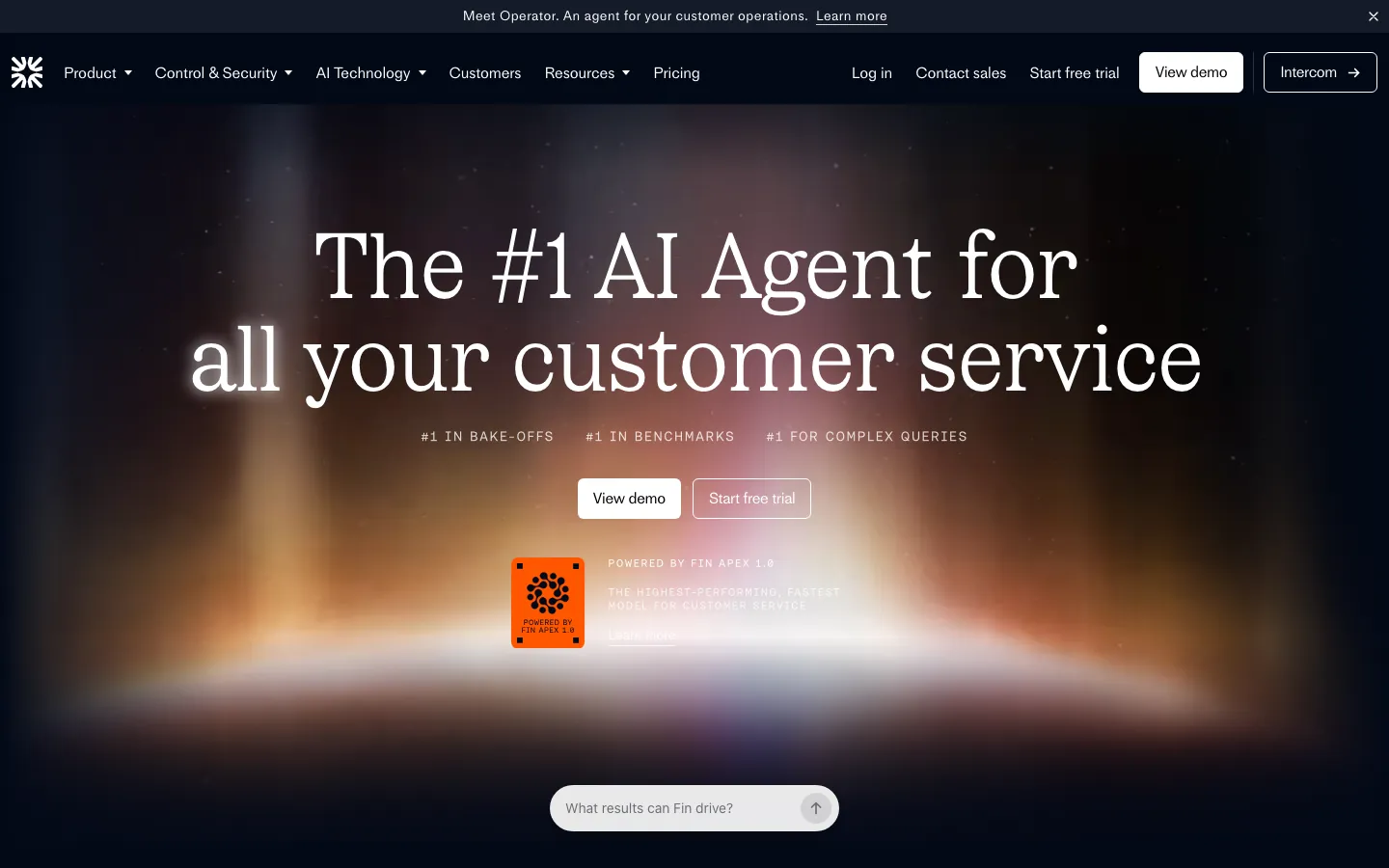
Screenshots of Intercom Fin 3 images
What's great
- Ranked
- Outcome-based pricing at $0.99/resolution with no platform fee if you already run Intercom, the most transparent cost model in the segment
- Fin Voice ships as a separate tier, covering voice, email, and chat from a single agent orchestration layer
Watch-outs
- Requires Intercom as the underlying help desk for full feature access; teams on Zendesk or Freshdesk pay the $0.99 rate but lose workflow depth
- Resolution pricing compounds fast at high volume; 10,000 resolutions/month is $9,900/mo before any Intercom seat costs
- Hallucination rate on edge-case policy questions runs higher than Sierra or Decagon on complex multi-step queries
Pricing breakdown
| Plan | Price | Best for |
|---|---|---|
| Fin Standalone (any helpdesk) | $0.99/resolution, $49.50 min/mo | Teams on Zendesk, Freshdesk, HubSpot |
| Fin + Intercom Essential | $0.99/resolution + $29/seat/mo | 1-10 agent teams with full Intercom suite |
| Fin + Intercom Advanced | $0.99/resolution + $85/seat/mo | 10-50 agent teams with reporting |
| Fin Voice | Custom | Voice AI deployments |
What reviewers say about Intercom Fin
Recurring themes across ~3,855 G2 reviews (4.5/5), 2024-2026.
What reviewers praise
- Reviewers consistently highlight instant, accurate responses drawn from existing help content, with new queries handled without manual triage effort.
- Multilingual support and voice capability (Fin Voice) are called out as standout features for teams serving global customer bases.
- The setup process within the Intercom platform is praised for being fast, with teams reporting useful deflection within days of going live.
- Omnichannel coverage across chat, email, and social from a single workspace reduces tool-switching and keeps agent context intact.
- G2 ranks Fin as the top AI agent in its category, and reviewers cite strong automated resolution rates as the primary reason for recommending it.
What reviewers fault
- Resolution-based pricing at $0.99 per resolved conversation creates billing volatility, with reviewers reporting costs climbing sharply as Fin handles more tickets.
- Copilot access costs an additional $35 per agent per month on top of seat plans, which reviewers call an expensive add-on that should be included.
- Fin performs best inside the Intercom ecosystem only; syncing knowledge from Notion or Confluence is limited to copilot mode, blocking autonomous replies.
- Advanced automation requires significant configuration effort and does not work reliably out of the box for complex or multi-step workflows.
- Some reviewers report AI inaccuracies and occasional hallucinations, requiring agents to manually correct or override responses before customers receive them.
Loading reviews…
Zendesk AI
Best for existing Zendesk Suite customers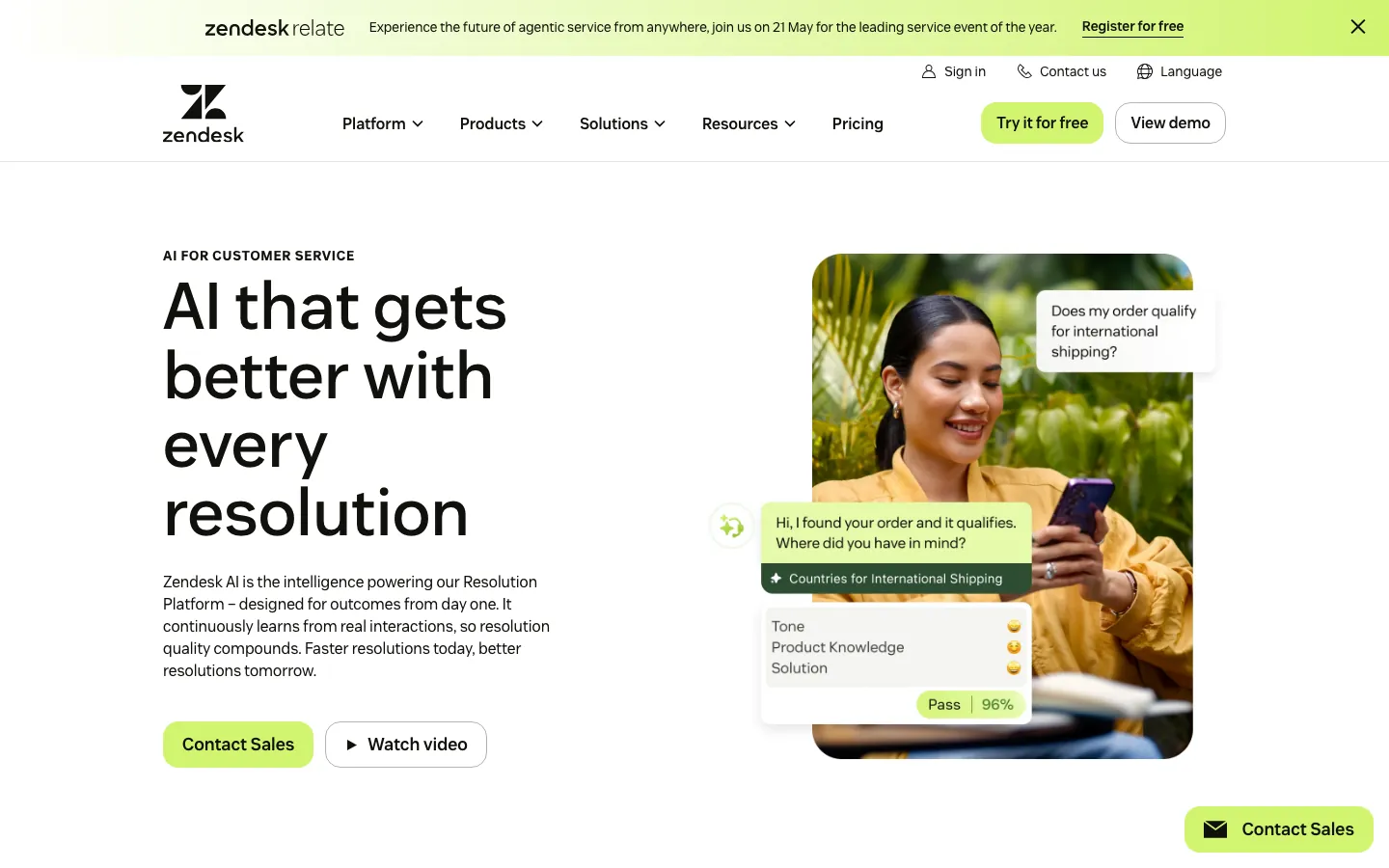
Screenshots of Zendesk AI 3 images
What's great
- Zero integration friction for the 100,000+ companies already on Zendesk Suite, advanced AI turns on in one click
- Intelligent triage (auto-classifies tickets by intent, language, and sentiment) cuts manual routing time meaningfully
- 6,944 G2 reviews at 4.3/5, the largest review base for any dedicated support platform in this guide
Watch-outs
- Advanced AI add-on at $50/agent/month stacks on top of Suite Growth ($89) or Professional ($115); all-in cost hits $139-$165/agent/mo before any resolution fees
- Deflection rate trails Fin and Ada; the AI works best as an agent-assist layer, less as a full autonomous resolver
- Automated resolution fee at $2.00/resolution (or $1.50 in bundle) on top of the per-agent cost makes the total price unpredictable at high volume
Pricing breakdown
| Plan | Price | Best for |
|---|---|---|
| Suite Growth | $89/agent/mo | Under 20 agents |
| Suite Professional | $115/agent/mo | 20-100 agents |
| Suite Enterprise | $169/agent/mo | 100+ agents |
| Advanced AI add-on | +$50/agent/mo | Any tier |
What reviewers say about Zendesk AI
Recurring themes across ~6,944 G2 reviews (4.3/5) and Capterra reviews (4.5/5), 2024-2026.
What reviewers praise
- Core ticket management is the most frequently praised capability, with reviewers calling it dependable at scale and reliable for day-to-day agent workflows.
- Omnichannel consolidation of email, chat, phone, and social into one workspace is consistently cited as a primary reason teams choose Zendesk.
- Workflow automation through triggers, macros, and AI-powered ticket routing gets strong marks for reducing repetitive agent workload significantly.
- The integration marketplace is praised across thousands of reviews for connecting Zendesk to almost any existing stack without custom development.
- AI ticket summarization and intelligent triage are noted as genuine time-savers, with reviewers saying these features reduced resolution time measurably.
What reviewers fault
- AI feature pricing is opaque, with reviewers repeatedly reporting that advanced automation capabilities sit behind higher tiers or undisclosed add-on costs.
- Setup complexity is the most common complaint, with Gartner and G2 reviewers alike describing it as not plug-and-play and requiring heavy initial configuration.
- Costs scale quickly with agent count and add-ons, and reviewers from startup and SMB segments say Zendesk becomes hard to justify as the team grows.
- Customization of ticket forms, workflows, and user roles is more limited than expected, particularly for teams with non-standard support processes.
- UI performance issues including slowdowns after updates and a weak mobile chat experience are called out by reviewers across Capterra and G2.
Loading reviews…
Ada
Best for compliance-heavy support in regulated industries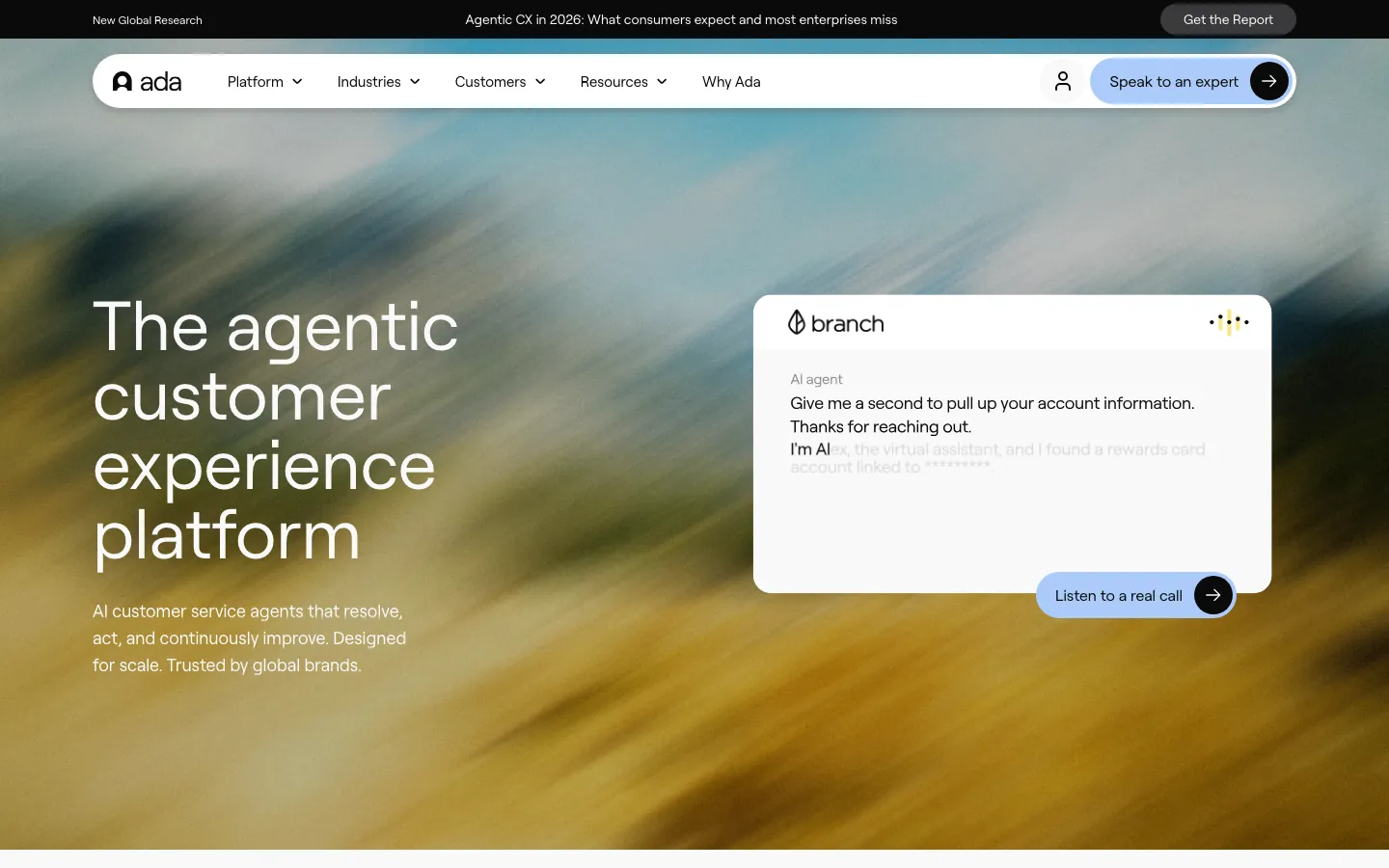
Screenshots of Ada 3 images
What's great
- Most mature content governance in the segment; response playbooks, answer-level confidence thresholds, and per-channel escalation rules all configurable without engineering
- 42% reduction in average agent handle time in published customer case studies (60,000 human labor hours saved per month at one enterprise customer)
- Multi-language depth across 50+ languages; the strongest voice for global enterprises needing consistent brand tone across markets
Watch-outs
- Pricing is fully sales-gated; public signals put the floor at $30,000/year with enterprise contracts landing $75,000-$200,000+
- Setup timeline is a full quarter minimum; Ada requires careful knowledge-base structuring before the AI performs reliably
- Best suited for orgs with 300,000+ annual support conversations; smaller teams will not recover the implementation cost
Pricing breakdown
| Plan | Price | Best for |
|---|---|---|
| Professional | ~$30K/yr est. | Mid-size orgs, 300K+ conversations/yr |
| Enterprise | $75K-$200K/yr est. | Large orgs |
| Custom | Contact sales | Fortune 500 with bespoke integrations |
| Per-resolution tier | $1.00-$3.50/resolution | Volume-based contract negotiation |
What reviewers say about Ada
Recurring themes across ~173 G2 reviews (4.6/5) from admins and platform operators, 2024-2026. Note: Trustpilot end-user rating is 2.0/5, reflecting a distinct buyer vs. end-user experience gap.
What reviewers praise
- Reviewers praise the clean, intuitive conversation flow builder for making it possible to design and update automated journeys without engineering involvement.
- Zendesk Help Center sync is frequently cited as a standout integration, with help article updates automatically reflected in Ada responses without manual work.
- Dedicated account management is called out repeatedly by enterprise customers as a differentiator, with reviewers noting responsive hands-on support during build and launch.
- High automation rates of 70 to 83 percent are cited by multiple reviewers as real-world outcomes, with the Coaching feature praised for making performance tuning accessible.
- Multilingual handling for global customer bases is praised for reducing localization overhead without requiring separate workflows per language.
What reviewers fault
- Pricing is not published and requires a custom quote, with G2 reviewers flagging this as a major friction point, with contracts commonly starting around $30,000 per year.
- Context loss between conversation turns is a recurring complaint, with customers forced to repeat issue details during multi-turn exchanges.
- Human escalation paths are difficult to reach by design, and reviewers note that customers get trapped in automated loops when the AI cannot resolve their issue.
- The platform is positioned for companies with 300,000 or more annual support conversations, and reviewers from smaller teams say the complexity-to-value ratio is unfavorable.
- Knowledge sourcing is limited to formal help-center content, leaving gaps when relevant information lives in internal tickets, wikis, or shared documents.
Loading reviews…
Sierra
Best autonomous enterprise AI agent for voice and chat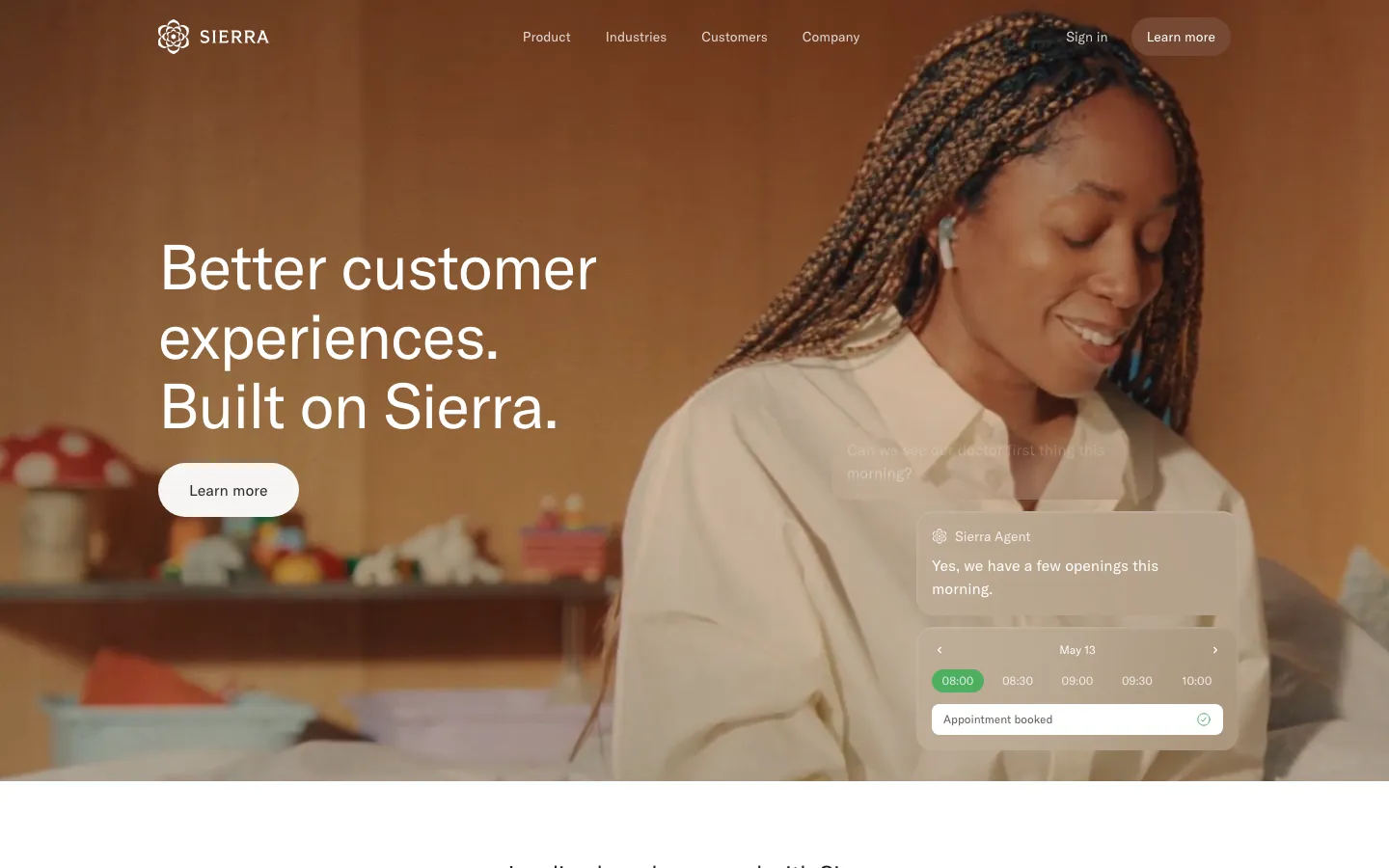
Screenshots of Sierra 3 images
What's great
- Sub-second voice response latency with human-grade conversation flow, the best voice AI in this segment for enterprise use cases
- Named customer base includes Weight Watchers, OluKai, and SiriusXM; real-world performance data from brand deployments is published and auditable
- Outcome-based pricing model charges only for successful resolutions, not conversation volume, so incentive alignment with your support goals is direct
Watch-outs
- Year-one all-in cost runs $200,000-$350,000 including $50,000-$200,000 setup fees; accessible only to orgs with a real CX budget
- Deployment timelines of 3-6 months mean you will not see ROI in the first quarter
- G2 review count is still early-stage (14 reviews), less validated than Fin or Zendesk; the most honest read of performance comes from named case studies
Pricing breakdown
| Plan | Price | Best for |
|---|---|---|
| Enterprise (est.) | ~$150K/yr min | 1M+ conversations/yr, branded voice |
| Custom | $200K-$350K+ yr-1 all-in | Fortune 1000 with complex workflows |
| Setup fee | $50K-$200K one-time | Included in enterprise contract |
| Per-resolution tier | Outcome-based | Negotiated volume terms |
What reviewers say about Sierra
Recurring themes across 14 G2 reviews (4.4/5) and supplementary coverage from independent review aggregators, 2024-2026. Review count is very low; treat sentiment as directional.
What reviewers praise
- Reviewers describe the interface as clean and navigable once familiar, with a personality and tone customization layer that makes the AI feel less generic than traditional chatbots.
- The implementation team receives consistent praise for being guided and responsive, with reviewers citing the CSM-led setup as a material reason they got value out of onboarding.
- High-volume simultaneous conversation handling is praised, with documented automation rates of 65 to 90 percent across enterprise customers including Ramp, Casper, and Chime.
- Integration with existing systems including Zendesk, Shopify, and Confluence is noted as a strength, allowing AI deployment without replacing the current support stack.
- Data privacy commitments, including customer data not used for general model training and automatic PII masking, are called out as differentiators for regulated industries.
What reviewers fault
- A steep learning curve is the most frequent G2 theme, with new users reporting the platform hinders productivity initially until the team adjusts to configuration patterns.
- Pricing is not published and implementation starts around $50,000 on top of annual contracts typically in the $150,000 range, which reviewers say is hard to evaluate without transparency.
- Many configuration changes require Sierra's own team rather than self-service edits, which slows iteration when the AI needs adjustments based on live performance data.
- Context retention breaks down in extended multi-turn conversations, with the AI sometimes reverting to generic or repeated responses instead of building on prior turns.
- Occasional bugs and platform slowdowns are flagged by multiple reviewers, with some noting that performance inconsistency is a concern for customer-facing interactions.
Loading reviews…
Forethought
Best AI triage and routing layer for Zendesk-heavy teams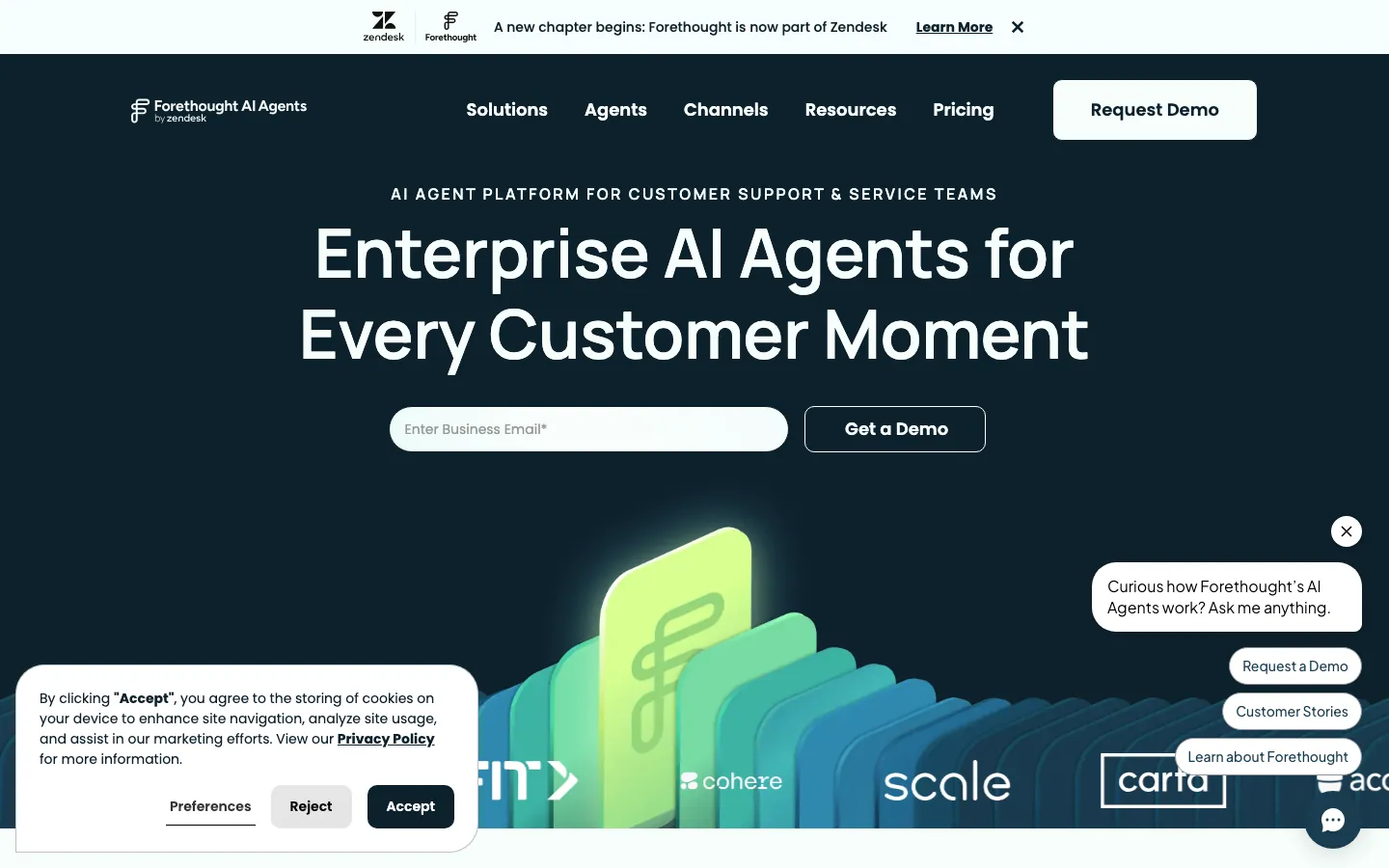
Screenshots of Forethought 3 images
What's great
- Strongest intent-based routing layer in the segment; the platform decides whether to deflect, route to a specialist, or escalate to sales, not just deflect or hand off
- Agent Assist mode surfaces the top 3 relevant articles and past-ticket context before the agent types a single word, cutting handle time materially
- Acquired by Zendesk in March 2026, which means native integration depth with Zendesk that no third-party tool can match
Watch-outs
- Deflection rate on pure AI-resolution mode trails Fin and Ada; the product strength is augmentation, not replacement
- Minimum viable usage requires 20,000+ historical tickets before AI models perform reliably, a bar that eliminates sub-200-agent teams
- G2 reviewers at 4.3/5 across 166 reviews flag that AI suggestions miss the mark when query context is slightly off-pattern, leading to agent confusion
Pricing breakdown
| Plan | Price | Best for |
|---|---|---|
| Growth | ~$40K/yr est. | Mid-market, 20K+ tickets/yr |
| Scale | ~$80K-$155K/yr est. | Enterprise |
| Custom | Contact sales | Zendesk-native enterprise orgs |
| Per-resolution add-on | Volume-based | Outcome-based pricing negotiation |
What reviewers say about Forethought
Recurring themes across ~166 G2 reviews (4.3/5), 2024-2026. Note: Zendesk acquired Forethought in March 2026.
What reviewers praise
- Reviewers consistently praise the platform as easy to use once configured, with an intuitive interface that support operations managers can work with day-to-day without engineering help.
- The multi-agent architecture, covering triage, deflection, and resolution in an integrated system, is cited as offering breadth that most competitors provide only through separate tools.
- Natural-language Autoflow creation is praised for letting teams build and modify routing logic in minutes rather than the days required with traditional decision-tree builders.
- Customer support responsiveness from the Forethought team is flagged as a genuine strength, with reviewers noting dedicated support during implementation and ongoing tuning.
- Enterprise-grade compliance including SOC 2 Type II and HIPAA certification is cited by reviewers in regulated industries as a deciding factor in choosing the platform.
What reviewers fault
- Initial setup demands significant time and iterative collaboration with engineering, and reviewers note that the platform is not fast to deploy for teams without dedicated admins.
- AI intents and triage workflows require constant monitoring and adjustment as ticket types evolve, creating ongoing operational burden that reviewers did not anticipate before signing.
- Reporting and analytics are described as difficult to parse and largely manual, with no AI-powered layer to surface which workflows are underperforming.
- Pricing is not published, with median contract values around $59,500 per year including automatic price uplifts, which reviewers say came as a surprise post-signature.
- Image support is missing and there is no testing mode for validating AI responses before they go live, which reviewers flag as gaps for teams managing brand-sensitive interactions.
Loading reviews…
Decagon
Best autonomous agent for complex multi-step queries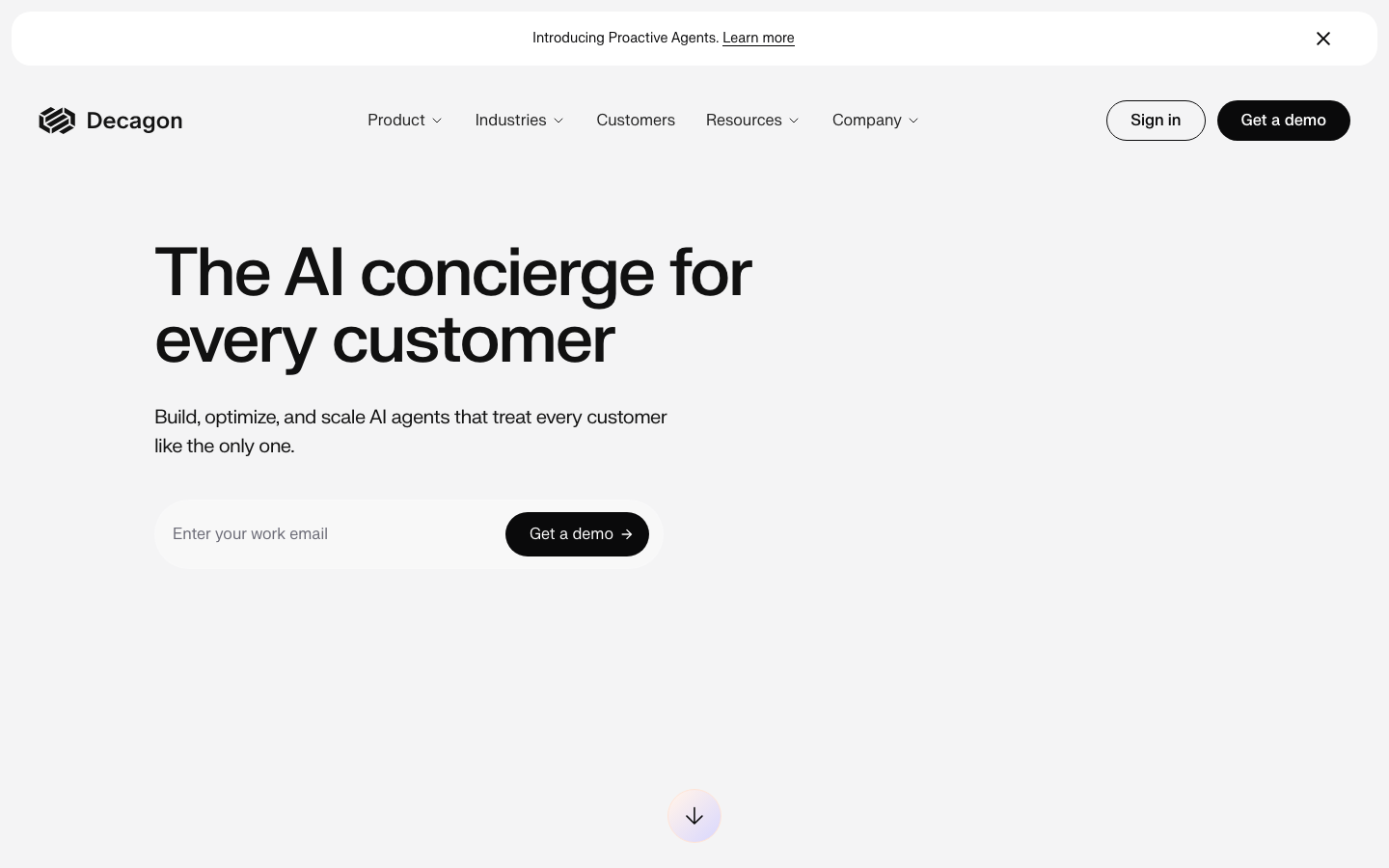
Screenshots of Decagon 3 images
What's great
- Watchtower QA system runs automatic quality checks on AI responses before they reach the customer, the best hallucination-guardrail architecture in this guide
- Named deployments include Eventbrite, Bilt, Webflow, Substack, Vanta, and Rippling; the customer base is a credibility signal no other early-stage AI support tool matches
- Agent Operating Procedures (AOPs) written in natural language make it the easiest platform for support leaders to define complex workflows without engineering
Watch-outs
- Annual platform fee of $50,000 before per-conversation or per-resolution costs, the steepest base commitment in this guide
- Audit logs lack depth per multiple G2 reviewers; granular permission roles are still rudimentary as of Q1 2026
- Review count is thin (18 on G2), so third-party validation depends heavily on named case studies rather than distributed user feedback
Pricing breakdown
| Plan | Price | Best for |
|---|---|---|
| Platform fee | $50K/yr (mandatory) | All enterprise tiers |
| Per-conversation | $0.10-$0.50/conversation | Moderate volume |
| Per-resolution | $0.50/resolution | High-volume contracts |
| Custom enterprise | Contact sales | 1M+ conversations/yr |
What reviewers say about Decagon
Recurring themes across 18 G2 reviews (4.9/5), 2024-2026. Review count is very low; treat sentiment as directional.
What reviewers praise
- Implementation speed is the most praised theme, with reviewers noting the product was live and handling real conversations in under a week due to white-glove onboarding from embedded specialists.
- Customer support quality scores 9.7 out of 10 on G2, with reviewers describing the Decagon team as constantly engaged, highly responsive, and knowledgeable throughout deployment.
- The AI agent's ability to resolve over 90 percent of user questions without human intervention is cited by multiple reviewers as a material reduction in agent workload.
- Seamless integration with existing CX tooling including Zendesk and Intercom is praised for allowing Decagon to sit on top of current stacks without requiring system replacement.
- Trusted by enterprise customers including Eventbrite, Rippling, Webflow, and Vanta, which reviewers cite as a signal of production-grade reliability at scale.
What reviewers fault
- Core product features are still under development, with reviewers noting that regression testing, guardrails, and some workflow capabilities only recently became available.
- AI decision-making is described as a black box, with reviewers flagging that it is difficult to understand why the agent responded in a particular way or to diagnose failure patterns.
- Role-based access controls and audit logs are rudimentary, which causes problems for enterprise teams that need granular permissions and activity tracing across the platform.
- Agent Assist functionality is limited to Zendesk only, leaving teams on other helpdesks without access to the agent-side AI assistance capability.
- Annual contracts start at $95,000 and can reach $590,000 or more, placing Decagon well outside reach for SMBs and requiring weeks of setup with dedicated Agent Engineers.
Loading reviews…
Crescendo
Best AI-plus-human hybrid for guaranteed resolution SLAs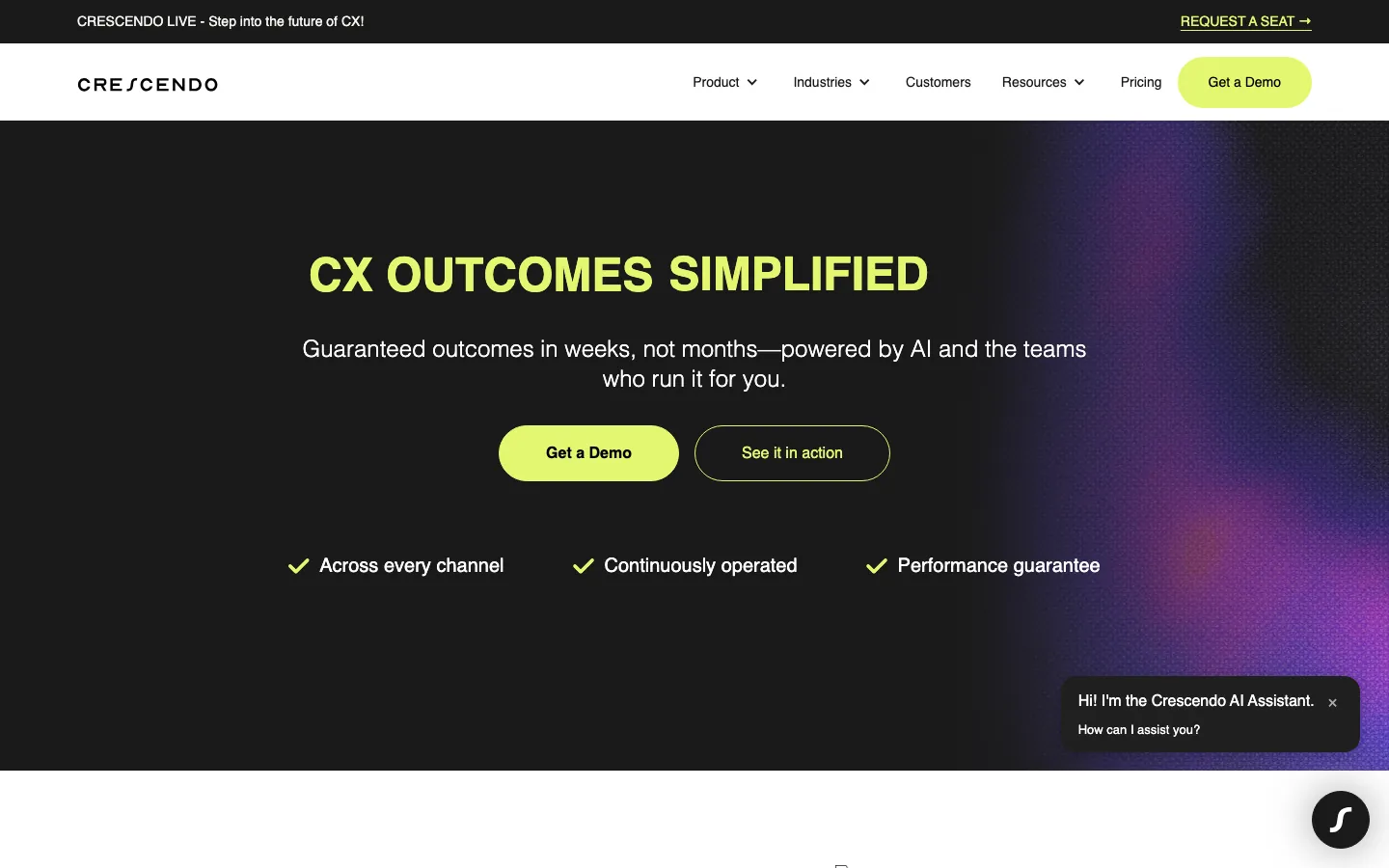
Screenshots of Crescendo 3 images
What's great
- Unique model; AI handles what it can, a dedicated human team (via acquired PartnerHero) steps in for edge cases, with 100% coverage guarantee across both
- Outcome-based pricing at $2.99/resolution includes both AI and human fallback cost in a single line item, the most predictable total CX budget in this comparison
- 50+ language support with omnichannel coverage (chat, voice, email); the breadth is the widest in this guide after Ada
Watch-outs
- At $2.99/resolution the per-unit cost is 3x Fin ($0.99) and 7.5x eesel AI ($0.40), meaningful once volume exceeds 5,000 resolutions/month
- Crescendo's AI-CX G2 profile has no reviews yet; the third-party reviews that exist reference the earlier PartnerHero or sales-tool products, not this platform
- The AI-only deflection rate is lower than Fin or Sierra because the product is designed as a hybrid, not a pure-play autonomous agent
Pricing breakdown
| Plan | Price | Best for |
|---|---|---|
| Standard | $2.99/resolution | AI-first with human fallback, any volume |
| Geographic preference | +$0.25-$0.75/resolution est. | Dedicated regional teams |
| Dedicated team | Custom | High-compliance |
| Enterprise | Custom | Fortune 500 with bespoke SLAs |
What reviewers say about Crescendo
THIN. No verifiable G2 review count or rating found for crescendo.ai. Themes synthesized from vendor case studies, press coverage, and independent analyst writeups, 2024-2026. Treat with caution.
What reviewers praise
- The fully managed model combining AI automation with human specialist coverage is called out as a key differentiator by customers who want outcome accountability rather than just a software license.
- Fast time-to-live, claimed under 60 days with no setup fees, is highlighted in case studies, with Stewart Golf reporting 75 percent of global enquiries resolved by AI within one month of launch.
- Omnichannel coverage across chat, voice, email, and SMS in 50 plus languages is cited as enabling global support without separate localization pipelines.
- Integration with existing CX stacks including Salesforce, Zendesk, Shopify, and WooCommerce is noted as allowing deployment without replacing current tooling.
- The outcome-based guarantee model, where Crescendo takes responsibility for performance rather than just licensing software, is described as reducing customer financial risk compared to traditional vendors.
What reviewers fault
- At least one public review describes paying for implementation and receiving no working product after months, suggesting delivery risk with the managed-service model.
- Per-resolution pricing at approximately $1.25 combined with a monthly platform fee of around $2,900 creates cost unpredictability that independent analysts flag as a concern at scale.
- The managed-service approach limits in-house control, with customers dependent on Crescendo's team for configuration changes, optimization, and content updates.
- As a newer entrant with limited public review history, there is minimal independent validation of performance claims such as the stated 99.8 percent accuracy figure.
- Enterprise-only positioning and opaque contract terms mean smaller teams cannot self-evaluate the platform before committing to a sales engagement.
Loading reviews…
eesel AI
Best self-serve SMB pick at the lowest per-ticket cost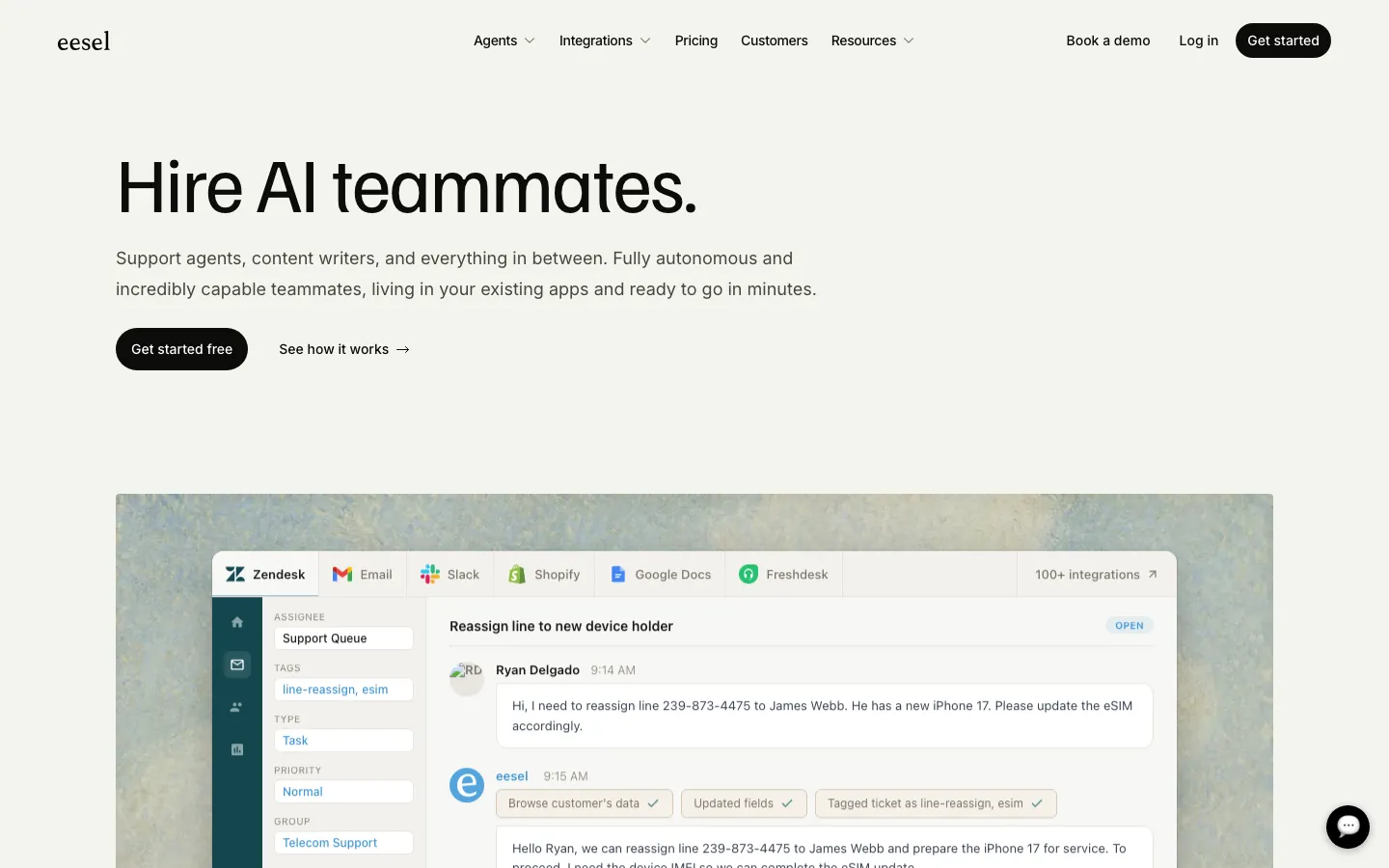
Screenshots of eesel AI 3 images
What's great
- Cheapest per-resolution rate in this comparison at $0.40/ticket, no platform fee, no minimum; a 500-ticket month costs $200 flat
- Self-serve onboarding with $50 free usage credit and every feature unlocked, the only tool in this list that does not require a sales call to start
- Integrates with Zendesk, Intercom, Freshdesk, and Slack out of the box; the widest SMB integration surface in this guide
Watch-outs
- G2 review count is 17, the smallest in this guide; the validation base is too thin to draw strong statistical conclusions yet
- Enterprise tier (SSO, HIPAA compliance, BAA, dedicated account manager) adds a $1,000/month platform fee on top of usage, so at high volume the all-in cost climbs well past the pure pay-per-task rate
- AI model quality on complex multi-step queries is below Decagon or Sierra; best for FAQ-style and policy-lookup support, not account-action workflows
Pricing breakdown
| Plan | Price | Best for |
|---|---|---|
| Pay-per-task | $0.40/ticket, no minimum | Most SMB teams |
| Enterprise | $1,000/mo platform fee + usage | High volume, SSO + HIPAA + BAA |
| Blog/content | $2.00/task | Content AI alongside support |
| Free trial | $50 credit, no card | First deployment test |
What reviewers say about eesel AI
Recurring themes across 17 G2 reviews (4.7/5) and AppSumo reviews, 2024-2026. Review count is low; sentiment supplemented with AppSumo community feedback.
What reviewers praise
- Ease of setup is the most consistent praise theme, with G2 reviewers reporting useful AI responses within 15 minutes and no developer involvement required for initial configuration.
- Broad integration coverage including Notion, Zendesk, Shopify, Confluence, and Google Docs is praised for pulling knowledge from wherever it actually lives without manual copy-paste.
- The Chrome extension for knowledge base training is highlighted as a practical standout that makes adding new content to the AI fast and accessible for non-technical users.
- Usage-based pricing rather than a fixed seat subscription is called out positively by reviewers who see it as fairer for teams whose AI interaction volume varies month to month.
- Customization depth is noted by more advanced users who appreciate the ability to configure complex task-specific behaviors without requiring engineering resources.
What reviewers fault
- Answer accuracy is flagged as inconsistent by multiple reviewers, with some reporting that bot responses are unreliable regardless of how well the knowledge base is structured.
- Managing multiple bots requires separate purchase codes and accounts, which reviewers running multi-brand or multi-project setups describe as unnecessarily cumbersome.
- Customer support response times are slow, with reviewers attributing delays to timezone differences and a small team, creating friction when configuration issues arise.
- Forced eesel branding cannot be easily removed from the widget by default, which some reviewers flag as a barrier for white-label or brand-consistent deployments.
- Missing features including chat history retention for analytics, a human agent takeover mode, and per-user daily usage caps are noted as gaps relative to more mature competitors.
Loading reviews…
Tools we considered but excluded
We evaluated more tools than the 8 you see above. These did not make the cut. Saying what we rejected, and why, is the editorial muscle most listicles skip.
- Kustomer: Strong unified customer record but AI deflection is a secondary feature; better positioned as a CRM-style help desk than an autonomous AI agent
- Drift AI: Product focus shifted to marketing-oriented chat and pipeline capture in 2025; no longer a primary competitor in the support deflection segment
- Salesforce Agentforce for Service: Only practical for orgs already on Salesforce Service Cloud; standalone deployment requires $165+/user/mo Service Cloud plus Agentforce add-on
- Freshdesk Freddy AI: Deflection rates trail Fin on equivalent ticket volumes; acceptable for Freshdesk-locked teams, not competitive as a standalone choice
- Gorgias AI: Purpose-built for e-commerce support, strong for Shopify-based brands but the feature set does not translate to SaaS or multi-product support environments
- Tidio: Right for micro-SMB under 500 tickets/month but not a serious competitor for the mid-market and enterprise buyer this guide targets
Honorable mentions
Solid tools that did not crack the main list but are worth tracking, especially for niche use cases.
- My AskAI: Self-serve setup in under an hour, strong for teams that want AI FAQ coverage without any sales touchpoint; pricing is transparent and genuinely cheap at small volumes
- Lorikeet: Australian startup gaining traction in US mid-market for its resolution-rate-first architecture; G2 review count is thin but early customer results are credible
- Twig: Positioning as an AI layer that works on top of existing help centers without replacing them, useful for teams that want RAG-quality answers across fragmented documentation
The five categories of AI customer support tools
The AI customer support market has split into five distinct categories in 2026. The tools look similar in vendor demos but behave very differently on real ticket volumes. Here is what each sub-category actually means.
Standalone AI deflection agents. Fin and eesel AI lead here. These are purpose-built to resolve tickets without human involvement. They plug into your existing help desk and charge per resolution or per ticket. Best for teams that want to reduce ticket volume without replacing their support platform .
Help-desk-native AI layers. Zendesk AI and Forethought (now Zendesk-owned) are the two main examples. The AI is an add-on to an existing help desk , not a separate product. Integration friction is zero. Deflection rates trail the standalone agents by 5-10 points but the operational simplicity is real.
Enterprise autonomous agents. Sierra and Decagon. These platforms handle complex, multi-step queries that break the simpler AI agents. Voice AI, account-state lookups, billing dispute routing, cancellation retention. Floor pricing is $50,000-$150,000/year. For teams handling under 500,000 conversations a year, the economics rarely work.
Compliance-first AI. Ada occupies this space alone at scale. The governance layer, per-channel response controls, and human-approval workflows for sensitive topics are specifically designed for regulated industries. No other tool in this guide gets close on the compliance dimension.
AI-human hybrid. Crescendo. The AI handles what it can and a staffed human team covers the rest, all under one per-resolution price. The model removes AI-failure risk entirely but costs 3x the pure-AI options.
The eight tools above cover all five categories. Below: how to actually evaluate them.
Selection criteria, what to test in your AI support trial
The evaluation mistakes teams make are consistent. Here are the eight things that actually separate good trials from ones that go sideways.
One, run 500 real tickets, not demo data. Pull 500 closed tickets from the past 90 days, strip PII, and import them as your test set. Feed each one to the AI and manually score 50 randomly sampled responses for accuracy. Vendors demo their tools on hand-picked edge cases; your ticket distribution is never that clean.
Two, time how long it takes to build the knowledge base. The AI is only as good as what it can reference. Before the trial starts, ask the vendor: can my support lead build and maintain the KB without engineering? Fin, eesel AI, and Forethought all pass this test. Ada and Decagon need structured KB work that takes weeks.
Three, deliberately test the escalation path. Send the AI a question it cannot answer. Then send one where the correct answer requires accessing account data it does not have. Watch what happens. Does it say it does not know and hand off cleanly? Or does it fabricate an answer? The escalation path is more important than the deflection rate.
Four, measure hallucination rate explicitly. Ask the AI 20 questions where you already know the correct answer, including at least five where the answer is not in the knowledge base. Count how many times it returns a wrong or fabricated answer. Any tool with more than 5% on this test is not ready for production.
Five, test in your real channels. Email, chat, and voice behave differently. A tool that works well on chat may hallucinate more on email because the query format is different. Run the trial in the channel that represents your highest ticket volume.
Six, check the cost math at 3x your current volume. Ticket volume grows. Run the per-resolution pricing against your current volume, then at 3x. The tool that looks cheapest today may not be at scale. Fin at $0.99/resolution and eesel AI at $0.40/ticket both have predictable curves; Zendesk AI’s per-resolution fee stacks in ways that surprise teams at high volume.
Seven, ask for hallucination incident data from existing customers. Not CSAT scores. Not deflection rates. Ask the vendor for a documented example of an AI response error from a production deployment and how it was caught. Vendors who can answer this have mature monitoring. Vendors who cannot are not ready for your customer-facing queries.
Eight, verify what counts as a resolution. Every vendor defines resolution differently. Fin counts a resolution when the customer confirms or exits without asking for more. Decagon counts per-conversation separately. eesel AI counts any closed ticket as one task. The numbers are not comparable unless you normalize the definition before evaluating.
Where the AI support tools differ on core features
| Tool | Autonomous resolution | Voice AI | Knowledge-base mgmt | Agent Assist | Per-resolution pricing |
|---|---|---|---|---|---|
| Intercom Fin | ✓ | $ Voice tier | ✓ built-in editor | ✓ Copilot add-on | ✓ $0.99 |
| Zendesk AI | • add-on | ✗ | ✓ Guide | ✓ native | $ $2.00/resolution |
| Ada | ✓ | ✓ | ✓ structured | • limited | Custom |
| Sierra | ✓ | ✓ native | ✓ structured | ✗ | Outcome-based |
| Forethought | • deflect + route | ✗ | • limited | ✓ best-in-class | Custom |
| Decagon | ✓ | ✓ | ✓ AOP layer | ✓ | $0.50/resolution+ |
| Crescendo | ✓ AI + human | ✓ | ✓ managed | ✓ human team | $2.99/resolution |
| eesel AI | ✓ | ✗ | ✓ self-serve | • limited | ✓ $0.40 |
Fin and eesel AI are the only two tools with published per-resolution pricing you can act on without a sales call. Sierra and Decagon win on voice AI quality. Forethought is the only platform where the agent-assist layer outperforms the deflection layer. Crescendo is the only tool where both AI and human cost are bundled into the per-resolution rate.
Hallucination rates and escalation guardrails
This is the section most comparison guides skip. It matters more than deflection rate.
Hallucination falls into three categories. First is factual fabrication: the AI returns an answer that sounds plausible but is wrong, usually when the KB has gaps. Second is false confidence: the AI returns a correct answer but presents an uncertain policy as definitive fact.
Third is silent failure: the AI tells the customer it will look into that and then closes the ticket without actually resolving it.
Decagon’s Watchtower QA system is the only tool in this guide that checks AI responses against a confidence threshold before delivery, catching a meaningful share of factual fabrication before the response leaves the queue. No other tool ships a pre-send QA layer that users can tune.
Sierra handles this differently. The AOP (Agent Operating Procedure) architecture forces the AI to follow explicit decision trees for sensitive topics. The AI cannot go off-script in a way that would produce a wrong answer; it either follows the AOP or escalates. The tradeoff is that building AOPs takes engineering time upfront.
Fin’s approach is simpler: if confidence drops below a threshold, it offers to connect with a human agent. The threshold is configurable. Fin’s fallback UX is among the smoothest of any tool here; the customer experience on escalation feels natural rather than abrupt, a point G2 reviewers raise consistently.
The risk is that the confidence threshold can be misconfigured to be too aggressive or too lax.
Zendesk AI and Forethought both rely on triage rules and intent classifiers to route tickets they cannot handle. Neither has a pre-send QA layer, which leaves room for false-confidence answers on policy questions where the help center content is ambiguous.
eesel AI’s approach is the most lightweight: if the AI cannot find a relevant KB answer above its confidence threshold, it creates an agent-escalation ticket with a soft acknowledgment. Simple, honest, and appropriate for SMB use cases. Not the right architecture for orgs that need explainability on every AI decision.
For any org in a regulated industry, the minimum bar is configurable per-topic human routing (Ada, Sierra), pre-send confidence checks (Decagon), and full audit logs of every AI response. Only Ada, Sierra, and Decagon meet all three criteria.
AI support tool compliance and data posture
| Tool | SOC 2 Type II | GDPR | HIPAA | SSO-SAML | Audit logs |
|---|---|---|---|---|---|
| Intercom Fin | ✓ | ✓ | $ add-on | Advanced+ | ✓ |
| Zendesk AI | ✓ | ✓ | ✓ Enterprise | Enterprise | Enterprise |
| Ada | ✓ | ✓ | ✓ | ✓ | ✓ full |
| Sierra | ✓ | ✓ | • inquire | ✓ | ✓ |
| Forethought | ✓ | ✓ | ✓ | ✓ | ✓ |
| Decagon | ✓ | ✓ | • limited | ✓ | • depth issues |
| Crescendo | ✓ | ✓ | Custom | ✓ | ✓ |
| eesel AI | ✓ | ✓ | $ Enterprise | $ Enterprise | • basic |
Ada and Forethought pass the strictest enterprise IT review. Ada is the only tool where all three compliance tiers (SOC 2, GDPR, HIPAA) come standard without an add-on. Zendesk covers HIPAA but gates it behind Enterprise pricing.
Decagon’s audit-log depth issues are the one gap that holds it back from regulated-industry deployments. eesel AI’s HIPAA coverage is real but requires the Enterprise tier, which carries a $1,000/month platform fee on top of usage.
Integration depth across the AI support stack
| Tool | Zendesk | Salesforce Service | Freshdesk | Slack/Teams | CRM/HRIS data |
|---|---|---|---|---|---|
| Intercom Fin | N | M | N | N | N via Intercom |
| Zendesk AI | N native | M | ✗ | N | N via Zendesk |
| Ada | N | N | N | M | N via API |
| Sierra | N | N | N | M | N custom |
| Forethought | N acquired | M | M | N | M |
| Decagon | N | N | N | M | N AOP layer |
| Crescendo | N | N | N | N | N PartnerHero |
| eesel AI | N | • limited | N | N | • limited |
(N = native/first-party, M = marketplace/third-party, • = partial, ✗ = no path)
Fin and eesel AI have the widest native integration surface for SMB stacks. Forethought’s Zendesk integration is now first-party following the March 2026 acquisition. Sierra and Decagon treat integrations as part of the AOP build process; they connect to any system through custom connectors but require engineering work.
Ada’s Salesforce and Zendesk integrations are native and well-documented, the strongest enterprise connector story in the guide.
How to choose the right AI support tool for your team
Five questions that collapse the shortlist.
1. Your support team size and monthly ticket volume
- Under 20 agents, under 3,000 tickets/month. eesel AI at $0.40/ticket. No sales call, no contract, no platform fee. Start there.
- 20-100 agents, 3,000-30,000 tickets/month. Fin if you are on Intercom, Zendesk AI if you are on Zendesk. Zero switching cost beats any deflection rate difference at this scale.
- 100+ agents, 30,000+ tickets/month. Evaluate Ada, Decagon, or Sierra. Per-resolution pricing economics start favoring enterprise contracts with volume discounts.
2. Your regulatory compliance requirements
If yes, the shortlist is Ada, Forethought, or Sierra. Ada is the only tool purpose-built for regulated CX. Forethought covers HIPAA and SOC 2 natively. Sierra covers most enterprise security requirements but HIPAA requires a specific inquiry with their sales team.
3. Your current help desk
Already on Intercom? Fin is the obvious answer; the integration is native and the pricing model is clean. Already on Zendesk? Zendesk AI’s zero-switching-cost argument is compelling even if deflection rates trail Fin. On Freshdesk or HubSpot? eesel AI integrates natively with both.
4. Whether you need voice AI
Voice support is a different product category. Sierra is the enterprise answer. Crescendo covers voice as part of its AI-human hybrid model. Ada has voice capability. Fin Voice is available as a separate enterprise tier. eesel AI and Forethought do not cover voice.
5. Your acceptable hallucination rate
If any AI error is a brand or compliance risk, Decagon and Sierra are the only tools with architecture designed to prevent pre-send errors. If a 4-6% edge-case error rate is acceptable in exchange for faster deployment and lower cost, Fin and eesel AI are the right trade-off.
Klarna-effect economics: what the 700-agent case study actually proves
The Klarna story is the most cited data point in AI support vendor decks. In February 2024, Klarna launched an AI assistant that handled 2.3 million customer chats in its first month, equivalent to the work of 700 full-time agents, with CSAT at parity with human agents and a 25% drop in repeat inquiries.
OpenAI’s published case study quoted a $40 million annual savings projection.
By early 2025, the story had a second act. Klarna began quietly rehiring human support staff.
The reasons were documented: hallucinations on approximately 5% of edge-case conversations degraded quality in ways that damaged customer trust on billing disputes; CSAT dropped on emotionally charged tickets even when the AI gave technically correct answers; compliance concerns arose around AI autonomously handling payment disputes and account closures.
By 2026, Klarna’s public position is that customers should always have the option to speak with a human. The 700-agent-equivalent story was accurate as a throughput measurement.
It was not accurate as a cost-savings projection once quality degradation and reputational risk were factored in.
The correct reading of the Klarna experiment for a 2026 buyer is this: AI support can handle 60-70% of tier-one volume at human-parity quality. The remaining 30-40% needs human judgment, particularly for financial disputes, emotionally charged conversations, and situations where the AI needs to take a consequential account action.
The tools in this guide that are designed around that model (Crescendo’s AI-human hybrid, Ada’s human-approval for sensitive actions, Sierra’s AOP escalation architecture) are the ones that have internalized the Klarna lesson. The tools that promise 80-90% autonomous resolution without guardrails are the ones most likely to produce a Klarna-style second act.
The economic math is still compelling. A team that deflects 45% of tickets with a $0.99/resolution model at 10,000 monthly tickets spends $4,455/month on AI versus $15,000-$20,000/month on equivalent human staffing. The ROI is real. The mistake is optimizing only for deflection rate without measuring the quality of what gets through.
Rolling out AI support without burning your CSAT score
The rollout failures follow one pattern: teams turn on the AI in production before running a shadow-mode calibration.
Phase 1 (weeks 1-2): Shadow mode only. Let the AI process every incoming ticket but do not send any AI responses to customers. Instead, route each AI response to an internal Slack channel and have your support lead score 30 responses per day. This builds the calibration data you need and catches KB gaps before they become customer-facing errors.
Phase 2 (weeks 3-4): Live on tier-one only. Define tier-one as your 10 highest-frequency, lowest-risk ticket types. Turn on autonomous AI resolution for those categories only. Leave everything else human. Measure CSAT on AI-handled tickets daily; if it drops more than 5 points below your human baseline, pause and diagnose.
Phase 3 (weeks 5-8): Expand categories by resolution quality. Each week, add one new ticket category to autonomous mode, provided the prior week’s category held CSAT parity. This is slower than vendors suggest but it is the only way to catch category-specific failure modes before they generate churned accounts.
Phase 4 (weeks 9-12): Lock the escalation rules and measure true cost. Once you are in steady-state operation, run the full cost accounting: platform fee plus resolution costs plus agent time on escalations plus KB maintenance. Compare to your pre-AI support cost. Teams that do this math tend to find the ROI is real but lands below the initial vendor projection.
What’s changing in AI customer support in 2026
Outcome-based pricing is becoming the standard. Fin normalized $0.99/resolution in 2024. By mid-2026, Sierra, Decagon, and Crescendo all price on outcomes rather than seats or conversation volume. The hold-outs are Zendesk AI (still per-agent plus per-resolution) and Ada (fully custom contracts). The shift benefits buyers because vendor incentives now align with support quality, not conversation volume.
The Zendesk-Forethought combination is reshaping mid-market AI support. Zendesk’s March 2026 acquisition of Forethought brought best-in-class intent routing inside the Zendesk Suite; eesel AI’s post-acquisition review covers what changed for existing Forethought customers.
The combined product is not yet at Fin’s deflection rate but the integration depth is unmatched for Zendesk shops. Expect Zendesk to narrow the gap with Fin over the next 18 months.
Voice AI is the next battleground. Sierra, Ada, and Crescendo all ship production-grade voice AI. Fin Voice launched in late 2025 as an enterprise add-on. The companies that crack voice at under $0.50/resolution will compress call-center headcount the way chat AI compressed tier-one email support from 2023-2025. The technology works; the economics at scale are still being figured out.
Hallucination governance is becoming a procurement requirement. Enterprise IT teams in financial services and healthcare are now asking vendors specifically about pre-send QA layers and audit-log completeness. Decagon’s Watchtower architecture and Ada’s per-topic human routing are the two most credible answers to this question. Vendors that cannot show explainability on AI response decisions are losing regulated-industry deals.
The knowledge-base quality gap is widening. Teams that have maintained clean, structured, regularly-updated help centers are seeing 45-55% deflection rates in 2026. Teams with outdated or fragmented documentation are seeing 15-25%. The AI is not the variable; the KB is. KB quality is now the primary determinant of AI support ROI.
What AI customer support really costs in year one
What you see in the vendor one-pager versus what you pay in year one.
| Segment | Listed price | Real all-in (year 1) |
|---|---|---|
| eesel AI (SMB, 1K tickets/mo) | $400/mo | $400/mo, no hidden costs |
| Fin (mid-market, 10K resolutions/mo) | $9,900/mo | $10,500-$12,000/mo incl. Intercom seats |
| Zendesk AI (20 agents, Suite Pro + Advanced AI) | $3,300/mo | $3,900-$4,500/mo incl. per-resolution fees |
| Ada (enterprise, 300K+ conversations/yr) | Custom | $75K-$200K/yr, plus 6-8 wks KB setup cost |
| Forethought (mid-market, 20K tickets/mo) | Custom | $60K-$120K/yr + Zendesk Suite on top |
| Decagon (enterprise, 500K conversations/yr) | $50K platform + per-conv | $90K-$150K yr-1 |
| Sierra (enterprise, 1M+ conversations/yr) | ~$150K/yr est. | $200K-$350K yr-1 incl. setup |
| Crescendo (mid-market, 3K resolutions/mo) | $8,970/mo | $9,500-$11,000/mo incl. geographic preference |
The single biggest forecasting error buyers make is modeling AI support cost at current ticket volume without accounting for deflection compounding. When AI deflects 40% of tickets, your total ticket volume to humans drops, but your platform fee and per-resolution costs do not.
Model the all-in cost at three volume levels (current, current minus 40% deflection, current plus 3x growth) before committing to any contract.
The AI support tool pick for each team size
- Pre-seed to seed, under 1,000 tickets/month: eesel AI. $0.40/ticket, no contract, start Monday.
- Series A, 1,000-5,000 tickets/month, on Intercom: Fin. The $0.99/resolution model is transparent and the deflection rate is the best in the SMB band.
- Series A, 1,000-5,000 tickets/month, on Zendesk: Zendesk Advanced AI add-on. Zero switching cost beats any deflection rate difference at this scale.
- Series B, 5,000-30,000 tickets/month: Fin or Zendesk AI depending on help desk. Run a 30-day shadow trial before committing to a full deployment.
- Series B+, regulated industry (fintech, insurtech, health SaaS): Ada. The only tool where compliance does not require add-ons or engineering work.
- Series C+, complex agentic support (account actions, billing disputes, cancellation retention): Decagon if ticket complexity is the primary challenge. Sierra if voice AI is a requirement.
- Enterprise, 1M+ conversations/year, brand-grade voice: Sierra.
- Any stage, want guaranteed SLAs with AI-human backup: Crescendo. The $2.99/resolution rate is high but the AI failure risk is zero.
- Mid-market on Zendesk, routing quality matters as much as deflection: Forethought (now Zendesk-owned). The intent-routing layer is the best in the segment for complex support orgs.
For corrections, pricing disputes, or evidence that changes any finding in this guide, email hello@topickz.com . We re-test the AI support shortlist every quarter; this category moves faster than any other we cover. Next refresh ships August 2026.
Frequently asked questions
What deflection rate is realistic for AI customer support in 2026?
30-45% on tier-one SaaS tickets with a clean KB. Above 60% usually means the AI is failing silently or the KB was tuned to game the metric.
Fin vs Zendesk AI, which one wins?
Fin wins on pure deflection rate. Zendesk AI wins on zero switching cost if you already run Zendesk Suite. Deflection gap is 5-10 points.
Does AI customer support hurt CSAT scores?
Only when the escalation path is bad. Accurate AI with clean handoff maintains CSAT within 3-5 points of human-only scores.
How much knowledge base prep is needed before deploying AI support?
Plan 4-8 weeks of KB cleanup. AI quality is bounded by KB quality. Most teams skip this and pay in hallucination rate later.
What is the real Klarna AI result in 2026?
Klarna automated 67% of chats in 2024, saved $40M in projected costs. By 2026 they reversed, rehiring humans for complex cases after CSAT fell.
How do we pick between per-resolution and per-agent pricing?
Per-resolution wins under 60% deflection rate. Per-agent wins above 60%. Model both at your actual ticket volume before signing.
What is a realistic hallucination rate for AI support tools?
Best-in-class (Decagon, Sierra) run 1-3% on trained deployments. Fin runs 4-6%. Expect higher in the first 30 days before the AI learns edge cases.
Can AI handle billing disputes and account changes autonomously?
Sierra and Decagon can with proper AOPs. Fin handles simpler cases. Ada requires human-approval for high-risk account actions in regulated industries.
How long does AI support deployment actually take?
eesel AI self-serves in a week. Fin takes 2-4 weeks. Ada and Decagon need a full quarter. Sierra takes 3-6 months.
What happens when AI support gets something wrong?
Decagon Watchtower flags low-confidence answers before delivery. Fin falls back to human. Ada locks sensitive topics behind human-only routing by config.
Related helpful reads
Write a review
Posts to the page right away. Keep it real — no links or email addresses.