

Comparing the best AI Coding Agents of 2026 includes 1. Cursor 2. Claude Code 3. OpenAI Codex 4. GitHub Copilot 5. Windsurf 6. Augment Code 7. Cline 8. Aider 9. Devin 10. Zed.
TL;DR
- Best overall: Cursor, the most polished agent-native IDE with the largest ecosystem, the right default for most engineers at $20/mo.
- Best autonomy: Claude Code, the strongest documented loop for planning, editing, running tests, fixing failures, and opening a PR from the terminal.
- Best OpenAI-native: OpenAI Codex, tops Terminal-Bench 2.0 and SWE-Bench Verified in 2026 and comes bundled with every paid ChatGPT plan, from Plus at $20/mo.
- Best for GitHub teams: GitHub Copilot, tightest GitHub integration and the lowest entry price at $10/mo, now on usage-based billing.
- Best for large codebases: Augment Code, deepest repo-wide context and top of the SWE-Bench Pro public board, though the credit model draws complaints.
- Best open-source: Cline (VS Code, full BYOK, air-gapped deploy) and Aider (terminal, Git-native), both free and Apache 2.0.
Ten AI coding agents, compared on what they actually cost in 2026, what they are documented to do, and where developers say they hold up or fall apart. Pricing was pulled from vendor pages on June 1, 2026. This is a research-led roundup, not a hands-on bench test, so it tells you which agent fits which job and what to confirm in your own trial.
What Are AI coding agents?
AI coding agents help developers write, refactor, and debug code from natural-language prompts, working inside the editor or terminal to plan and apply multi-file changes.
Tools like Cursor, Claude Code, OpenAI Codex, and GitHub Copilot differ on autonomy, model quality, codebase awareness, and how they fit your workflow.
Best AI Coding Agents comparison: features, pricing and verdicts
| Tool | Best for | Starting price | Free trial | External rating |
|---|---|---|---|---|
Best overall AI coding agent for engineers who want one polished IDE | $20/mo | Free Hobby tier | ★ 9.3 | |
Best autonomous AI coding agent for terminal-first workflows | $20/mo | Included with Claude Pro | ★ 9.2 | |
Best OpenAI-native agent for teams already in the ChatGPT ecosystem | $20/mo | Free tier; included with ChatGPT Plus | ★ 9.0 | |
Best for teams already living on GitHub, even after the June 2026 billing change | $10/mo | Free tier available | ★ 8.9 | |
Best budget agent-native IDE for everyday coding | $20/mo | Free tier available | ★ 8.7 | |
Best AI coding agent for large, complex codebases | $20/mo | Paid plans from $20/mo | ★ 8.6 | |
Best open-source AI coding agent for VS Code and air-gapped teams | $0 BYOK | Free and open-source | ★ 8.5 | |
Best open-source AI coding agent for terminal and Git-native workflows | $0 BYOK | Free and open-source | ★ 8.4 | |
Best autonomous cloud agent for delegating whole tasks async | $20/mo + usage | Free tier available | ★ 8.3 | |
Best AI coding agent for raw editor speed and a native experience | $10/mo | Free Personal plan | ★ 8.2 |
How we chose these tools
This guide is built from primary sources, not a single bench run. Pricing was verified directly on each vendor’s pricing page on June 1, 2026. Capability claims come from official docs and changelogs, public benchmarks (SWE-Bench Verified and SWE-Bench Pro leaderboards, cited as of their last update), and developer sentiment gathered across Reddit, Hacker News, and review sites. Our editorial score weighs six things: multi-file reliability, autonomy, model flexibility (bring-your-own-model), data-control and self-host options, ecosystem and integration depth, and real cost under load. Where a number moves fast, like a benchmark or a star count, we say so and point you at the live source to confirm.
How we weight ai coding agents for the Topickz score
Every tool above is scored against the fixed rubric below and combined using these weights into the Topickz score on each card. The weights are set for ai coding agents specifically, they are not copied from another category, and we publish them so you can see what moved a ranking and re-weight for your own priorities.
| Criterion | Weight | What we checked |
|---|---|---|
| Agentic autonomy | 24% | How far the agent runs a task alone before it needs you. We looked at whether it plans a change, edits across files, runs the tests, fixes its own failures, and opens a PR without a human nudging every step. |
| Multi-file code quality | 20% | Whether edits across a real repo actually hold up. We weighed reliability under the test suite and cross-checked public benchmark standing (SWE-Bench Verified and Pro), noting those numbers move fast. |
| Model flexibility | 14% | Bring-your-own-model across Claude, GPT, and Gemini versus being locked to one lab. Model optionality matters as the frontier shifts month to month. |
| Real cost under load | 14% | What an agent-heavy day actually costs. We modeled how credit pools and token metering behave once you run the tool hard, not just the sticker price. |
| Data control and self-host | 12% | BYOK, air-gapped deploy, and where your code and context go. This is the line that decides adoption at teams with a security review. |
| Ecosystem and integration depth | 10% | Editor or terminal fit, extension support, and how cleanly it drops into CI or an existing workflow. |
| Docs and community | 6% | Quality of official docs and changelogs, plus how much real-world help already exists in forums and video. |
| Total | 100% |
Read the full TopickZ.com testing methodology for how we run each test, score every criterion, and combine them into a single rating.
Detailed reviews
Cursor
Best overall AI coding agent for engineers who want one polished IDE
Screenshots of Cursor 3 images
What's great
- Composer agent runs multi-file edits behind a clean diff-review gate, with several parallel agents on one task, the smoothest agent-in-editor flow in this guide
- Largest user base and ecosystem of the agent-native IDEs; almost any Cursor workflow question already has an answer in a forum or video
- Bring-your-own-model across Claude, GPT, and Gemini, so you are not locked to one model lab as the frontier shifts
Watch-outs
- Dollar-denominated credit pools ($20 Pro, $60 Pro+, $200 Ultra) burn fast on agent-heavy days; heavy users report hitting the Pro ceiling before month end
- It is a VS Code fork, so it trails upstream VS Code on the newest extension-API features by a release or two
- Agent quality tracks whichever model you point it at; on a weak model the polish does not save the output
Pricing breakdown
| Plan | Price | Best for |
|---|---|---|
| Hobby | $0 | Trying the editor and light completion |
| Pro | $20/mo ($16 annual) | Individual engineers |
| Pro+ | $60/mo | Heavy agent users who hit the Pro pool |
| Ultra | $200/mo | All-day agentic work |
| Teams | $40/user/mo | Orgs needing SSO and central billing |
| Enterprise | Custom | Org procurement and security review |
Security & compliance
| Standard | Availability |
|---|---|
| SOC 2 Type II | Yes |
| GDPR | Yes |
| HIPAA | No |
| SSO / SAML | Teams |
| Audit logs | Teams |
Cursor compliance summary: SOC 2 Type II is yes, GDPR is yes, HIPAA is no, SSO/SAML is teams, and audit logs is teams.
What reviewers say about Cursor
Recurring themes across Reddit (r/cursor_ai, r/programming), Hacker News discussions, and developer community reviews, 2024-2026. G2 rating cited as 4.5 but count unverified.
What reviewers praise
- Multi-file editing via Composer is the most-praised capability; developers describe coordinating changes across 10-20 files in a single session that would take hours manually.
- Tab autocomplete predicts multi-line edits with high accuracy, often completing the next block of code before the developer starts typing it.
- Full project indexing gives the AI genuine codebase context, making suggestions aware of existing patterns, types, and dependencies rather than just the open file.
- Complex refactoring tasks that require touching components, tests, and documentation simultaneously run faster than any competing AI editor developers have compared it to.
- The VS Code foundation means existing keybindings, extensions, and muscle memory transfer over; the AI layer adds to a familiar environment rather than replacing it.
What reviewers fault
- The June 2025 shift from 500 fixed fast responses to usage-based credits cut effective monthly requests roughly in half for heavy users and generated unexpected overage charges.
- Pro tier rate limits hit developers running intensive Composer sessions; users report burning through the monthly allocation before mid-month on large refactoring tasks.
- The tool is VS Code-only; developers on JetBrains, IntelliJ, or PyCharm cannot use it, which blocks adoption for teams standardized on those environments.
- Performance degrades on large codebases, with editor lag and indexing slowdowns reported on repositories above 100,000 files.
- Privacy mode is off by default, meaning code data may be used for model training; reviewers who noticed this in the terms were frustrated it required an opt-out rather than an opt-in.
Loading reviews…
Claude Code
Best autonomous AI coding agent for terminal-first workflows
Screenshots of Claude Code 3 images
What's great
- Documented to plan a change, edit across files, run the test suite, fix its own failures, and open a PR with minimal human steps, the deepest autonomy loop in the category
- Project-level planning loop holds context across long tasks better than the IDE agents on documented multi-file work
- Runs anywhere a terminal does, so it drops into CI, a remote box, or an existing editor through the Agent Client Protocol
Watch-outs
- No bring-your-own-model; you run Anthropic models only, so you are betting on one model lab staying at the frontier
- Token spend on the API path is unpredictable on big tasks; the Max subscription is far cheaper for heavy use, but the $100 to $200 jump surprises people
- Terminal-first UX has a steeper ramp for engineers who live in a GUI editor
Pricing breakdown
| Plan | Price | Best for |
|---|---|---|
| Pro | $20/mo | Light terminal agent use |
| Max 5x | $100/mo | Daily heavy use |
| Max 20x | $200/mo | All-day autonomous work |
| API | Pay-per-token | Metered or CI/automation use |
Security & compliance
| Standard | Availability |
|---|---|
| SOC 2 Type II | Yes |
| GDPR | Yes |
| HIPAA | Commercial terms |
| SSO / SAML | Team/Enterprise |
| Audit logs | Team/Enterprise |
Claude Code compliance summary: SOC 2 Type II is yes, GDPR is yes, HIPAA is commercial terms, SSO/SAML is team/enterprise, and audit logs is team/enterprise.
What reviewers say about Claude Code
Recurring themes from developer discussion on Hacker News, Reddit (r/ClaudeAI, r/programming, r/ChatGPTCoding), and developer community posts, 2024-2026.
What reviewers praise
- Consistently ranked as the strongest tool for dialogue-based debugging; developers describe explaining an error and receiving detailed reasoning about the root cause, not just a patch.
- 200k context window allows entire large codebases to be loaded at once, enabling refactors of 3,000-plus-line files that other tools cannot hold in context.
- Architectural discussion quality is rated highest of any coding agent; developers trust it for decisions about code structure, not just line-level completions.
- Multi-agent orchestration via Dynamic Workflows coordinates parallel subagents in a single session, making it the go-to for teams running large autonomous coding pipelines.
- Terminal-native workflow integrates with git automation, CLI operations, and scripting tasks without requiring an IDE, which appeals to developers who live in the command line.
What reviewers fault
- Rate limits operate across a shared weekly pool spanning Claude.ai chat, Claude Code, and API usage, so heavy use in one product drains capacity for others mid-session.
- Subscription cost at scale is a recurring complaint; developers building multi-agent setups or running long context sessions describe the bill as expensive and unpredictable.
- Privacy concern: sending proprietary codebases to a closed black-box model with undisclosed telemetry is a blocker for security-conscious teams and regulated industries.
- Context window size, while large, becomes expensive to process at full capacity; some users report being cut off mid-session when context fills on the Opus model tier.
- Some developers report that accessing Claude through wrapper tools like Cline or Aider gives them more explicit context control than using Claude Code's native interface directly.
Loading reviews…
OpenAI Codex
Best OpenAI-native agent for teams already in the ChatGPT ecosystem
Screenshots of OpenAI Codex 3 images
What's great
- Runs everywhere: an open-source CLI (Apache 2.0, 87,000+ GitHub stars), IDE extensions for VS Code, Cursor, and Windsurf, a desktop app, and a cloud agent at chatgpt.com/codex
- Tops the 2026 public boards: Codex CLI with GPT-5.5 leads Terminal-Bench 2.0 (~82%), and GPT-5.5 leads SWE-Bench Verified at 88.7% on OpenAI's own numbers
- Included with every paid ChatGPT plan, so the 3M+ weekly Codex users mostly pay nothing extra; Plus at $20/mo already covers daily use
Watch-outs
- No bring-your-own-model; you run OpenAI models only, the same single-lab bet Claude Code makes
- Since April 2, 2026 Codex meters on API token usage inside your plan, so a heavy day burns rate limits and pushes you from Plus toward Pro
- The cloud agent can wander on ambiguous tasks, the same scoping discipline every autonomous agent here needs
Pricing breakdown
| Plan | Price | Best for |
|---|---|---|
| Free | $0 | Quick tasks, trying Codex |
| Plus | $20/mo | Daily use, included with ChatGPT Plus |
| Pro | From $100/mo | 5x limits; 20x rate limits at $200 |
| Business | Pay-as-you-go | Team seats, SAML SSO, no data training |
| API | Pay-per-token | CI and automation, metered models |
Security & compliance
| Standard | Availability |
|---|---|
| SOC 2 Type II | Yes |
| GDPR | Yes |
| HIPAA | No |
| SSO / SAML | Business+ |
| Audit logs | Enterprise |
OpenAI Codex compliance summary: SOC 2 Type II is yes, GDPR is yes, HIPAA is no, SSO/SAML is business+, and audit logs is enterprise.
What reviewers say about OpenAI Codex
Recurring themes from Hacker News (HN item 44042070), Reddit, and developer community posts, 2025-2026.
What reviewers praise
- Parallelization is the standout workflow; developers queue 4-5 tasks before starting manual work and report completing a full morning of pull requests before lunch.
- Background task execution allows Codex to run autonomously on well-scoped maintenance work (README updates, typo fixes, test generation) while the developer works on other things.
- Multi-turn conversation support with follow-up commits enables iterative back-and-forth on implementation details across a branch without losing task context.
- Code quality on style conformance improved significantly by mid-2026; generated code follows existing patterns and handles edge cases without needing explicit style instructions.
- Preview system that generates 2-4 different implementation approaches for developer selection reduces the all-or-nothing gamble of accepting a single generated answer.
What reviewers fault
- Sandbox network isolation blocks Docker containers, LocalStack, and package installations during the agent phase, making it unusable for workflows requiring real test environments.
- Model selection is opaque; developers cannot choose which underlying model handles a given task and report wanting explicit control for complex versus simple requests.
- The PR-per-iteration workflow is cumbersome for multi-commit changes; each revision opens a new pull request rather than appending commits to an existing branch.
- Early Windows sandbox exposed permissions across the entire C:\Users\ directory tree rather than just active working folders, raising security concerns that were only partially addressed.
- Hallucination rate on obscure libraries and APIs is documented; plausible-sounding but incorrect code is more common on tasks involving less-mainstream dependencies.
Loading reviews…
GitHub Copilot
Best for teams already living on GitHub, even after the June 2026 billing change
Screenshots of GitHub Copilot 3 images
What's great
- Lowest entry price in the guide at $10/mo Pro, with a usable free tier, the easiest first AI coding agent to roll out to a whole team
- Tightest GitHub integration of any tool here: issues, PRs, Actions, and the coding agent all live where the code already does
- Code completions and next-edit suggestions stay included on every plan and do not consume AI Credits, so the floor cost stays predictable
Watch-outs
- As of June 1, 2026 every plan moved to usage-based billing on AI Credits; agentic and premium-model requests now meter, which changes the cost math teams were used to
- The autonomous agent mode trails Cursor and Claude Code on hard multi-file tasks; it is catching up but is not the leader there
- Model choice is curated rather than full BYOM, so you get a managed shortlist, not any model you want
Pricing breakdown
| Plan | Price | Best for |
|---|---|---|
| Free | $0 | Solo devs |
| Pro | $10/mo | Individual engineers |
| Pro+ | $39/mo | Heavy individual agent use |
| Max | $100/mo | High-volume individual use, priority models |
| Business | $19/user/mo | Teams needing policy and management |
| Enterprise | $39/user/mo | Org-wide with knowledge bases |
Security & compliance
| Standard | Availability |
|---|---|
| SOC 2 Type II | Yes |
| GDPR | Yes |
| HIPAA | No |
| SSO / SAML | Business+ |
| Audit logs | Business+ |
GitHub Copilot compliance summary: SOC 2 Type II is yes, GDPR is yes, HIPAA is no, SSO/SAML is business+, and audit logs is business+.
What reviewers say about GitHub Copilot
Recurring themes from Hacker News, Reddit, GitHub Community forums, The Register reporting, and developer blog posts, 2025-2026.
What reviewers praise
- Frictionless enterprise deployment in Microsoft-centric organizations; no separate setup required for teams already on GitHub, VS Code, and Azure, making it the default first AI tool at many orgs.
- Multi-model support added in 2025-2026 lets developers switch between Claude, GPT-5, and Gemini within the same interface, increasing flexibility beyond the original single-model experience.
- Inline autocomplete speed remains a consistent strength; fast, low-latency single-line and short block completions are where acceptance rates are highest and friction is lowest.
- Organization-level custom instructions allow teams to encode style guides and conventions so suggestions align with house standards without per-user configuration.
- The CLI agent and Copilot Spaces are praised as meaningful additions that extend the tool beyond editor completions into collaborative and terminal-based workflows.
What reviewers fault
- June 2026 shift to metered billing replaced predictable flat subscriptions; Pro+ users reported consuming 8-16 percent of monthly credits on a single complex query with mediocre output quality.
- Context window for inline completions is approximately 8,000 tokens, causing suggestions that conflict with project conventions the model simply cannot see in large repositories.
- Multi-file task accuracy degrades noticeably on changes spanning 10-plus files; architectural tasks with interconnected dependencies produce more errors than single-file completions.
- March 2026 incident where Copilot injected promotional content into over 1.5 million pull requests damaged developer trust and raised concerns about boundary enforcement.
- Frequent model swaps from Codex through GPT-4 variants to GPT-5 series introduced regressions in different workflows; developers report suggestion quality varying unpredictably after each model transition.
Loading reviews…
Windsurf
Best budget agent-native IDE for everyday coding
Screenshots of Windsurf 3 images
What's great
- Cascade agent reportedly matches the IDE leaders on everyday tasks at a lower effective cost, the value pick in the agent-native-IDE bracket
- March 2026 move from credits to daily and weekly quotas removed the "ran out mid-task" anxiety of the old credit pool
- Now owned by Cognition (the company behind Devin) after a 2025 acquisition, which is why recent Devin plans bundle a Windsurf IDE quota and which answers the long-term model-access question
Watch-outs
- Pro went from $15 to $20 in the March 2026 overhaul, so the headline value gap with Cursor narrowed
- Quota model trades one constraint for another: heavy days can hit a daily cap that resets on a clock you do not control
- Smaller ecosystem and community than Cursor, so niche workflow answers are harder to find
Pricing breakdown
| Plan | Price | Best for |
|---|---|---|
| Free | $0 | Trying Cascade and light use |
| Pro | $20/mo | Individual daily agent use |
| Max | $200/mo | All-day heavy agentic work |
| Teams | $40/user/mo | Orgs needing admin and SSO |
Security & compliance
| Standard | Availability |
|---|---|
| SOC 2 Type II | Yes |
| GDPR | Yes |
| HIPAA | No |
| SSO / SAML | Teams |
| Audit logs | Teams |
Windsurf compliance summary: SOC 2 Type II is yes, GDPR is yes, HIPAA is no, SSO/SAML is teams, and audit logs is teams.
What reviewers say about Windsurf
Recurring themes from developer reviews, Reddit discussions, and community posts about Windsurf IDE, 2024-2026. Note: Cognition AI acquired Windsurf in December 2025; rebranded to Devin Desktop June 2026.
What reviewers praise
- Cascade agent generates a written plan before making changes and pauses between edits across files, giving developers a chance to catch errors before a bad step cascades into a broken refactor.
- Cross-session context memory (Memories feature) stores coding patterns and naming conventions so suggestions align with individual project style after 10-12 sessions without explicit re-instruction.
- Plugin breadth covers 40-plus IDE environments including JetBrains, Vim, Xcode, and Android Studio, making it available to developers who cannot or will not switch to a single editor.
- Codebase retrieval speed is praised as significantly faster than standard agentic search, with 10x faster relevant-code lookup cited in community comparisons against competitors.
- The cohesive product experience and smooth UI design are consistently noted as differentiators; the editor feels purpose-built for AI-assisted workflows rather than bolted on.
What reviewers fault
- Cascade agent times out approximately every two weeks mid-session with no useful error message and no partial correction mechanism; the only recovery is restarting from scratch.
- Monthly editor crashes lose unsaved Cascade sessions; cold-start performance lags Cursor noticeably, adding friction on every new session open.
- Heavy projects push CPU usage to 70-90 percent during background indexing, slowing the entire workstation and disrupting multitasking during codebase scans.
- Pro tier credit caps can be reached mid-month during aggressive Cascade operations on large codebases, cutting off access without warning until the billing cycle resets.
- The Cognition AI acquisition and June 2026 rebrand to Devin Desktop raised unresolved questions about whether the free tier will survive, whether pricing will change, and how the product roadmap will be redirected.
Loading reviews…
Augment Code
Best AI coding agent for large, complex codebases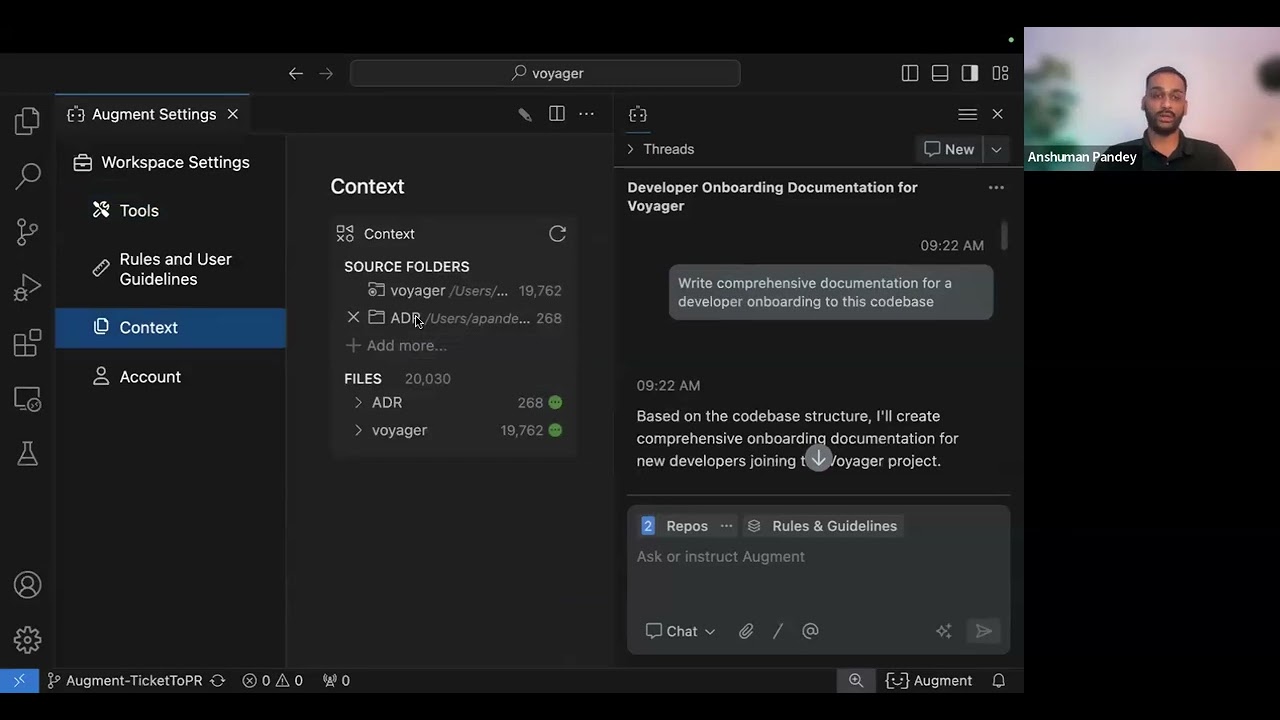
Screenshots of Augment Code 3 images
What's great
- Built around deep repo-wide context retrieval, designed to pull the right files across a large monorepo without manual path-feeding
- Auggie tops the SWE-Bench Pro public leaderboard; by Augment's own benchmark post it solved 15 more problems than Cursor on the same model
- Strong enterprise posture: SSO, compliance controls, and on-prem options aimed squarely at bigger orgs
Watch-outs
- The credit model has drawn real anger; one documented account watched 51,072 credits disappear in a single day before cancelling
- On small projects the deep-context advantage is wasted, and you pay for muscle you do not use
- Pricing tiers stack quickly (Indie $20, Standard $60, Max $200), and the credit limits are easy to misjudge
Pricing breakdown
| Plan | Price | Best for |
|---|---|---|
| Indie | $20/mo | 40K credits, solo on a real repo |
| Standard | $60/mo | 130K credits, daily individual use |
| Max | $200/mo | 450K credits, heavy use |
| Enterprise | Custom | Unlimited users, on-prem options |
Security & compliance
| Standard | Availability |
|---|---|
| SOC 2 Type II | Yes |
| GDPR | Yes |
| HIPAA | No |
| SSO / SAML | Enterprise |
| Audit logs | Enterprise |
Augment Code compliance summary: SOC 2 Type II is yes, GDPR is yes, HIPAA is no, SSO/SAML is enterprise, and audit logs is enterprise.
What reviewers say about Augment Code
Recurring themes from Hacker News, Reddit (r/AugmentCodeAI), Gartner Peer Insights, G2, and developer community posts, 2024-2026.
What reviewers praise
- Context Engine indexes up to 500,000 files architecturally rather than by keyword, sending only the relevant code slice per task and reducing token consumption compared to tools that transmit entire files.
- Code review accuracy is frequently highlighted; one Gartner reviewer described counting genuinely bad suggestions on one hand across hundreds of assessments, tolerating slower speed as a fair tradeoff.
- Multi-agent Cosmos platform coordinates triage, authoring, review, and verification agents with selective human escalation, enabling a full SDLC workflow inside one product.
- IDE integration covers Zed, JetBrains, Neovim, and Emacs via Agent Client Protocol, and suggestions arrive without perceptible lag across all supported environments.
- Monorepo navigation is singled out as a genuine differentiator; the context engine handles multi-repo dependencies at a scale developers say nothing else in the AI coding space touches.
What reviewers fault
- Credit-based pricing model is the top recurring complaint; 142 reviews cite confusion and expense, with developers reporting anxiety over credit consumption on every complex query.
- A mid-2025 pricing migration removed promised benefits after users had already upgraded, which the r/AugmentCodeAI community described as handled poorly and eroded trust in the vendor.
- Support responsiveness is documented as slow during growth periods; some users waited 10-plus days for replies on payment issues, with 56 reviews citing this as a meaningful problem.
- Initial large repository indexing is resource-intensive and time-consuming; users report frequent timeouts requiring manual retries during multi-file operations on big codebases.
- The chat and model comparison interfaces lack refinement compared to specialized competitors; the UI feels behind relative to the technical depth of the underlying context engine.
Loading reviews…
Cline
Best open-source AI coding agent for VS Code and air-gapped teams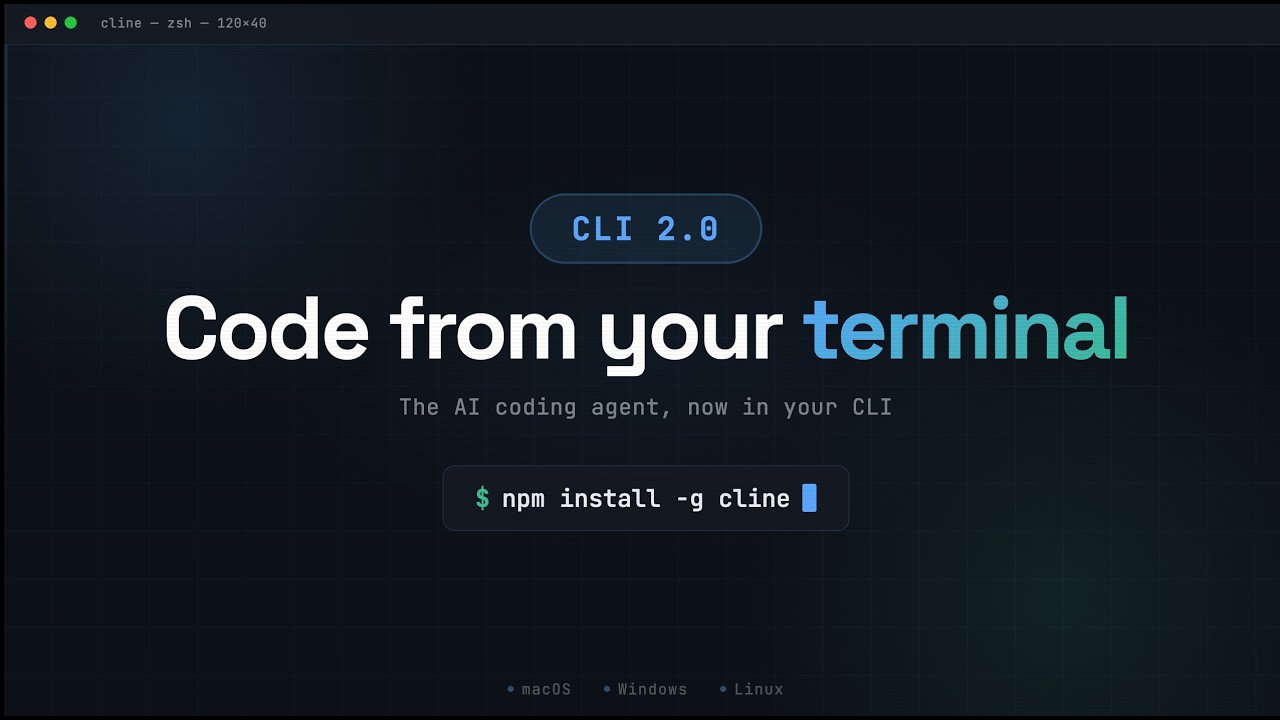
Screenshots of Cline 3 images
What's great
- Genuinely open-source (Apache 2.0, 60,000+ GitHub stars) with full bring-your-own-key, so you control the model, the spend, and the data path
- Visual per-change approval in the VS Code sidebar makes it one of the safer agents to run on code you cannot afford to break
- The standout for open source plus deep VS Code and JetBrains support plus VPC, on-prem, and air-gapped deployment
Watch-outs
- BYOK means you pay raw model API costs, which on a heavy day can exceed a $20 flat subscription if you are not watching
- Approval-gated flow is slower than a fully autonomous agent; that safety is a deliberate speed trade-off
- No managed support contract by default; you lean on docs and community unless you buy a commercial tier
Pricing breakdown
| Plan | Price | Best for |
|---|---|---|
| Open-source | $0 | BYOK |
| Model API | Pay-per-token | Actual cost is your provider bill |
| Enterprise/self-host | Custom | VPC |
Security & compliance
| Standard | Availability |
|---|---|
| SOC 2 Type II | Self-managed |
| GDPR | Your infra |
| HIPAA | Self-managed |
| SSO / SAML | Self-host |
| Audit logs | Self-host |
Cline compliance summary: SOC 2 Type II is self-managed, GDPR is your infra, HIPAA is self-managed, SSO/SAML is self-host, and audit logs is self-host.
What reviewers say about Cline
Recurring themes from Reddit (r/Cline, r/LocalLLM, r/ChatGPTCoding), Hacker News, Product Hunt, and developer community posts, 2024-2026.
What reviewers praise
- Full model flexibility lets developers switch between Claude, GPT-5, and local Qwen or Llama models within a single session; Cursor and Copilot lock users to curated model selections.
- Per-loop cost transparency displays input and output token counts with an exact dollar figure after every agent loop, making cost-per-feature optimization possible where competitors provide no visibility.
- Approval-first design shows a full diff view for every file edit and requires explicit approval before running any terminal command, so developers are never in a position where unreviewed changes have landed.
- Local model support (Ollama, LM Studio) is treated as first-class rather than an afterthought; running on local hardware costs only electricity, genuinely free for developers with capable workstations.
- Apache 2.0 license enables auditing, forking, and air-gapped deployment; security-conscious teams and regulated environments can inspect and modify the codebase in a way closed tools do not allow.
What reviewers fault
- No built-in spend guardrails; the tool shows per-loop costs but lacks budget caps or runaway-loop prevention, meaning an unintended recursive agent loop can accumulate significant API charges.
- Tab completion is weak relative to cursor-centric tools; Cline prioritizes agent loops over single-line autocomplete, making it slower for developers who rely on fast inline suggestions.
- UX integration is less polished than purpose-built AI IDEs; the sidebar placement and workflow feel like an add-on rather than a tool designed from the ground up around AI-assisted coding.
- API latency from direct model calls introduces variable response times compared to tools with optimized routing infrastructure; perceived speed is inconsistent across model providers.
- The mid-2026 news that OpenAI hired several core team members prompted community concern about future maintenance pace; forks like Roo Code gained users specifically from developers who did not want to bet on Cline's long-term independence.
Loading reviews…
Aider
Best open-source AI coding agent for terminal and Git-native workflows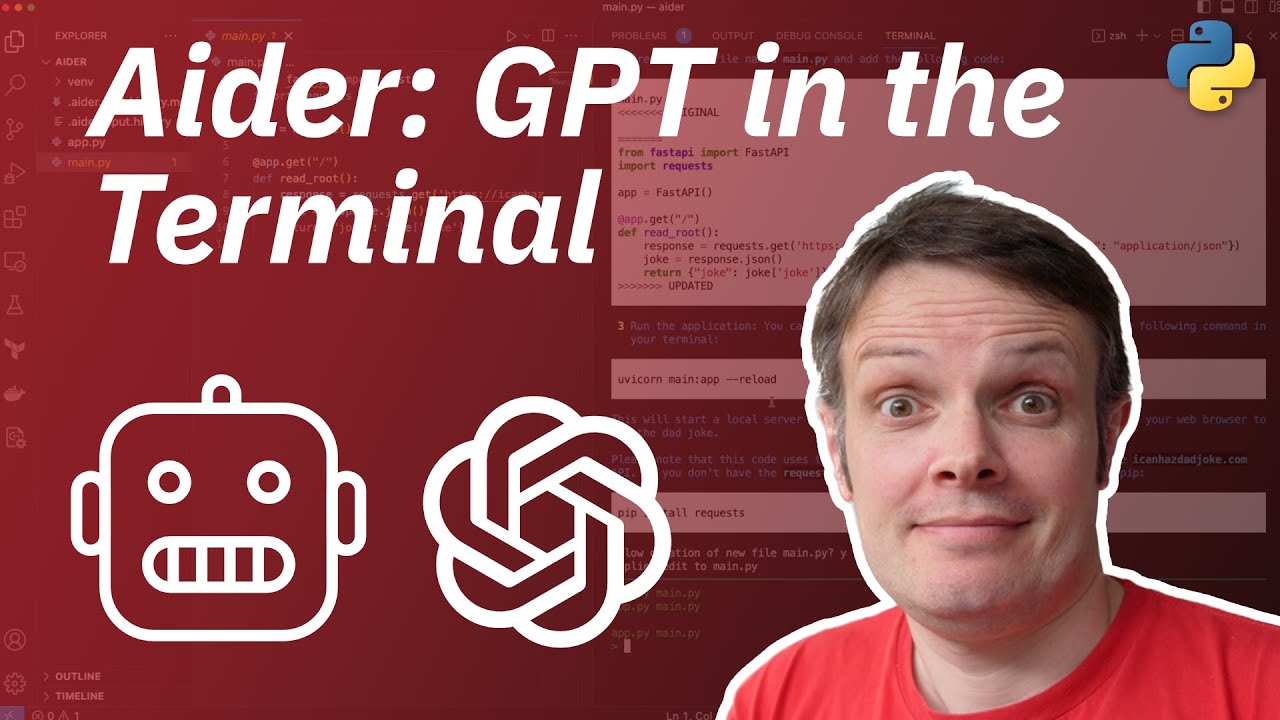
Screenshots of Aider 3 images
What's great
- Git is a first-class citizen: every change lands as an automatic, conventional commit, so the agent history is your undo button
- Mature and reliable with a large following (45,000+ GitHub stars as of June 2026) and a well-tested codebase
- Architect mode separates planning from editing, which tends to produce cleaner diffs on multi-step changes than a single-pass agent
Watch-outs
- Terminal-only with no GUI; engineers who want a sidebar and visual diffs will prefer Cline or an IDE agent
- BYOK token costs apply, same as Cline, so heavy use is not actually free in dollars
- No autonomous browser or built-in subagents; it is a focused editing tool, not an everything-agent
Pricing breakdown
| Plan | Price | Best for |
|---|---|---|
| Open-source | $0 | BYOK terminal use |
| Model API | Pay-per-token | Cost equals your provider bill |
Security & compliance
| Standard | Availability |
|---|---|
| SOC 2 Type II | Self-managed |
| GDPR | Your infra |
| HIPAA | Self-managed |
| SSO / SAML | N/A |
| Audit logs | Git history |
Aider compliance summary: SOC 2 Type II is self-managed, GDPR is your infra, HIPAA is self-managed, SSO/SAML is n/a, and audit logs is git history.
What reviewers say about Aider
Recurring themes from Hacker News, Reddit (r/programming, r/LocalLLaMA), GitHub issues, and developer community posts, 2024-2026.
What reviewers praise
- Git-native workflow auto-stages and commits every meaningful code change with descriptive messages, creating a clean reviewable history that acts as a safety net for all agentic modifications.
- Repository map gives the LLM a compressed high-level overview of the codebase, significantly improving cross-file dependency awareness without requiring the full file content in context.
- Model-agnostic architecture supports essentially every major LLM including GPT-5, Claude 4, Grok, Gemini 2.5, and DeepSeek R1; developers can switch models to match task complexity and budget.
- Agentic mode can execute shell commands, capture output, and iteratively resolve linting errors or test failures autonomously, making it a capable end-to-end coding loop without manual retries.
- Structured refactoring reliability is consistently praised; Hacker News threads from 2024-2026 recommend Aider as the benchmark tool for large-scale CLI-based refactors where correctness matters more than speed.
What reviewers fault
- Terminal-only interface has a steeper learning curve than GUI-based tools; developers who are not comfortable in the CLI or who prefer a visual diff panel find the tool harder to adopt.
- Context management is manual; developers must use /add and /drop commands to control which files are in scope, requiring active effort to keep token usage and costs under control.
- LLM API costs can scale quickly on extended sessions without prompt caching; a GitHub issue documents enormous token counts appearing on short messages after rate-limit retry loops inflate context.
- Adding irrelevant files to the context window degrades output quality and increases cost; the tool does not automatically prune context, leaving file management responsibility entirely with the developer.
- Update cadence slowed compared to earlier years, which the community noticed; maintaining a popular open-source project solo creates a ceiling on how fast features and model integrations can ship.
Loading reviews…
Devin
Best autonomous cloud agent for delegating whole tasks async
Screenshots of Devin 3 images
What's great
- Runs in its own cloud VM, so you delegate a task and walk away; the work happens without your laptop or editor open
- Devin 2.0 dropped the entry price from a $500/mo minimum to a free tier and a $20/mo Pro plan, which finally made it testable for individuals
- Strong on well-scoped, repetitive tasks (migrations, dependency bumps, boilerplate) that you would rather not babysit
Watch-outs
- Usage beyond each plan's quota bills pay-as-you-go, which makes the real cost of a big delegated task hard to predict before you run it
- On ambiguous or architecture-heavy tasks it is reported to wander more than the supervised IDE agents; scoping is on you
- Async cloud model means a slower feedback loop than an in-editor agent when you want to iterate fast
Pricing breakdown
| Plan | Price | Best for |
|---|---|---|
| Free | $0 | Limited Devin usage, trying it |
| Pro | $20/mo | Individuals, pay-as-you-go overages |
| Max | $200/mo | Higher quotas, heavy delegation |
| Teams | $80/mo | Central billing and admin dashboard |
| Enterprise | Custom | Org rollout and support |
Security & compliance
| Standard | Availability |
|---|---|
| SOC 2 Type II | Yes |
| GDPR | Yes |
| HIPAA | No |
| SSO / SAML | Enterprise |
| Audit logs | Enterprise |
Devin compliance summary: SOC 2 Type II is yes, GDPR is yes, HIPAA is no, SSO/SAML is enterprise, and audit logs is enterprise.
What reviewers say about Devin
Recurring themes from Hacker News (HN item 39741933, HN item 40008109), Reddit, SitePoint production reports, and developer community posts, 2024-2026.
What reviewers praise
- Genuine async autonomy is the core use case; developers describe queuing a well-defined bug fix or test-writing task and returning to a completed pull request, with 78-82 percent success rates on bounded tasks.
- Boilerplate and CRUD generation, documentation creation, and CI/CD environment setup are high-ROI tasks where Devin's 85 percent success rate on documentation and 82 percent on test writing make the cost defensible.
- Sandboxed cloud environment with code editor, terminal, and browser access allows true fire-and-forget operation on tasks that would otherwise require a developer to stay at the keyboard the whole time.
- Code migration success rates around 70 percent on structured codebase upgrades and framework migrations are consistently cited as one of the most practical production use cases.
- The $20/month Core tier and ACU-based pay-as-you-go pricing lowered the entry point from the original $500/month minimum, making the tool accessible for individual developers with limited but consistent workloads.
What reviewers fault
- The babysitting cost is real on complex tasks; developers report spending more time steering and correcting Devin than it would have taken to write the code directly, eroding the autonomous value proposition.
- Async operation means errors are expensive to catch; unlike tools that show every change in real time, mistakes made in a long Devin session can run undetected for 20-plus minutes before a review reveals the wrong path.
- Architectural judgment is consistently weak; refactoring tasks achieve only 45 percent success rates, Devin over-engineers solutions, adds unnecessary abstractions, and misses unwritten project conventions.
- Context degrades in large codebases; the tool loses coherence in repositories exceeding 100k lines, sometimes modifying the wrong file or creating duplicate implementations of existing functionality.
- Initial benchmark demos were independently debunked by developers who reproduced the tasks and found the Upwork examples significantly simpler than presented, which set a trust floor the product has not fully recovered from.
Loading reviews…
Zed
Best AI coding agent for raw editor speed and a native experience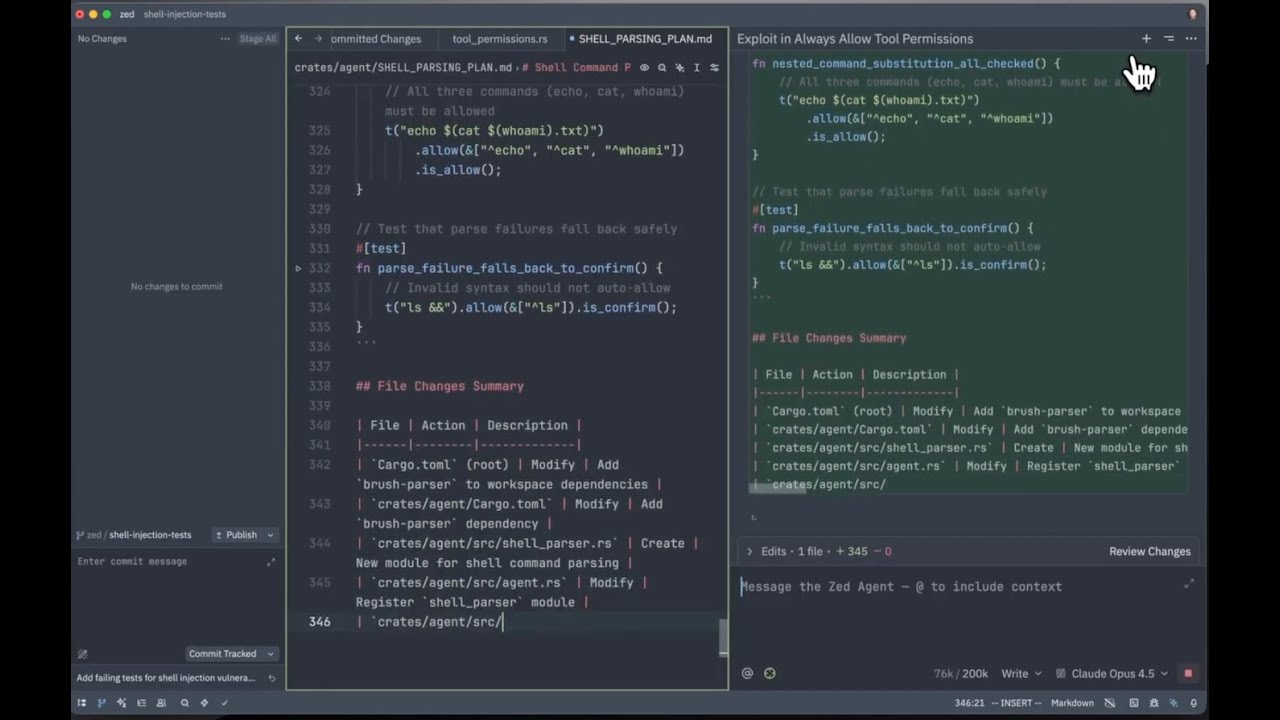
Screenshots of Zed 3 images
What's great
- Native Rust editor that is genuinely the fastest in this guide; the AI layer sits on an editor that never feels heavy
- Agent Client Protocol support plugs in Claude Code, Codex, and other external CLI agents, so Zed is also a clean host for other tools on this list
- Free Personal plan is real: full editor, 2,000 accepted edit predictions a month, plus unlimited use with your own API keys
Watch-outs
- The in-house agent and edit-prediction model trail the dedicated agents on hard multi-file tasks; the strength is the editor, not the frontier model
- Smaller extension ecosystem than the VS Code family, so some language and tooling support lags
- Best value comes from pairing it with an external agent, which means managing two tools, not one
Pricing breakdown
| Plan | Price | Best for |
|---|---|---|
| Personal | $0 | Full editor |
| Pro | $10/mo | Unlimited predictions |
| Business | $30/seat/mo | Org policy |
Security & compliance
| Standard | Availability |
|---|---|
| SOC 2 Type II | Yes |
| GDPR | Yes |
| HIPAA | No |
| SSO / SAML | Business |
| Audit logs | Business |
Zed compliance summary: SOC 2 Type II is yes, GDPR is yes, HIPAA is no, SSO/SAML is business, and audit logs is business.
What reviewers say about Zed
Recurring themes across developer discussions on Hacker News, GitHub discussions, and third-party review sites, 2024-2026.
What reviewers praise
- Startup time under half a second and input latency around 2ms, consistently praised as the fastest editor available in 2026
- Native GPU-accelerated rendering built in Rust means typing feels instant even in large files, unlike Electron-based editors
- Real-time collaborative editing with shared notes, chat, and screen sharing built in, no plugin required
- Ships with Git integration, diagnostics, and formatting working out of the box, reducing setup time significantly
- AI assistant (Claude-powered) with fast suggestion latency praised for tight editor integration and agentic task support
What reviewers fault
- Extension ecosystem has roughly 800 extensions versus VS Code's 50,000, creating gaps for less common languages and toolchains
- AI context is limited to open buffers rather than the full codebase, a frequent complaint from teams working on larger projects
- Python language server integration has reported bugs including CPU spikes, broken hover tooltips, and failed autocomplete on some machines
- Windows version is newer and less mature, with more open bug reports than the macOS and Linux builds
- Advanced AI features require a paid subscription at $10 per month, which surprises developers who expect fully free open-source tooling
Loading reviews…
Tools we considered but excluded
We evaluated more tools than the 10 you see above. These did not make the cut. Saying what we rejected, and why, is the editorial muscle most listicles skip.
- Amazon Q Developer: Best fit is teams deep in the AWS ecosystem; the value is tied to AWS account context, which narrows it below a general-purpose pick
- Tabnine: Privacy-first completion and a solid enterprise story, but the agentic layer trails the leaders in 2026; better classed as a completion tool than an agent
- Continue: Capable open-source assistant, but Cline and Aider cover the open-source slot more decisively on agentic work and deployment options
- Replit Agent: Excellent for prototyping and non-traditional builders inside the Replit cloud, but a different buyer than the professional-codebase reader of this guide
Honorable mentions
Solid tools that did not crack the main list but are worth tracking, especially for niche use cases.
- Kilo Code: Actively maintained open-source (MIT) agent for VS Code, JetBrains, and CLI with structured modes and 500+ model support; the open-source pick to watch now that the earlier Roo Code project was archived in 2026
- Google Jules: Async cloud agent in the Devin mold, tied to Google and Gemini; worth a look for teams already standardized on Google infrastructure
- JetBrains AI / Junie: The native choice if your team lives in IntelliJ, PyCharm, or the JetBrains family and wants the agent inside the IDE it already pays for
The four form factors of AI coding agents
The “AI coding agent” label gets stretched across four very different products, and picking the wrong shape is the most expensive mistake here. Knowing which form factor fits your workflow narrows the list faster than any feature table.
Agent-native IDEs. Cursor, Windsurf, and Zed put the agent inside a full editor. You get fast visual diffs, in-line approval, and tight iteration. This is the right shape for engineers who want to stay in one window and watch the agent work.
Terminal and CLI agents. Claude Code and Aider live in the shell. They trade the GUI for autonomy, scripting, and the ability to drop straight into CI or a remote box. The ramp is steeper, the ceiling on autonomous work is higher.
Cloud and async agents. Devin runs in its own VM. You delegate a scoped task and walk away. The feedback loop is slower than an in-editor agent, but you are not holding the work open on your machine.
IDE extensions and open-source agents. GitHub Copilot rides inside whatever editor you already use. Cline and Aider are open-source and BYOK, which means you own the model choice, the spend, and the data path. For regulated or air-gapped teams, that ownership is the whole decision.
The ten agents in this guide cover all four shapes. Most engineers end up running two: one agent-native IDE for daily work, and one autonomous or cloud agent for the tasks they would rather delegate.
The two most-asked-about agents in this guide go head to head in our full Cursor vs GitHub Copilot comparison , which works through the price, autonomy, and GitHub-native rollout trade-off case by case.
Selection criteria, what to test in your AI coding agent trial
A slick demo tells you almost nothing about how an agent behaves on your codebase. Six things to put it through before you commit a team to it.
One, run a real multi-file refactor, not a single-function demo. Pick a change that touches eight to twelve files in your actual codebase. The demo always looks clean on one file. The truth shows up when the agent has to hold context across a dozen of them and not break the imports. The tools built around large-context retrieval (Claude Code, Augment) are designed for exactly this stress; confirm it on your own repo.
Two, measure edits accepted versus reverted. Count it. For every change the agent proposed, how many did you keep and how many did you throw away? An agent that writes a lot of code you then revert is slower than typing it yourself, no matter how fast it generated the diff.
Three, time the run to a green test suite. Start from a failing test and clock how long until every test passes, including the agent’s own iterations. This is the number that correlates with shipped work, and it is the one nobody measures during a trial.
Four, check the real dollar cost of the task. On credit and usage-based tools, run a representative task and read the meter after. Cursor’s pool, Augment’s credits, Devin’s usage overages, and Copilot’s new AI Credits all behave differently under load. The monthly sticker price is not what a heavy day costs.
Five, test the data path your security team cares about. Where does your code go, and can you stop it leaving? If the answer matters, only the BYOK and self-hostable tools (Cline, Aider, and Zed with your own keys) give you a clean story. Settle this before procurement does it for you.
Six, let the agent fail and watch the recovery. Hand it an ambiguous task with a hidden gotcha. Does it ask, does it guess, does it loop? The agents that recognize they are stuck and stop are safer in production than the ones that confidently produce wrong code. Cloud delegation tools like Devin are reported to wander most on ambiguity, so this test matters more the more autonomy you hand over.
Where the AI coding agents differ on core features
The five capabilities engineers ask about most when standardizing on an AI coding agent. Cells reflect behavior at the entry paid tier unless noted. ✓ = built-in, ✗ = not available, • = limited or partial, BYOK = bring your own key.
| Tool | Form factor | Multi-file agentic edits | Autonomous test/PR loop | Bring your own model | Free tier |
|---|---|---|---|---|---|
| Cursor | Agent-native IDE | ✓ Composer | • supervised | ✓ full BYOM | ✓ Hobby |
| Claude Code | Terminal/CLI | ✓ strong | ✓ deepest in guide | ✗ Anthropic only | ✗ |
| OpenAI Codex | CLI, IDE & cloud | ✓ strong | ✓ cloud + CLI | ✗ OpenAI only | ✓ |
| GitHub Copilot | IDE extension | ✓ agent mode | • catching up | • curated | ✓ |
| Windsurf | Agent-native IDE | ✓ Cascade | • supervised | • curated | ✓ |
| Augment Code | IDE extension | ✓ Auggie | ✓ strong | • curated | ✓ Community |
| Cline | Open-source (VS Code) | ✓ approval-gated | • approval-gated | ✓ full BYOK | ✓ open-source |
| Aider | Open-source (terminal) | ✓ architect mode | • Git-native | ✓ full BYOK | ✓ open-source |
| Devin | Cloud/async | ✓ in VM | ✓ autonomous | ✗ vendor model | ✗ |
| Zed | Agent-native IDE | • + external ACP | • via ACP agent | ✓ BYOK + ACP | ✓ Personal |
Two tools stand out. Claude Code is the one most consistently documented to run the autonomous test-and-PR loop end to end without a human stepping in at each stage. Cline and Aider are the only ones offering full BYOK on genuinely open-source code, which is the line that matters for regulated teams.
For engineers who want one window, Cursor, Windsurf, and Zed are the agent-native IDEs; Cursor leads on polish and ecosystem, Windsurf on value, Zed on raw speed.
Compliance and data-control checklist
Every enterprise security review of an AI coding agent asks the same questions: where does our code go, who can see it, and can we run it on our own infrastructure. This table reflects each vendor’s publicly documented posture as of June 2026. Reconfirm against the vendor’s trust center before a contract.
| Tool | SOC 2 | Self-host / air-gapped | Code retention controls | SSO/SAML | Data path control |
|---|---|---|---|---|---|
| Cursor | ✓ | ✗ | ✓ privacy mode | Teams | • cloud, privacy mode |
| Claude Code | ✓ | ✗ (cloud models) | ✓ commercial terms | Team/Enterprise | • cloud |
| OpenAI Codex | ✓ | ✗ | ✓ data controls | Business+ | • cloud |
| GitHub Copilot | ✓ | ✗ | ✓ org controls | Business+ | • cloud |
| Windsurf | ✓ | ✗ | ✓ Teams+ | Teams | • cloud |
| Augment Code | ✓ | ✓ Enterprise | ✓ Enterprise | Enterprise | • cloud / on-prem |
| Cline | Self-managed | ✓ VPC/on-prem | ✓ your infra | Self-host | ✓ full control |
| Aider | Self-managed | ✓ your terminal | ✓ your infra | N/A | ✓ full control |
| Devin | ✓ | ✗ | ✓ Enterprise | Enterprise | • cloud VM |
| Zed | ✓ | • BYOK keeps local | ✓ BYOK | Business | ✓ with BYOK |
The split is clean. If your security team needs code to never leave your perimeter, the open-source BYOK tools (Cline, Aider, and Zed with your own keys) are the only ones that give you a true answer, with Augment Enterprise as the managed on-prem option.
Everything else is a cloud product with privacy modes and contractual controls, which clears the bar for most US companies but not for the strictest regulated environments.
Cursor’s privacy mode and Copilot’s org controls satisfy most mid-market reviews. HIPAA is not a clean fit for any of these as general coding tools; Claude Code can be covered under commercial terms, but treat that as a contract conversation, not a checkbox.
Integration depth across your toolchain
How deep each agent connects to the parts of a real engineering workflow. N = native, • = partial or via protocol, ✓ = supported, ✗ = not supported.
| Tool | VS Code / editor | GitHub PR + issues | CI/CD and headless | JetBrains | External agent host (ACP) |
|---|---|---|---|---|---|
| Cursor | N (own IDE) | N | • | ✗ | ✗ |
| Claude Code | • via ACP/terminal | N | ✓ | • | N (is the agent) |
| OpenAI Codex | ✓ VS Code/Cursor | ✓ cloud PRs | ✓ CLI + cloud | ✗ | ✗ |
| GitHub Copilot | N | N (deepest) | ✓ Actions | N | ✗ |
| Windsurf | N (own IDE) | • | • | ✗ | ✗ |
| Augment Code | N | N | • | N | ✗ |
| Cline | N | • | ✓ CLI 2.0 headless | N | • ACP |
| Aider | • terminal | • Git | ✓ scriptable | ✗ | ✗ |
| Devin | • cloud | N | ✓ | ✗ | ✗ |
| Zed | N (own IDE) | • | • | ✗ | N (hosts agents) |
GitHub Copilot is the standout on workflow gravity: issues, pull requests, and Actions all sit where the agent runs, and nothing else matches that for a team already on GitHub. Claude Code and Cline (with CLI 2.0) are the strongest for headless CI use, where the agent runs without an editor at all.
Zed earns a special note: through the Agent Client Protocol it hosts other agents on this list inside a fast native editor, so it is as much a home for Claude Code or Codex as it is an agent of its own.
What AI coding agents really cost per engineer
Sticker price is the least useful number on an AI coding agent’s pricing page in 2026, because most of them moved to credits, quotas, or usage-based billing. Here is what a single engineer’s year tends to run across the common setups. Treat the ranges as planning estimates, not quotes.
| Setup | Sticker (monthly) | Year-1 all-in estimate | Main variance driver |
|---|---|---|---|
| Cursor Pro, one engineer | $20 (or $16 annual) | $240 to $720 | Credit pool overage; many upgrade to Pro+ ($60) |
| Claude Code Max 5x | $100 | $1,200 | Jump to Max 20x ($200) on heavy days |
| OpenAI Codex (ChatGPT Plus) | $20 | $240 to $2,400 | Token-based limits; Pro $100 to $200 on heavy use |
| GitHub Copilot Pro | $10 | $120 to $400 | New AI Credit usage on agent and premium-model calls |
| Windsurf Pro | $20 | $240 | Daily/weekly quota caps on heavy days |
| Augment Standard | $60 | $720 to $3,000+ | Credit consumption; Max ($200) upgrade stacks fast |
| Cline (BYOK) | $0 software | $300 to $2,400+ | Raw model API tokens; entirely usage-driven |
| Aider (BYOK) | $0 software | $200 to $1,800 | Raw model API tokens |
| Devin Pro | $20 + usage | $240 to $3,000+ | Pay-as-you-go overages beyond plan quota; per-task |
| Zed Pro | $10 | $120 to $500 | API list plus 10 percent beyond included tokens |
The forecast error developers flag most often: pricing an AI coding agent off the flat tier and forgetting the usage layer underneath it. A $20 Cursor seat that an engineer leans on all day hits the credit pool and pushes to the $60 Pro+ tier. A “free” open-source agent on a heavy week can out-bill a paid subscription on raw tokens.
The other trap is Devin’s usage layer. Beyond each plan’s quota, pay-as-you-go overages on a few large delegated tasks can quietly outrun a flat subscription, so budget Devin by the task, not the month.
For predictable spend, the flat IDE subscriptions (Cursor Pro, Windsurf Pro, Zed Pro) are easiest to forecast; the credit and usage models reward teams that actually watch the meter.
The real monthly bill for a power user
The sticker price and the bill are two different numbers in 2026, and the gap is widest for the engineer who leans on the tool all day. None of the big roundups break this out, so here is the honest version: what a heavy user, not a tire-kicker, tends to pay each month once the usage layer kicks in.
Cursor is the clearest example. The $20 Pro pool drains on an agent-heavy afternoon, and the common path is up to Pro+ at $60, with the all-day crowd on Ultra at $200. Plenty of heavy Cursor users live in the $60 to $200 band, not at $20.
GitHub Copilot is the one to watch this month. Since the June 1, 2026 move to usage-based AI Credits, power users running agents all day have reported bills climbing well past the old flat rate, with the heaviest agentic workflows projected into the high hundreds. Completions stay free, so a light user still pays $10.
The agent-heavy engineer can land a lot closer to $750 than to $39, so model the overage before you roll it out, not after.
Claude Code and OpenAI Codex cap the pain better, because the subscription path is far cheaper than metered tokens for the same work. Claude Code Max at $100 to $200 covers heavy daily use that would run five figures at raw API rates.
Codex is bundled into ChatGPT, so a Plus seat at $20 carries a daily user and only the truly heavy graduate to Pro at $100 or $200.
Devin is the opposite shape. It bills pay-as-you-go on top of a small base, so an active team delegating real work can clear $500 in a month without trying.
The escape hatch is the open-source pair. Cline and Aider charge nothing for the software, so your only bill is the model API you point them at. On a disciplined week that runs cheaper than any subscription; on a heavy week of large-context calls it can quietly pass a flat $200 seat.
The difference is that you see every dollar and control it, which is exactly why regulated and cost-sensitive teams keep landing there.
How to choose the right AI coding agent for your team
Five questions. Answer them in order and the ten-tool list drops to two or three.
1. Agent inside your editor or in the terminal
If your team wants to stay in one window with fast visual diffs, the agent-native IDEs are the call: Cursor for polish and ecosystem, Windsurf for value, Zed for raw speed. If you want autonomy, scripting, and CI access, the terminal agents win: Claude Code for autonomous work, Aider for Git-disciplined editing.
2. How much autonomy you actually trust
Supervised agents that show every diff (Cursor, Windsurf, Cline) are safer on code you cannot afford to break. Autonomous agents (Claude Code, Devin) move faster on scoped work but need clear boundaries. Start supervised, earn trust on real tasks, then hand over the repetitive work.
3. Where your code is allowed to go
If code can use a cloud service, the whole list is open. If it cannot leave your perimeter, the answer narrows to the open-source BYOK tools (Cline, Aider, Zed with your keys) or Augment Enterprise on-prem. Settle this first, because it eliminates more options than any feature.
4. How big and messy the codebase is
On a large, tangled monorepo, context retrieval is the whole game, and Augment Code leads there. On a small or greenfield project, that depth is wasted and a simpler IDE agent like Cursor or Windsurf is the better value. Match the muscle to the codebase.
5. What your team already standardizes on
If everything lives on GitHub, Copilot is the lowest-friction rollout by a wide margin. If your engineers are in JetBrains, the native JetBrains agent is worth a look before forcing a switch. The agent that fits the tools you already pay for gets adopted; the one that fights them gets uninstalled.
How to roll out an AI coding agent without a mess
Most AI coding agent failures are rollout failures, not tool failures. Four phases.
Phase 1 (week 1): One agent, one engineer, one real task. Do not buy team seats yet. Put one agent in front of one engineer on an actual sprint task, not a sandbox. Watch the edits-accepted ratio and the time to a green suite. If the agent is reverting more than it ships, that is your answer before you spend on seats.
Phase 2 (weeks 2-3): Two agents, head to head, same tasks. Run a second agent through the identical multi-file change and bug fix. Compare on shipped work and real dollar cost, not demo feel. Most teams find they want one IDE agent plus one autonomous or cloud agent, not a single tool for everything.
Phase 3 (weeks 4-6): Set guardrails before you scale. Decide the data-path policy, the spend ceiling, and the review rules. Who approves agent PRs, what the agent is allowed to touch, and how usage is capped. The teams that skip this are the ones who get a surprise credit bill or an unreviewed agent commit in production.
Phase 4 (weeks 7-12): Standardize and measure. Roll the winning setup to the team with SSO and central billing. Track the same numbers you used in the trial: edits accepted versus reverted, time to green, cost per task. Re-run the comparison quarterly, because the model underneath every one of these agents will have moved.
What’s changing in AI coding agents in 2026
Pricing moved to usage, almost everywhere. GitHub Copilot’s June 1, 2026 shift to usage-based AI Credits is the headline, but it is the pattern, not the exception. Cursor’s dollar pools, Augment’s credits, Windsurf’s quotas, and Devin’s pay-as-you-go overages all meter consumption now. The flat-rate era is closing, and teams that do not watch the meter will be surprised by the bill.
The autonomous loop went from demo to dependable. In 2024, an agent that planned, edited, ran tests, fixed its own failures, and opened a PR was a conference demo. By mid-2026, Claude Code is documented doing it on real scoped tasks, OpenAI Codex does it across its CLI and cloud, and Devin does it async in a VM. The gap now is less about whether the loop closes and more about how well the agent recognizes when it is stuck.
Benchmarks fractured, and that is healthy. OpenAI stopped reporting SWE-Bench Verified scores in early 2026, citing both training-data contamination and a finding that most of the failed test cases were themselves flawed, and pointed buyers at SWE-Bench Pro instead. The takeaway for buyers: treat any single benchmark number with suspicion, and trust your own task-based trial over a leaderboard.
Open protocols are turning agents into a stack, not silos. The Agent Client Protocol lets a fast editor like Zed host Claude Code, Codex, or other CLI agents directly. Engineers are increasingly mixing a host editor with a best-in-class external agent rather than betting everything on one vendor’s bundle.
Consolidation around model access is the quiet story. Cognition’s acquisition of Windsurf (Cognition also makes Devin, so two tools on this list now share an owner) and the broad BYOM support in Cursor, Cline, Aider, and Zed both point at the same anxiety: nobody wants to be stranded if their agent’s model vendor falls behind. The tools that let you swap models, or are backed by a model lab, are the ones buyers trust for the long haul.
Final pick by use case
- Most engineers, one tool, daily work: Cursor Pro ($20/mo). The polished default; start here unless a constraint below overrides it.
- Autonomous, multi-file work from the terminal: Claude Code, Pro ($20) for light use or Max ($100 to $200) for heavy. The strongest documented autonomy in the guide.
- Already paying for ChatGPT: OpenAI Codex, included with Plus ($20) and up. Tops the 2026 benchmark boards and runs in your terminal, IDE, and the cloud.
- Team already living on GitHub: GitHub Copilot, Pro ($10) for individuals or Business ($19/user) for teams. Lowest-friction rollout, now on usage-based billing.
- Value-first agent-native IDE: Windsurf Pro ($20/mo). Cascade is reported to match the leaders on everyday tasks for less.
- Large, complex enterprise codebase: Augment Code, Indie ($20) to Standard ($60) and up. Best context depth; watch the credit meter.
- Regulated, air-gapped, or strict data control: Cline (open-source, VPC/on-prem) or Aider (terminal, BYOK). You own the model and the data path. Augment Enterprise if you want it managed.
- Delegating whole scoped tasks async: Devin, free tier or Pro ($20/mo) plus usage. Hand it migrations and boilerplate, budget by the task.
- Raw editor speed with AI attached: Zed, Free Personal or Pro ($10). Fastest editor here; pair it with an external agent over ACP for the best of both.
This is a research-led roundup. Before you standardize, run the same multi-file task through your shortlist on your real codebase, measure edits accepted versus reverted and time to a green suite, and decide on shipped work at the end of week one, not on the onboarding demo.
Related reading: the full Cursor vs GitHub Copilot head-to-head, plus our guides to the best CI/CD platforms and best app monitoring tools that these agents ship into once the code is written.
Frequently asked questions
What is the difference between an AI coding agent and AI autocomplete?
Autocomplete suggests the next line as you type. An agent takes a goal, edits across multiple files, runs commands and tests, and iterates toward a finished change. Most 2026 tools do both; the agent layer is the part that ships work.
Which AI coding agent is best for most engineers in 2026?
Cursor is the safe default for individuals who want one polished IDE. For autonomous multi-file work from the terminal, Claude Code has the strongest documented loop. Teams already on GitHub should start with Copilot for the lowest-friction rollout.
How much do AI coding agents actually cost per month in 2026?
Entry pricing clusters at $10 to $20/mo (Copilot Pro $10, Cursor Pro $20, Windsurf Pro $20, Zed Pro $10). Heavy autonomous use runs $100 to $200/mo (Claude Code Max, Cursor Ultra). Open-source tools (Cline, Aider) are free software but bill raw model API tokens.
Are open-source AI coding agents good enough to replace Cursor or Copilot?
For many engineers, yes. Cline and Aider match the paid tools on core editing, and you control the model and data. The trade is that BYOK token costs can exceed a flat subscription on heavy days, and you self-manage support.
Which AI coding agent is best for a large enterprise codebase?
Augment Code, for context depth across big repos, and it leads the SWE-Bench Pro public board. For strict data control, Cline self-hosted (VPC, on-prem, air-gapped) is the safest. Watch Augment's credit consumption closely.
Can AI coding agents work autonomously without supervision?
Partly. Claude Code is documented to plan, edit, test, and open a PR on scoped tasks. Devin runs whole tasks in a cloud VM. Both still need clear scoping and human review; ambiguous or architecture-heavy work is where they wander.
What changed with GitHub Copilot pricing in June 2026?
As of June 1, 2026, every Copilot plan moved to usage-based billing on AI Credits. Completions and next-edit suggestions stay free, but agent runs and premium-model requests draw down a monthly credit allotment, with paid overage beyond it.
Should I use a terminal agent or an IDE agent?
IDE agents (Cursor, Windsurf) give fast visual diffs and tight iteration. Terminal agents (Claude Code, Aider) win on autonomy, scripting, and dropping into CI. Zed bridges them by hosting external CLI agents inside a fast native editor.
Do AI coding agents support bringing your own model?
It varies. Cursor, Cline, Aider, and Zed support full BYOM/BYOK. Copilot and Windsurf offer a curated model list. Claude Code, OpenAI Codex, and Devin use the vendor's models only, so you are betting on one model lab staying at the frontier.
How should a team trial AI coding agents before standardizing?
Pick one real task per engineer, not a toy. Run the same multi-file change through two or three agents, measure edits accepted versus reverted and time to a green test suite, and check the real dollar cost of the run. Decide on shipped work, not demo polish.
Related helpful reads
Write a review
Posts to the page right away. Keep it real — no links or email addresses.